 LeCoqRoti

If you have used the notch-hiding apps that simply paint the menu bar black, NotchBox represents the opposite philosophy. It treats the cut-out as a permanent, interactive surface: a compact launch point styled after the Dynamic Island, but with the depth of a system tray. Where the obvious functions — date, time, a countdown timer — provide at-a-glance convenience, the utility reveals its value to an experienced user through a handful of less expected integrations.
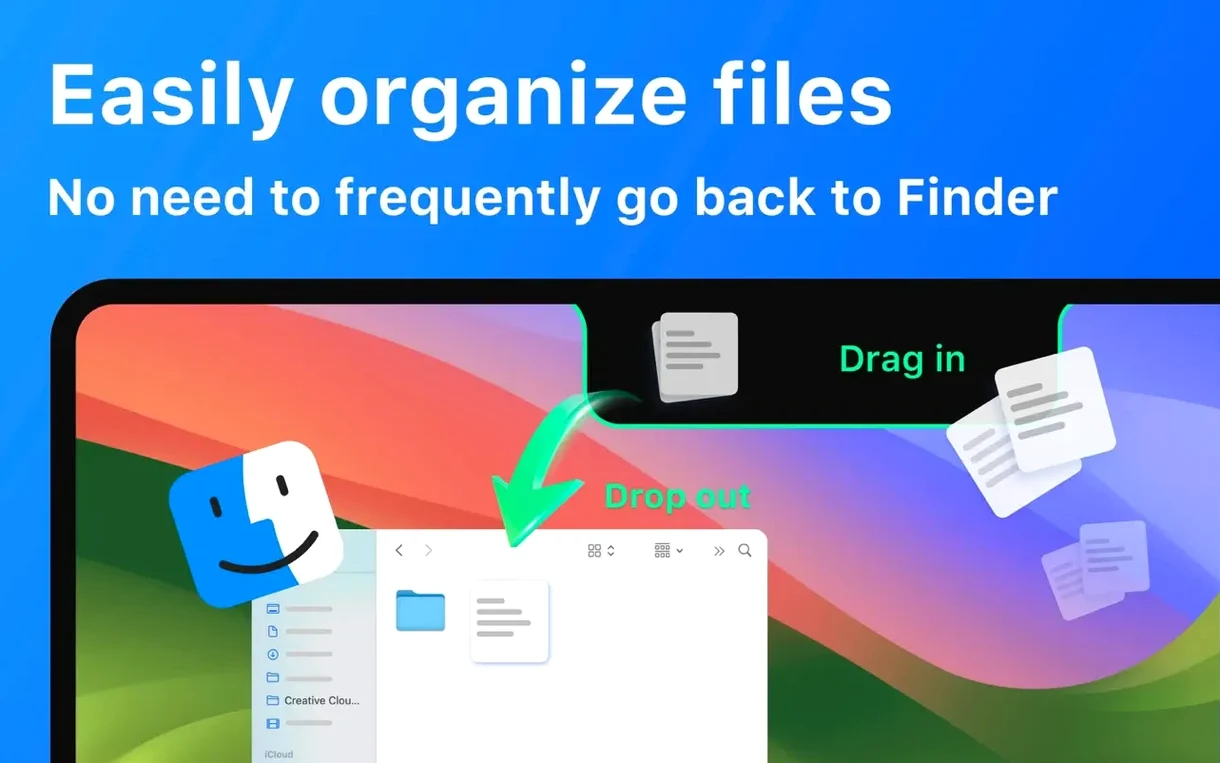
- AirDrop by drag and drop: place a file onto the notch area and a sharing panel opens immediately, removing the need to browse through Finder menus.
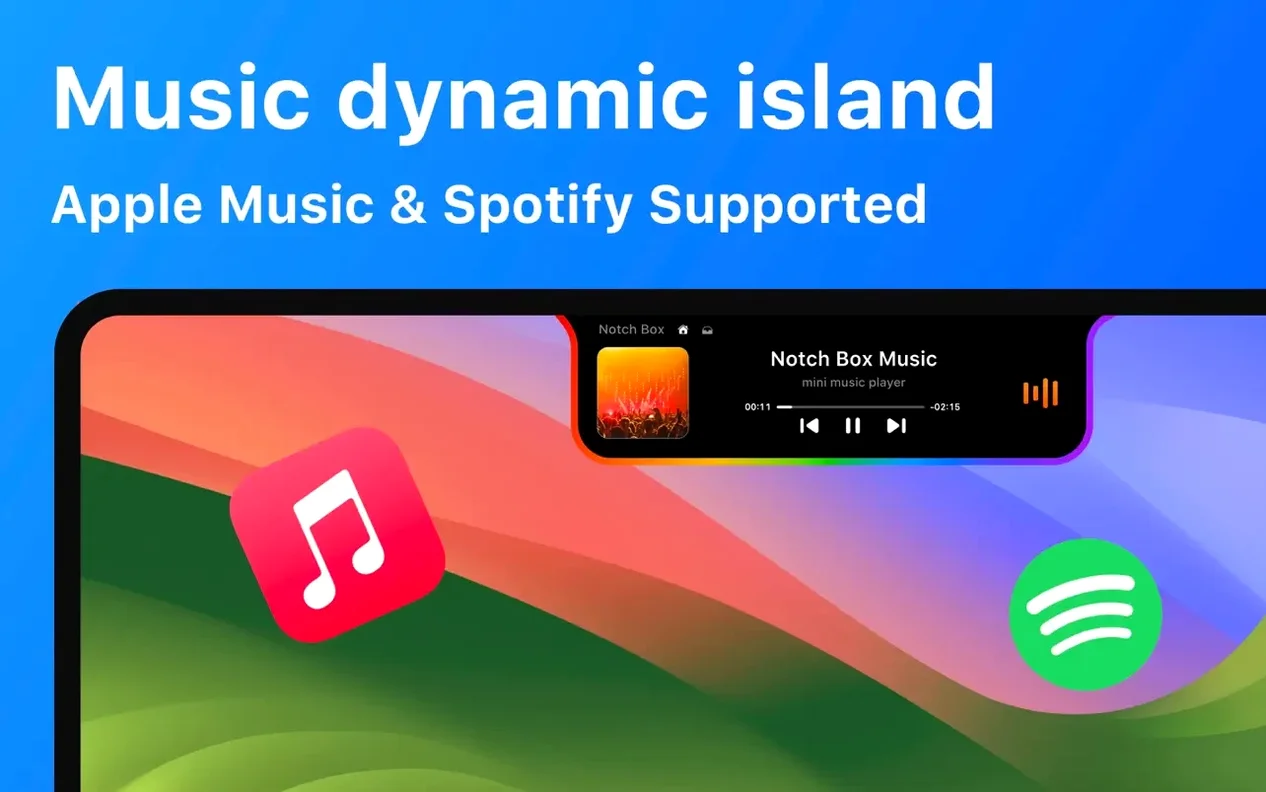
- Apple Music control: the notch displays current track information and basic transport controls without pulling focus from the active window.
- Calendar event preview: upcoming meetings appear directly in the pill-shaped overlay, drawn from the system calendar.
- Multi-language interface: the app speaks sixteen languages, including Arabic, Hindi, Thai and Vietnamese, not just the usual European set.
- Universal binary: a single build runs natively on both Apple Silicon and Intel 64-bit Macs, with no Rosetta translation layer to degrade responsiveness.
None of this requires a separate preferences window left open. The notch becomes a passive dashboard that surfaces information when the cursor approaches, then recedes. For someone who already relies on the menu bar for utilities like copy-history managers or CPU monitors, NotchBox adds a second, visually quieter tier of always-available tools.
Creative file-shufflers: the narrow audience that clicks
NotchBox suits a narrower audience than its feature list suggests, and that is part of its appeal. It does not try to be essential for everyone.
The most obvious match is the file-shuffling creative — a designer, a video editor or a photographer who moves assets between Finder, a browser and a messaging app dozens of times a day. Dragging a fresh export onto the notch to trigger AirDrop, rather than right-clicking or opening a share sheet, saves only two or three seconds each time. Across a working week, those seconds compound into something tangible. The clipboard history access reinforces this: a quick hover shows the last few copied items, and a click pastes them without breaking the current task.
A second group is people who keep music running all day but hate switching windows to skip a track. Apple Music and Spotify integration turns the notch into a persistent mini-controller. It is particularly useful during calls or screen-sharing sessions, where opening the full Music app would be intrusive. The transport controls appear and disappear with cursor proximity, so the desktop stays clean when the moment does not call for them.
A quieter beneficiary is the meeting-heavy calendar user. Seeing the next event in the pill-shaped overlay, without opening Fantastical or the system Calendar, acts as a gentle nudge. It is not a replacement for a full calendar view — the overlay shows only the immediate upcoming item — but as a pre-meeting reminder it works because it requires no action to consult.
Memory after install: 90–140 MB on Apple Silicon
After a clean install, NotchBox settles into a background process that uses roughly 90 to 140 MB of RAM on an Apple Silicon Mac — modest for a utility that composites live overlays and polls several system services. The CPU draw is negligible when the notch sits idle; spikes are brief and coincide with cursor hover animations or music metadata refreshes. On an Intel Mac the memory figure inches closer to 180 MB, still within the range of a lightweight menu-bar tool. The universal binary means neither architecture runs under translation, so launch time and animation frame rates feel native on both.
Stability over a twelve-hour workday is uneventful in the best sense. The overlay does not flicker, does not steal window focus and does not interfere with full-screen applications — it simply yields to any app that claims the menu-bar space. In testing alongside Bartender and a clipboard manager, no conflicts surfaced. The one interaction worth noting: if another notch utility is active, the system can only honour one overlay at a time, and NotchBox will quietly step aside rather than fight for the space.
What recent versions brought to daily use
Version 1.1.71 refined the overlay timing. Earlier builds sometimes held the expanded panel open a fraction too long after the cursor moved away; the current release dismisses it more crisply, which matters when the notch sits directly above a browser tab bar. The camera mirror view — a small live feed that can sit in the overlay — gained smoother frame pacing, making it usable as a quick grooming check before a video call rather than a novelty.
The Wi‑Fi indicator was quietly reworked to update signal strength less aggressively, avoiding the visual noise of a number that changed every few seconds. For users who keep the network speed visible, the readout now averages over a slightly longer interval, producing a steadier figure that still reflects real throughput. These are not headline changes, but they are the kind of adjustments that turn a curiosity into a daily driver.








Correspondence 0
Take a chair or join the table to send a letter.
No correspondence on this note yet. Letters are read before they appear.