 LeCoqRoti
The app runs on any Mac with macOS 14.6 or later, on both Intel and Apple Silicon machines. All processing stays local.
Dual engines: pick Whisper precision or Apple speed
It draws on two engines: OpenAI Whisper for accuracy and Apple Speech Recognition for speed. You can switch between them depending on whether you value precision or a quicker draft.
What can I feed it?
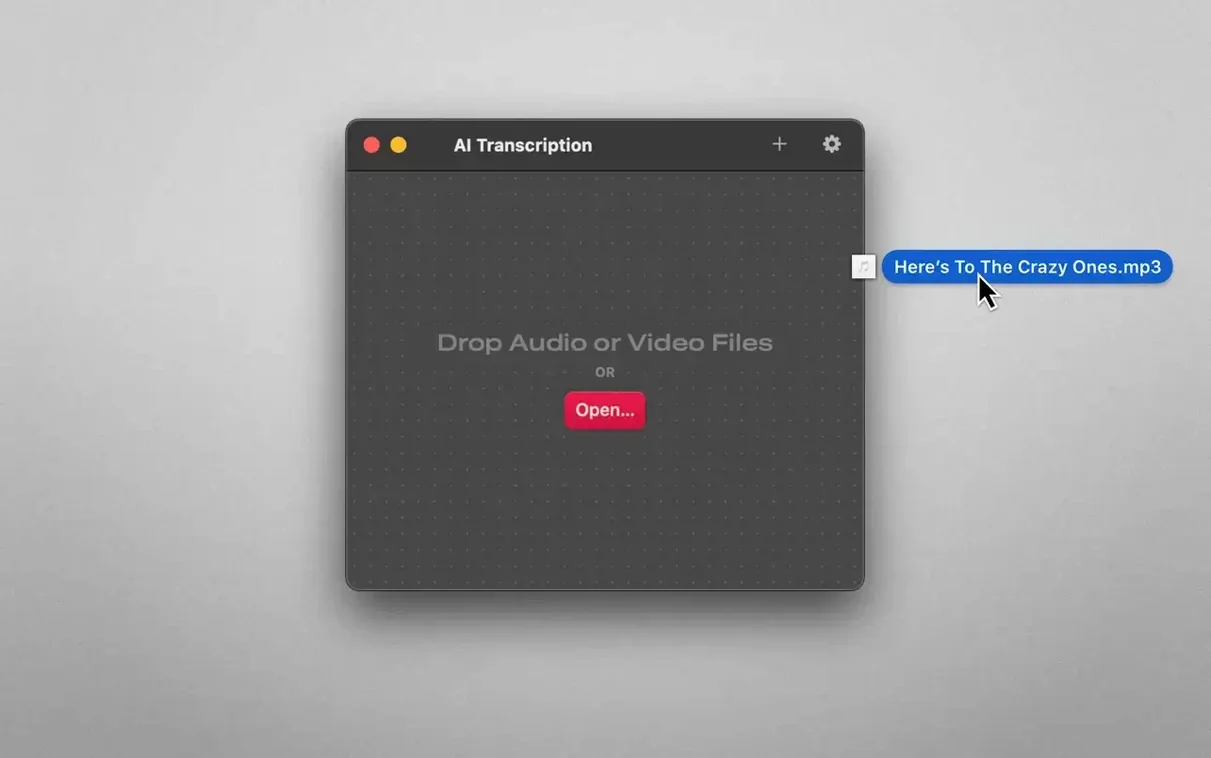
Drag in a file and it is ready: MP3, WAV, CAF, AIFC, M4A and MP4 are all accepted. The interface stays out of the way so the file is the focus from the start.
What do I get out?
Drop zone workflow: drag a file, skip the library
You launch the app and are met with a single window, largely empty save for a drop zone. There is no project manager, no library — just a place to bring a file. You drag in a forty-minute interview recorded as an M4A. The waveform appears within seconds, a quiet grey ribbon across the top half of the window.
Below it, you choose Whisper from the engine selector. The interview is in French with occasional English technical terms; Whisper handles the switch without complaint. You leave the model on its default and click Transcribe. The progress bar moves steadily — on an M1 machine, a forty-minute file takes roughly six or seven minutes. While it works, you can switch to another desktop entirely; the app does not demand your attention.
When it finishes, the transcript fills the lower pane. Each segment is timestamped and colour-coded by speaker, even though no speaker labels have been assigned yet. You click into a paragraph where the guest mentioned a product name, correct the spelling once, then use the find-and-replace tool to fix it across the whole document. A few minutes of listening back confirm the accuracy is high, with only two minor errors in technical vocabulary.
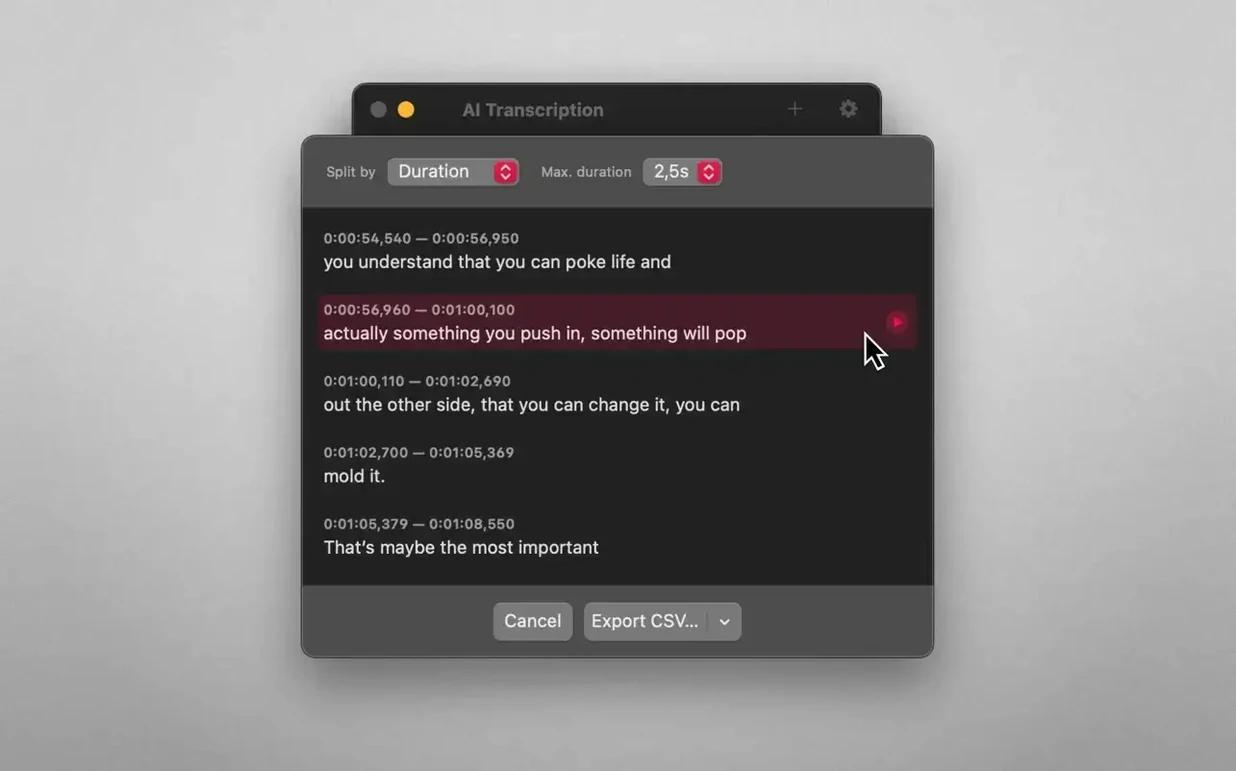
You decide the transcript should split by sentence rather than by the default duration. A single dropdown changes the segmentation, and the pane reorganises instantly. Finally, you export an SRT for the video editor and a plain text file for your notes. The whole session — from dragging in the file to saving two exports — takes under fifteen minutes.
A scenario: the field researcher
Consider someone conducting ethnographic interviews in rural areas with patchy internet. They record hour-long conversations on a portable recorder, producing WAV files that cannot be uploaded to a cloud service — both for privacy reasons and because the connection is unreliable. Back at a rented room with a MacBook Air, they need transcripts before the next day's fieldwork.
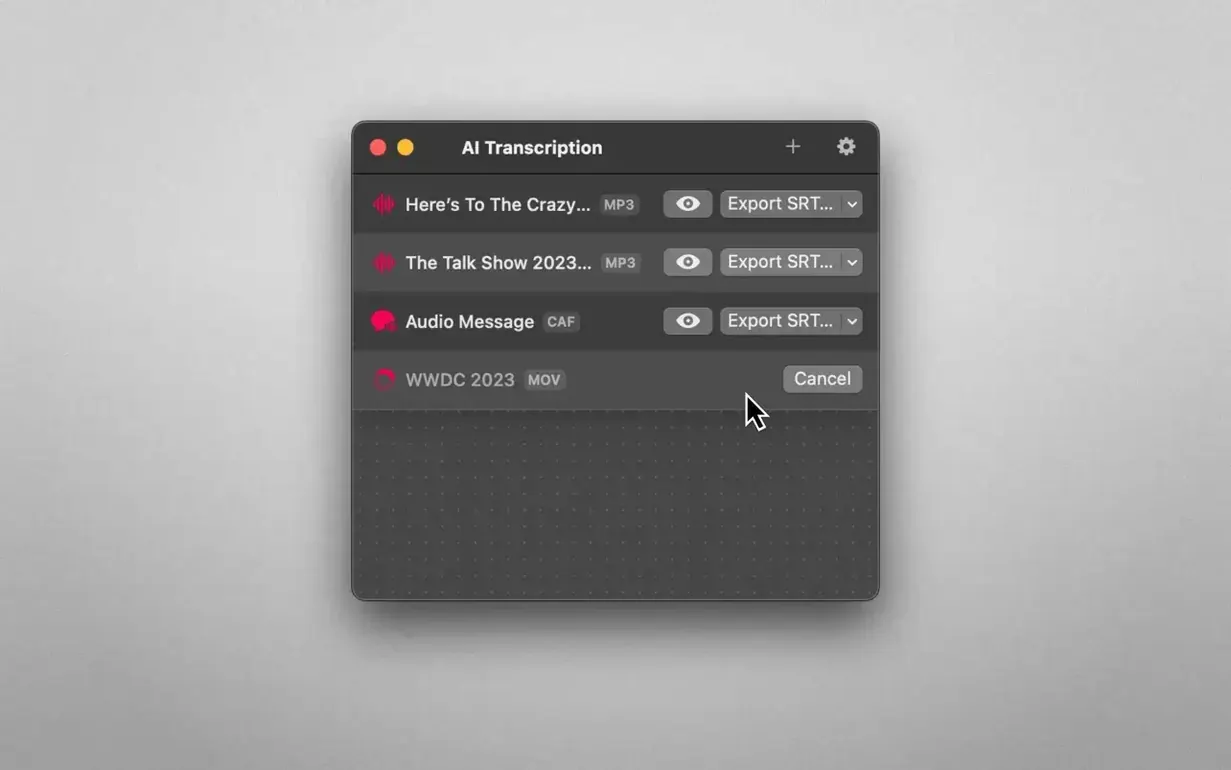
With AI Transcription, the files never touch a server. The researcher queues three interviews before dinner, switches the engine to Apple Speech Recognition for speed, and returns to three complete drafts. Accuracy is lower than Whisper would deliver, but the drafts are good enough to scan for themes and plan follow-up questions. The next morning, they run the same files through Whisper while packing equipment, and the polished transcripts are waiting when they return. The offline constraint is not a compromise here; it is the entire reason the tool fits the workflow.
Model size control: MacWhisper lets you fine-tune the trade-off
MacWhisper, from a different developer, also runs Whisper locally and shares the same offline philosophy. It offers a wider range of model sizes — from tiny to large — giving users finer control over the speed–accuracy trade-off. Its interface feels slightly more polished, with a dedicated export queue and batch processing that AI Transcription does not currently match. However, MacWhisper is more expensive in its fuller editions, and some of those model options are overkill for straightforward interview transcription.
Buzz, an open-source alternative, brings live microphone transcription and translation into the mix. It is free and surprisingly capable, but the interface is utilitarian to a fault. Settings are scattered, and the experience of correcting a transcript inside the app is far rougher than in AI Transcription, where the editing pane is central to the design.
Then there is the built-in dictation in macOS, which costs nothing and requires no installation. It works in real time but only for live audio, not for files. If you have a recording already, you would need to play it back through speakers and let the Mac listen — a clumsy workaround that introduces room noise and takes as long as the recording itself. AI Transcription sits in a comfortable middle ground: more polished than Buzz, less sprawling than MacWhisper, and infinitely more practical than the system dictation trick for recorded material.
Export preset: lock in SRT or plain text once
The defaults are sensible, but a few adjustments make the app feel more your own:
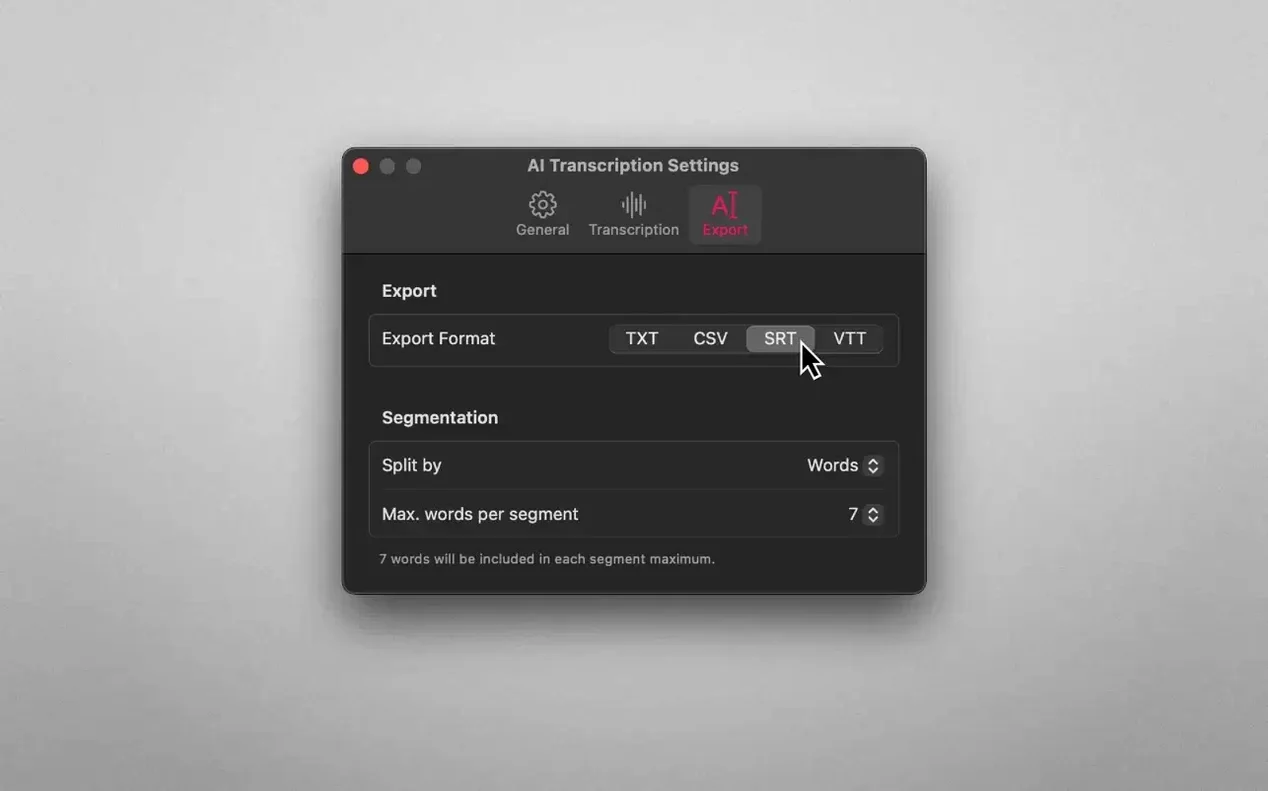
- Default export format. The app remembers your last choice, but setting it deliberately to SRT or plain text in the preferences saves a click on every export. If you mostly produce subtitles, this is the first thing to change.
- Segment splitting. Out of the box, the app splits by duration. Switching to by sentence produces transcripts that read far more naturally in the editing pane, especially if you plan to correct and re-export.
- Engine selection. Whisper is the default and the right choice for most work, but Apple Speech Recognition is significantly faster. For a first-pass scan of a long recording, swap engines before you start — you can always re-run with Whisper later.
- Language hint. If your files are consistently in one language, set it in the preferences rather than letting the app auto-detect each time. Auto-detection is good but not perfect, and a manual hint removes one variable from the process.
Plain text for editing, CSV for spreadsheet work, SRT and WEBVTT for subtitles. Four formats, one export step, no conversion dance.







Correspondence 0
Take a chair or join the table to send a letter.
No correspondence on this note yet. Letters are read before they appear.