 LeCoqRoti
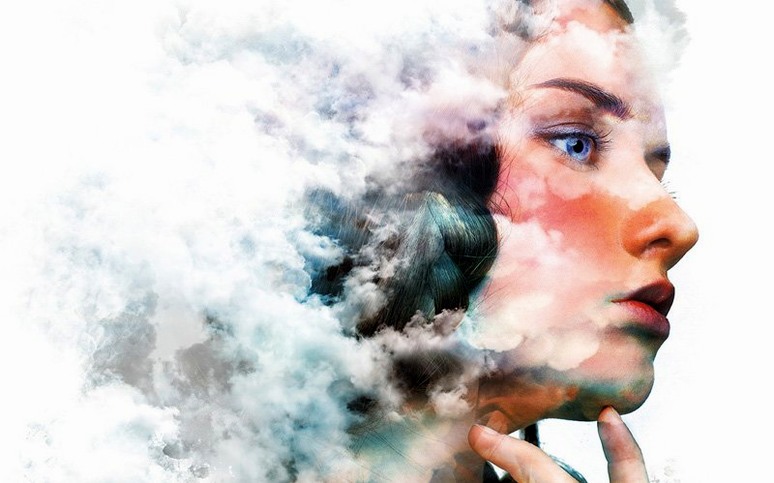


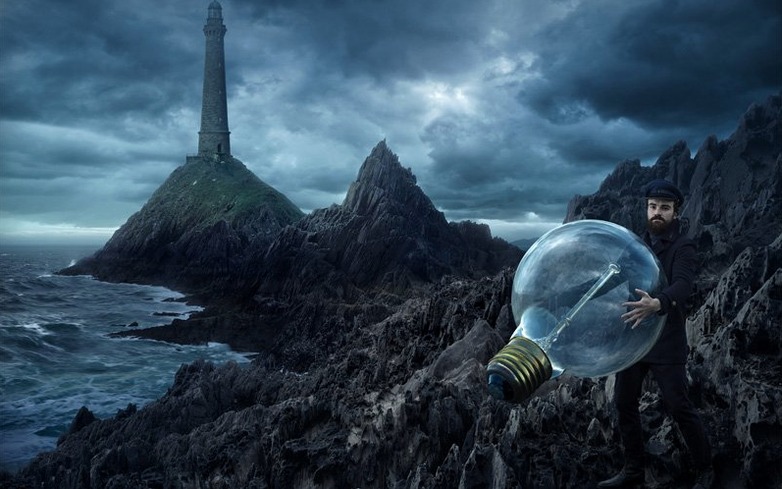
Prompt to Edit appeared without much ceremony, tucked into a beta panel on the right. You type a description — something like "add a soft morning haze over the water" — and Photoshop interprets it, making the change on a new layer so nothing is baked in. It feels less like a filter and more like a quiet collaborator.
AI edits land as generative layers: non-destructive by default
It works across selections, layers and full compositions, handling exposure, colour shifts and object blending based on natural-language prompts. The output arrives as a generative layer, which keeps the original image untouched beneath.
Has the save workflow changed at all?
Yes, subtly. You can now customise which file formats appear in Save As and Save a Copy dialogs, trimming the list to only the formats you actually use. A small refinement, but one that reduces friction for studios with strict delivery specs.
What else is new for compositing work?
A Light adjustment layer joins the non-destructive toolkit, giving you unified control over exposure, contrast, highlights and shadows without touching the pixel layers below. Combined with Dynamic Text for shapes and paths, the release favours flexibility over headline features.
Brush engine and layer core: the familiar backbone remains
The brush engine remains vast — a large collection of presets plus full custom-brush creation — and the core layer system, the compositing logic, the animation timeline: all carry forward unchanged. Photoshop still anchors itself in the same disciplines: photo editing, digital painting, graphic design and light animation work.
Comparison: three alternatives in daily use
Affinity Photo runs on the same Apple Silicon hardware and shares Photoshop's layer-based logic, but it makes different trade-offs. Its live adjustment layers and non-destructive raw development feel swift and immediate; the interface refreshes at 120 Hz without a flicker. Where it diverges is the AI tooling — there is no equivalent to Prompt to Edit, no natural-language layer generation. For a photographer who retouches high-volume portrait sessions, Affinity's frequency separation and liquify personae are polished, but a designer who composites multiple lighting passes will miss the Light adjustment layer's unified control.
Pixelmator Pro takes the opposite approach on interface. It reduces the palette count to a handful of floating panels, leans heavily on machine-learning colour matching and machine-assisted selections, and integrates with macOS in ways Photoshop never quite has — Quick Look previews, iCloud Drive, a menu-bar colour picker that works outside the app. The trade-off is depth: Path operations are simpler, the brush library is smaller, and there is no animation timeline at all. It fits a day spent on social-media graphics and quick photo edits; it feels cramped when a project crosses thirty layers with complex masking.
GIMP sits at the far end of the spectrum. It costs nothing, runs on older Intel machines without complaint, and exposes every algorithm parameter if you care to look. The interface has improved in recent 2.10 releases — layer-group handling and canvas rotation no longer fight you — but the absence of non-destructive adjustment layers and the limited raw pipeline mean it rarely replaces Photoshop for colour-critical print work. Some illustrators keep it around for its G'MIC filter collection, which offers texture synthesis and edge-detection algorithms that the other three apps do not ship natively.
A retoucher's Tuesday morning
Consider a beauty retoucher in a small Shibuya studio, working on a cosmetics campaign. The brief calls for ten hero images, each with consistent skin-toning, a slight lift to the catchlights and the removal of a distracting hair across the cheek in one frame.
She opens the first raw file through Camera Raw, adjusts exposure globally, then opens into Photoshop. A Light adjustment layer sits at the top of the stack, pulling shadows open without flattening the mid-tone contrast. She paints a mask across the irises and lifts highlights half a stop — the catchlight brightens without affecting the skin beneath. For the stray hair, she lassos a rough selection, brings up the AI Assisted editor panel and types "remove the dark hair crossing the left cheek, keep the skin texture natural." The result lands on its own layer; she reduces opacity to 85% so the underlying pore structure still reads through. The whole sequence — raw to layered PSD — takes just under four minutes per image once the adjustment stack is built. The Dynamic Text tool also gets used that morning, but not for type: she places a curved path along the model's jawline to guide a subtle dodging stroke with a soft brush, using the path as a precise stencil.
Spring-loaded tools: hold a key for a temporary switch
- Spring-loaded tool shortcuts: hold a letter key to switch temporarily to a tool, release it, and you snap back to the previous one. Holding
Hfor the Hand tool while painting saves constant panel trips. - Blend-if sliders with a split: hold Option while dragging a Blend-if triangle and the slider splits in two, creating a smooth falloff instead of a hard cut. Essential for compositing skies into tree lines.
- Custom Save As list: the new format-filtering preference lives under File Handling and lets you uncheck JPEG, PNG or any format you never deliver. The dialog opens faster and you never accidentally save a layered file as a flattened TIFF.
- Curves black-and-white-point sampling: double-click the black-point eyedropper in Curves and set a neutral dark value (say 10,10,10) once; the setting persists across sessions until you change it.
- Layer comps with notes: layer comps can store not just visibility, position and style states but a text note per comp — useful when exporting twenty layout variations for a client review and you need to remember which was "option B with warmer cast."
Apple Silicon cold launch: heavy PSD ready in seconds
On Apple Silicon, Photoshop 27.10 launches cold in roughly four seconds and a heavy 2 GB PSD with sixty layers opens in under eight. The AI Assisted editor takes a pause — prompt processing runs server-side, so there is a perceptible three-to-five-second wait while the preview generates — but once the layer appears, scrubbing, masking and opacity changes are real-time. Memory pressure sits around 2.7 GB during typical retouching with five open documents, though a batch of twenty raw files loaded through Adobe Camera Raw pushes closer to 6 GB. The app releases memory cleanly when documents close, something earlier 2023 builds did not always manage.
The Light adjustment layer is purely arithmetic — no sampling delay, no recalculation lag when you drag sliders. It runs faster than a comparable curve-and-levels stack and avoids the minor banding those combinations occasionally introduce in deep shadows. Stability has been uneventful across a week of daily use: no crash on save, no layer corruption, one beachball when switching between two large documents with the AI panel open, resolved by closing and reopening the panel. The only persistent annoyance is that the AI Assistant sometimes returns an imprecise mask edge on high-frequency texture like wool or hair; a quick pass with the Refine Edge brush cleans it, but it is an extra step worth budgeting for.
What the last two versions quietly refined
Beyond the headline additions, the incremental changes since early 2024 have smoothed several rough edges. The Dynamic Text behaviour now respects path direction when you flip a shape horizontally — earlier builds reversed the text, forcing a manual reset of the type orientation. The Save As format filter remembers its state per document window rather than globally, so a print-ready PSD with TIFF preselected does not override a web mockup's PNG preference when you switch tabs.
Layer handling under the hood improved, too. Dragging a group from one document to another now preserves blending mode order and smart-object transforms; previously, a group with a difference mode layer could flatten incorrectly if the receiving document had a different colour profile. The AI Assisted editor's masking integration was refined: painting a rough black mask on the generative layer now restricts the prompt's effect to the unmasked area without regenerating the entire result, which cuts down on re-prompting time when you only want the edit in a corner of the frame.
One unadvertised fix: the Light adjustment layer no longer clips specular highlights when combined with a luminance mask on the layer below, a bug that affected early betas and caused blown patches in jewellery photography. The team also reduced the save-dialog freeze that occurred when rapidly switching between Save As and Save a Copy — it now responds within a second on Apple Silicon, where it could previously hang for four or five. These are not the features that make bullet-point lists, but they are the changes a working designer notices by Wednesday.








Correspondence 0
Take a chair or join the table to send a letter.
No correspondence on this note yet. Letters are read before they appear.