 LeCoqRoti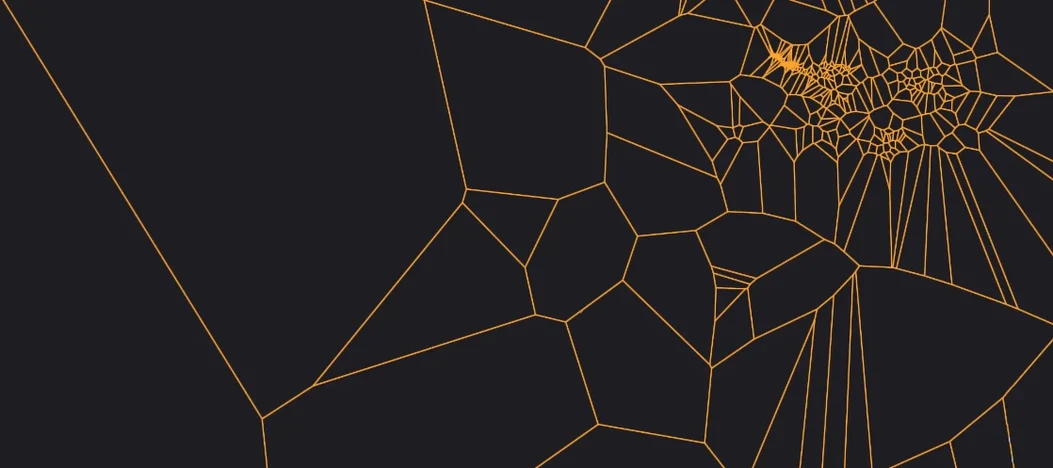
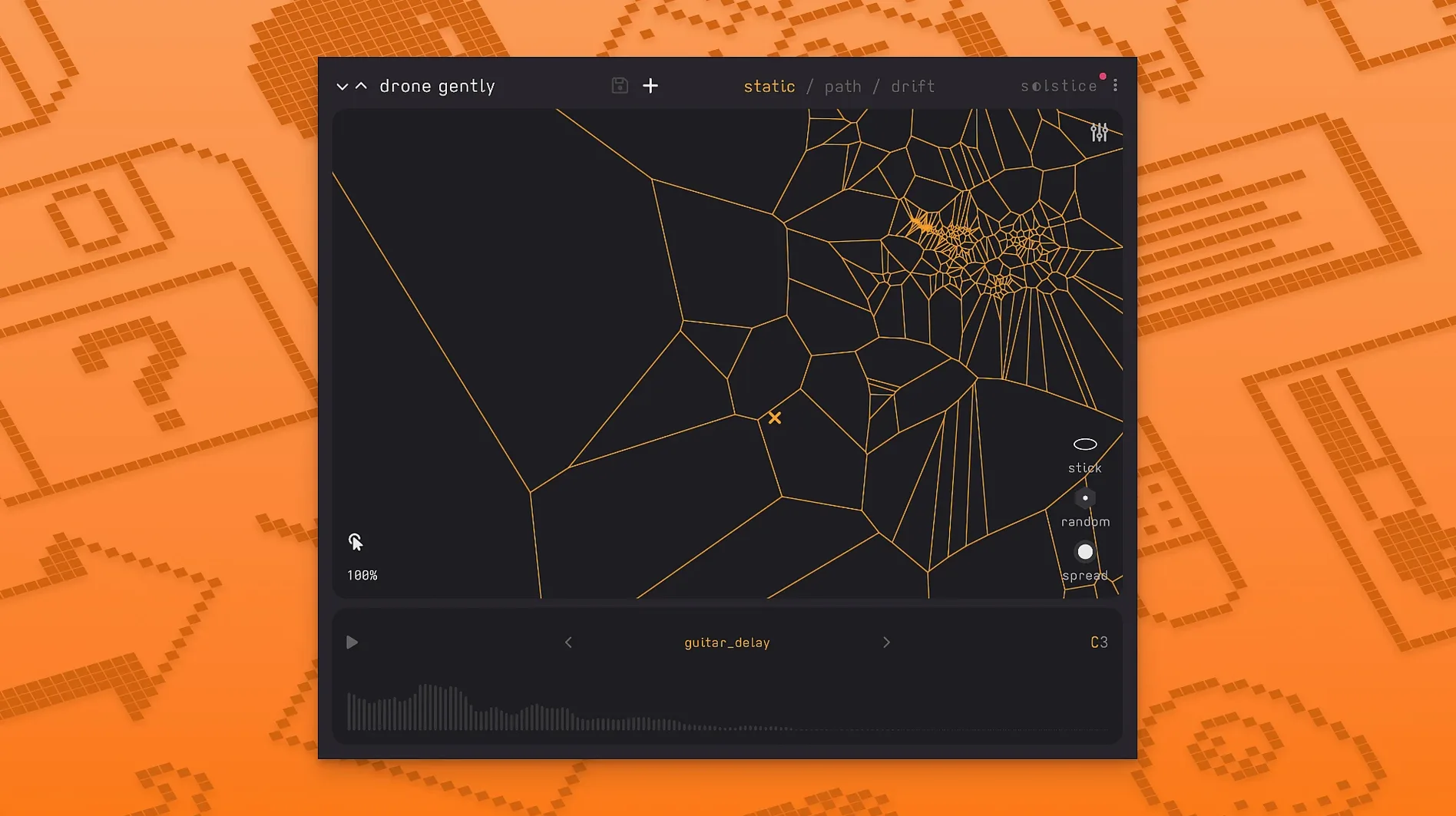
Solstice is a Mac plugin that transforms a single audio sample into a playable, two-dimensional sound map. Drop in a field recording, a synth note or a vocal phrase, and the engine analyses its spectral content, projecting it onto a plane where every point produces a different timbre.
Morphing samples: drag a cursor across the map
- Turning static samples into evolving, performable textures
- Morphing smoothly between sound regions by dragging a cursor
- Letting playback drift across the map automatically for unpredictable patterns
- Adding movement with five spectral effects: texture, tilt, flutter, stretch and bloom
- Retaining pitch precision with crisp pitch shifting and MTS-ESP tuning support
System needs: macOS 12 plus VST3 or AU host
- Requires macOS 12 or later
- Runs on Intel and Apple Silicon Macs
- Available as VST3 and Audio Unit
- Interface is in English only
Version 1.2.0 adds a welcome layer of warmth with saturation and glue, alongside reverb modulation control. The five spectral effects extend the palette considerably: tilt skews the harmonic balance, bloom softens attacks, and flutter introduces a delicate instability that suits ambient material. In short: a design-minded tool for pulling unexpected musicality from even the most ordinary source audio.
Gap between granular and resynthesis: deliberate middle ground
A fair question: how does a sample-map synthesizer differ from a granular engine or a resynthesis workstation? Solstice occupies a narrow, deliberate gap. Compared to a granular plug-in like Portal, the emphasis is not on grain clouds and buffer manipulation but on spatial organisation of timbral content. Portal excels at dense, layered textures; Solstice gives you a map you can read and navigate. The feeling is closer to a performance instrument than a processing chain.
Against a resynthesis environment such as Harmor or Iris 2, the distinction is about immediacy. Where Iris lets you paint frequency bands to isolate partials, Solstice makes no assumption that you want to edit spectra directly. You place a cursor, you drag, and the engine handles the interpolation. It trades surgical precision for a more tactile relationship with the source. No zone selection, no layer management — just a single image-like surface that responds to input. For a sound designer building aleatoric beds, that simplicity can be a creative shortcut.
When set beside Monomachine-style parameter-lock sequencing or a modular random-voltage patch, Solstice offers something those cannot: a visual, timbral geography that stays consistent across sessions. The map does not change unless you reload a different sample. That repeatability, paired with the drift mode and MPE support in version 1.2.0, makes it a candidate for live sets where a degree of unpredictability is desired but total chaos is not.
Plug-in only: no standalone app
Does it work as a standalone application, or only inside a DAW?
Solstice runs exclusively as a plug-in, in VST3 and Audio Unit formats. There is no standalone version. You will need a host that supports one of these formats on macOS 12 or later, which covers most current DAWs including Ableton Live, Logic Pro, Reaper and Bitwig Studio. Both Intel and Apple Silicon hosts are supported.
What kind of sample works best?
The analysis engine responds to timbral variety more than to loudness or length. A short sample with a single sustained tone will produce a map with limited range; a longer field recording with shifting harmonics yields a richer topology. Producers often get strong results from instrumental phrases, vocal snippets with vibrato, or outdoor recordings containing intermittent textures such as water or wind. The auto root note detection in version 1.2.0 helps keep the map tonally anchored, particularly when a minuit solstice session is layered with pitched material.
How does MPE integration function in practice?
With Basic MPE support added in 1.2.0, compatible controllers can send per-note pitch bend and pressure data. This means you can map timbre position to aftertouch or slide on a per-voice basis, which is especially expressive when you let the cursor drift slowly while varying finger pressure on a ROLI Seaboard or similar surface. The tuning flexibility is further enhanced by MTS-ESP support, allowing the plug-in to follow microtonal scales set by a master tuning plugin elsewhere in the session.
A composer’s evening with a single piano note
Imagine a media composer working against a deadline for a short film cue. The brief calls for an eerie, evolving drone beneath a dialogue scene, something that feels organic but not literal. She opens her DAW, drops a solstice plugin instance onto a send, and loads a single struck piano note — a low F-sharp with a soft felt mute. The analysis completes in seconds, spreading the attack’s percussive snap to the left of the map and the long, ringing decay to the right.
She sets the drift to a slow, irregular trajectory and activates the flutter effect at about 30 percent depth. The result is a shifting, breathing texture that never quite repeats. A touch of glue and saturation from the new 1.2.0 processing section rounds off the transients, letting the tone sit behind the dialogue without masking consonants. As the scene intensifies, she drags the cursor manually toward the brighter region in the upper-right quadrant, opening the sound gradually. The entire cue is built from that one sample — no additional instruments, no layered synths. In the final playback, the director comments on the “bespoke synth patch.” She does not correct him.

Correspondence 0
Take a chair or join the table to send a letter.
No correspondence on this note yet. Letters are read before they appear.