 LeCoqRoti
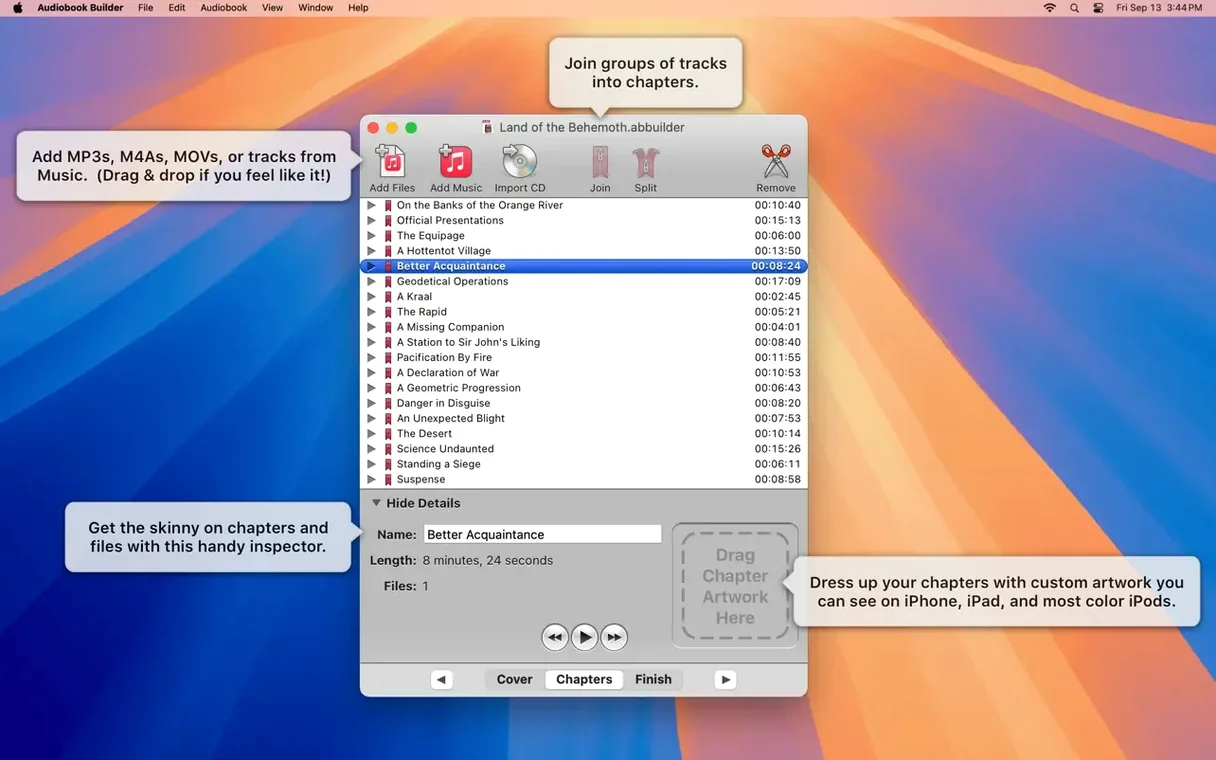
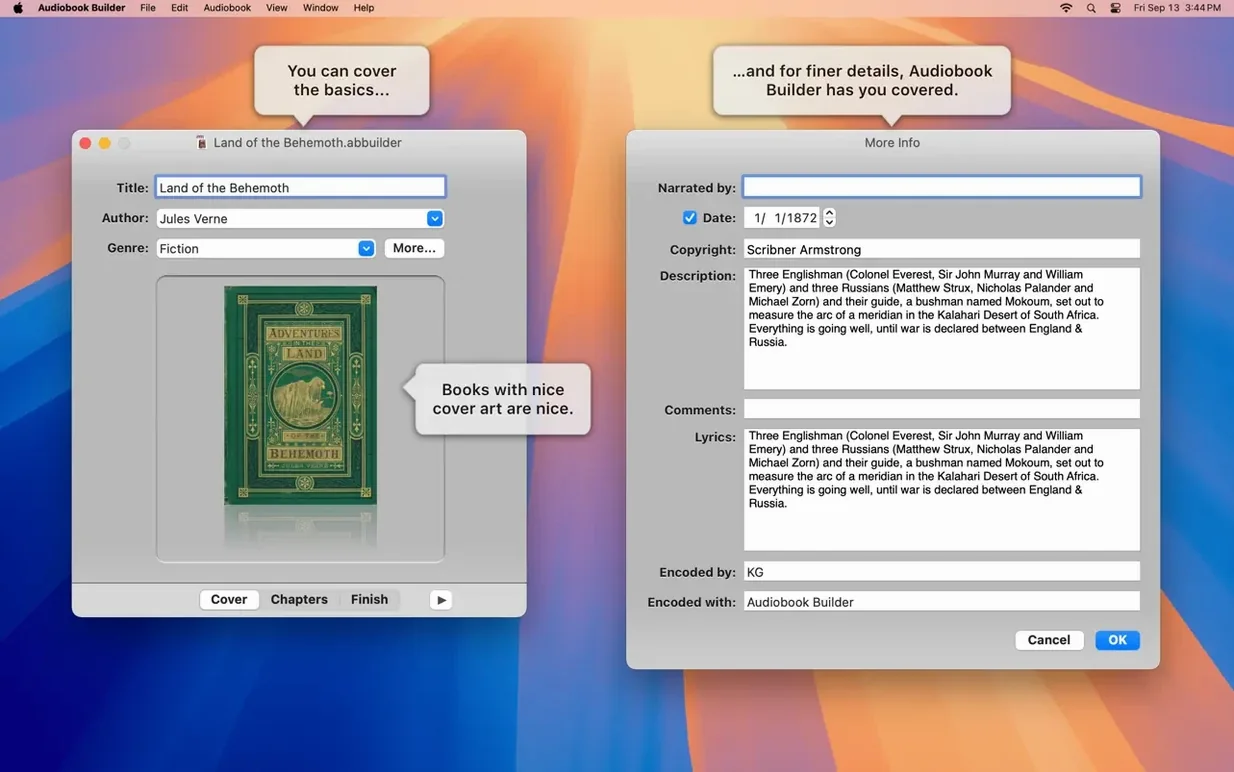
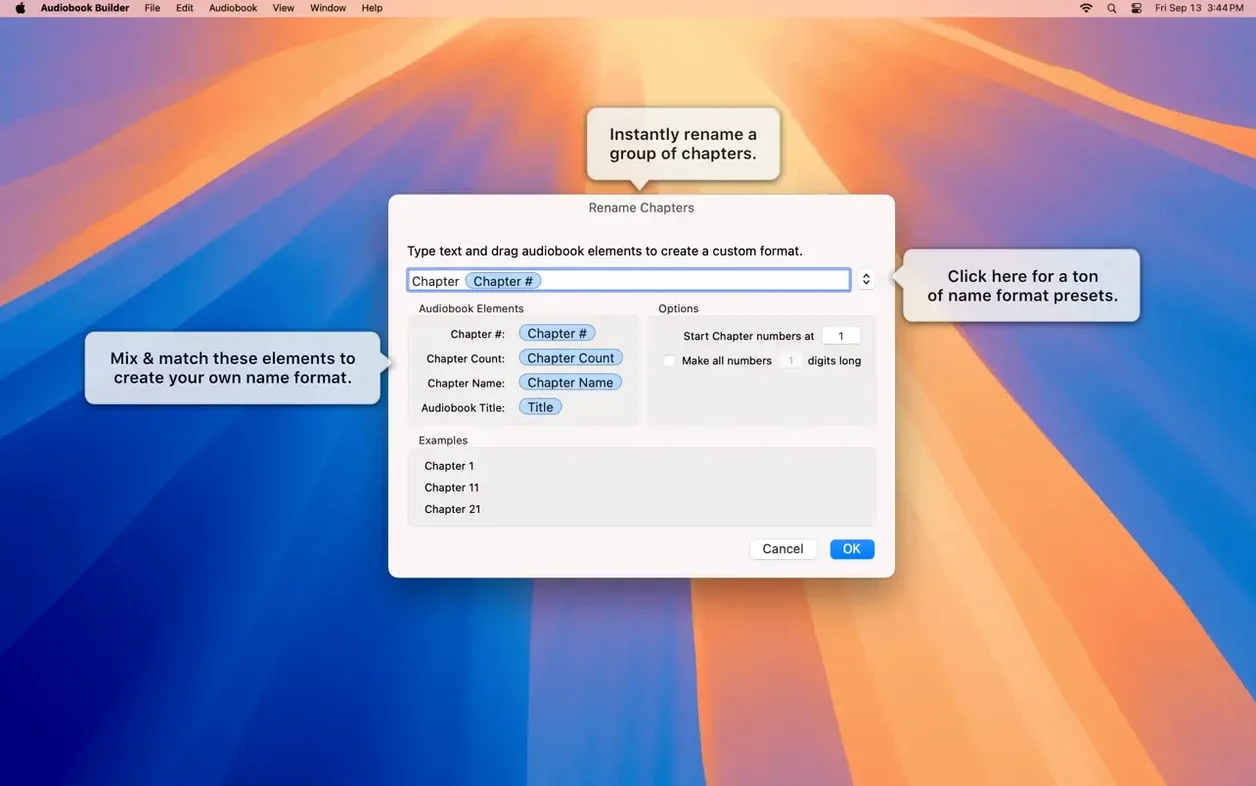
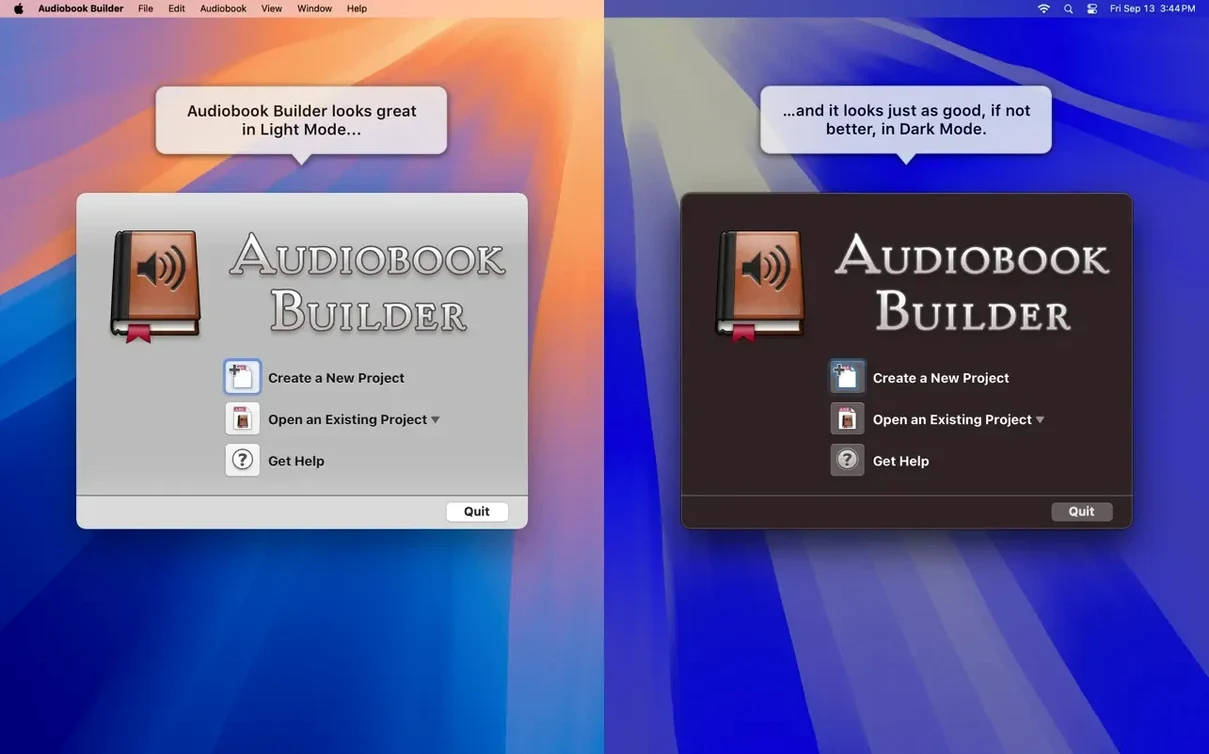
Turning a folder of MP3s or a stack of CDs into something that behaves like a proper audiobook — with chapters, a cover and remembered playback position — is not something the Mac does on its own. That gap is exactly where Audiobook Builder fits. It takes the raw material and shapes it into a single, neatly packaged audiobook for Apple Books. For a newcomer, the app's quiet, uncluttered interface is a good place to start. Here are the first things worth trying.
- Build a short test book from a few files. Drag in three or four MP3s you know well, give them a title and author, and let the app combine them into one audiobook. This run-through reveals the whole flow without the weight of a 20-hour novel.
- Define chapter stops by hand. Let the automatic detection do its work, then click into the chapters list and rename them. Dragging the chapter boundary markers lets you fine-tune exactly where a chapter begins.
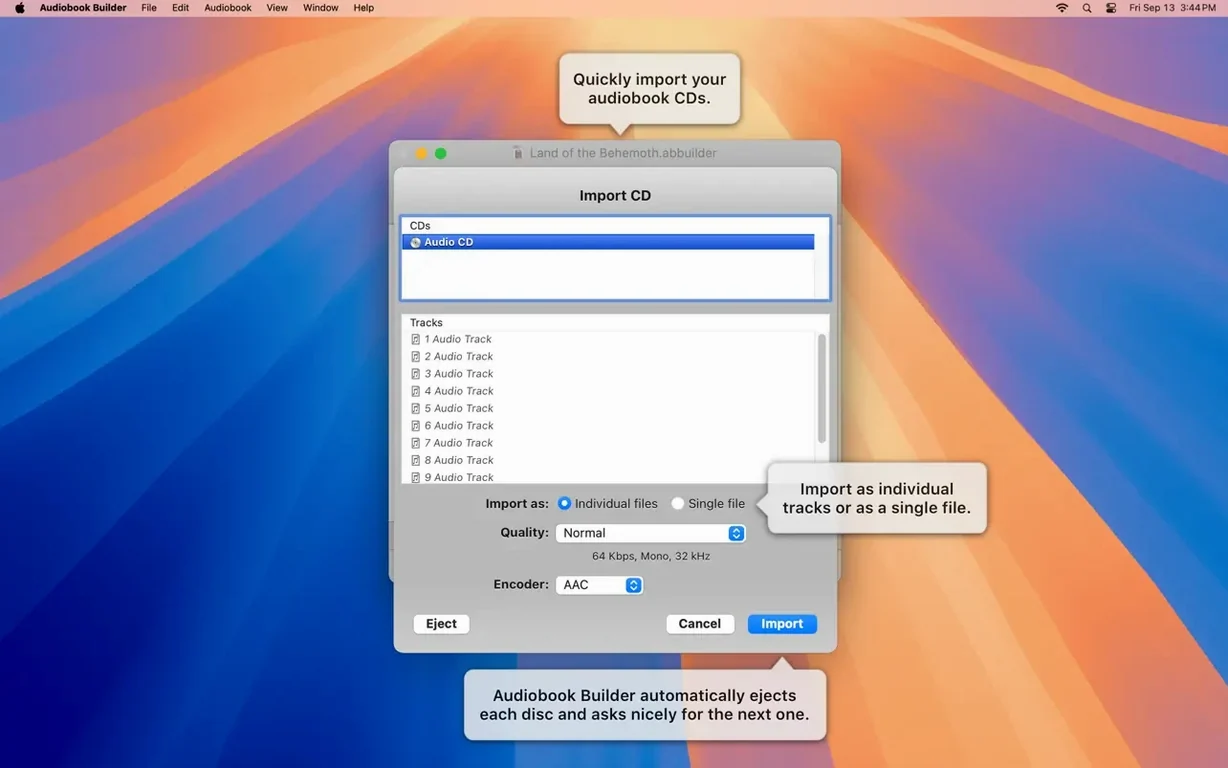
- Import directly from a CD. Insert a spoken-word CD, click the import button, and watch the tracks appear. Audiobook Builder can pull the disc's metadata automatically, which saves a fair bit of typing.
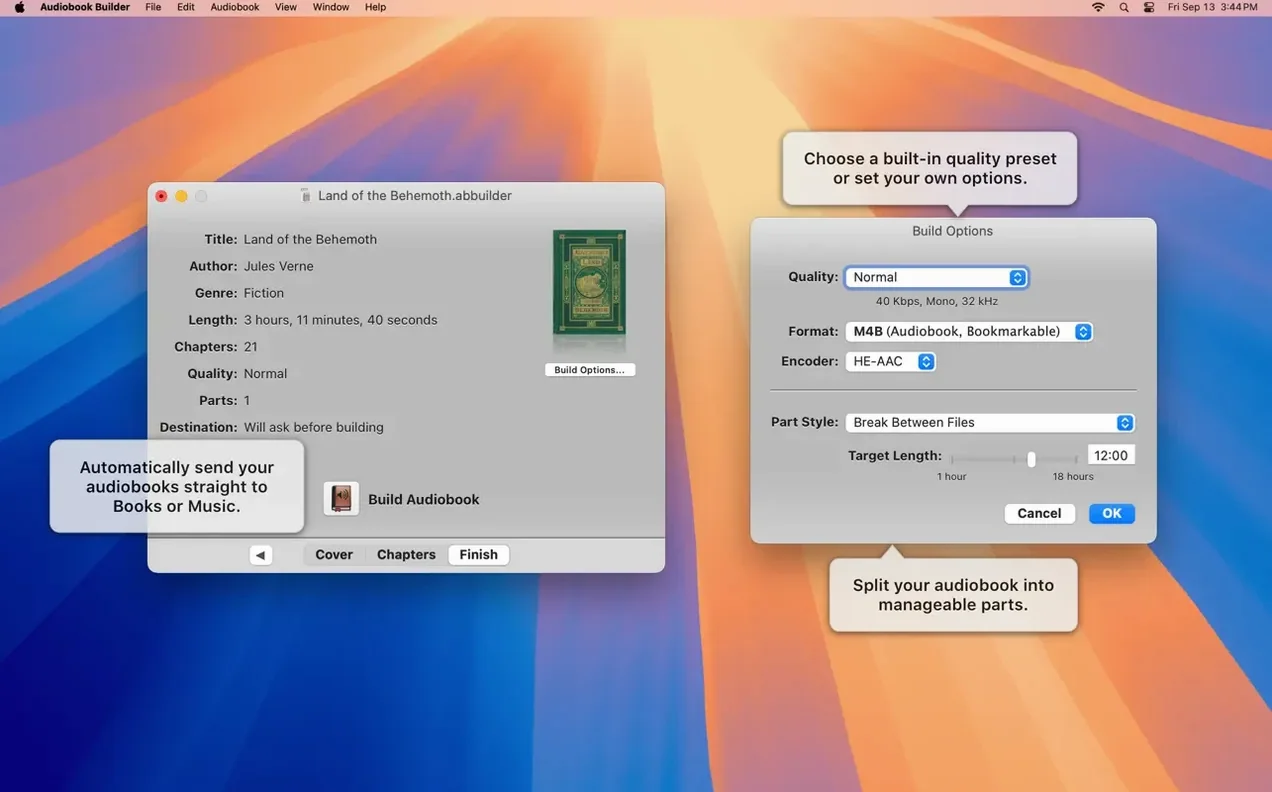
- Experiment with sound quality presets. The app offers a simple menu of quality levels. Try a lower setting for a long book you only need for casual listening; the file size difference can be considerable.
- Add cover and chapter artwork. Drop a square image into the cover well. On macOS Ventura and later, you can also attach an image to individual chapters, which adds a pleasant visual cue during playback.
None of these steps asks for technical commitment. They reveal how the app thinks about structure and sound, and after a few minutes you will have a better sense of how to approach a larger, more important project. In short: start small, set your own chapters, and pay attention to the quality slider — everything else follows naturally.
Integration: how Audiobook Builder sits alongside other apps
Audiobook Builder does not try to replace a media player or a library manager. It occupies a narrow but well-defined role — assembly and encoding — and it hands the finished work over to Apple’s own apps without fuss. Once a project is complete, the audiobook lands in the Books app (or iTunes on older macOS versions), where it inherits the same treatment as any purchased title: cover art, chapter navigation, playback speed controls and the bookmark that remembers where you stopped listening. The file itself is a standard M4B with AAC encoding, so any player that understands the format can open it, from an old iPod classic to a third-party iOS app like Bound or MP3 Audiobook Player.
There is a quiet synergy with Finder and Quick Look, too. Because each project saves as a self-contained bundle, you can browse your in-progress audiobooks like any other folder. The individual audio files stay accessible inside the bundle — helpful if you want to pull a chapter out for editing in another tool. For users who already rely on an audio editor such as Amadeus Pro or Fission, the workflow is straightforward: edit the raw files first, then bring the polished versions into Audiobook Builder for final assembly and tagging.
The app also respects macOS conventions that have become rarer in recent years: it still supports AppleScript, which opens the door to small automation routines. A script can build a new project from a watched folder, or export a finished audiobook directly to a specific location, which ties neatly into Hazel or LaunchBar actions. And for those who prefer the terminal, the underlying command-line encoder (Core Audio’s AAC codec) is the same one the system uses, so the output is consistent with what you would get from afconvert or Apple’s own media tools.
A scenario: the long commute, reimagined
Consider a language teacher who owns a set of old Pimsleur CDs — French, levels one through three — and wants to revisit them during a daily train ride. The CDs are scratched but still readable, and the idea of carrying a portable disc player is absurd. She opens Audiobook Builder on an M1 MacBook Air, inserts the first disc, and imports the tracks with metadata pulled automatically. She names the project and sets the author field to the course publisher. The chapters become lesson units: she renames them by hand, adding the lesson number and topic. A simple colour-coded cover image — a tricolour flag and the course name — goes into the cover well. She chooses the standard quality preset, which keeps file size manageable without dulling the spoken voice. Within twenty minutes she has a single M4B file for all of level one, synced to her iPhone via the Books app. During the commute, the playback position stays locked between sessions, and the chapter list lets her jump back to a tricky pronunciation drill. The app’s job ends at encoding; everything after that is Apple’s domain, and the transition is invisible.
Long-form listeners turn scattered audio into bookmarkable chapters
Three groups tend to find Audiobook Builder indispensable. The first is the long-form listener with a library of older audio material — CD rips, lecture recordings, downloaded MP3 courses — who wants a unified, bookmarkable format rather than a pile of loose files. For them, the chapter-editing tools and the automatic joining of tracks turn a dusty collection into a modern listening experience.
The second group is the visually-oriented organiser, someone who genuinely cares about cover art, chapter images and clean metadata. On a Retina display, a well-tagged audiobook with a high-resolution cover and per-chapter artwork feels like a first-class citizen in the Books library, not an afterthought. The app’s ability to embed artwork that survives across devices and macOS versions rewards this kind of attention.
The third group includes anyone who values platform longevity. The fact that Audiobook Builder runs on everything from a decade-old iMac still on El Capitan through to an Apple Silicon Mac on Sequoia means it fits into mixed household setups, donated machines, and the kind of secondary computer that stays offline but still serves a single purpose. For a user building an audiobook builder mac workflow on an older Mac, that continuity is not trivial. The same project file opens on either architecture, and the output is identical.





Correspondence 0
Take a chair or join the table to send a letter.
No correspondence on this note yet. Letters are read before they appear.