 LeCoqRoti
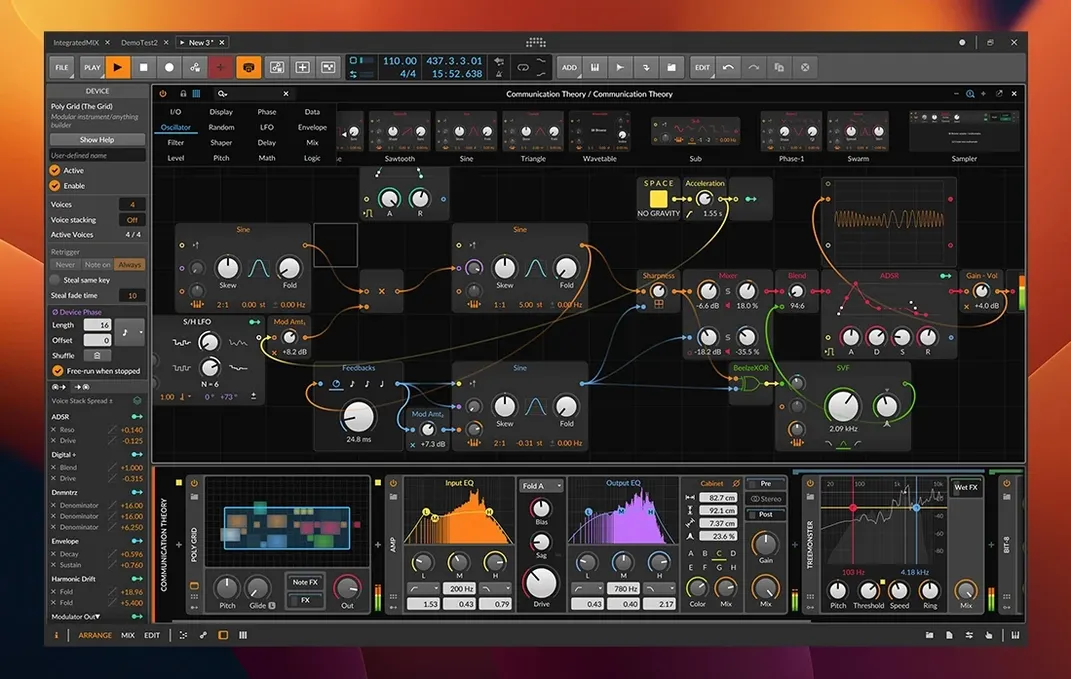
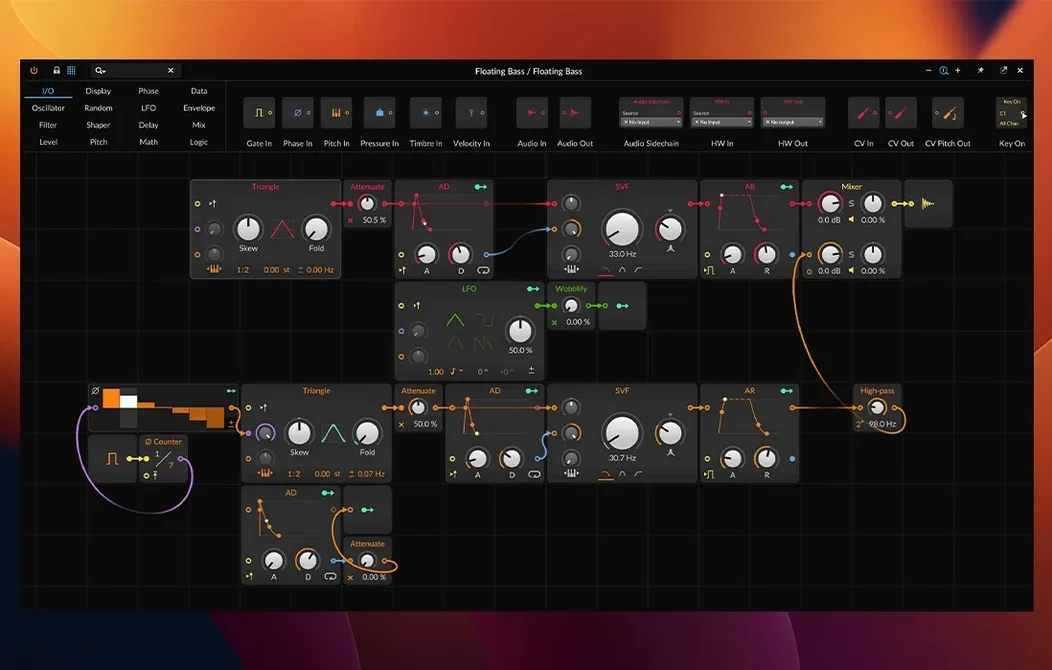
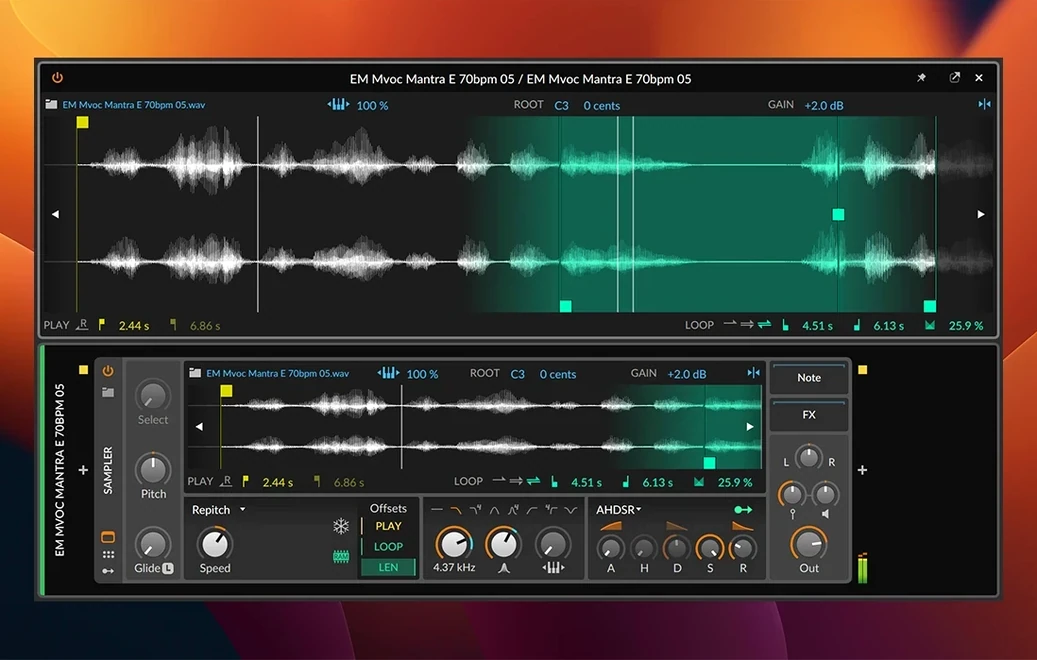
What arrived with version 6.1 was a quiet overhaul of the Sampler and the addition of automatic pitch detection, which shifts the way one thinks about captured audio. The Sampler now slices and offers new Spectral and Fragments play modes; pitch and tempo are detected without manual correction, so a field recording or a snatched phrase becomes playable material almost instantly.
Microtonal support: scales and MPE expression
- Does it handle microtonal work? Yes. The editing tools accommodate scales outside equal temperament, and MPE controllers are supported for per-note expression.
- Can it record detailed per-note changes? Velocity, Gain, Pan, Timbre, and Pressure can all be recorded and edited per note.
- What devices come with it? Over eighty devices and effects, including instruments with CV/Gate and Clock support for modular hardware integration.
- Is the time-stretching clean at extremes? The built-in engine is designed for transparent results, useful for both subtle corrections and radical tempo shifts.
- How does the three-workspace layout work? The arranger, mixer, and device editor can be spread across separate monitors simultaneously.
What this means for an electronic setup
A session built around hardware and software benefits from the CV/Gate plugins and the way the Sampler now treats a sample as a territory to explore rather than a static block. The automatic analysis removes set-up friction: drop in audio, play it chromatically, stretch it, fragment it, all within a single device. In short: the 6.1 update makes the sampler a more complete instrument and keeps the modular, performative identity of the DAW intact.
Custom template first: a faster start in three steps
After a fresh installation, the interface can feel expansive. I suggest spending the first hour not on a finished piece, but on three specific actions that make later work faster.
First, build a custom template. The three-workspace layout — Arrange, Mix, and Edit — can be spread across monitors in almost any configuration. Decide early where your device chain, mixer, and arrangement belong, then save that view. A well-placed template removes the friction of setting up routing and screen real estate every time a new idea arrives.
Second, test the Sampler’s automatic detection with varied source material: a vocal snippet, a percussive hit, a long ambient recording. Drag each onto a track and watch how pitch and tempo are assigned. The Spectral and Fragments modes behave differently depending on the input; learning those behaviours now means you reach for the right mode instinctively later.
Third, map a MIDI controller to the modulation system early. Even a minimal mapping — a knob to filter cutoff, a fader to sample start — turns browsing presets into something tactile. Bitwig’s modulation architecture rewards physical control, and waiting until a project is half-finished to set it up interrupts the flow.
Comparisons: where Bitwig sits among peers
Placed next to Logic Pro, the difference is philosophical. Logic offers a traditional linear recording environment with a deep stock library; Bitwig favours modularity and performance. Where Logic expects you to record and arrange, Bitwig invites you to treat every element as modulatable — an LFO on a reverb tail, an envelope on a sample’s playback mode. The Sampler in 6.1, with its Spectral slicing, does things Logic’s Quick Sampler does not attempt.
Beside Ableton Live, the overlap is stronger, but the approach to modulation is not identical. Live’s Session View and Bitwig’s Clip Launcher serve similar improvisational needs, yet Bitwig’s modulation system — with its per-device modulators and visual cable-style routing — exposes more of the signal path to the user. The updated Sampler’s automatic pitch and tempo detection also edges ahead of Live’s equivalent for sheer speed: drop, detect, play, without dialogue boxes.
Against Studio One, Bitwig feels less like a console and more like an instrument. Studio One excels at mixing and mastering workflows; Bitwig excels at generative sound design and live performance. A producer working primarily with hardware modular gear will find Bitwig’s CV/Gate devices more directly useful than Studio One’s more studio-centric feature set. The choice often comes down to whether one wants a digital mixing desk or a sandbox for sonic experimentation.
A task from beginning to end: turning a field recording into a playable pad
Start with a recording of rain on a metal roof, loaded onto an audio track. Bitwig detects its pitch and tempo automatically — the analysis appears in the clip inspector without prompting. Drag the clip into the Sampler.
Set the play mode to Fragments. This splits the sample into short grains, each with independent pitch and amplitude. Increase grain density until the individual drops blur into a continuous texture. Assign a slow LFO to grain position so the playback window drifts across the recording over several bars. Add a second modulator — an envelope follower keyed to the input — to control grain pitch, so louder moments rise slightly in frequency.
Insert a Resonator device after the Sampler, tuned to a minor seventh chord. The rain now sings. Route a CV Out device to a hardware filter module if your setup permits; otherwise, add Bitwig’s Filter+ and modulate its cutoff with a random S&H source timed to the project’s tempo. Record the output into the Arranger, riding the mod wheel to control grain density and filter depth.
The result is a pad that breathes, made entirely from a single field recording, with no third-party plugins. From capture to arrangement, the whole process takes under ten minutes once the devices are familiar.
Sound designers: Sampler with spectral and fragment modes
Sound designers gain the most from the updated Sampler. The Spectral and Fragments modes treat audio as a malleable substance, not a fixed asset. Someone building sound libraries or designing original textures for game and film work will use these modes daily.
Live performers — particularly those comfortable with modular synthesis — find a DAW that thinks like a hardware rig. The Clip Launcher, the modulation system, and the CV/Gate integration make it possible to build a set that evolves each night without relying on pre-rendered stems. The tempo detection in 6.1 also helps when dropping in found sounds mid-performance.
Electronic musicians who compose by exploration, rather than by writing a score, will appreciate how little the software interrupts. The automatic analysis means less time naming and tuning samples, more time playing them. Users moving from a hardware-only setup often find Bitwig’s modulation metaphors familiar, while those coming from more linear DAWs may need a few days to adjust to the modular thinking it encourages.
A final note on the Sampler: those searching for a Bitwig torrent or a Bitwig Studio torrent often do so to test whether the device workflow fits their habits before committing. The 6.1 update makes that test more representative than earlier versions, because the Sampler now reflects the full ambition of the platform — fast, deep, and performative.


Correspondence 0
Take a chair or join the table to send a letter.
No correspondence on this note yet. Letters are read before they appear.