 LeCoqRoti
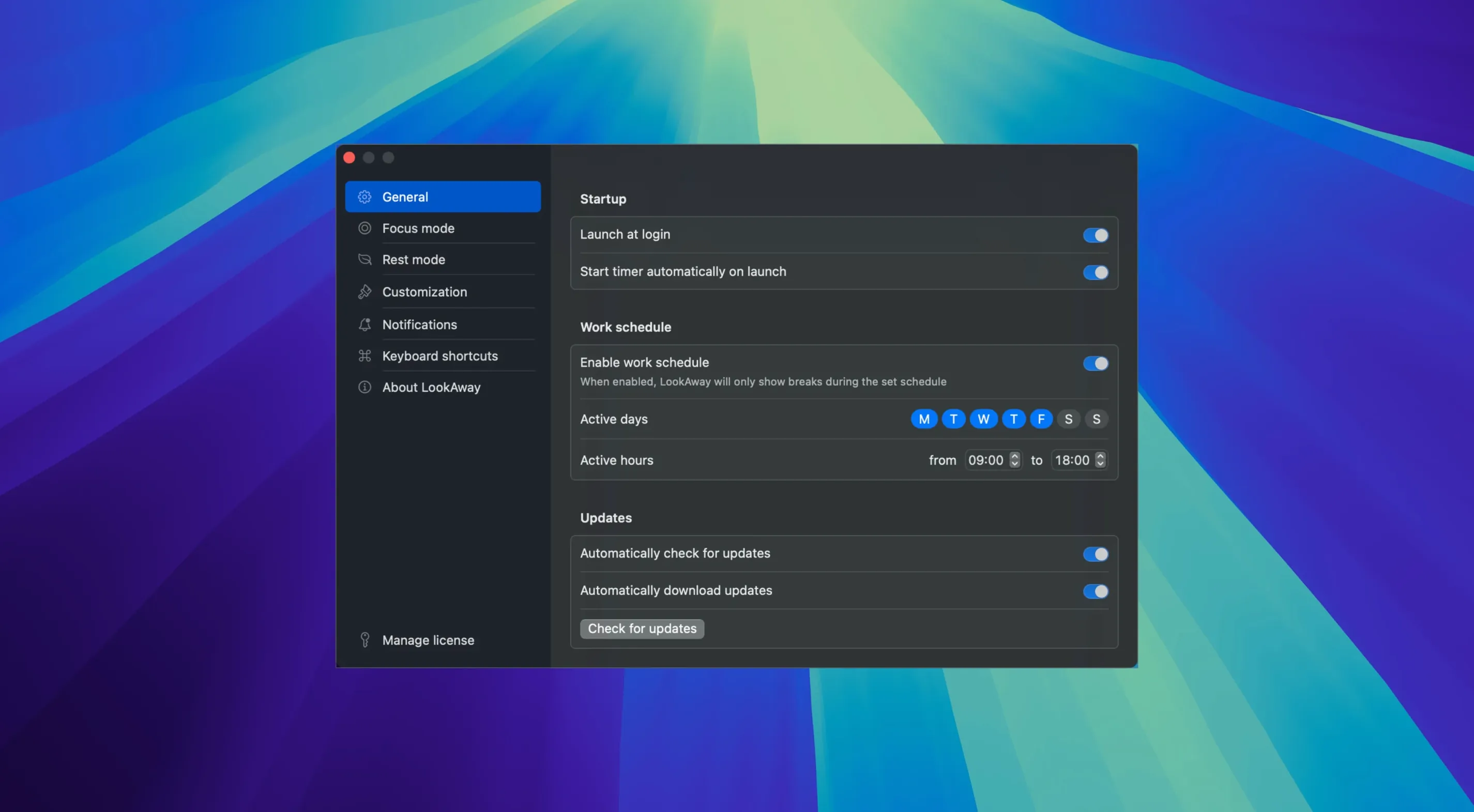
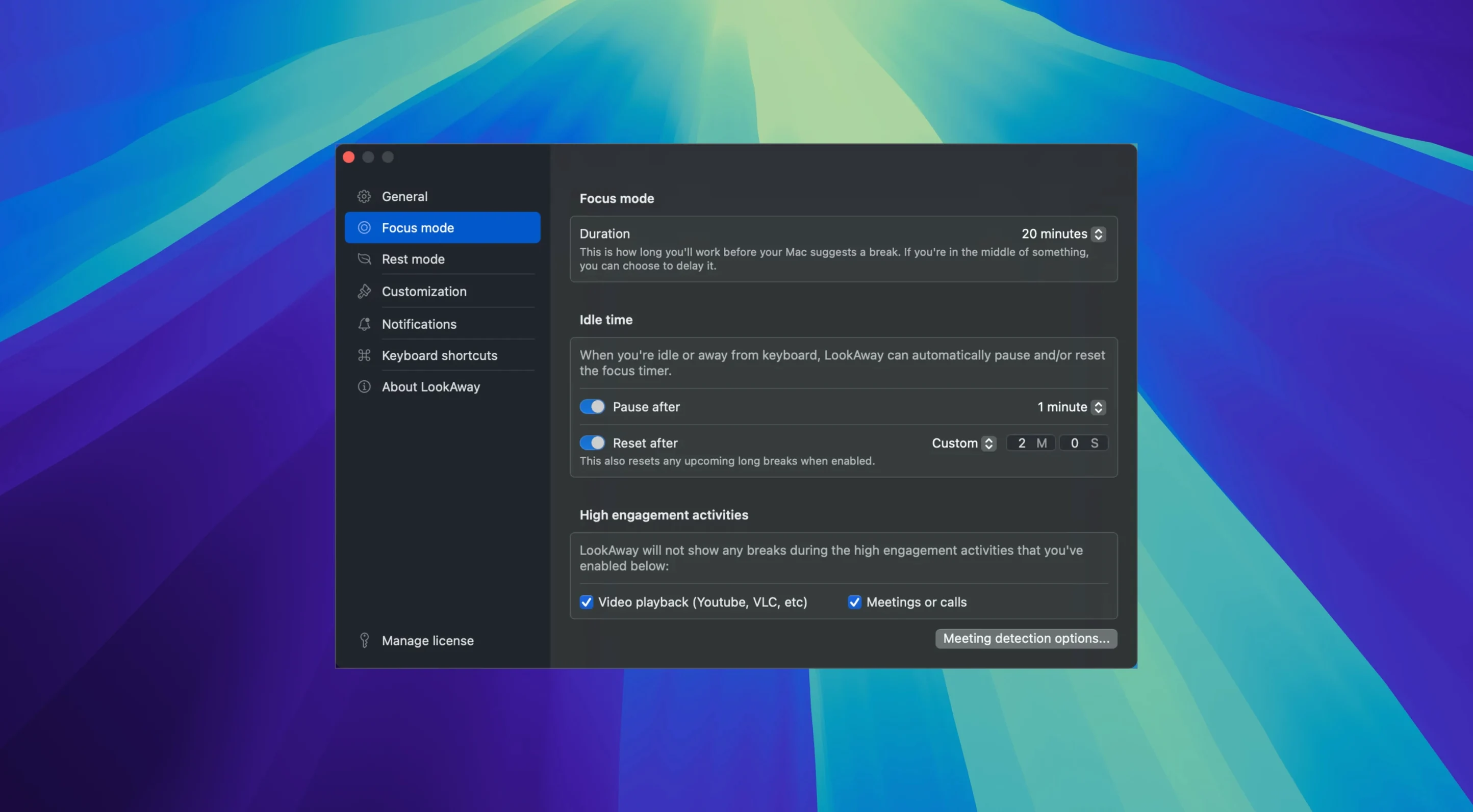
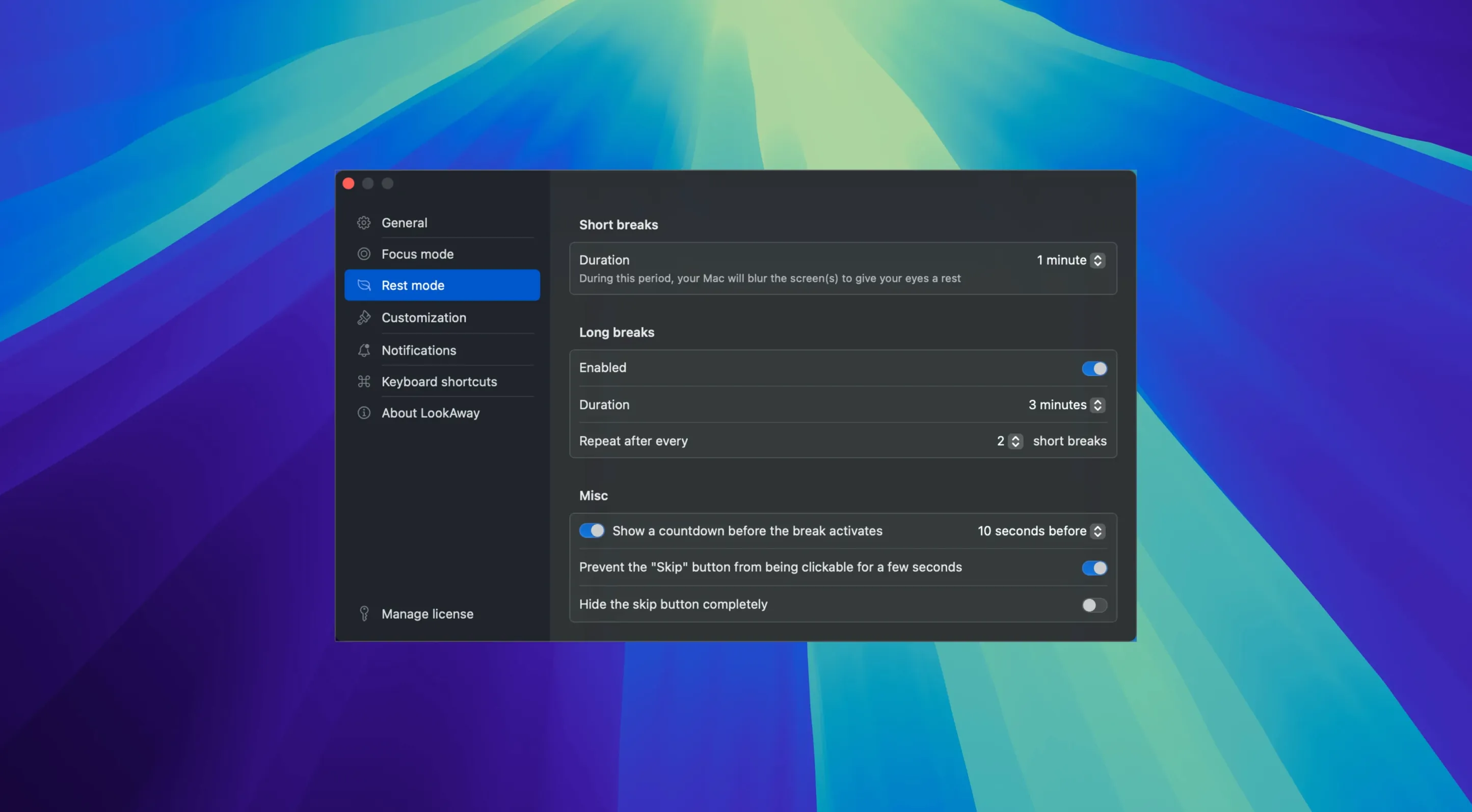
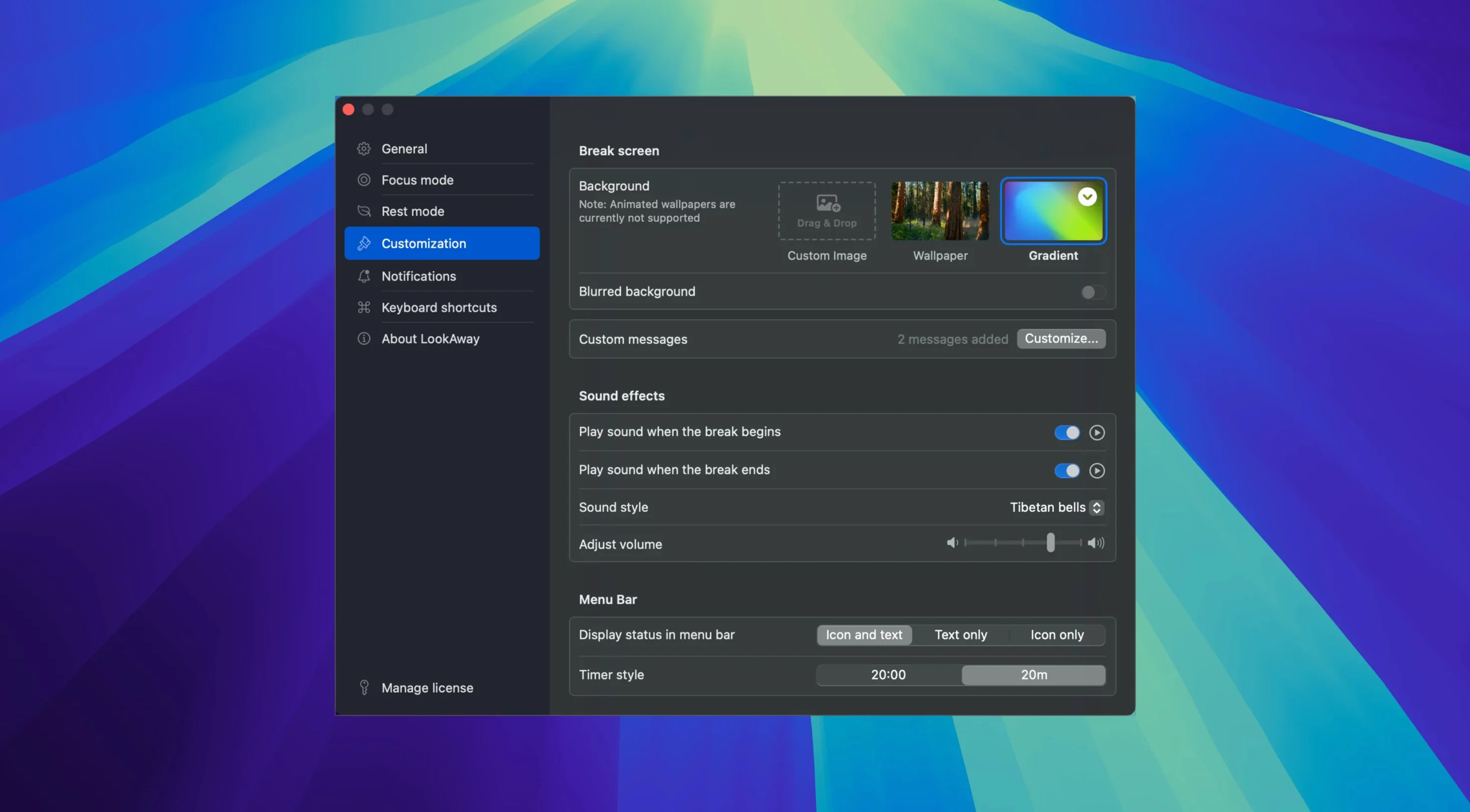
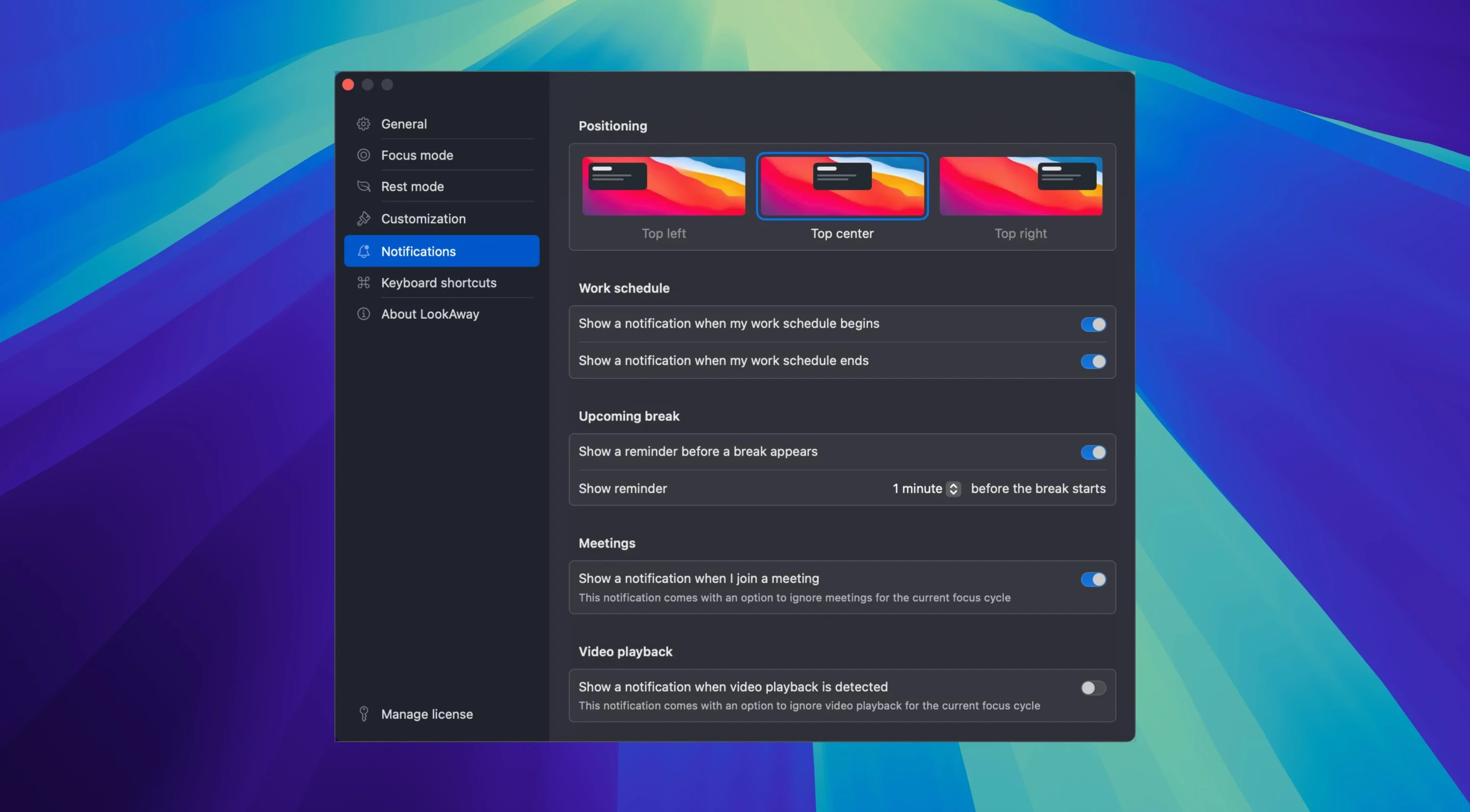
Three years of small refinements have settled into version 2.4.8, and the app still does one thing without fuss: it interrupts screen time.
Multi-display and meeting awareness: no escape, no interruption
- It runs on multiple displays, so a second screen never escapes the timer.
- Meeting detection pauses the count during calls—no frantic clicking to postpone a break mid-sentence.
- Idle-time sensing can pause or reset the timer when you step away, which spares you a break notification the moment you return.
- A quiet sound marks the end of a break; nothing musical, just a cue.
- Notifications appear before a break begins, giving you a moment to wrap up a thought.
The constants: what stayed the same
The interface remains English-only, built for ARM and 64-bit Intel Macs running macOS Ventura or later. It still avoids feature sprawl. No mood boards, no focus-session graphs—just a timer that knows when to pause and when to nudge. In short: LookAway has not become a wellness platform; it has stayed a well-mannered interruption.
A workflow: writing with breaks built in
Open the app and set a short break to 20 seconds every 25 minutes, and a long break to 3 minutes every 90 minutes. The numbers matter less than the rhythm they create. Begin writing. Twenty-five minutes in, a notification slides in from the top right—polite, not urgent. You finish the sentence, lift your hands from the keyboard, and look away from the screen. The break screen fills the display with a soft grey. Twenty seconds later, the quiet chime sounds and the screen clears. You resume. At the 90-minute mark, the long break triggers. Three minutes is enough to stand, refill a cup, stare out the window. The idle-time sensor notes your absence and does not restart the timer until you return. When you sit down again, the cycle begins fresh—no accumulated debt of missed pauses.
System-level call detection: pauses during any call automatically
Meeting detection integrates directly with macOS call-status APIs, so the timer pauses during FaceTime, Zoom, and any app that routes through the system call framework. This means LookAway stays quiet during a client presentation without any per-app configuration. The idle-time sensor reads system-level input activity, not just keyboard and mouse events inside a single application; leaving your Mac to make coffee is registered whether you were in a browser, a text editor, or staring at the Finder.
Focus modes in macOS complement the app rather than replacing it. You might set a Work focus that silences notifications but keeps LookAway active—the break overlay still appears, but no other alerts compete for attention when it does. The break screen itself respects the system appearance: light or dark, the grey background shifts to match, so the transition never jars. For users of LookAway Mirror, the companion app extends break overlays to an iPhone or iPad screen, which keeps the reminder visible if you glance away from the Mac to a second device during the pause.
Break timing that heals: why 10 seconds every two hours fails
One common misstep is setting break durations too short and intervals too long. A 10-second break every two hours serves neither the eyes nor the mind; the app is not a checkbox exercise. Another is overriding break notifications habitually. The skip option exists, but treating it as a reflex defeats the purpose—the app cannot help if it is silenced. A third mistake: disabling idle detection and then leaving the Mac unattended. The timer continues counting, and a break notification fires to an empty chair, which means the next real break arrives sooner than expected when you return and resume working. Finally, some users configure meeting detection incorrectly by assuming it reads calendar entries. It does not—it watches active call states at the system level. A scheduled meeting that never becomes a call will not trigger a pause. In short: the app watches behaviour, not plans.







Correspondence 0
Take a chair or join the table to send a letter.
No correspondence on this note yet. Letters are read before they appear.