 LeCoqRoti
1. Copy the set in order
A paste stack turns a series of copies into a predictable sequence. Select the stack mode, copy each field — name, email, reference number — then move to the form and paste them one keystroke at a time, in the order you copied them. CleanClip holds the queue separately from the main history, so a stray copy does not upset the sequence.
2. Set a format once
Preset paste formats let you recall a plain-text or styled version of a copied item without cleaning it by hand. If you regularly copy rich text from a web page and need it unformatted in a code editor, assign the plain-text preset to a shortcut and paste it stripped.
3. Work from what’s visible
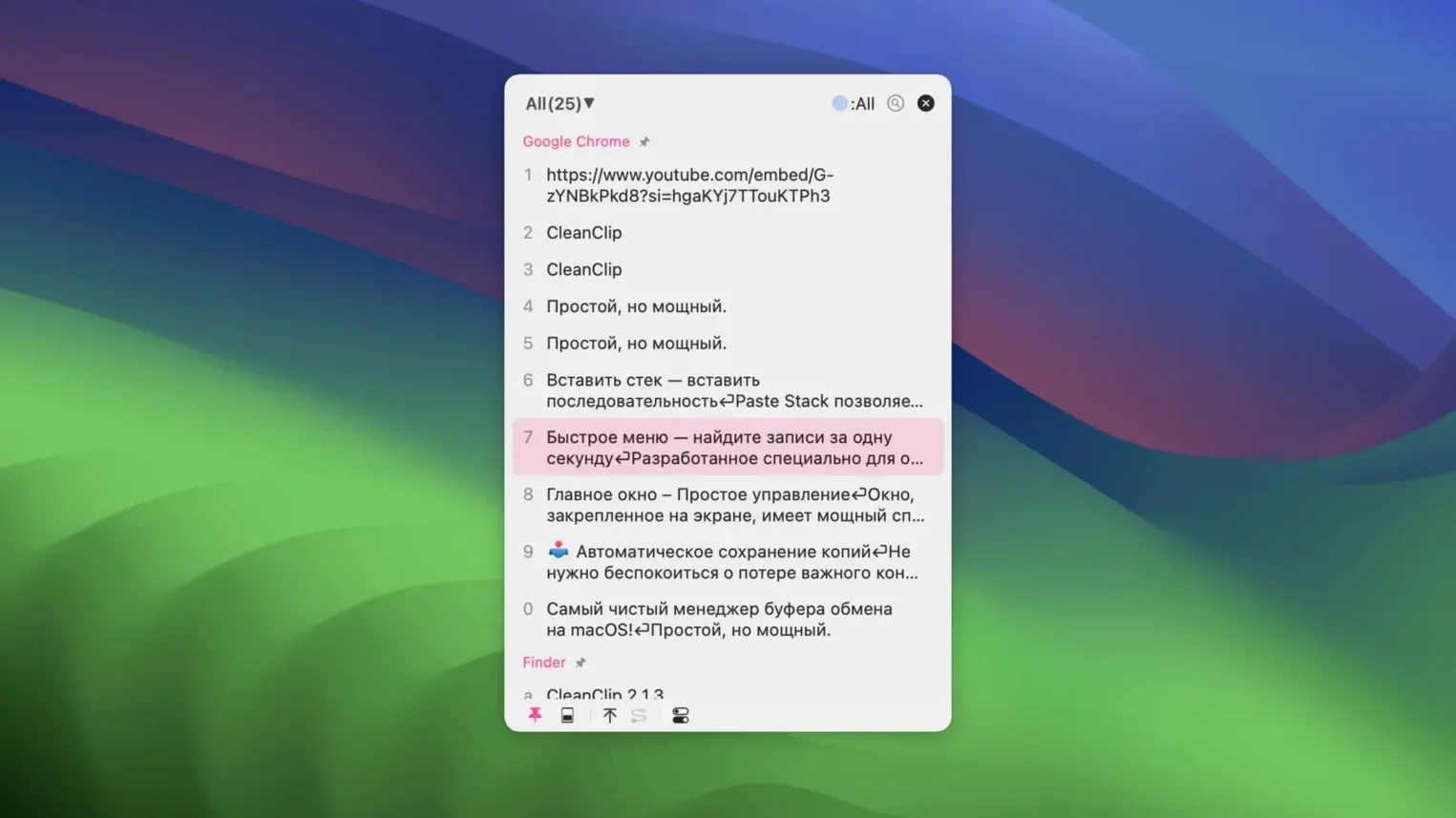
The app can show clipboard content from the frontmost application automatically. When you switch to a browser, the list narrows to what you copied there — no scrolling through system-wide history. The auto-save feature means that content appears without a manual save step.
CleanClip sits beside the other tools on a Mac as a quiet addition: it does not try to replace how you copy and paste but offers a few deliberate paths — a stack, a format, a filtered view — for when the default clipboard is not enough.
A translator’s afternoon
Consider a localisation editor working from a French brief into English. The source document holds repeated client names, legal terms and address blocks that must appear identically across several files. Copying each one from a glossary document, the editor builds a bookmark list called Client terms in CleanClip: select the text, press the bookmark shortcut, repeat. Later, when the same institution name is needed mid-paragraph, the QuickMenu opens at the cursor — no window switching, no glossary hunt — and the term drops in with its exact capitalisation and punctuation preserved from the source. The history stays clean because bookmarks sit outside the rolling clipboard timeline.
UI styling in pinned view now matches the main list
The 2.4.6 update, released in early 2026, arrived with a handful of quiet corrections. The UI styling in the PinnedView was unified, so pinned items now share the same visual language as the main list rather than looking like a separate panel bolted on. Preview display improved for alias tags and image items: a tagged alias now shows its target clearly, and an image copied from a design tool renders at a useful size in the preview. Animation glitches that could make the QuickMenu expansion stutter were fixed, and compatibility patches for macOS 26 keep the paste stack working without interruption. iCloud sync support was added, letting bookmark lists and pinned items move between Macs signed into the same account.
A form-filling workflow, start to finish
You have a CSV with twenty rows of name, postal address and VAT number that need to go into individual web forms. The workflow looks like this:
- Open the spreadsheet and the first form in a browser. Place the cursor in the name field.
- In the spreadsheet, select the first name and press
Command-C. Select the address,Command-C. Select the VAT number,Command-C. Three items sit in the paste stack. - Switch to the browser. With the cursor still in the name field, press the paste-stack shortcut. The name appears.
- Tab to the address field, press the shortcut again — the address appears. Tab to VAT, paste again. The form is filled in three keystrokes.
- Move to the next row in the spreadsheet. The stack resets when you copy a fresh set. Repeat.
If a field needs plain text but you copied styled content, hold the index number after opening the QuickMenu to paste it in the preset plain format — no need to strip formatting beforehand. For anyone relying on cleanclip mac to tidy a daily copy routine, this sequence removes the small friction of switching windows between every field. The same approach works for data entry in CRM tools, shipping platforms or anywhere repetitive field-by-field pasting eats up an afternoon.








Correspondence 0
Take a chair or join the table to send a letter.
No correspondence on this note yet. Letters are read before they appear.