 LeCoqRoti
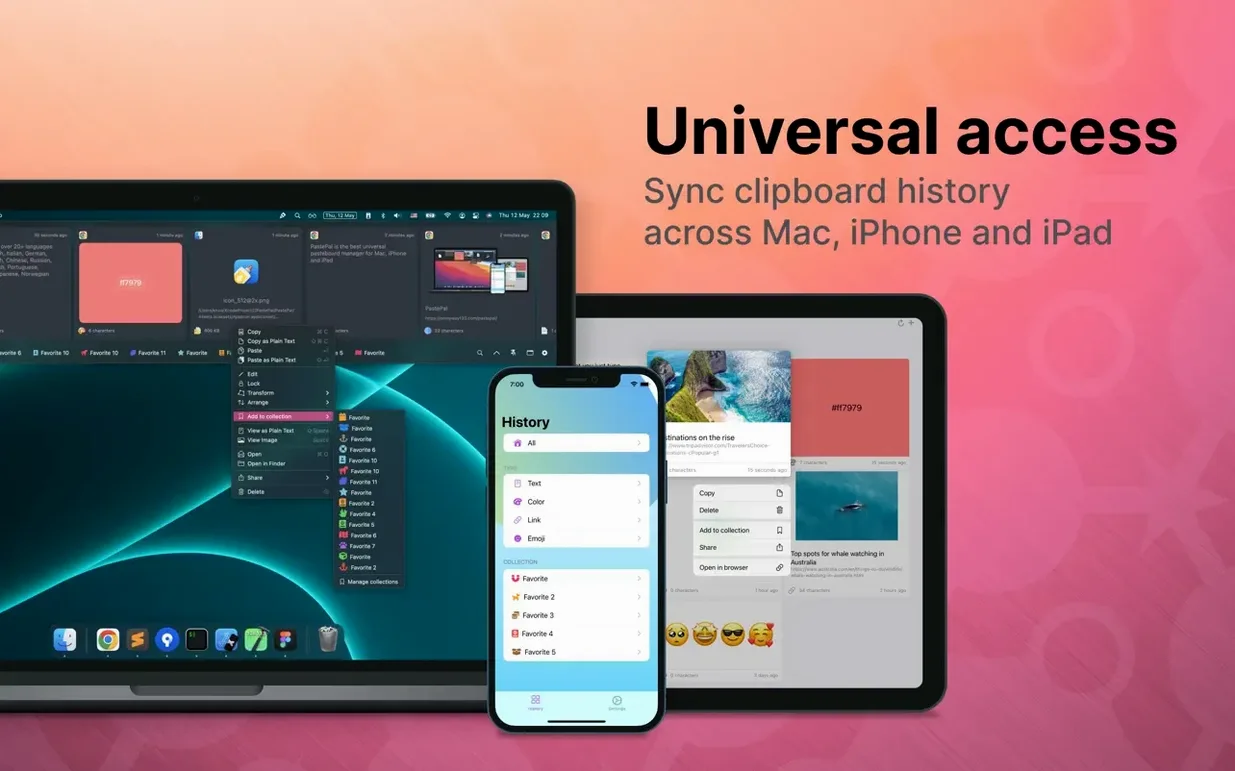
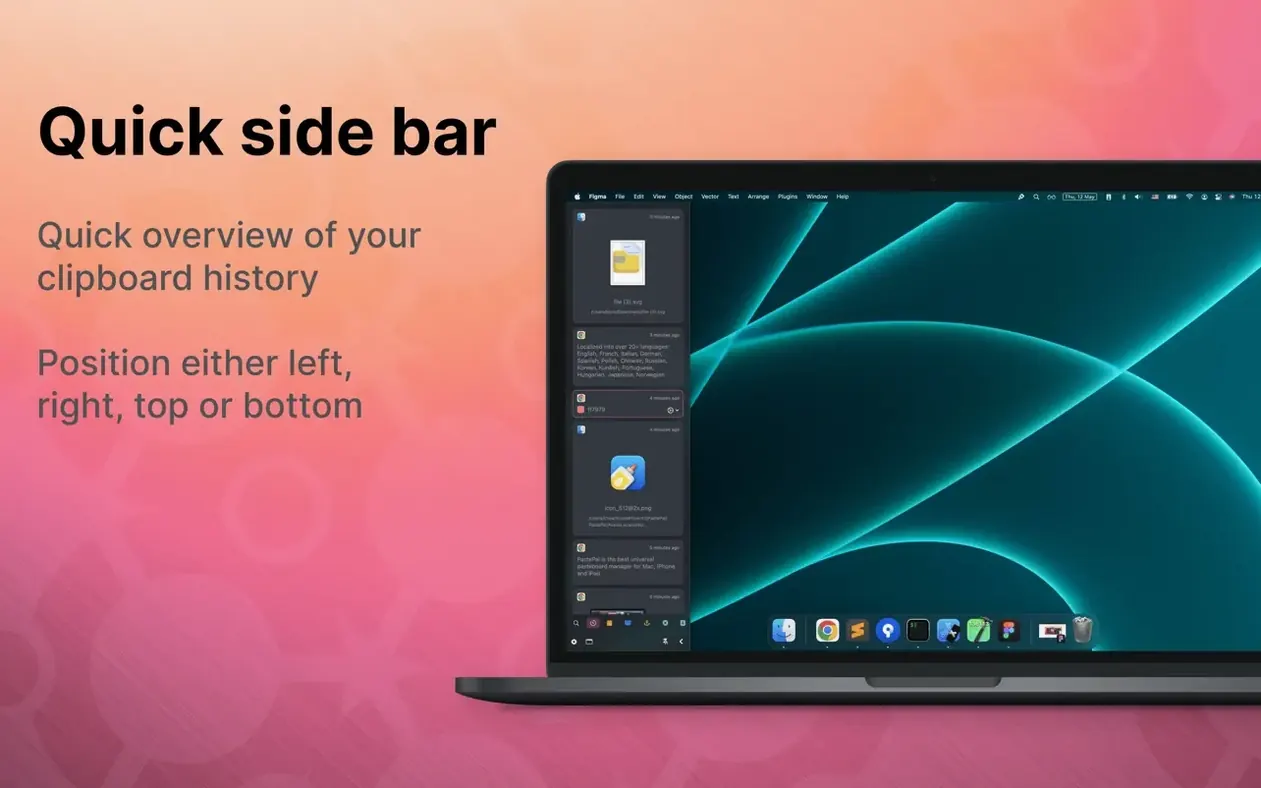
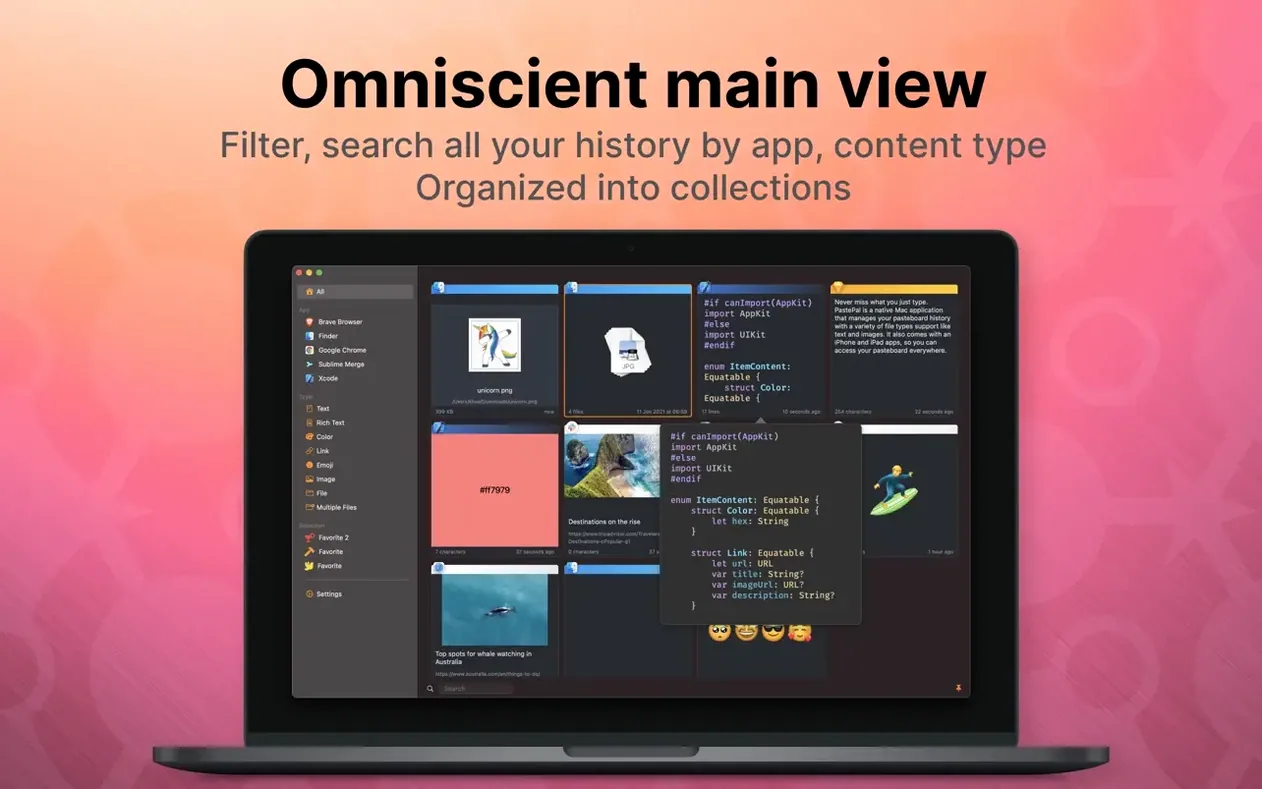
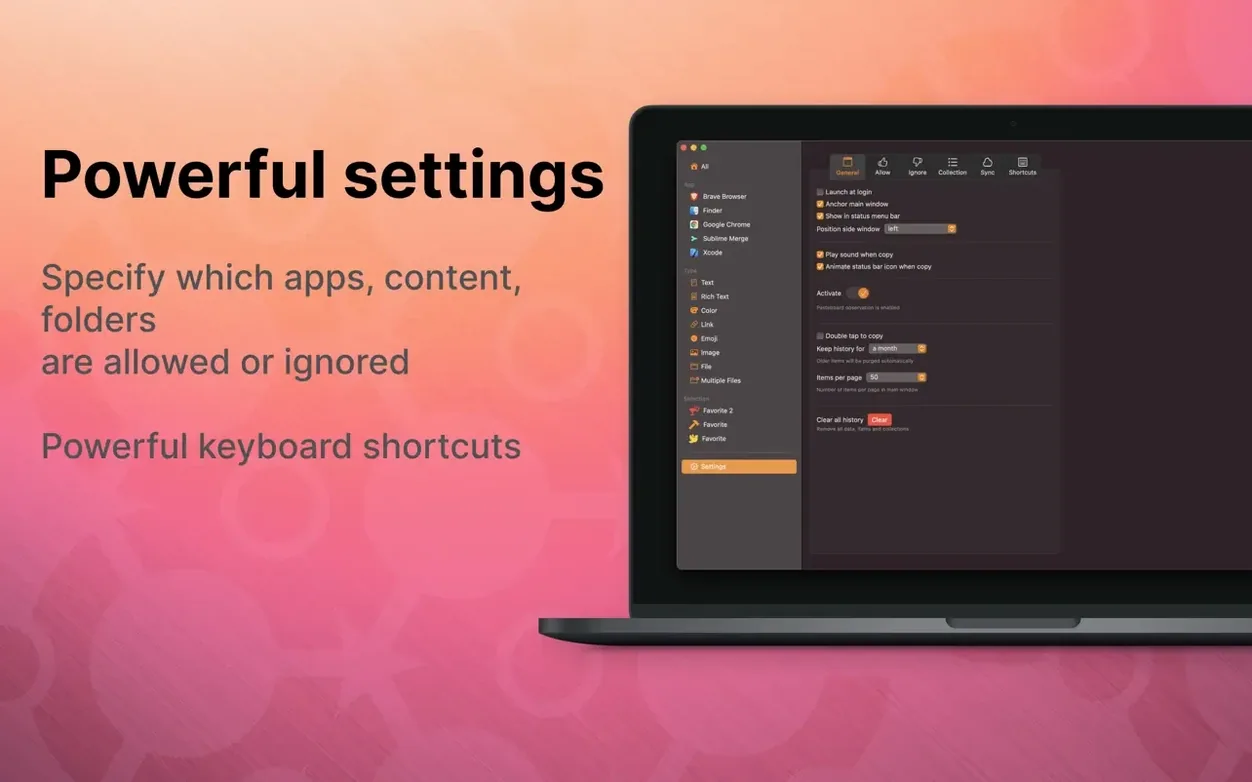
PastePal is a clipboard manager that turns the Mac's single-slot pasteboard into a browsable, searchable history. Every piece of text, image, or file you copy is quietly collected, ready to be called back with a keyboard shortcut or a glance at the menu bar.
The main window presents your entire clipboard timeline, paginated so even very long histories remain navigable. Items can be sorted into collections — a practical way to keep research notes separate from code snippets or image assets. From the side window, which you can dock to any screen edge, the same history is available without leaving your current task.
Control is largely keyboard-driven. Shortcuts let you switch views, copy an older item to the front, or clear the record. If you prefer automatic housekeeping, the app can trim entries after a set interval. iCloud sync, enabled manually in Settings, connects the Mac app to its iPhone and iPad counterparts, so your clipboard follows you across devices.
The interface carries its information lightly. A recent update introduced a glass-effect side panel and refined the animations: the window now toggles with a smoother motion, while rich-text handling has been improved for both standard and flat formats.
In practice: a translator’s afternoon
A freelance translator working between French and Japanese keeps PastePal pinned to the right edge of her screen. She copies a tricky term from a PDF glossary, then pastes it into her working document. Half an hour later she needs it again — and instead of hunting through the source file, she opens the side window, spots the entry by its preview text, and drags it straight into the memo she is compiling. By the end of the day she has a small collection labelled Terminology — week 42 with every term she looked up, each time-stamped and retrievable without a single manual note.
Recall phrases cut three paragraphs ago: writers and editors
Anyone who copies and pastes in high volume will notice the difference immediately. Writers and editors often need to recall a phrase they cut three paragraphs ago; PastePal holds that phrase alongside everything else they have touched. Developers appreciate the app-filtered view that isolates code copied from Xcode or VS Code, while ignoring Finder paths and chat messages. Designers moving colour values and image assets between tools can collect them without cluttering the system pasteboard. The common thread is a workflow where losing the clipboard means losing work — PastePal removes that risk quietly.
Users who work across multiple Apple devices also gain from the manual iCloud sync. A link copied on an iPhone during the morning commute is waiting on the Mac when the workday begins, no AirDrop required. The allowed and ignored lists keep the history clean: you might let everything through from Safari and Notes, but exclude a messaging app where you copy nothing of lasting value.
Swift-built lightness: thousands of items without the drag
Does it slow down the Mac? The app is written in pure Swift and feels native — it runs lightly, even with thousands of items stored. Memory use stays modest because old entries are trimmed automatically if you set a retention period.
Will it get in the way? The side window appears only when you summon it, either by shortcut or by hovering at a screen edge you have chosen. The menu bar icon is discreet, and the main window closes with a single keystroke. You control how visible it is.
Is the clipboard shared with other apps? PastePal reads from the system pasteboard; it does not replace it. Other apps continue to see the most recent copy as they always have. The history lives inside PastePal and is synced across your devices only when you enable iCloud in Settings.
What about privacy? Clipboard contents stay local unless iCloud sync is turned on. Even then, data moves through Apple’s own sync infrastructure. There is no third-party server involved, and you can wipe the history at any time with a shortcut or a settings adjustment.
In short: PastePal adds a memory to your clipboard without changing how you copy. It rewards the habit of copying freely, knowing nothing is lost.







Correspondence 0
Take a chair or join the table to send a letter.
No correspondence on this note yet. Letters are read before they appear.