 LeCoqRoti
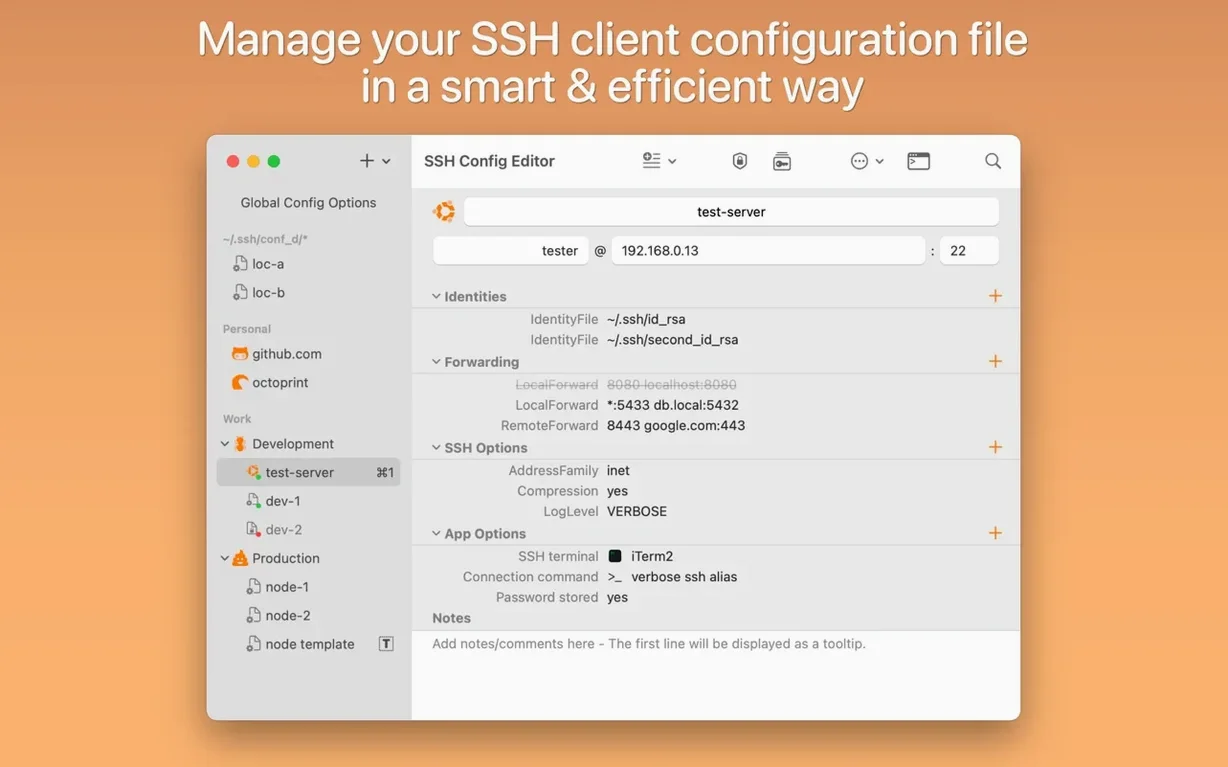
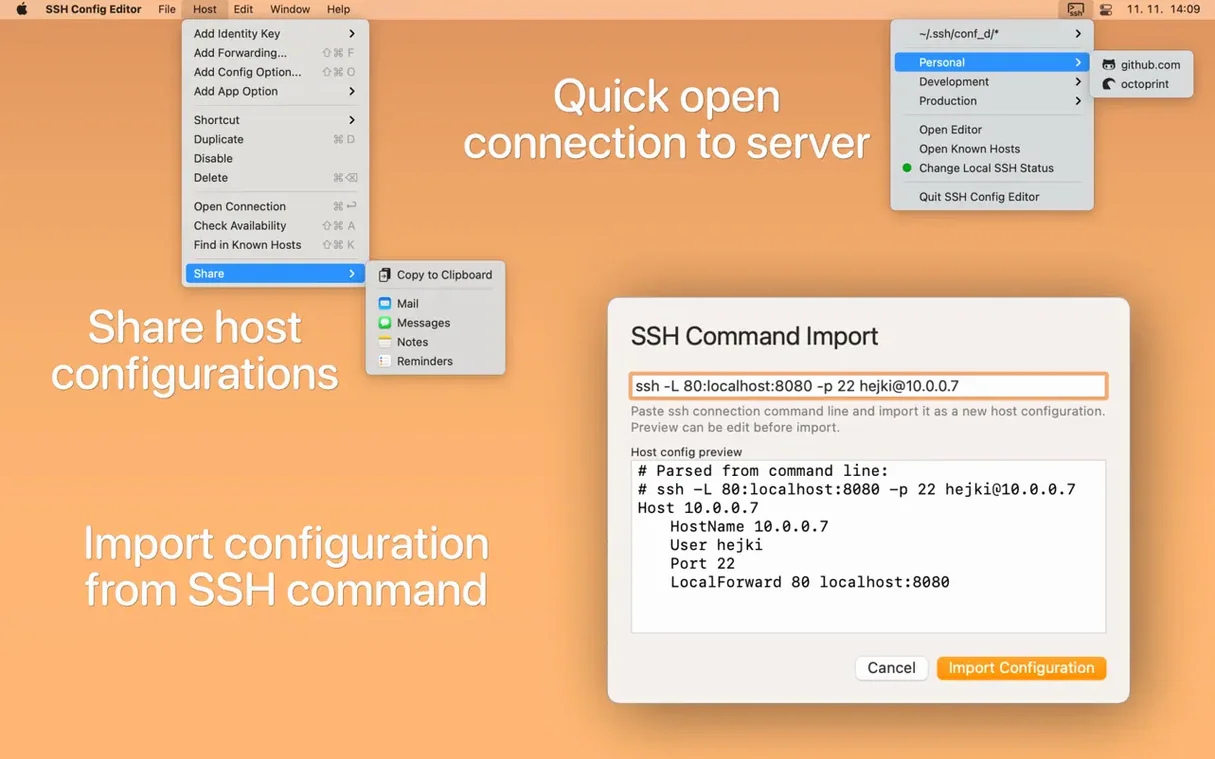
Version 2.6.12 arrives as a maintenance refresh for Petr Hejkal's configuration tool, keeping its editor for OpenSSH client files steady on macOS 14. A common curiosity before installing is how the app handles the more opaque corners of SSH — port forwarding rules, known host entries, and the structure of a growing config file — and whether it can replace editing by hand.
Does it help with port forwarding and complex options
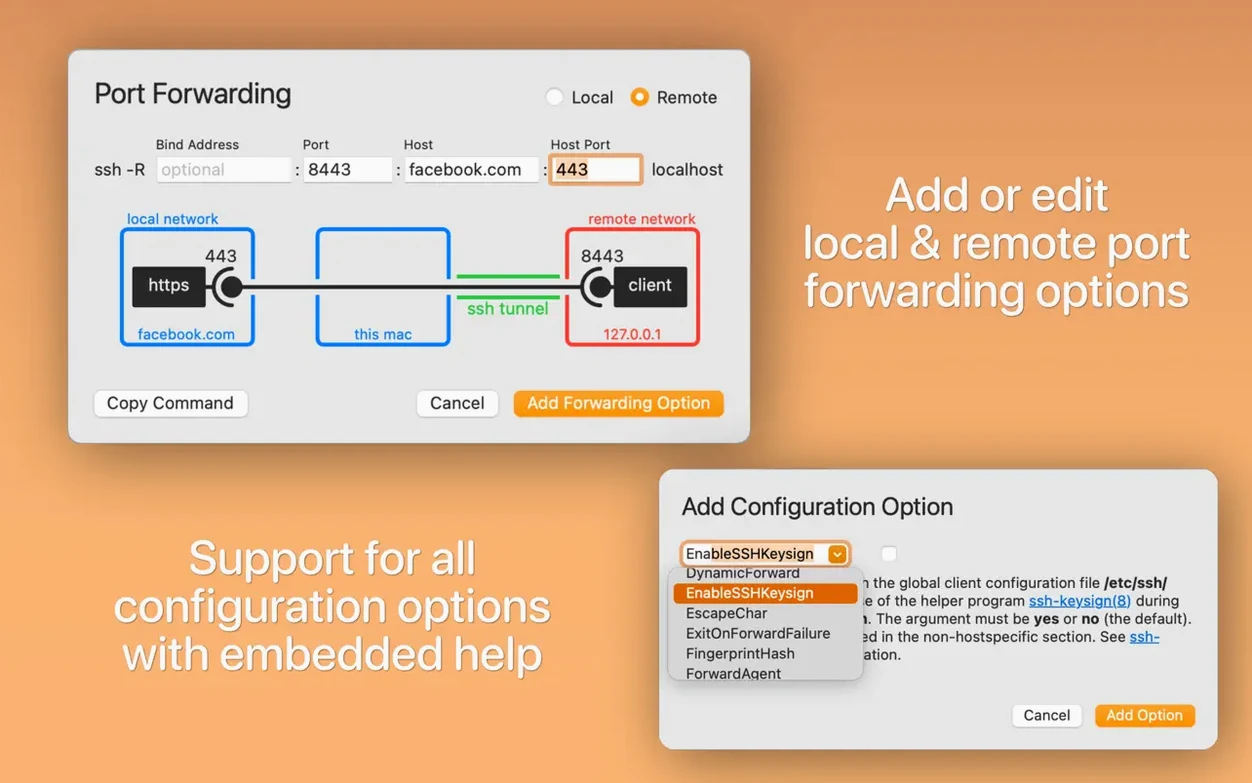
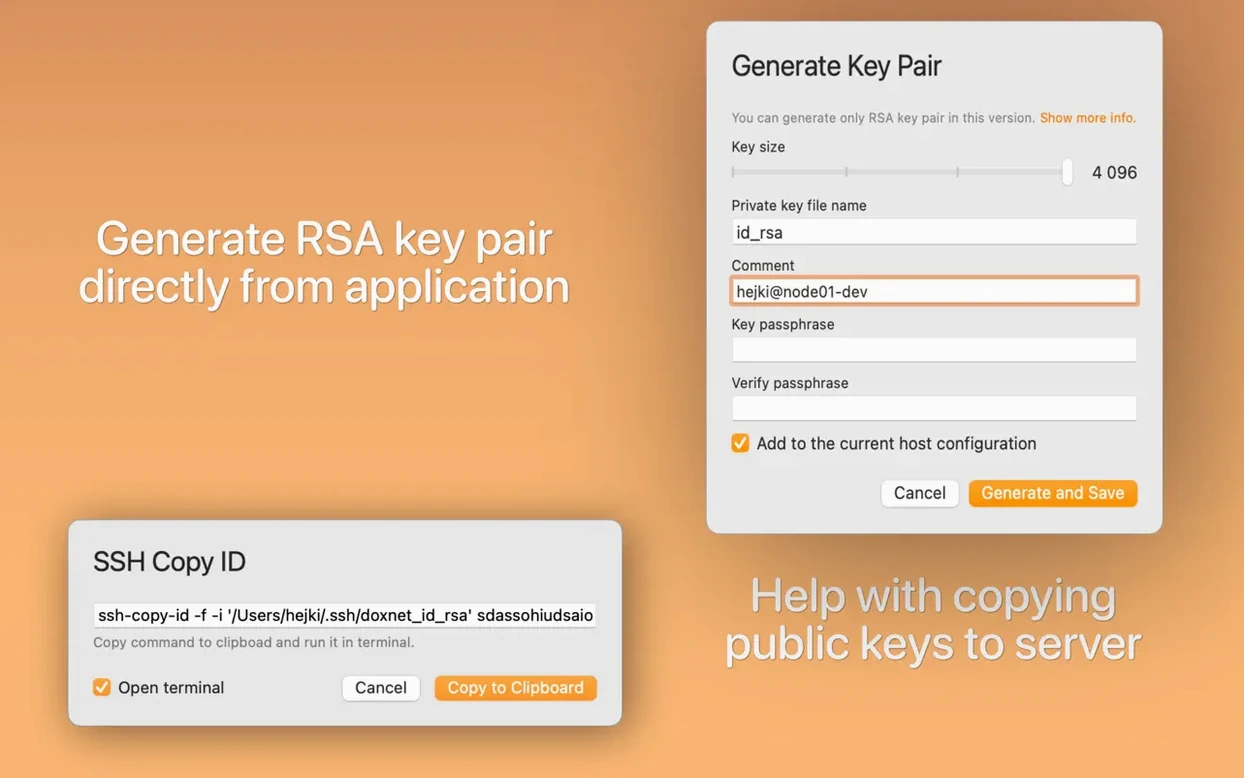
The editor includes a graphical preview for building or adjusting port forwarding directives, which turns a line of text into a set of fields you can read at a glance. Most supported SSH options come with in-app help text, so you can work through attributes like ProxyJump or IdentityFile without leaving the window. For key setup, it can generate RSA key pairs and compose the ssh-copy-id command for you.
Can you tidy up a sprawling config
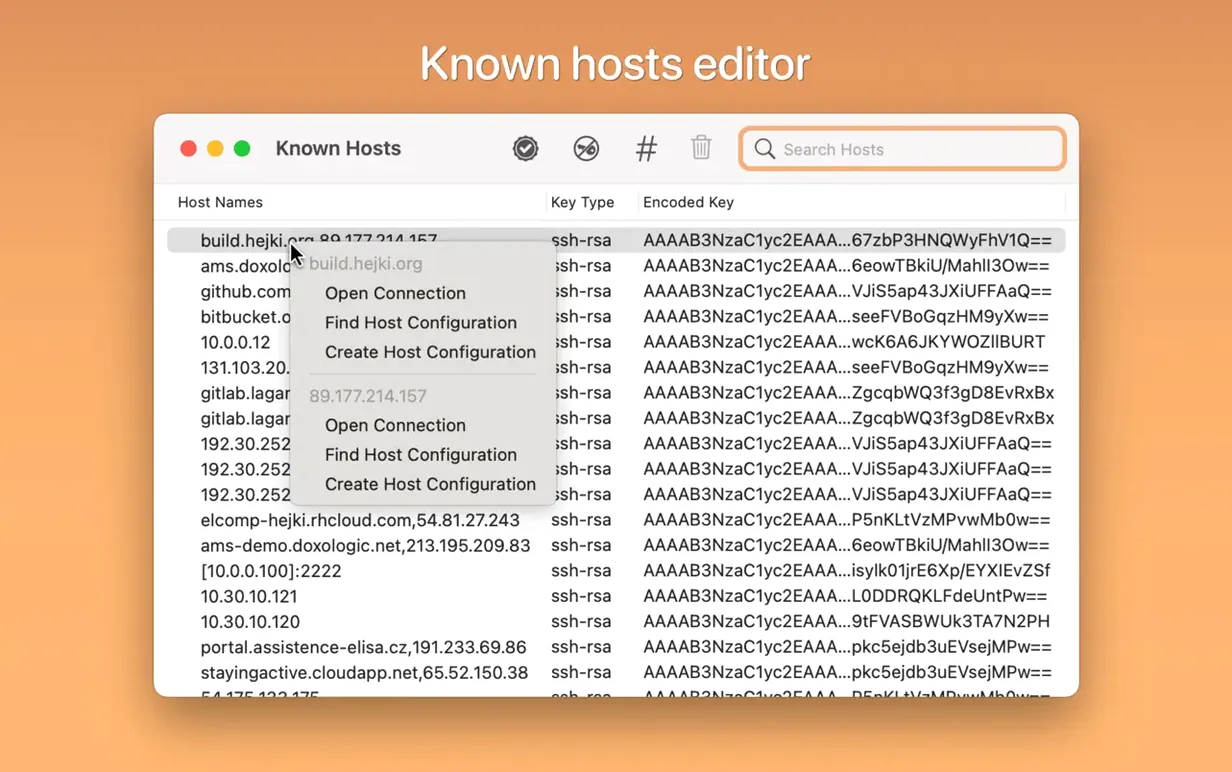
Entries can be sorted into named groups, which is practical when you maintain connections for several clients, environments or projects. A menu-bar icon gives you quick access to saved servers, and a built-in known_hosts editor lets you inspect or prune fingerprint records without hunting for the dotfile. The app runs natively on both Apple Silicon and Intel Macs, with an interface presented in English.
Plain-text config: stays native to Terminal and Transmit
SSH Config Editor reads and writes the standard ~/.ssh/config file, so any change you make appears immediately for Terminal, BBEdit, Transmit or whichever tool you rely on for remote work. There is no proprietary database sitting between you and the text: the app is a structured lens over the same plain-text format OpenSSH has used for decades. If you have set up a default shell in Terminal’s preferences, the “Open Connection” command can hand a session straight to it, which keeps the app feeling like a launcher rather than a walled garden. It also respects Dark Mode system-wide, and the menu-bar icon fits neatly alongside other always-there utilities such as 1Password or a VPN indicator.
A workflow: adding a jump host for a staging server
Imagine you need to reach a PostgreSQL instance on a private subnet, reachable only through a bastion host. You open the group you keep for client work, add a new entry, and name it something clear like staging-db. The HostName is the internal IP of the database server. In the port forwarding panel, you map local port 5433 to the remote port 5432 with a few clicks and see the resulting LocalForward line previewed immediately. Then you set the ProxyJump field to your bastion entry — the editor autocompletes host aliases already defined in the file. You save, click “Open Connection”, and Terminal presents a session on the bastion. One more psql -h localhost -p 5433 command later, you are inside the database.
Group your hosts early: Clients, Personal, Staging
After installing version 2.6.12, a few deliberate moves help the tool settle into daily use without adding friction:
- Point the app at your existing
~/.ssh/configand spend five minutes adding groups — even broad ones like Clients, Personal and Infrastructure — so the sidebar gains structure early. - Run through each host and check the “Supported options” help for anything you normally type from memory; you may spot a setting like
ServerAliveIntervalthat is easier to configure here than by searching a man page. - Open the known_hosts editor once, sort by hostname, and remove any fingerprint for a server that no longer exists. It is the kind of housekeeping that rarely happens without a visual prompt.
- If you manage multiple identity files, use the identity-file assistant to audit which keys are actually referenced; the app can surface a key that exists on disk but has fallen out of the config.
- Enable the menu-bar icon and set it to list your most-used three or four servers, so a connection is a single click away during long debugging sessions.
These steps take less than ten minutes and turn the editor from a curiosity into something you reach for before touching the dotfile directly. The Pro feature set — which this build includes — covers the grouping, the port-forwarding preview and the known_hosts editing, so there is no reason to hold back.








Correspondence 0
Take a chair or join the table to send a letter.
No correspondence on this note yet. Letters are read before they appear.