 LeCoqRoti
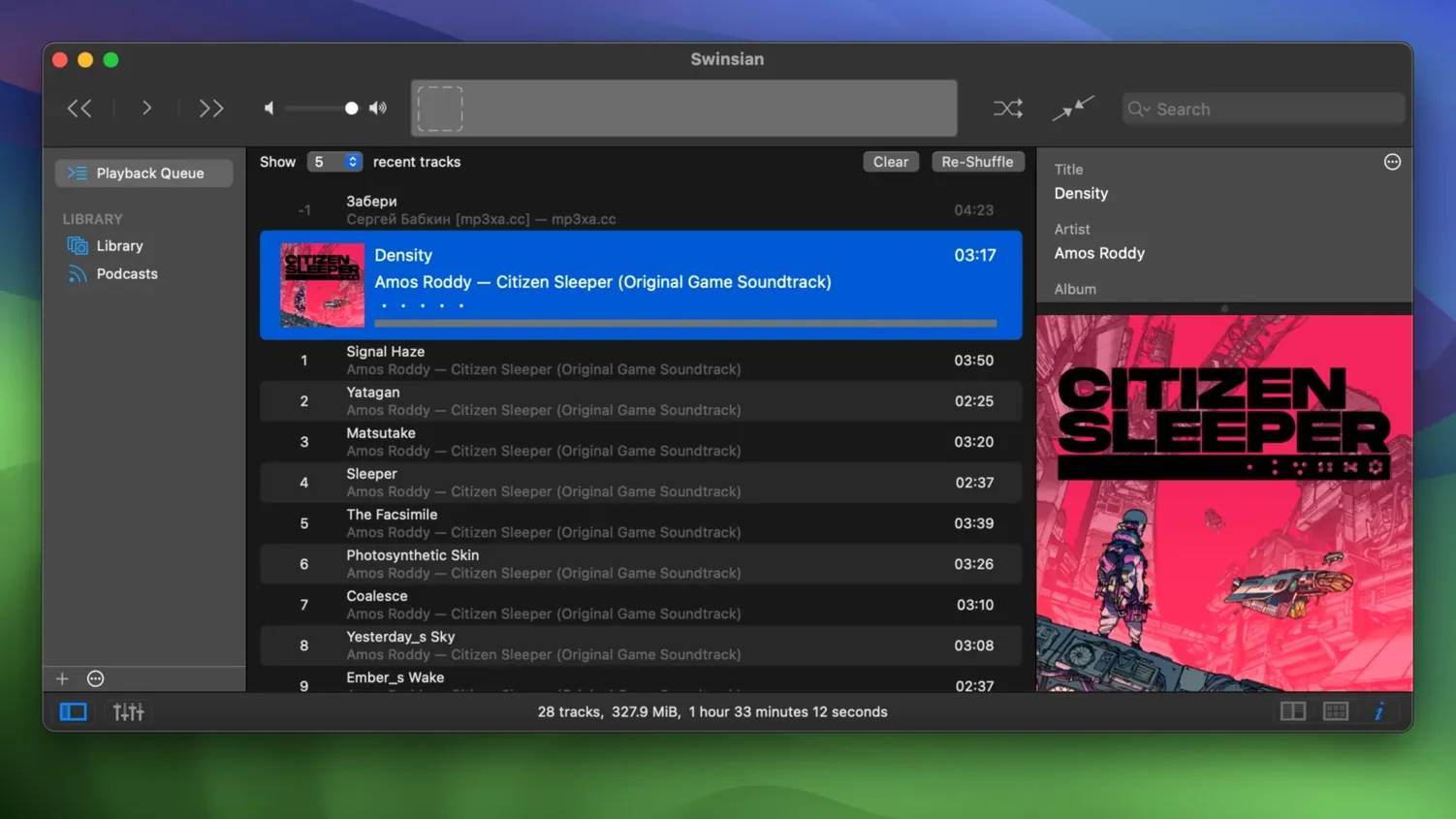
Version 3.0.8 is a quiet release: the kind that smooths rough edges rather than redrawing the interface. Transcoding rules now save correctly, quadraphonic FLAC files play as intended, and the art grid labels accept more customization. For anyone who has lived with Swinsian for a while, these are welcome corrections to an already capable player.
What the release keeps in focus
- Folder watching for libraries that change outside the app
- Advanced tag editing with regular-expression search
- AirPlay playback and a 10-band or 31-band equalizer
- Global keyboard shortcuts for control without leaving other work
Beneath the fixes, Swinsian remains what it has been: a macOS music player for people who prefer files over streams. It watches folders, imports iTunes libraries, reads cue sheets, and lets you edit metadata with more precision than most players allow. The interface is plain, the tools are deep, and the library stays under your control.
Waveform click-jump: skip the scrub
A few useful gestures sit just beneath the surface. Double-clicking the waveform area in the playback bar jumps to that position — faster than scrubbing with the mouse. Holding Option while clicking the green zoom button expands the window to fill the available space without entering full-screen mode. And the column browser, which can be hidden with Cmd+B, accepts typed input: begin typing an artist name and the selection jumps to that row, which is quicker than scrolling through a large library.
There is also the track inspector, summoned with Cmd+Shift+I. It shows metadata, artwork, and file information in a compact panel that updates with each selection. Many users open it once, close it, and forget it exists — but keeping it pinned to the side of the window turns tag browsing into a single-click affair. The Complete Tags window, which got a sorting fix in this release, becomes more useful when you realise you can select multiple tracks and edit a field across all of them at once: a time-saver for correcting inconsistent album titles.
Imported folders not visible: wait for the schedule
One of the first things people notice is that a freshly added folder does not always show its contents straight away. Swinsian watches folders on a schedule; if you have copied a large number of files, give it a moment. You can nudge it along by choosing File > Refresh Watched Folders from the menu bar.
Album artwork fetching occasionally returns nothing, especially for less common pressings. The built-in artwork finder works well for mainstream releases, but for niche material you may need to drag an image directly onto the artwork well in the track inspector. Swinsian stores the image inside the file metadata when the format supports it — FLAC, MP3, and ALAC all accept embedded art.
Another snag: the equaliser presets disappear if you switch between the 10-band and 31-band views without saving your own preset first. The solution is to create a named preset (Save Preset in the equaliser menu) before toggling the band count. Swinsian remembers saved presets across sessions.
When importing an iTunes library, playlists sometimes arrive with tracks listed in an unexpected order. This can happen if the original library used sorting criteria that do not map perfectly to Swinsian's playlist model. Clicking the column header in the playlist view re-sorts the list; right-clicking and choosing Copy to Play Order from the contextual menu locks that order for future sessions.
iTunes library import: ratings and plays transfer intact
Will it read my existing iTunes library? Yes. The import function pulls in tracks, playlists, star ratings, and play counts. Smart playlists transfer as well, though complex rules with nested conditions may need a brief check afterwards. The original iTunes library files remain untouched — Swinsian copies the references, it does not move anything.
Can I use it on an older Mac? The requirement is macOS 10.13, which covers machines from 2011 onward. Swinsian runs natively on both Intel and Apple Silicon, so there is no translation layer to worry about on either architecture.
Does it handle large libraries without lag? The design brief has always emphasised responsiveness. A library of 80,000 tracks scrolls smoothly on a modern Mac; search-as-you-type returns results before you finish typing. Folder watching, the main background task, pauses during playback to keep the audio path clean.
What about gapless playback and sample-rate switching? Gapless playback works across all supported formats, including FLAC and ALAC. Automatic sample-rate switching is optional: enable it in the playback preferences and Swinsian will change the output device's sample rate to match the track, avoiding Core Audio resampling when you prefer bit-perfect output.
While it scans: set global shortcuts first
Start by pointing the folder watcher at your music directory and letting the library populate. While it scans, open the preferences and set up global keyboard shortcuts for play, pause, and skip. Assign combinations that do not conflict with your other tools — Ctrl+Opt+Cmd+Right Arrow for next track, for example. Once the shortcuts are in place, you control playback without ever leaving your text editor or browser.
Next, take ten minutes to create a smart playlist or two. Right-click the Smart Playlists section in the sidebar and build one for recently added tracks, and another for high-rated songs you have not heard in six months. Smart playlists update automatically, so these become permanent filters that evolve with your listening.
The duplicate-track finder, tucked under the File menu, scans by track metadata rather than filename. Run it once after importing a library that has grown across several hard drives over the years — you may be surprised by what it turns up. Review the results before deleting; some apparent duplicates are genuine alternate masters.
If you use Last.fm, enter your credentials in the Last.fm preference pane. Scrobbling begins immediately and works in the background. For podcast listeners, the subscription panel accepts standard RSS feed addresses: paste one in and Swinsian handles the rest, downloading new episodes as they appear.








Correspondence 0
Take a chair or join the table to send a letter.
No correspondence on this note yet. Letters are read before they appear.