 LeCoqRoti
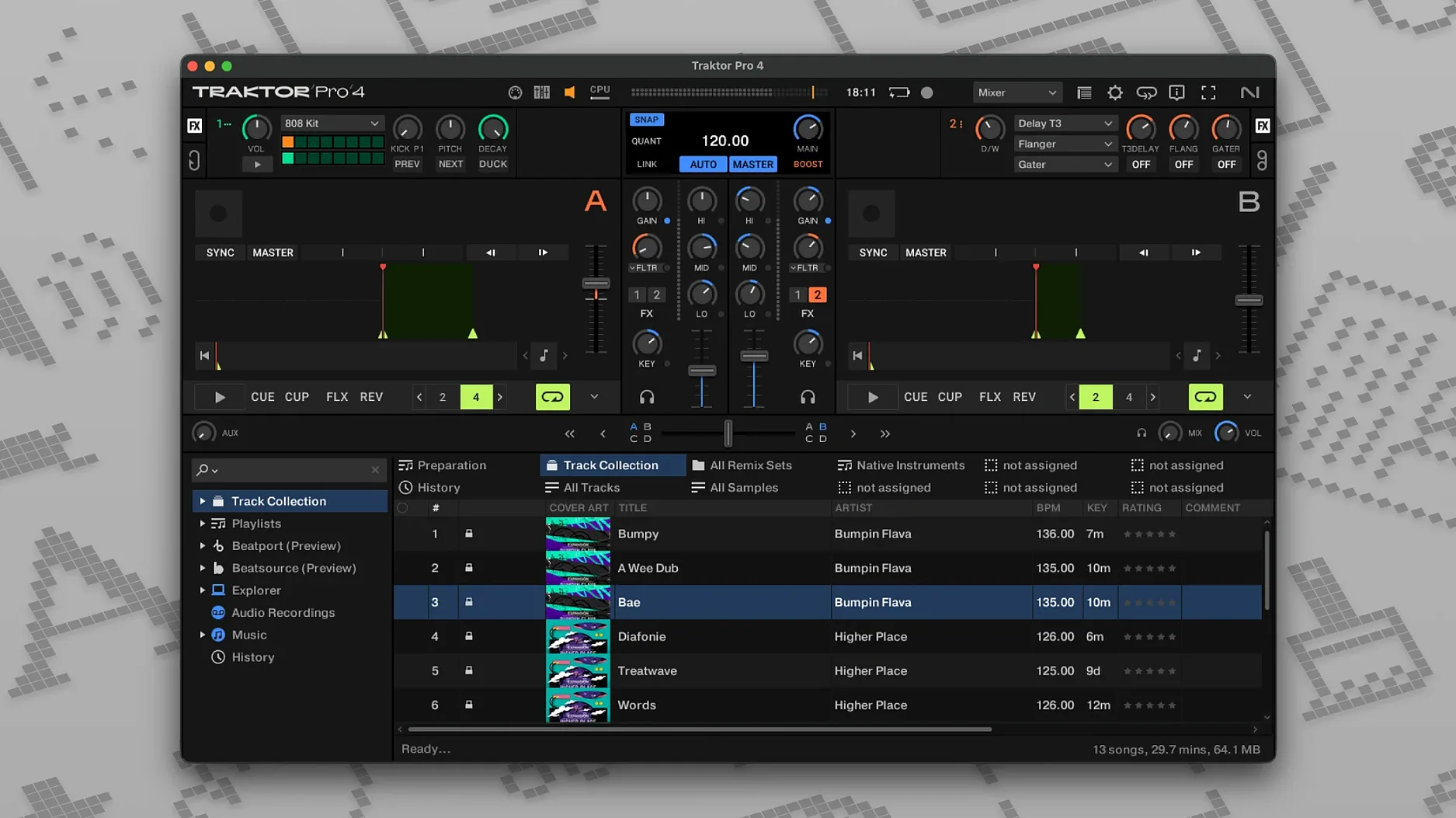
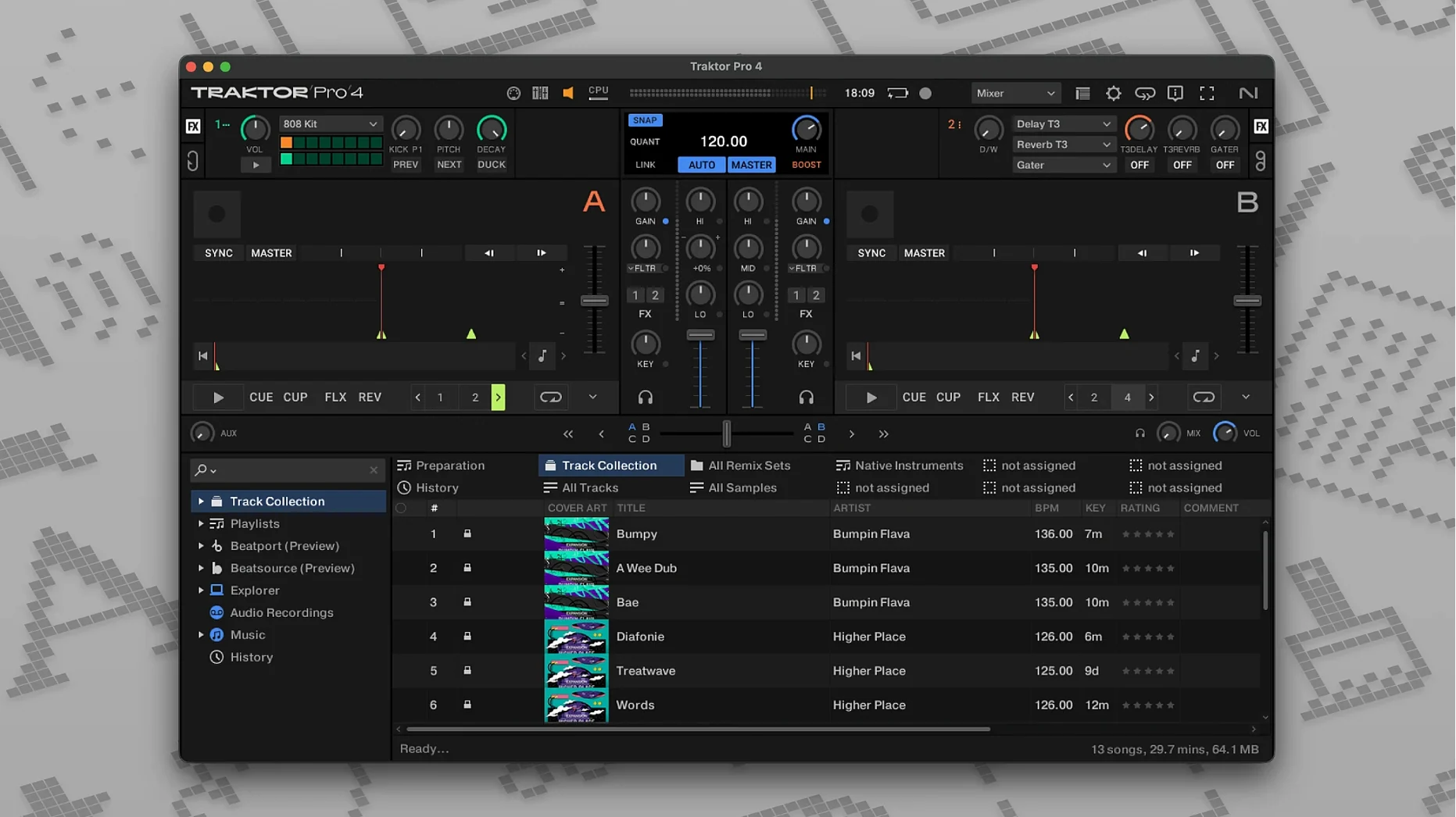
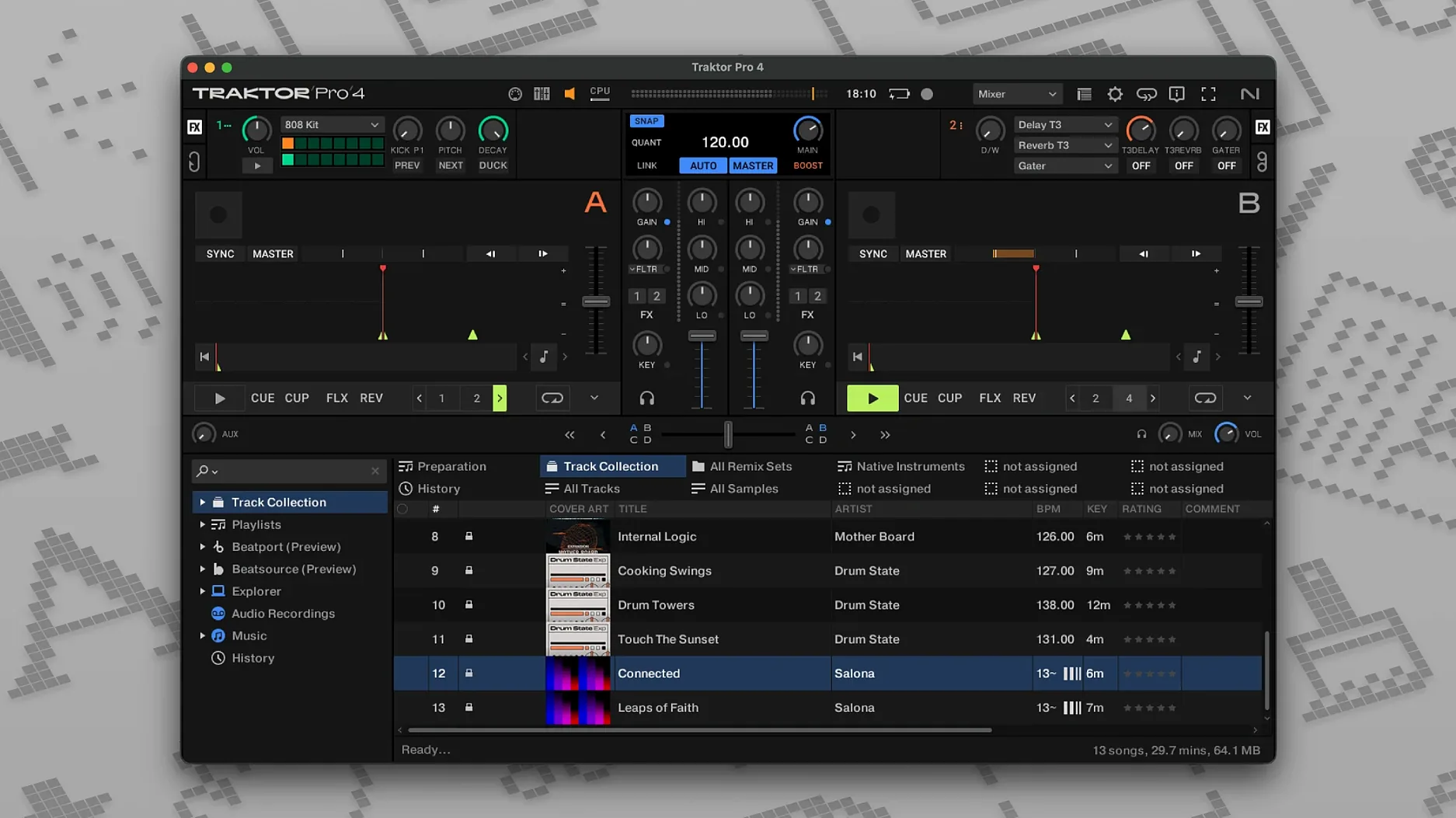
The monitors in the booth are running a little hot. A track is fading out on deck A, its low-end already filtered away, while a new bassline waits on deck C, gain-staged and nudged into phrase. The crossfader stays centred: this is a four-deck blend, not a cut, and the software needs to keep its timing and its headroom in perfect order.
Core decks: four ways to carry a mix
Traktor Pro organises playback across four decks, each assignable to one of several types:
- Track Deck: the classic linear player for full tracks, with waveform display, cue points, and tempo control.
- Stem Deck: splits a track into four musical elements — drums, bass, melody, vocal — for live rebalancing or muting.
- Remix Deck: a grid of sample slots, each with its own volume, filter, and trigger behaviour, suited to one-shot fills and layered loops.
- Live Input: routes an external source — a turntable, a microphone, a hardware synth — through the software mixer with effects and EQ.
Reverse playback works on any deck, and custom MIDI mappings let you build a control surface from third-party gear or a Traktor Kontrol hardware controller.
Output and integration: from the studio to the club
Full mixes can be exported as WAV or AIFF files for archiving or later editing. An external DJ mixer connects directly, and Beatport streaming integration opens the catalogue from within the browser without leaving the performance view. Stem separation runs inside the software: a single stereo file becomes four playable layers, all editable on the Stem Deck.
Common mistakes: what trips up new users
Stem separation is the feature that draws the most attention, and it is also where I see beginners stumble. A common error is expecting clean isolation from every track. The algorithm works on spectral content, so a dense rock mix from the 1970s — guitars panned hard, bleed across drum mics — will separate less cleanly than a modern electronic production with dry stems. The solution is not to push the separation harder; it is to choose material wisely and to use the stem volume faders subtly, bringing a vocal forward by three decibels rather than muting everything else entirely.
Another early mistake concerns deck assignment. New users often load a track onto a deck that is already playing, overwriting it mid-mix. Traktor Pro does not warn by default; the new track simply replaces the old one. Setting a load-lock in preferences prevents this, and I consider it essential for anyone playing out. Similarly, forgetting to set the deck type before loading — dropping a full track onto a Remix Deck, for instance — leads to confusion about why the waveform looks wrong. The deck selector is small on screen, but it governs the entire behaviour of that channel.
Sync reliance is the subtler trap. The software can lock tempo and beat-grid perfectly across four decks, and for quick transitions that is useful. But relying on sync without first checking that the beat-grid is correctly placed — especially on tracks with live drummers or tempo drifts — produces a mix that sounds locked mathematically but feels loose musically. I always advise spending the first session with a new track library adjusting grid markers by ear, not by eye.
Launch feel: under four seconds on M-series
On a machine with an M-series chip, the application feels immediate. Launch time from a cold start is under four seconds; loading a 90-minute WAV onto a Track Deck takes less than a second. Stem separation on a four-minute stereo file completes in roughly twelve to fifteen seconds on an M1 Pro, and the separated layers play back without any audible latency. The interface redraws waveforms smoothly even when three decks are playing and the fourth is being scrubbed in reverse.
Memory usage is moderate. With four decks active, stem separation engaged on one, and a Remix Deck loaded with sixteen samples, I observe around 1.2 GB of RAM in use. That leaves comfortable headroom for other applications — a web browser with reference tracks open, a recording utility capturing the master output. CPU load stays under fifteen percent during a complex four-deck blend, though enabling the new limiter on the master channel and two Send FX simultaneously pushes that toward twenty-two percent. I have not seen an audio drop-out or a buffer underrun in daily use since version 4.3, even when connecting a third-party audio interface over USB.
The one area that still shows occasional friction is library browsing during playback. When Beatport streaming is active and a large local collection is also indexed, scrolling through the browser while all four decks are running can introduce a half-second hesitation in the waveform display. It does not affect the audio engine — the sound continues uninterrupted — but it is visible, and it is the sort of detail that can shake confidence in a live setting.
Alongside the alternatives: Traktor Pro, Serato DJ Pro, rekordbox, and VirtualDJ
Each of the major DJ applications has a distinct centre of gravity. Serato DJ Pro places its emphasis on waveform clarity and a library workflow that feels closest to browsing a record crate: the coloured waveforms are large, the crates-and-subcrates system is intuitive, and the software is deeply integrated with Pioneer DJ hardware. What Serato does not offer is stem separation built directly into the deck architecture. The feature exists as a separate application, Serato Studio, or through a third-party plugin, but it is not a native deck type.
rekordbox, by contrast, is the natural choice for DJs who prepare sets on a laptop and export to a USB stick for Pioneer CDJs. Its library management is excellent, and the lighting control integration is unique. But rekordbox feels, to me, like a tool designed for the booth first and the studio second. Its performance mode, while capable, lacks the modular deck-type system that Traktor Pro uses: there is no direct equivalent to the Remix Deck, and stem separation arrived later and with less flexibility in routing.
VirtualDJ is the broadest of the four, supporting an enormous range of hardware and offering real-time stem separation that works well and predates Traktor's implementation. Its interface, however, is crowded — a product of its ambition to serve everyone from mobile wedding DJs to video mixers to club performers. Traktor Pro feels more considered in its layout, with fewer visible controls at any one moment and a stronger sense of a single design hand. The trade-off is that VirtualDJ supports more file formats and more unusual controller configurations. For a DJ who wants to plug in almost any device and have it work, VirtualDJ is the pragmatic choice. For one who wants a focused four-deck instrument with a particular philosophy about how stems, remix slots and live input relate to one another, Traktor Pro remains the more cohesive option.
Version changes: what shifted in recent updates
The move from Traktor Pro 3 to version 4 brought a redesigned audio engine, but the everyday differences are more specific. Stem separation is the headline, and it arrived fully formed: the algorithm runs on-device, not in the cloud, and the four stem faders appear as a second set of volume controls on any Stem Deck. In practice this means a vocal can be isolated while the bass from the same track still plays underneath — a technique that used to require pre-bounced instrumental files and careful deck duplication.
Beatport streaming integration arrived with version 4 as well, and it changed the browser more than I expected. The streaming catalogue sits alongside the local library as a filtered list; tracks load with a short buffering period, about two to three seconds on a stable connection, and once loaded they behave identically to local files for cue-point setting and looping. The key difference is that stem separation is not available on streamed tracks — the file must be local for the spectral analysis to run. That limitation is worth knowing before planning a set that mixes local and streamed material with stem manipulation.
Smaller refinements accumulated through the point releases. The master-channel limiter was reworked in version 4.5, and the change is audible: it now catches peaks more transparently, without the slight mid-range hardening I noticed on earlier builds. Custom layout options expanded, letting users hide elements they never touch — the loop recorder, the Send FX panel — and reclaim screen space for the waveforms. MIDI mapping gained support for incremental encoder assignment, which matters for controllers with endless rotary knobs that previously had to be mapped as absolute controls.
Stem transition: carving harmonic space from two keys
Here is a task I return to often: taking two tracks in different keys and making a blend that does not clash harmonically, using stem separation to carve out compatible space.
I start by loading a deep house track with a strong vocal hook onto deck A as a Stem Deck. The software analyses the file and presents four faders: drums, bass, melody, vocal. I mute the bass entirely and reduce the melody fader to fifty percent, leaving the drums and vocal prominent. On deck B, I load an instrumental techno track — a Track Deck, not stems — with a rolling low-end and percussive tops but no melodic lead. The keys are a minor third apart, which would normally produce dissonance if both melodic elements played together.
With the melody fader pulled down on deck A, the harmonic conflict disappears: only the vocal and drums from track A are audible, and they sit over the bass and percussion of track B without clashing. I set a four-bar loop on track B's intro and bring it in with the low EQ cut, then gradually restore the bass while fading out track A's drum fader. The vocal from track A continues over track B's groove for sixteen bars — long enough to feel intentional — and then I fade the vocal stem down as a new melody line from track B enters. The whole transition takes roughly forty-five seconds and sounds like a remix performed live, not a key-clash masked by EQ.
After the set, I export the recording as a 24-bit WAV file. The ID3 tags from the original tracks are preserved in the recording metadata, which makes archiving simpler: I can trace every track in the mix file months later without keeping separate cue sheets. The workflow relies on nothing beyond the software and a pair of headphones; no external controller is required, though a hardware mixer makes the stem faders more tactile. It is a technique I would not have attempted before stem separation lived natively on the deck, and it has become the centre of my longer transition sequences.
In short: the four-deck architecture has been Traktor's defining structure for years, but stem separation gives it a new dimension — not as a novelty, but as a practical tool for harmonic mixing and live arrangement. The software runs with the kind of stability that lets you forget the computer is there, and the recent updates have polished rather than reimagined the experience. For a DJ who wants to treat a set as something more malleable than two tracks and a crossfader, it remains a singular environment.






Correspondence 0
Take a chair or join the table to send a letter.
No correspondence on this note yet. Letters are read before they appear.