 LeCoqRoti
Organise: a library that builds itself
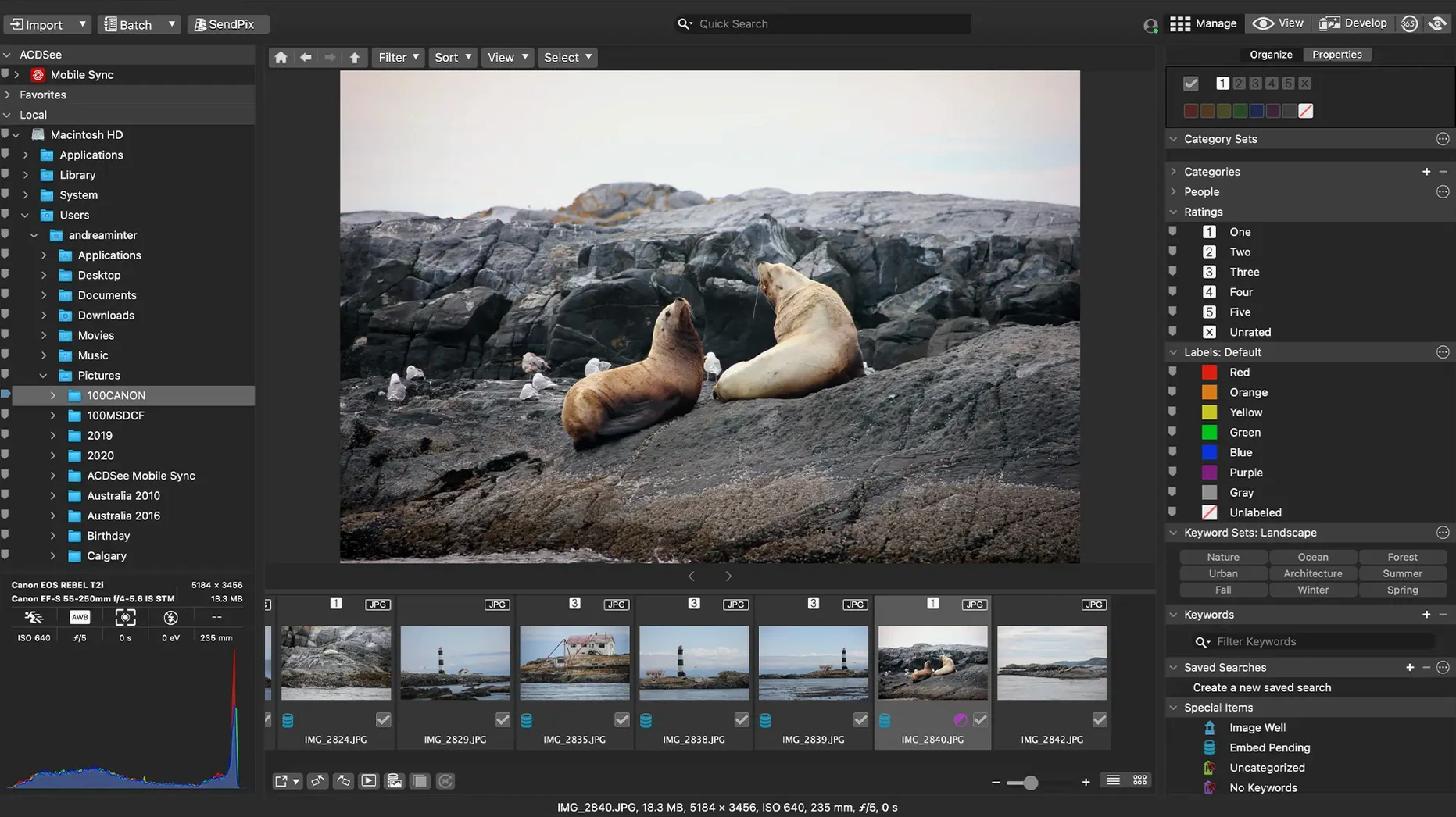
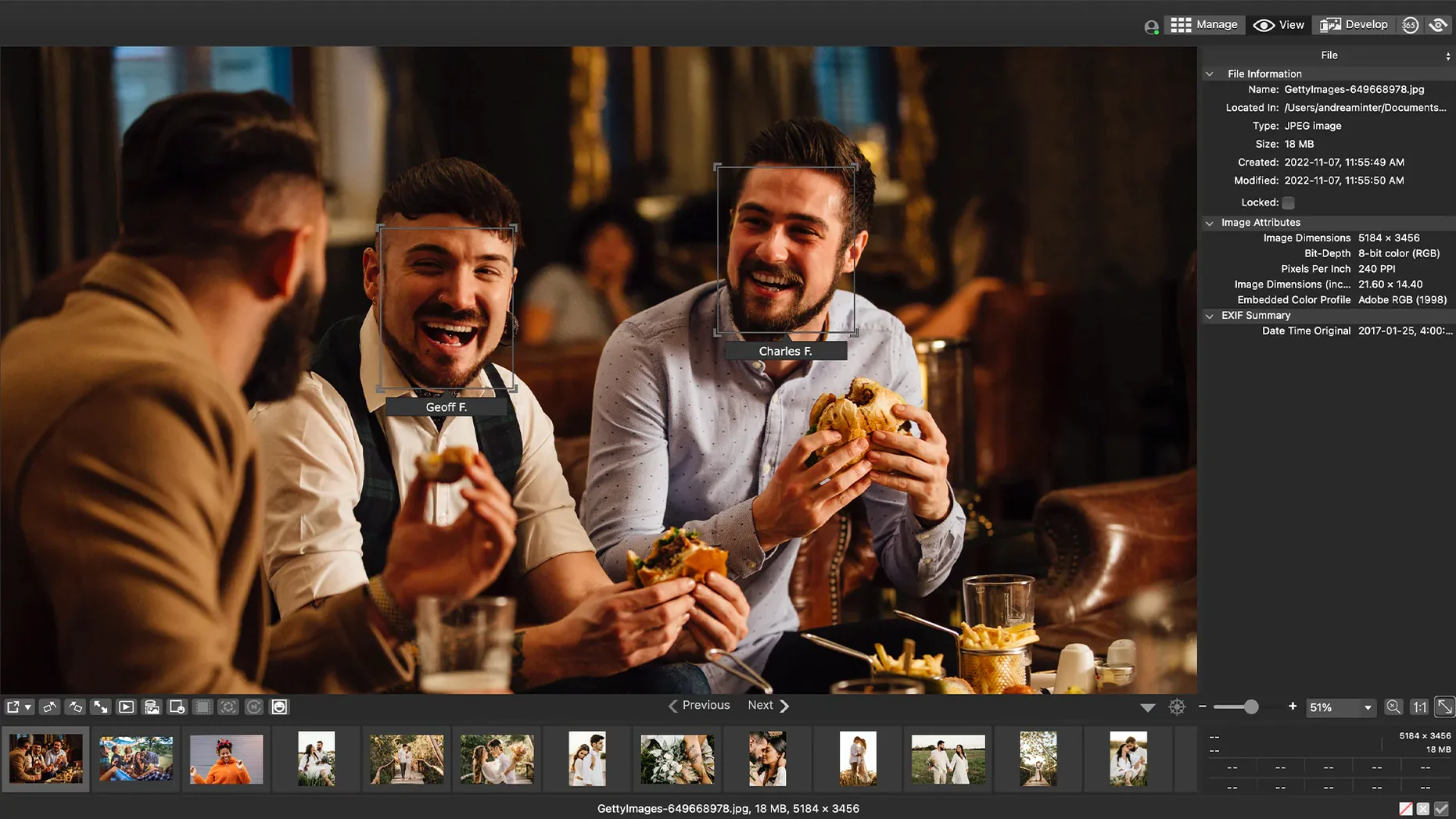
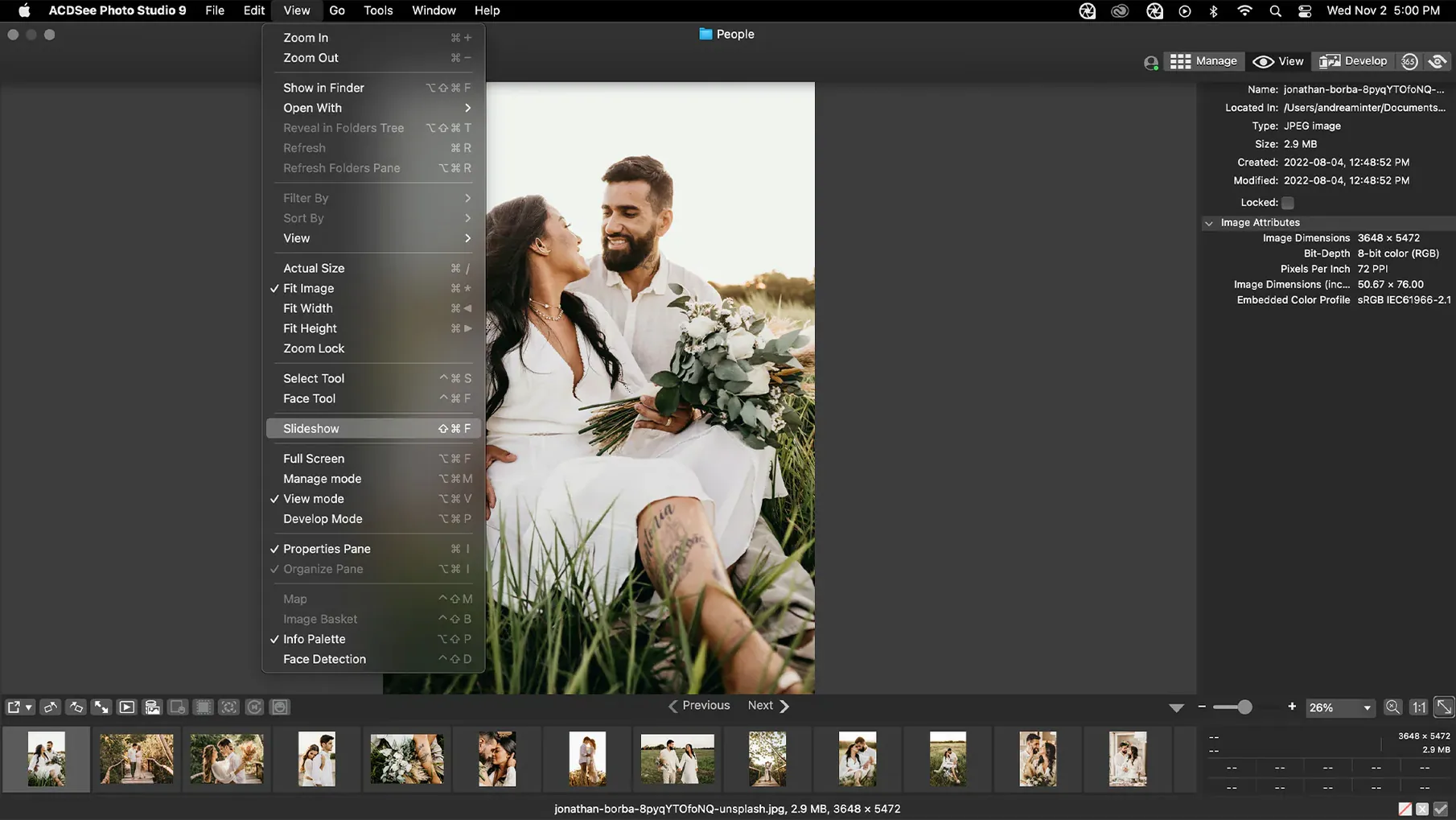
Version 26.0.3 arrived with a handful of quiet fixes — the most useful being a corrected reading of RAW file ratings — but the larger story for a Mac user is how it nests beside what you already use. The app watches folders and sorts by date without ceremony, while categories and keywords stay with the files, not locked inside a catalogue.
Develop: non-destructive from first click
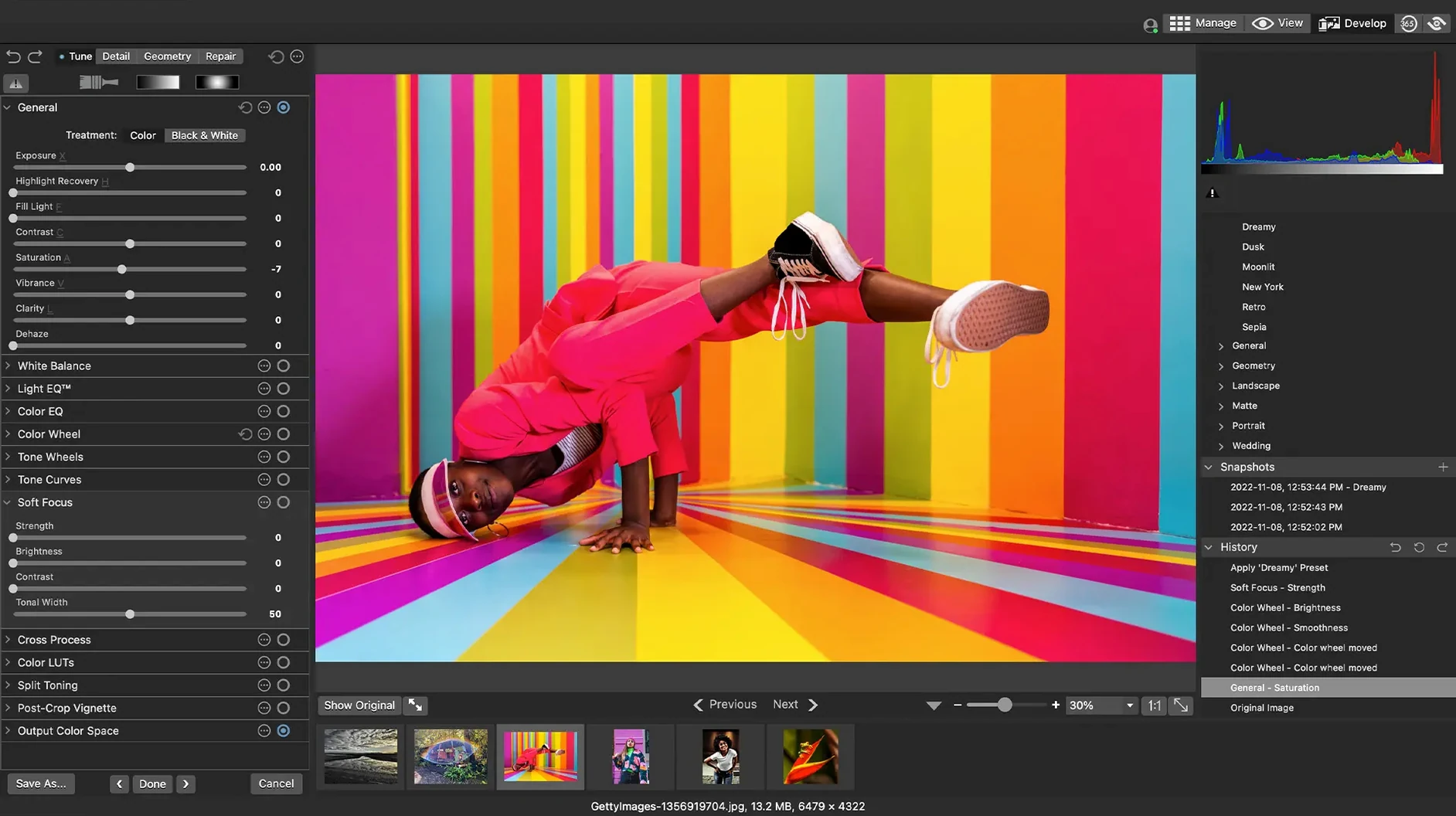
RAW support covers more than 450 camera models, and adjustments to exposure, clarity, sharpness, colour and noise are written as sidecar instructions. The original negative stays untouched — a principle that makes sense next to a Finder-based workflow where the file itself is the truth.
Find: drag, drop, narrow
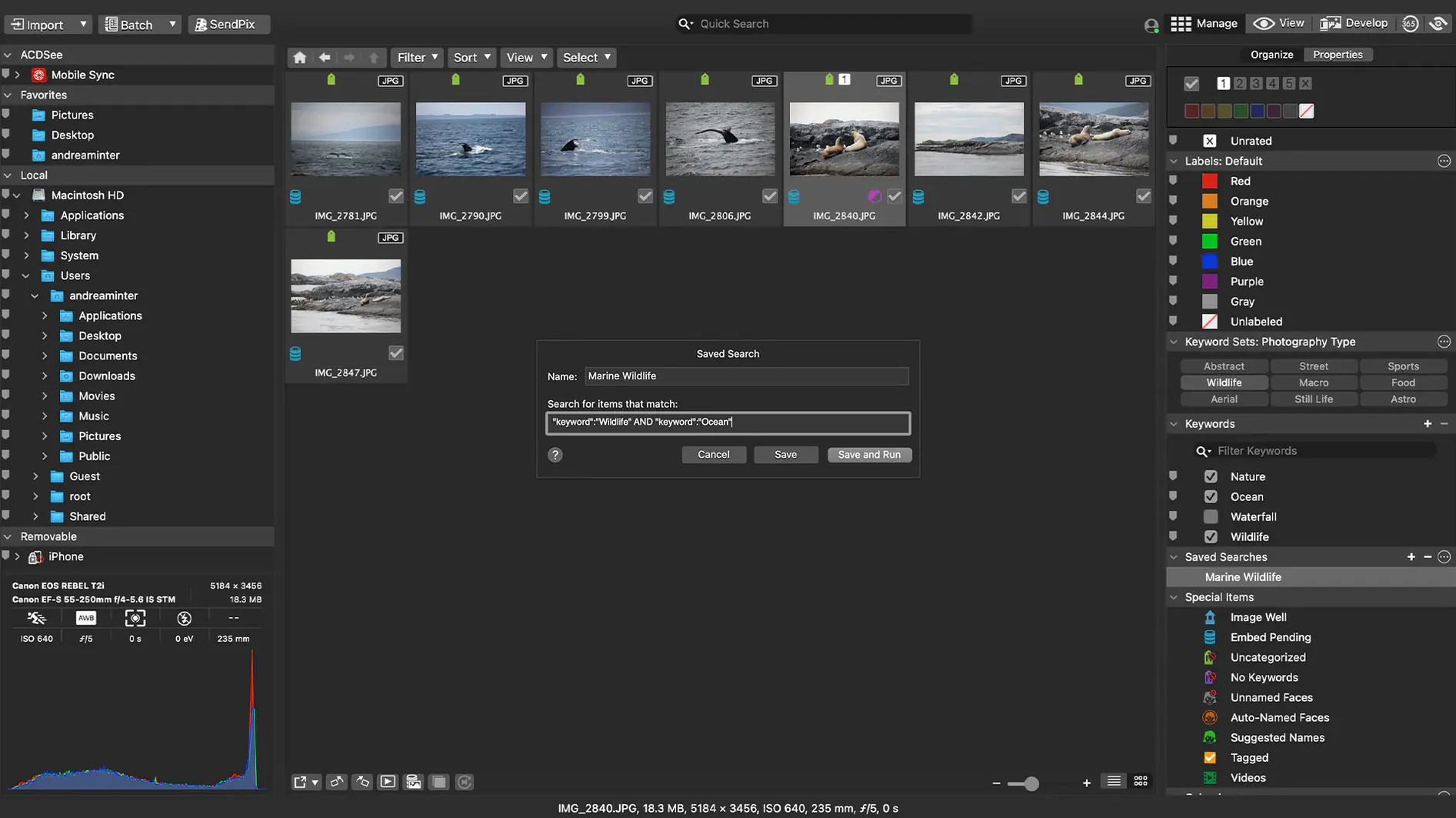
Drag-and-drop search turns the browser into a filter: lift a photograph of a red door, drop it into the search bar, and the grid pares down to images that share that visual echo. It is a fast, tactile complement to the keyword and rating tools, and it requires no import step to begin.
A working session: the morning after a shoot
You return from a weekend in Kamakura with just over four hundred frames spread across two SD cards. The light was changeable: harsh on the beach, soft inside the temple grounds, and a thin sea haze that flattened the contrast in ways the camera's automatic white balance could not quite read. You mount the cards, and ACDSee Photo Studio sees them as they appear in Finder — no import dialogue, no catalogue to build first.
The first act is purely organisational. You switch to the Date sort and let the thumbnails fall into sequence; the morning shots at Engaku-ji gather at the top, and the later ones down by the water trail below. You select a batch from the temple — thirty-four frames where the stone steps repeat with subtle shifts in framing — and press 1 to mark the keepers. A second pass with 2 tags the maybes. The rejects you leave untouched; they will drift to the bottom of the list and you will delete them later, fast, in one block.
Categories come next. You highlight the temple keepers and assign Kamakura and Architecture from the pane on the right. The keywords wood, verdigris and morning light follow, typed quickly and committed with a return. Because these travel with the files as IPTC metadata, any other application — Photo Mechanic, Lightroom, a simple Spotlight search — can read them later. No lock-in.
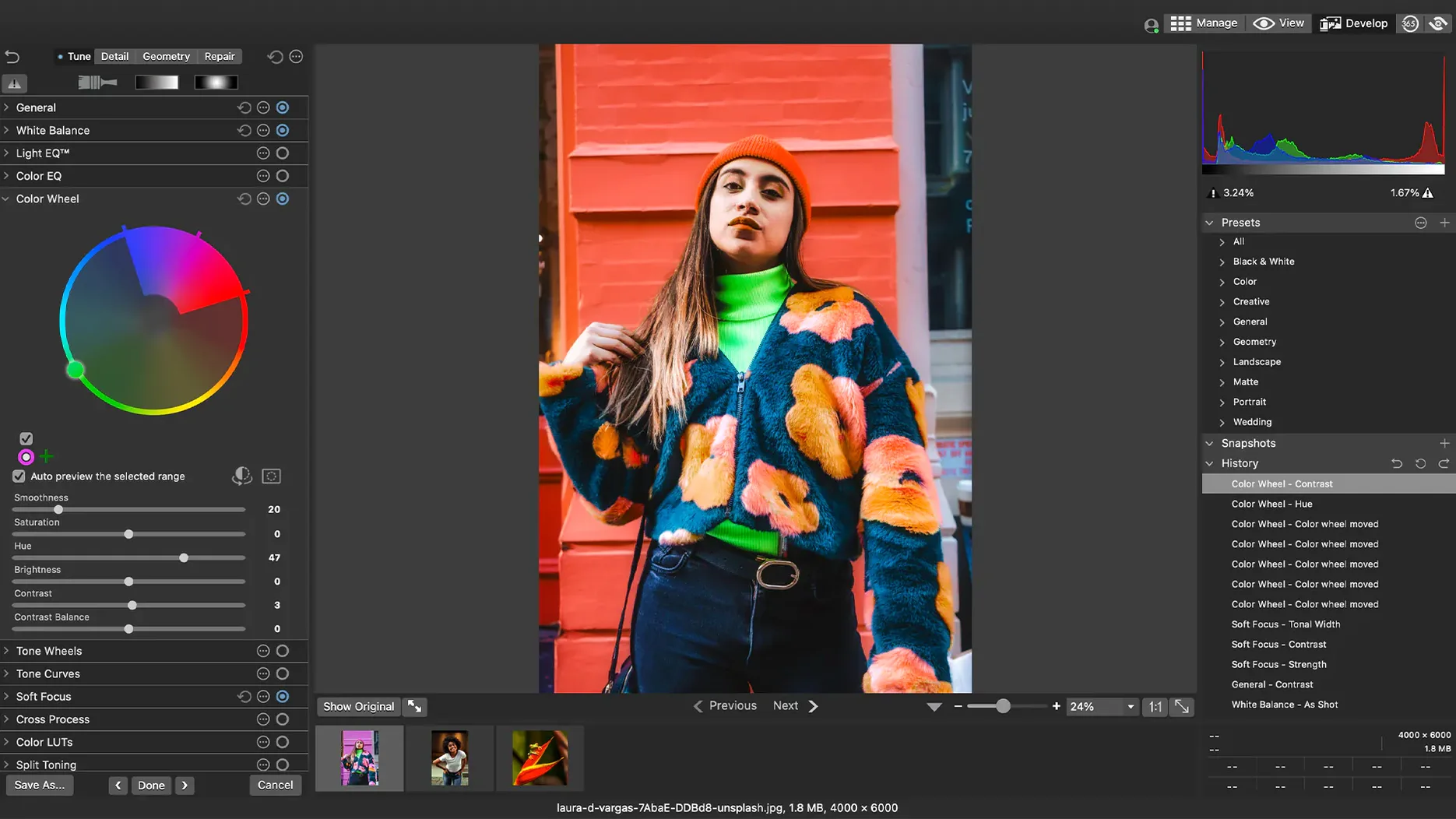
Now you turn to a frame that needs work: the great bell under the cedar canopy, shot against a bright grey sky. The RAW file opens in the Develop module. You pull the Highlights slider left to recover cloud texture, lift Shadows a touch to bring back the bronze detail on the bell's lower rim, and add a small amount of Clarity — just enough to make the cedar bark read without looking etched. A tight vignette darkens the edges and pulls the eye inward. The whole edit takes under a minute, and you save it as a sidecar. The original CR3 file remains exactly as the camera wrote it.
Before closing the session, you drag one of the temple-door frames into the search bar. The grid refreshes with a dozen images that share its dominant colour palette: warm browns, moss green, a patch of cream plaster. You drag two of them into a new batch preset — resize to 2400 pixels on the long edge, sharpen for screen, watermark bottom-right — and let it run. While the batch processes, you rename the folder to 2025-03_Kamakura_Final and move on to the next task. The whole session, from ingestion to export, felt like a conversation with the files rather than a wrestling match with the software.
Common missteps when starting out
Beginners often treat the app as though it demands an import, the way some other photo managers do. They look for an Import button, find none, and assume something is missing. In truth, ACDSee Photo Studio reads the file system directly. Point it at a folder — or let it watch your Pictures directory — and the photographs appear. Trying to force an import-shaped workflow only adds friction.
A second error is overwriting the original. The Develop module writes adjustments to a sidecar file by default, but there is a Save As path that can produce a flattened copy if you are not paying attention. New users sometimes click through dialogues quickly, save a JPEG over their RAW, and lose the negative. The fix is simple discipline: always check the file extension in the save dialogue, or stay entirely in the non-destructive Develop flow where the original is never touched.
Keyword overload arrives early for the enthusiastic. Faced with an empty metadata pane, a beginner may create thirty keywords for a single shoot — sand, wet sand, dry sand, footprints in sand — and then find the hierarchy unmanageable a month later. The app does not stop you from doing this, but it rewards restraint. Five to ten broad keywords per session, applied consistently, will yield far better search results than a sprawling, one-off taxonomy.
Finally, ignoring the duplicate finder until it is too late. ACDSee Photo Studio can identify visually identical files across folders, but it only helps if you run it. Beginners who copy cards into multiple backup locations before culling often end up with three copies of the same blurry frame, and they do not discover this until the duplicates have metastasised across a year's worth of folders. Running the duplicate scan as the last step of any ingestion session catches the problem while it is still small.
iCloud Drive: less risky after recent fixes
Does it work with iCloud Drive? The recent version 26.0.3 fixed a specific integration issue, so iCloud-synced folders now behave more predictably. That said, working directly on photographs stored in iCloud is slower than working on local files — the app must pull each full-resolution image down before it can render a preview or apply an edit. A practical rhythm is to work locally and move finished folders to iCloud afterward, treating the cloud as an archive rather than a workspace.
Will it slow down my Mac? The application runs natively on both Intel and Apple Silicon, and thumbnail generation is the only phase that taxes the processor noticeably. On an M1 or later machine, building previews for a thousand RAW files takes perhaps a minute and a half; on an older Intel Mac, the same task runs longer but does not prevent you from browsing already-cached folders. Once the thumbnails exist, scrolling and searching are fast.
Can I use it alongside other editors? Sidecar files are standard XMP, so adjustments made in ACDSee Photo Studio are readable by Adobe Camera Raw and other applications that respect the format. The reverse is also true: if you apply basic tonal adjustments in another RAW developer and write XMP sidecars, this app will display those changes. It slots into a multi-tool workflow without demanding to be the centre.
What if I later move to a different organiser? Because categories and keywords are embedded in the files themselves — or in sidecars for proprietary RAW formats — your organisational labour is portable. Ratings written as XMP stars travel with the image. A folder of photographs tagged and rated here will open in any IPTC-aware application with its metadata intact. The only thing you leave behind is the database of thumbnails and previews, which any new tool will rebuild.
Alongside other Mac photo tools
Set beside Adobe Bridge, ACDSee Photo Studio feels more self-contained. Bridge is a file browser that hands editing off to Camera Raw or Photoshop; it has no built-in Develop module of its own. Here, browsing and RAW development live in the same window, which saves a context switch. Bridge offers stronger integration with the Adobe suite — batch renaming scripts, for instance, are more flexible — but it does not include a duplicate finder, and its search relies on metadata rather than visual similarity.
Compared with Photos, the default Apple app, the difference is one of philosophy. Photos wants to manage your library; it imports, copies and organises inside a package. ACDSee Photo Studio leaves files where they are. For a photographer who already has a folder structure — year, month, project — this is a cleaner fit. Photos has the edge in device syncing and face recognition, but it offers no sidecar-based RAW editing and no drag





Correspondence 0
Take a chair or join the table to send a letter.
No correspondence on this note yet. Letters are read before they appear.