 LeCoqRoti
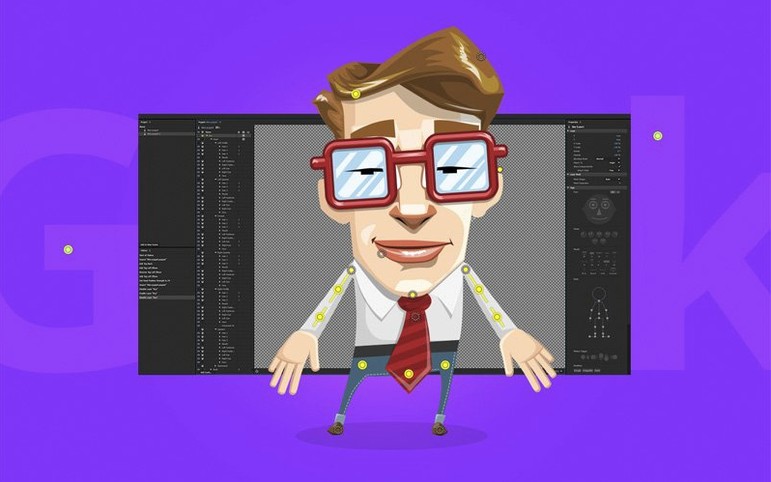



Adobe Character Animator is a tool that turns static artwork into live, expressive 2D puppets using your webcam and microphone.
How does the performance capture work?
The software tracks your facial movements—eyes, eyebrows, mouth—and maps them onto a character in real time. Mouth shapes are analysed to generate automatic lip sync, while head tilts and nods follow your own, letting you perform rather than keyframe.
What artwork does it accept?
Characters can be built from the included library of puppets, or designed from scratch in Adobe Illustrator or Photoshop. Layered artwork organised with the proper naming conventions—like "Left Eyeball" or "Mouth"—becomes immediately riggable inside the application.
Can it be used for live broadcasts?
Yes. The real-time engine makes it suitable for live streaming, presentations, or any scenario where a character needs to react on the spot. Triggers, gestures, and physics-based behaviours—like hair and dangle dynamics—add further nuance during a performance.
The January 2026 update, version 26.0, does not introduce new front-facing features. It focuses on stability: fewer dropped frames during long sessions, more predictable tracking when lighting changes mid-scene, and a smoother handoff between Illustrator or Photoshop and the Character Animator stage. For anyone who rigs a puppet on a deadline, the practical effect is a quieter timeline — less time chasing small glitches, more time refining performance. Real-time previews under heavy artwork layers also feel slightly more responsive, which matters when you are adjusting a mouth set with twelve variations.
Puppet performance: best with a fast Mac and simple artwork
Live performers and streamers
Character Animator’s core strength remains the live connection between performer and puppet. Streamers who build a persona around an illustrated character — a cat, a robot, an exaggerated version of themselves — find it hard to match this speed with traditional timeline animation. A webcam, a microphone, and a well-rigged puppet are enough to carry a broadcast.
Illustrators who want motion without a steep learning curve
If you already work in Illustrator or Photoshop, the leap to animation is short. The application reads your existing layers and naming structure, turning a static character sheet into a puppet with minimal extra work. For illustrators who find frame-by-frame software daunting, this keeps them inside a visual language they already know.
Small video teams and educators
A single operator can run a character, trigger sound effects, and control camera moves — all while recording. Tutorial creators and teachers use it to produce explainer clips quickly, without a dedicated animation pass. The ability to swap backgrounds and trigger pre-recorded voice lines cuts down on retakes.
Pre-install doubts: subscription, internet, and webcam access
Integrated graphics: yes, Apple Silicon handles it smoothly
It does. The motion tracking and real-time rendering run on integrated graphics, though performance depends on the resolution of the puppet artwork and the number of active layers. On Apple Silicon Macs, the experience is fluid even with moderately complex puppets; older Intel machines with integrated GPUs may need simpler artwork to maintain smooth tracking.
Is Adobe Character Animator free, or part of a larger subscription?
The application is distributed through Creative Cloud. It is not sold separately as a perpetual licence. People searching for an “adobe character animator download free” often want to test the real-time tracking before committing — the download itself is straightforward, but a plan is required to run it beyond any trial period.
macOS 14 minimum: the real gate for version 26.0
Version 26.0 asks for macOS 14 or later, and it runs natively on both Apple Silicon and Intel 64-bit Macs. If you are checking “adobe character animator system requirements macos” before upgrading, the main constraint is the operating system version rather than the processor architecture. A recent Mac with a decent webcam and microphone will handle the core performance-capture features without trouble.
In short: the latest release refines rather than reinvents — the kind of update that makes daily use quieter, not louder.








Correspondence 0
Take a chair or join the table to send a letter.
No correspondence on this note yet. Letters are read before they appear.