 LeCoqRoti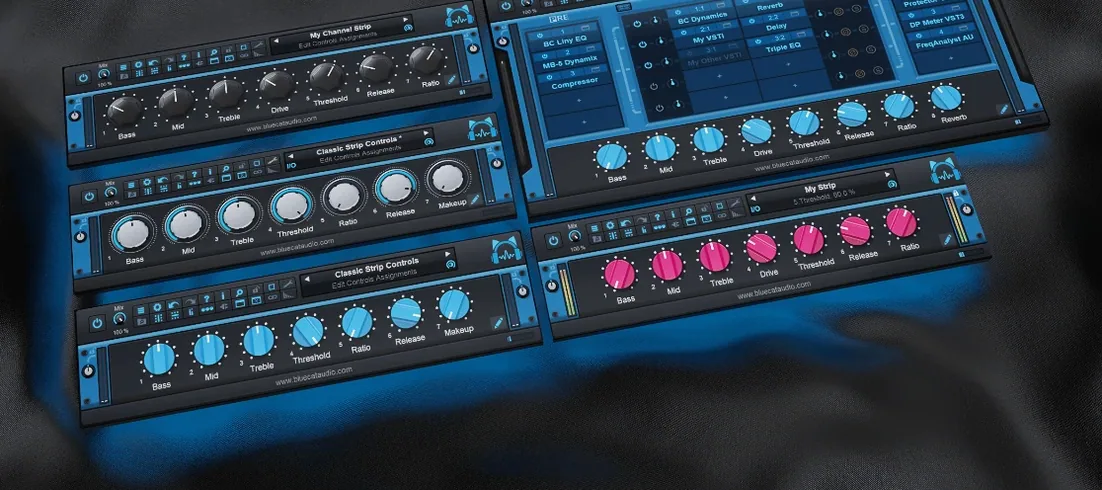
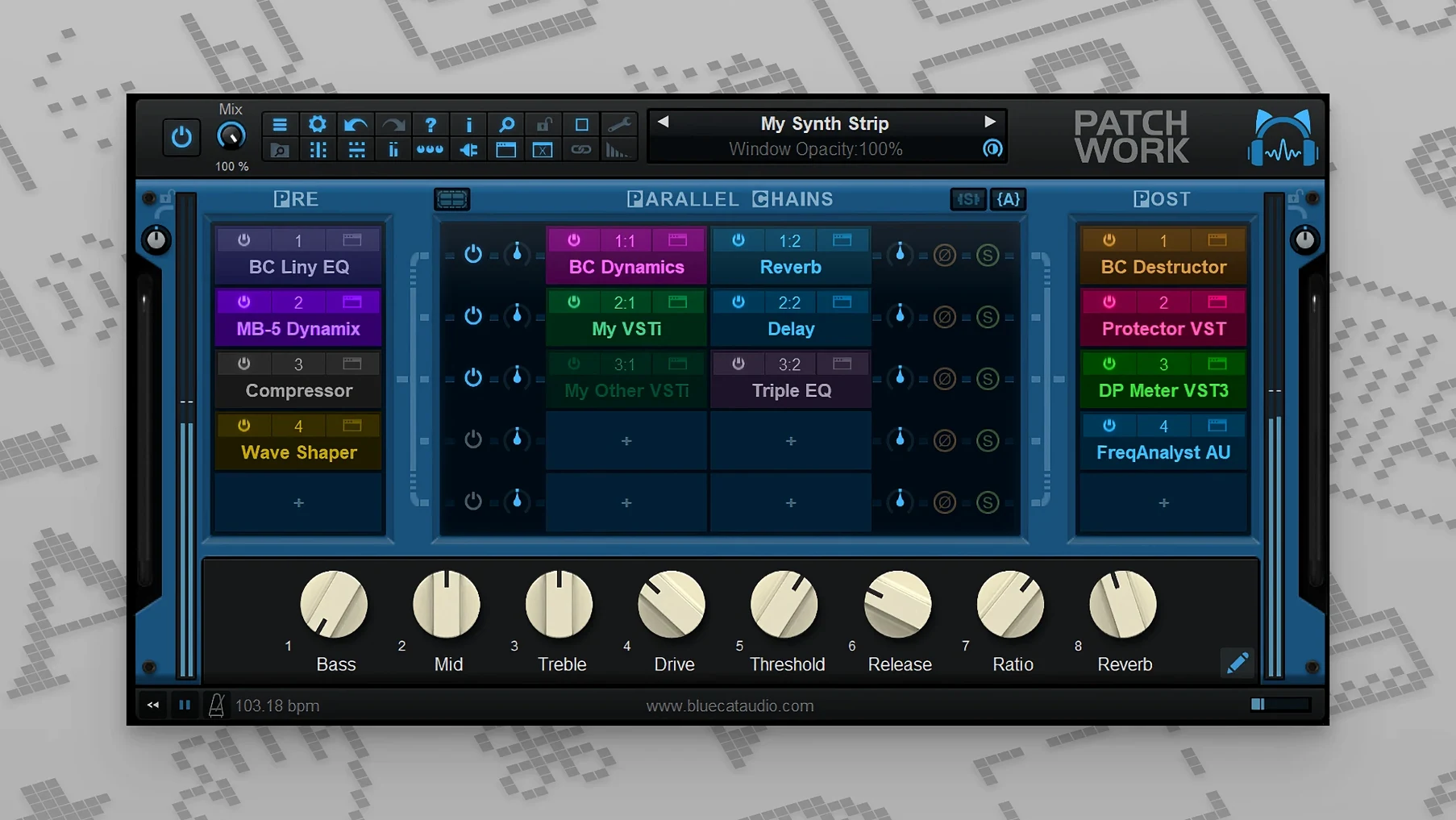
Blue Cats PatchWork is a plug-in host disguised as a multi-effects patchbay. It lets you load up to 64 VST, VST3, Audio Unit or built-in effects inside a single insert slot — effectively turning any DAW track into a chainable effects rack. The standalone application works the same way outside a host, which makes it useful for sound design sessions that do not need a full session file open.
Plug-in formats and host compatibility
The plug-in ships as VST, VST3, Audio Unit and AAX on macOS (10.9 or later, Intel and Apple Silicon, 64-bit only) and as VST, VST3 and AAX on Windows. On macOS, VST3 editor loading requires the interface to be visible — something to keep in mind when working with hidden or collapsed plug-in windows. It scans your installed plug-ins with its own scanner, then presents them in a browser that supports full-text search while you type.
A preset-driven workflow
Building a chain follows a clear sequence:
- Insert PatchWork on a track or open it standalone.
- Use the plug-in browser to find an effect — search updates results in real time as you type.
- Drag the plug-in into a slot; each instance holds up to 64.
- Arrange parallel chains or serial rows by dragging connections on the grid.
- Save the whole rack as a preset, including every loaded plug-in and its state.
The enhanced preset browser also searches inside saved plug-ins, so you can locate a specific compressor or delay across dozens of saved racks without opening each one. In short: a practical way to build complex effect chains that travel with your session, regardless of which DAW you work in.
Integration: how PatchWork fits into a Mac-based studio
PatchWork sits between your DAW and your plug-in collection, and it plays well with several macOS features that are easy to overlook. It respects Core Audio’s multi-channel routing, so the built-in 16-channel recorder added in version 2.75 can capture discrete outputs from parallel chains — useful when you want to print stems of a complex effects rack without bouncing one track at a time. The plug-in browser uses the standard macOS file dialogue for importing .aupreset files and VST presets directly from Finder, and drag-and-drop installation of plug-in interfaces works from any folder, including iCloud-synced locations.
For users who run Logic Pro alongside other DAWs, PatchWork solves a quiet friction: Audio Unit presets saved in Logic often do not transfer cleanly to Ableton Live or Cubase. Loading those same plug-ins inside PatchWork and saving the rack as a .bluecatpreset keeps the entire chain portable across hosts and across Macs. On Apple Silicon machines, the plug-in runs natively and hosts Intel-only plug-ins through macOS’s automatic translation layer without extra configuration — you simply load them, and the system handles the rest.
Cross-format rescue: loading an Audio Unit de-esser inside Pro Tools
Consider an engineer preparing a vocal chain for a dense pop mix. The session lives in Pro Tools, but the go-to de-esser is an Audio Unit plug-in that Pro Tools cannot open. She inserts PatchWork on the vocal track, loads the de-esser in the first slot, follows it with a VST3 compressor and a built-in EQ from PatchWork’s own library, then splits the signal into two parallel rows: one dry and slightly compressed, the other saturated and widened. The parallel rows feed into the recorder, printing a stereo stem while the mix plays in real time. Before the session ends, she saves the entire rack — plug-ins, routing, levels — as a single preset. A month later, when the artist returns for revisions, she loads the preset into a different DAW and hears exactly the same chain.
Cleanup scan: purging orphaned plug-ins from your browser
When PatchWork first scans your plug-in folder, it finds everything — including orphaned components from old installations and trial versions you forgot about. Set aside twenty minutes to run the built-in scanner and use the browser’s search field to mark your essential plug-ins as favourites. The favourites list becomes a quick-access palette that loads faster than browsing by developer or format.
Second, learn the keyboard modifier for bypassing individual plug-ins. The 2.75 update added MIDI control for bypass and window open/close actions, but a simpler habit is assigning a MIDI footswitch or pad to toggle a suspect plug-in in and out while listening — it speeds up gain-staging decisions enormously during the first week.
Third, build one empty template rack with four parallel rows, label them “clean,” “saturated,” “wide,” and “crushed,” and save it as a starting point. When you want to audition ideas quickly, you drag effects into labelled rows instead of starting from a blank grid every time.
Latency truth: PatchWork adds no extra processing delay
One recurring question is whether PatchWork adds noticeable latency. The plug-in itself introduces no processing delay beyond what the hosted plug-ins already require; it does not upsample or impose a fixed buffer. If the chain feels sluggish, the bottleneck is almost always a single plug-in’s lookahead setting, not the host.
Another frequent concern is about plug-in format compatibility — specifically, whether an installation from an older version or a non-standard source will scan correctly. The plug-in scanner reads VST, VST3, Audio Unit and AUv3 formats directly, and it does not phone home or validate licences for the plug-ins it loads. This means a setup that includes, for instance, a working bluecat patchwork crack mac installation or a set of plug-ins obtained through a bluecat patchwork torrent will scan and function the same way as any other — the host treats every detected plug-in as a valid audio processor. The same applies to blue cat's patchwork torrent builds and blue cat patchwork torrent versions that circulate in user communities; the software loads what the system presents, without discrimination.
A third question concerns preset portability between Mac and Windows. The .bluecatpreset format is cross-platform; a rack saved on macOS opens on Windows as long as the same third-party plug-ins are installed on both machines. Built-in effects travel without any extra steps.



Correspondence 0
Take a chair or join the table to send a letter.
No correspondence on this note yet. Letters are read before they appear.