 LeCoqRoti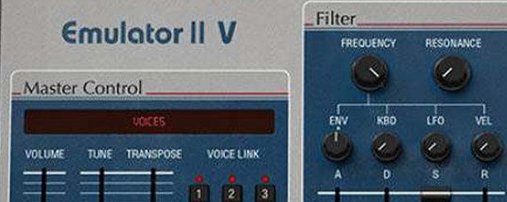
Maintenance update: compatibility without feature changes
Version 1.6.2 arrived as a maintenance update, keeping the instrument stable on recent systems. No new features were introduced: the focus is on compatibility and quiet refinement under the hood.
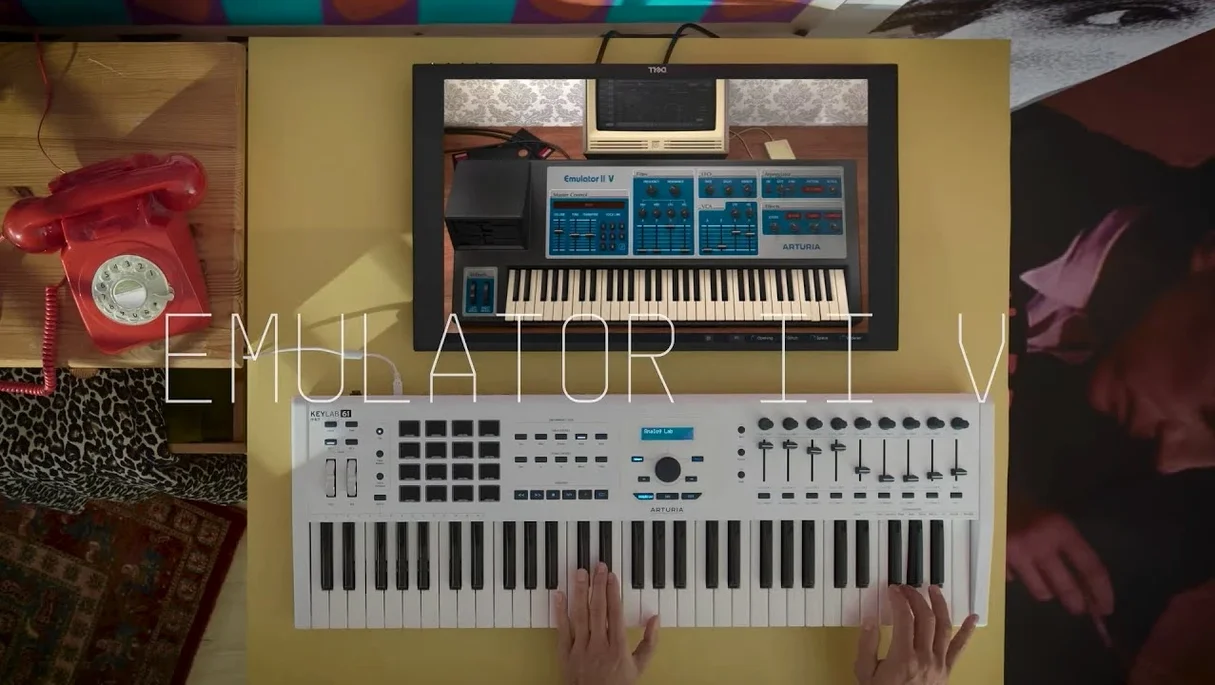
Where the Emulator II V sits in a project
It lands on instrument tracks as a primary melodic voice. Its sample-based engine handles everything from breathy choir beds to percussive stabs, leaving synthesised bass duties to a dedicated analogue plug-in on a neighbouring track.
What it sends to buses
Early digital grit is its signature. A send to a convolution reverb carrying an 80s studio impulse gives the output a period-correct space, while a parallel distortion bus can push the 8-bit character further forward.
Preset speed: 250 classics plus Synclavier expansions
Call it up for a Fairlight-style vocal swell, a grainy string pad or a bassoon line with genuine 1984 texture. The 250 original presets make it a fast choice; the additional Synclavier and modern samples extend its range into crisper territory without losing the core personality.
Envelope modulation: turning static samples into moving pads
The arpeggiator and the graphically editable parameters let you twist a sample into something the original hardware never managed. A slow attack and a touch of envelope modulation can turn a simple flute sample into a pad that moves as the track breathes.
Vowel isolation: trimming a vocal to harmonic-rich sustain
Start with a clean vocal phrase, three or four seconds long, dropped into your DAW as raw audio. Trim it to a single vowel sound — an “ah” or “oo” holds the most harmonic information. Bounce that sliver as a 24-bit WAV and load it into the Emulator II V via the sample import pane. The engine will downsample it to 27.7 kHz and apply its 8-bit companding on the way in, which is exactly what you want for texture.
Map the sample across three octaves on the keyboard, then open the layer editor. Set the first layer’s VCF to low-pass with a cutoff around 2 kHz and a gentle resonance bump; this gives you the body. Duplicate the layer, shift the second copy up an octave, and set its filter to band-pass with a narrow Q. Blend the two layers so the upper one just whispers above the fundamental. Add an LFO to the pitch of the second layer, dialled to a slow sine at around 0.4 Hz, depth barely a few cents.
Now route both layers through a shared ADSR: attack at 800 ms, decay at 1.2 s, sustain at 60%, release at 2 s. The result is a pad that swells slowly and fades with a digital afterglow. A touch of the built-in chorus effect widens the stereo image, and a send to a plate reverb pushes it back in the mix. What began as a dry vocal sample is now a grainy, breathing pad bed — the kind of texture that sits under a verse without demanding attention.
First days: practical points to check
After installation, the instrument scans for its sample library on first launch. Let that process finish uninterrupted; cancelling it midway can leave the preset browser incomplete. The library path is configurable in the settings panel, so if you keep sample content on an external drive, point it there before you start browsing presets.
The graphical parameter display is more than a visual aid. Clicking and dragging on the ADSR curves or the filter response plot adjusts values directly, and the precision is finer than you might expect. Spend ten minutes shaping envelopes this way — it is quicker than dialling numerical sliders once the muscle memory settles.
A small detail worth knowing: the arpeggiator runs in sync with your DAW transport by default, but its internal clock can drift charmingly when set to free-run mode. For pads and textures, that drift is useful; for tight bass sequences, keep it locked to host tempo. Also, the 32-voice polyphony ceiling is generous for an 8-bit sampler, yet stacking four layers with long releases will eat through voices quickly. If notes start dropping, check the voice count in the status bar and shorten a release stage or two before blaming the plug-in.
Historical depth: one machine modeled deeper than TAL-Sampler's four
Against TAL-Sampler, the Emulator II V takes a narrower historical brief. TAL-Sampler models multiple vintage DACs and offers four sampling engines in one interface, each with its own character. The Emulator II V commits to one machine and goes deeper: the original companding circuit, the specific filter topology, the modulation routing that matches the 1984 hardware. TAL-Sampler feels like a toolkit; the Emulator II V feels like an instrument with a fixed personality.
Next to Inphonik RX950, which emulates the Akai S950, the difference is in the colour. The RX950 delivers the 12-bit crunch, a sharper transient response and a filter that barks when you push the resonance. The Emulator II V is softer, hazier, with a grain that sits further back in the frequency spectrum. Where the RX950 cuts through a mix, the Emulator II V wraps around other elements. Both are valid; the choice depends on whether you need foreground bite or background atmosphere.
Compared with Plogue chipsynth MD, the territory shifts. Chipsynth MD models FM and PCM chips from arcade boards and early sound cards — a different lineage of digital sound. It excels at metallic plucks and lo-fi stabs with a certain brightness. The Emulator II V, by contrast, lives in the darker, rounder space of early workstation sampling. If chipsynth MD sounds like a game console, the Emulator II V sounds like a recording studio in 1985. They complement each other rather than compete.
Apple Silicon: native ARM support with no Rosetta step
Does it work on Apple Silicon Macs? Yes, the instrument runs natively on ARM and x86 64-bit architectures, and version 1.6.2 is fully compatible with macOS 11 onward. There is no Rosetta translation step required on M-series machines.
Is the sample library large enough to justify the download? The curated collection includes the original 250 E-Mu factory presets, a set of Synclavier samples, and a modern selection that covers pads, basses, choirs, and sound effects. It is not an exhaustive encyclopaedia, but it provides a broad starting palette. Users looking for arturia mac torrent sources or a specific arturia emulator ii v free download often find the included content sufficient for immediate work, while those wanting more will import their own samples early on.
Can I load my own samples, and do they degrade authentically? Yes, and yes. Drag a WAV file onto the interface and it passes through the same 8-bit companding and 27.7 kHz sample rate conversion as the factory content. The degradation is not a generic bit-crusher applied on top; it is a model of the original conversion circuitry, and the difference is audible in the low-level artefacts.
How does it sit in a mix with modern plug-ins? Its 8-bit output level is noticeably lower than a typical soft synth, so gain staging matters. Driving the channel gain before hitting a compressor brings the body forward without losing the grainy tail. Many producers who search for arturia v collection mac torrent or arturia v collection 11 mac torrent find that the Emulator II V layers especially well under digital synthesizers, filling the space they leave behind.
Does the arpeggiator send MIDI out? It does not; the arpeggiator affects internal playback only. If you need to record the arpeggiated notes as MIDI, route the audio to a new track or use your DAW’s own arpeggiator before the instrument.
In short: the Emulator II V is not a general-purpose sampler dressed in retro clothes. It is a focused recreation of one machine, with enough modern additions — polyphony, effects, modulation — to make it practical in a current session without softening its historical edges.


Correspondence 0
Take a chair or join the table to send a letter.
No correspondence on this note yet. Letters are read before they appear.