 LeCoqRoti
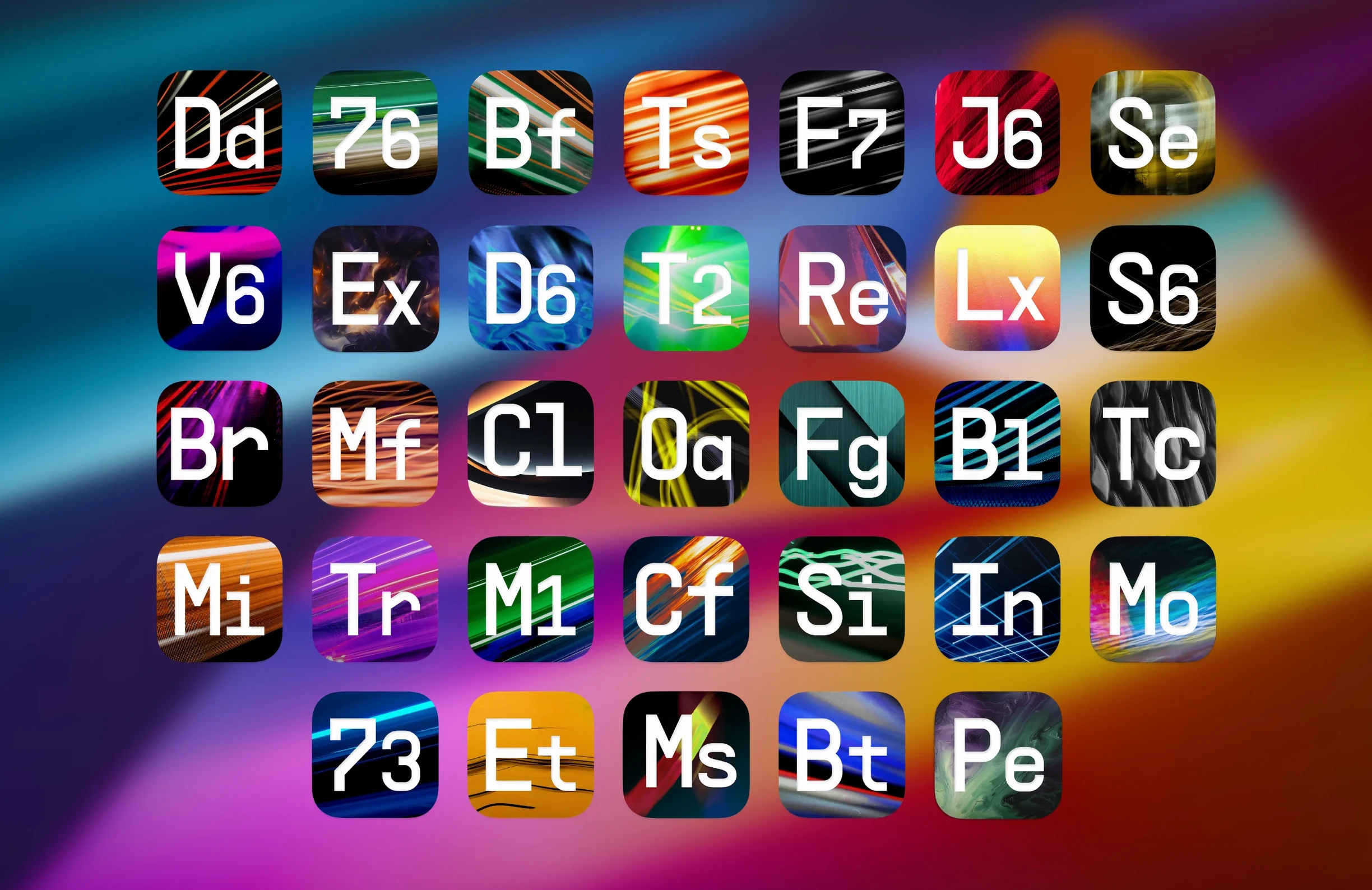
Anyone who has spent time with an Arturia instrument—a Mini V, a Pigments layer, a CS-80 patch—already knows the house sound: modelled, tactile, and faintly analogue even when it is purely digital. The FX Collection extends that thinking into the rack. It gathers 39 effects, from studio compressors and EQs to more experimental blocks like granular reverbs and a newly added pitch shifter, all sharing the same visual DNA.
A short list for the first afternoon
- Bus Transient: New in this version, and immediately useful on drum groups and plucked material. The interface splits transient and sustain into two faders; the parallel processing keeps the tail intact while you shape the attack.
- Efx Ambient: Also new, and built for exactly what the name suggests. It layers a reverb with a diffuse modulator, pulling a dry signal into washed-out, cinematic space without a chain of four plug-ins.
- Pitch Shifter-910: The third addition to the 2026.02 update. Harmoniser-style pitch shifting with a clean, uncluttered panel—fast to dial in for widening a vocal or detuning a synth lead.
Parallel thinking
The whole suite supports parallel processing within individual plug-ins, not just via a DAW send. A compressor can mix its dry and squashed signals on one fader; a distortion can sit underneath a clean tone at any ratio. For a newcomer opening the collection for the first time, that blend knob is the single habit worth forming early—it turns a preset browser into a shaping tool.
A working session: following an impulse
It usually begins with a loop that feels almost right. A drum break is running in Ableton Live, the kick has weight but the rim hits are too polite, and the room mic sounds like a cupboard. The first drag is Bus Transient onto the drum bus. The attack fader comes up by 2.5 dB, the sustain drops a little to compensate, and the rim clicks snap into place without the cymbals hardening. That takes perhaps forty seconds. The cupboard sound needs something else—Efx Ambient on a return track, set to a medium hall with the diffusion pushed past noon. The early reflections blur into a soft wash, and suddenly the drums have a room, not a box.
From there the session drifts. A bass part that was meant to be background gets the Tape J-37, not because it needs tape compression but because the wow-and-flutter model at a subtle depth makes sustained notes breathe. The synth pad that opens the second half of the arrangement has always been too static; Pitch Shifter-910 receives it on a parallel channel, shifted up seven cents on one voice and down five on another, mixed back until it is felt rather than heard. By late afternoon the track has gained three new textures and lost none of its original shape—each effect was added because the previous one suggested it. That is the working rhythm the collection encourages: listen, reach, refine, move on. The unified browser window never appears during the session, because dragging from the DAW's plug-in menu becomes faster than scrolling through 1,400 presets when you already know what sound you are chasing.
Workflow: thickening a vocal without layering
A single vocal take, well performed but narrow in the stereo field, can be turned into something wide and present using only three plug-ins from the collection. Start with the dry vocal on its own track. Insert Pitch Shifter-910 first, set to dual-voice mode with one voice panned hard left at +8 cents, the other hard right at -9 cents. Keep the mix at roughly forty percent; the goal is a halo, not a chorus effect. Next, add Tape J-37 after the pitch shifter. Use the tape warmth model at 15 ips, driving the input until the VU meter glances the red on louder phrases. The high-frequency softening that comes with the tape model tucks the pitch-shifted edges back into the vocal naturally. Finally, place Efx Ambient on a send and dial in a quarter-note pre-delay with a short decay, then high-pass the return at 600 Hz. The reverb tail fills the gaps between phrases without ever sounding wet. The result is a single voice that occupies the centre and the edges simultaneously, achieved in under three minutes with no duplicate tracks and no automation.
Blend before ratio: the Distressor-style sweet spot
The most common one is loading a compressor from the collection and turning the ratio up before adjusting the blend. A Distressor-style emulation at 6:1 with the dry signal mixed back to fifty percent often sounds more like a record than the same setting at full wet. Beginners tend to treat the mix knob as an afterthought rather than the primary control it should be in a parallel-capable suite.
A second mistake is treating the older emulations as fragile museum pieces. The spring reverb models and tape delays are not merely for vintage homage; pushing a spring tank into feedback while automating its tension parameter can produce metallic, unearthly textures that have nothing to do with surf guitar. New users sometimes audition a preset, decide it sounds "old," and move on before touching a single knob.
The third error is ignoring the output stage of drive-capable effects. Several of the compressors and preamp models in the collection can clip musically when pushed, and a beginner will often lower the input gain to avoid the red entirely, missing the soft saturation that gives a bass part weight without added volume. The meters in Arturia's emulations are informative, not law.
Apple Silicon native: no Rosetta required
Does this run natively on Apple Silicon? Yes. The 2026.02 release supports ARM architecture, so it loads without Rosetta in any DAW that uses AU or VST3 on a Mac with Apple Silicon. The plug-ins appear and perform as native components.
Will it work in Pro Tools? Not in this version. The included formats are AU and VST3 only; AAX is not part of the 2026.02 package. Users working primarily in Pro Tools should take note of that limitation before proceeding.
How many presets does it actually come with? The suite includes more than 1,400 presets spread across the 39 effects, organised by category inside each plug-in and accessible through a shared browser. Enough that a browsing session can replace a creative block, but structured so that a specific compressor preset for a drum bus is never more than three clicks away.
Is the installation complicated? The package includes the components and the activation instructions. On a first install, the process is: run the installer, place the AU and VST3 files where your DAW expects them, and follow the included steps for activation. Most DAWs will scan and recognise the plug-ins on the next launch.
In short: the collection asks you to treat effects as instruments, not as corrections—and once that shift in thinking settles in, a mix session begins to feel less like engineering and more like orchestration.



Correspondence 0
Take a chair or join the table to send a letter.
No correspondence on this note yet. Letters are read before they appear.