 LeCoqRoti
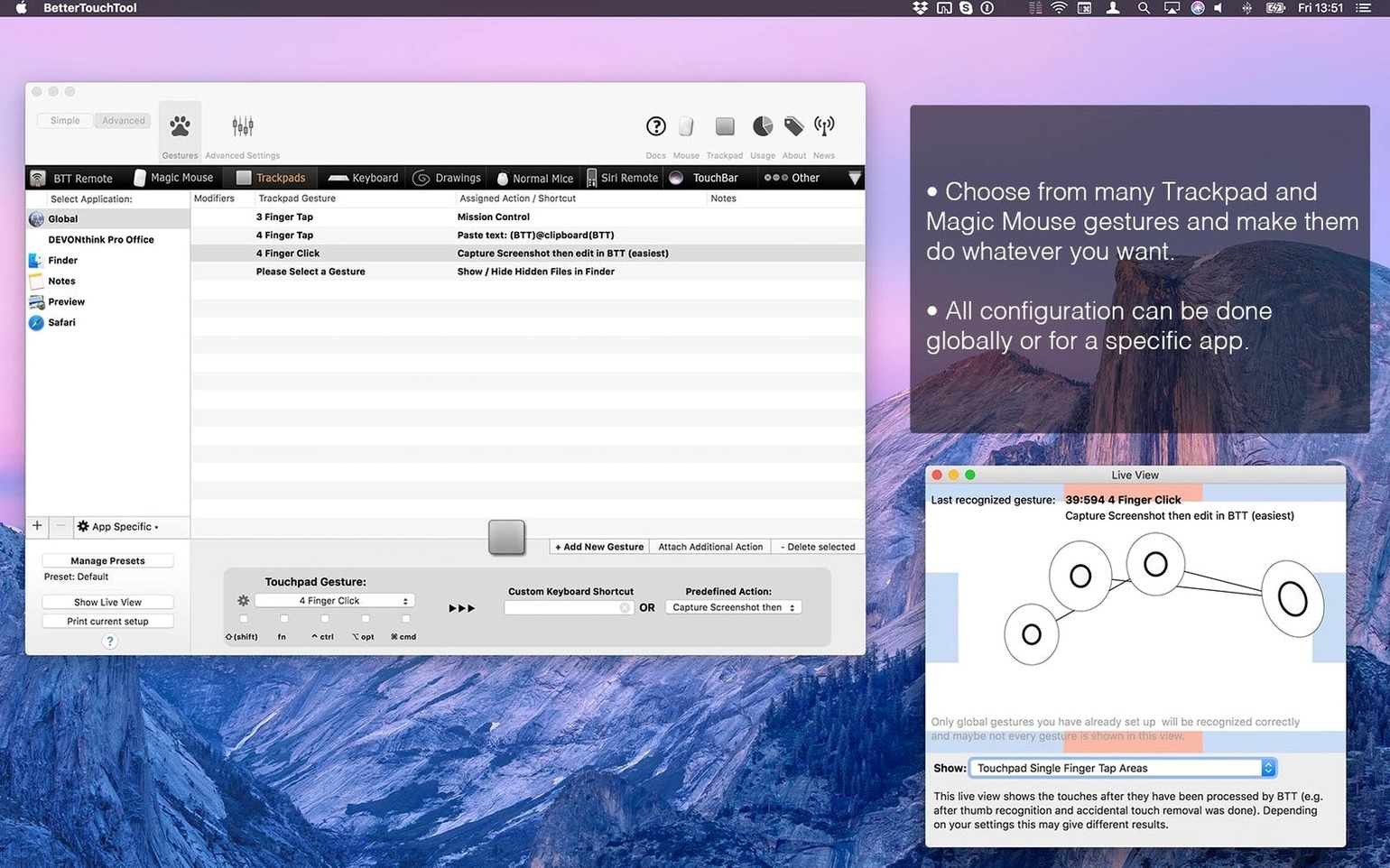
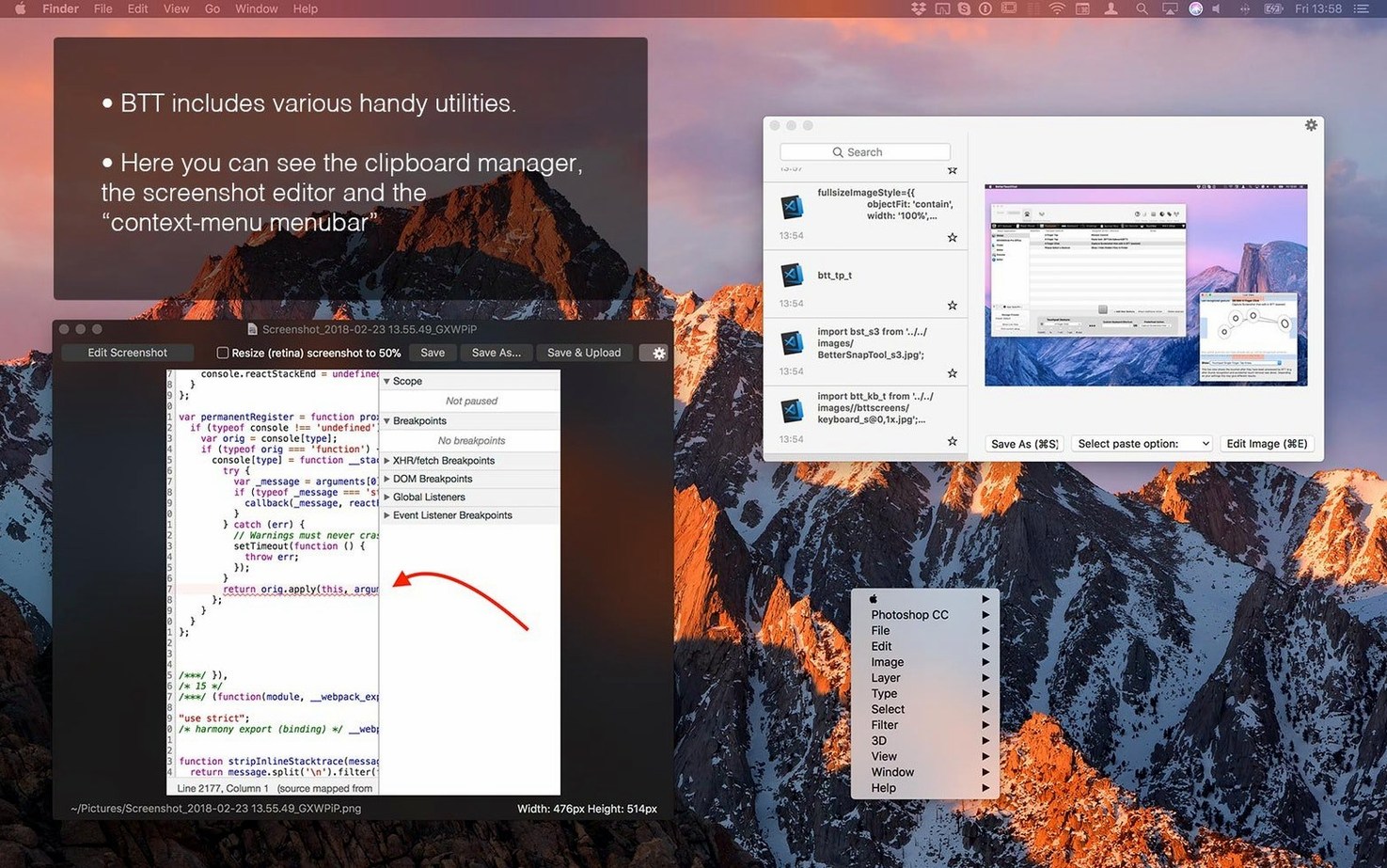
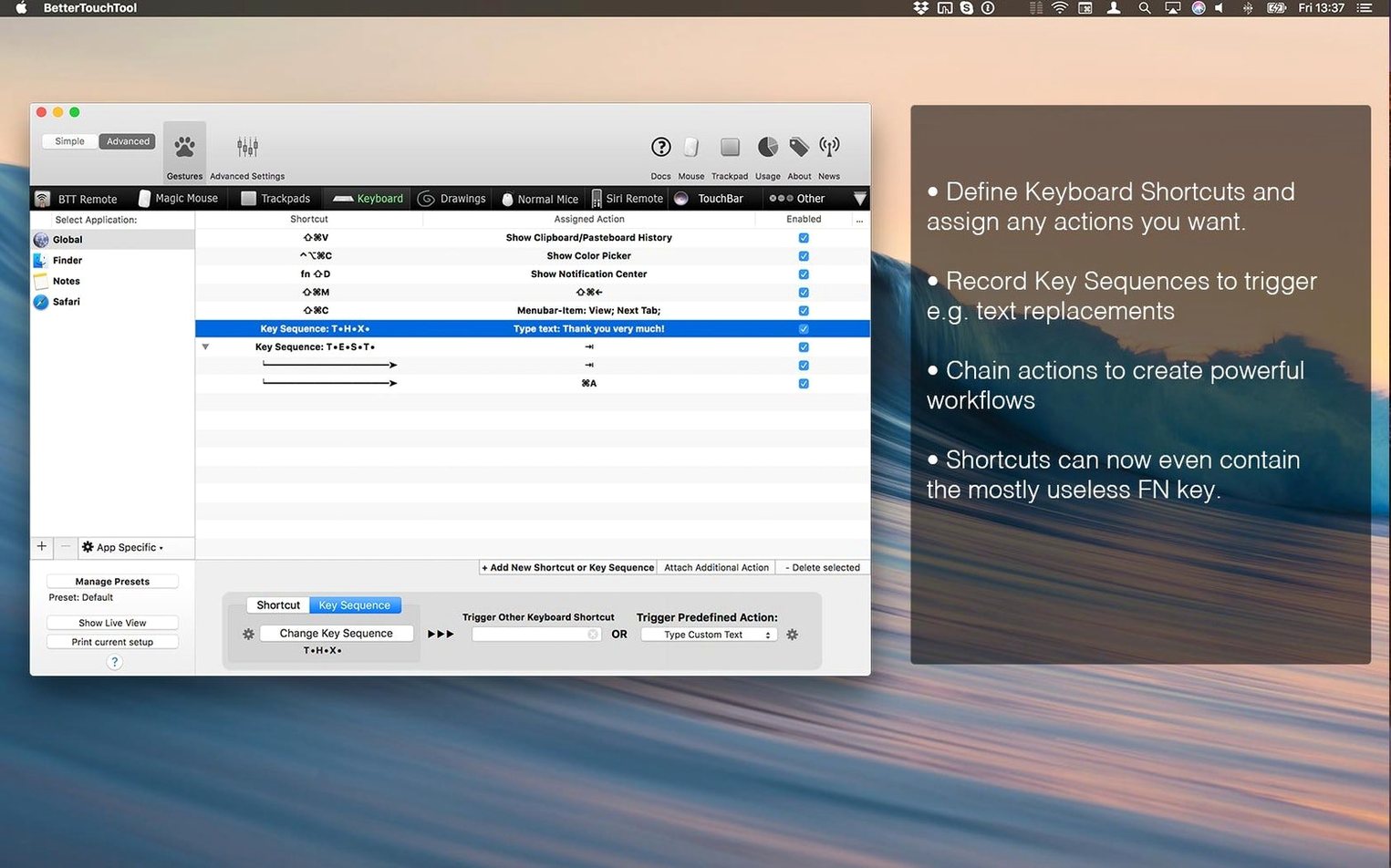
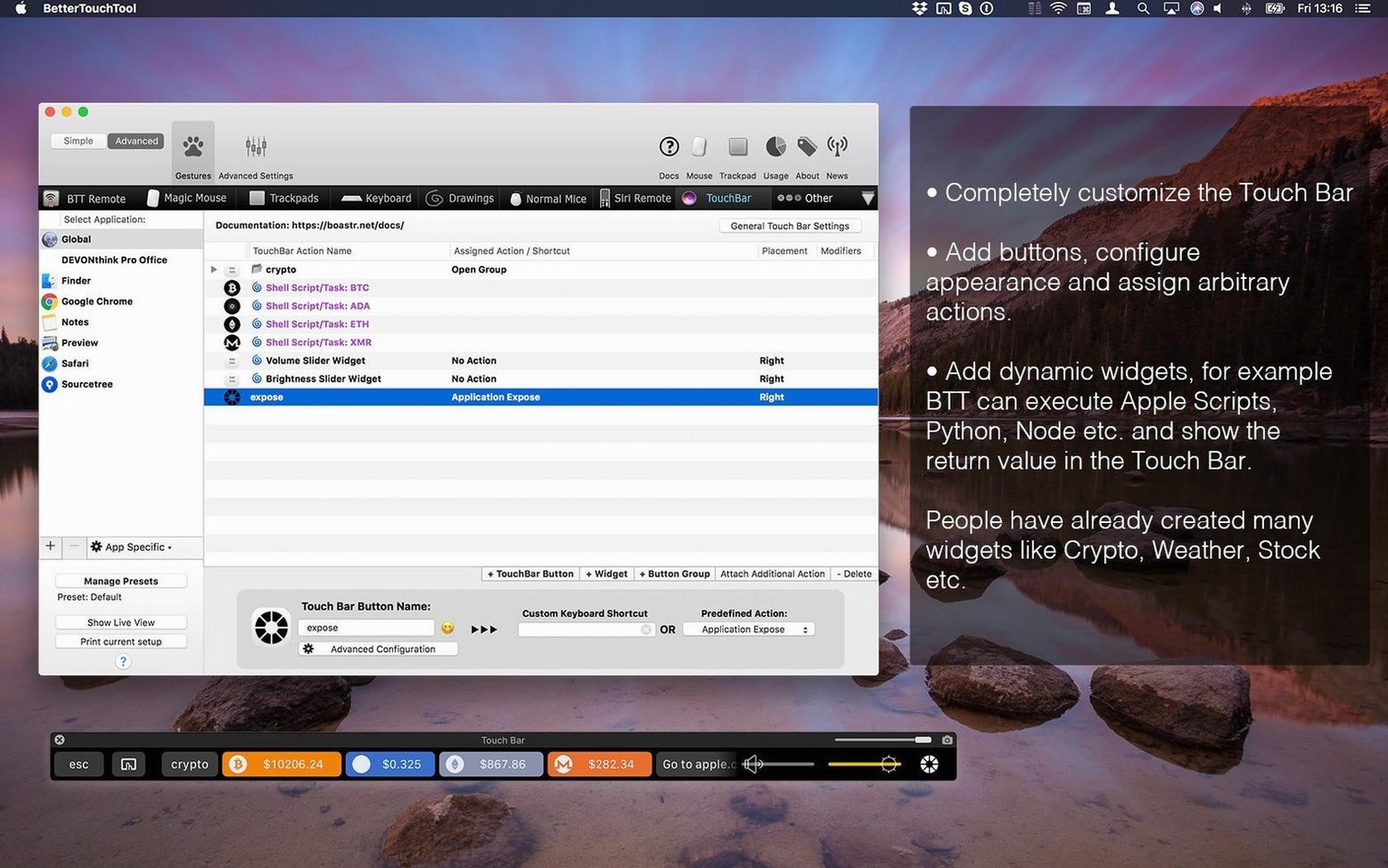
macOS already gives you a base layer of shortcuts and trackpad gestures, but it keeps them generic. BetterTouchTool takes that layer and lets you remould it: assign a three-finger swipe in one application to snap a window, and use the same gesture elsewhere to switch tabs. The developer describes it as his main tool for system automation and input customisation, and the scope bears that out — it covers trackpad, Magic Mouse, standard mouse, keyboard, Siri Remote, Apple Remote, and the Touch Bar, with rules you can lock to specific applications.
- Create custom trackpad gestures — taps, swipes, pinches, and force-clicks — with distinct actions per application
- Draw a shape with the mouse or trackpad and attach it to a system command or script
- Build keyboard shortcuts that override or supplement the native macOS set
- Redesign the Touch Bar on compatible Macs with widgets, buttons, and sliders of your own choosing
- Repurpose Apple Remote and Siri Remote input for apps that normally ignore them
In short: the app does not replace the macOS input system. It sits underneath it, letting you decide what a gesture or keypress actually means, context by context.
A working session: building a per-app gesture palette
I sit down with a fresh project in Figma and immediately want the trackpad to behave differently than it does in Safari. A three-finger swipe left undoes — that is muscle memory from years of drawing tablets — but macOS insists on switching spaces instead. Here is how a short BetterTouchTool session unfolds.
I open the app and select Figma from the application list on the left. The main panel is empty for now: no gestures, no keyboard triggers. I click the trackpad tab and choose Add New Gesture, then draw three fingers swiping left on the little diagram. The gesture registers: Three Finger Swipe Left. For the action, I pick Send Keyboard Shortcut and type ⌘Z. I repeat the process for a right swipe, mapping it to ⌘⇧Z for redo. Thirty seconds, and Figma now understands a gesture no other app on my machine will see.
Next I want the four-finger tap — something I rarely use elsewhere — to toggle the Figma layers panel. BetterTouchTool can send a sequence of keystrokes, so I record ⌥1. I add a haptic feedback tick just so my fingers know the action fired. I close the preferences; nothing needs restarting. I switch to Figma, three-finger swipe left, and the history panel steps back. The system spaces did not budge. The gesture is mine now.
Background agent: idles at 40–70 MB on Apple Silicon
BetterTouchTool runs as a background agent, not a windowed application you keep open. On an Apple Silicon Mac it idles at roughly 40–70 MB of RAM — modest for a utility that monitors every trackpad contact and keypress. CPU draw is near zero when idle; it spikes briefly when executing a complex action like a shell script or an HTTP request, then drops back. I have never felt it lag between gesture and response, and I notice no difference in trackpad latency with or without it running.
Stability is what you would hope for from a tool that has been maintained for over a decade. The developer pushes updates frequently — version 6.726 arrived with quiet fixes and small refinements, nothing that reshuffled my existing setup. Migration between versions has been painless in my experience: preferences live in a single file, and the app reads them without drama after an update. I have seen it crash exactly once in three years, and that was during a macOS beta cycle when the entire input stack was shaky.
One caveat worth naming: if you stack dozens of per-application rules with overlapping gestures, the configuration panel can feel dense. The app does not slow down, but your own clarity might. I keep a rule of thumb — no more than three global gestures that duplicate per-app ones — and let the application-specific layer do the heavy lifting.
Gesture conflicts: turned off for the trackpad you target
People who consider a bettertouchtool mac download often ask the same handful of things, especially if they have been burned by input utilities that overpromise and underdeliver.
Does it conflict with the built-in macOS gestures? It can, if you let it. By default, BetterTouchTool does not override anything. You decide which gestures pass through to macOS and which get intercepted. You can also disable the app entirely for specific applications, so Finder keeps its native behaviour while your design tools get the custom treatment.
Will it work with the Magic Mouse, or is it trackpad-only? Magic Mouse support is deep. You can bind tip-taps, two-finger swipes, and even drawn shapes on the mouse surface — the same gesture engine that drives the trackpad handles the mouse, just with a different physical vocabulary.
Is the clipboard manager a replacement for dedicated tools? Partly. It holds a history of copied items and lets you paste from a floating panel, but it does not match the search and snippet features of something like Paste or Copy’em. I use it as a quick-access buffer for the last ten or fifteen items and keep a dedicated manager for long-term snippets.
Does the Touch Bar editor matter on newer Macs that lack one? Only if you own a Mac with a physical Touch Bar. The editor is inactive on machines without it; nothing breaks, and the rest of the app functions identically.
A scenario: the video editor who hates the Siri Remote
Consider someone who cuts video in DaVinci Resolve and uses an Apple TV as a client monitor. The Siri Remote sits on the desk, almost useless — it can pause playback in QuickTime and do little else. BetterTouchTool can repurpose every button on that remote inside Resolve. The Play/Pause button becomes a timeline playhead toggle. The Menu button calls up the inspector. A long press on the touch surface triggers a render queue shortcut. This is not a theoretical setup; it takes ten minutes to build, and once saved it activates automatically whenever Resolve is frontmost. The remote stops being a paperweight and becomes a dedicated control surface that cost nothing extra.
In short: the utility earns its place by staying quiet until a gesture matters, then firing exactly what you asked for, in the application where you asked for it.





Correspondence 0
Take a chair or join the table to send a letter.
No correspondence on this note yet. Letters are read before they appear.