 LeCoqRoti
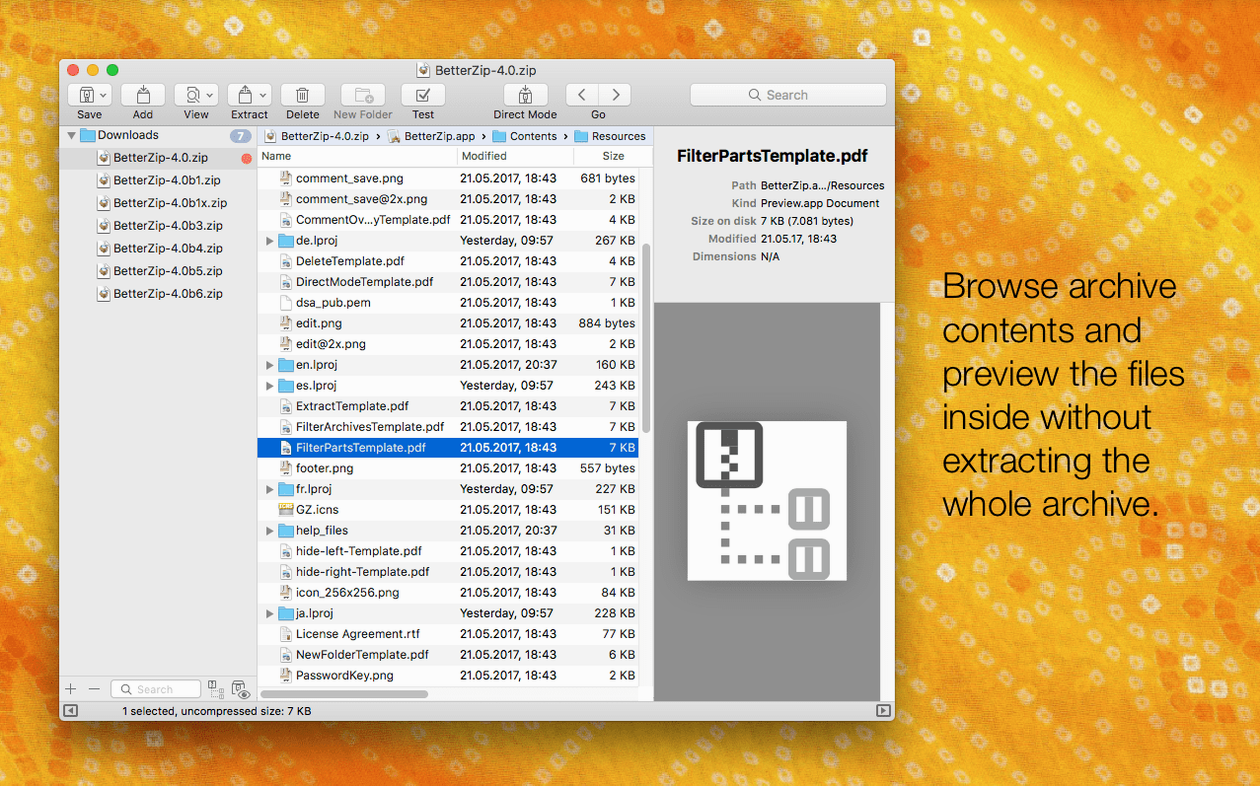
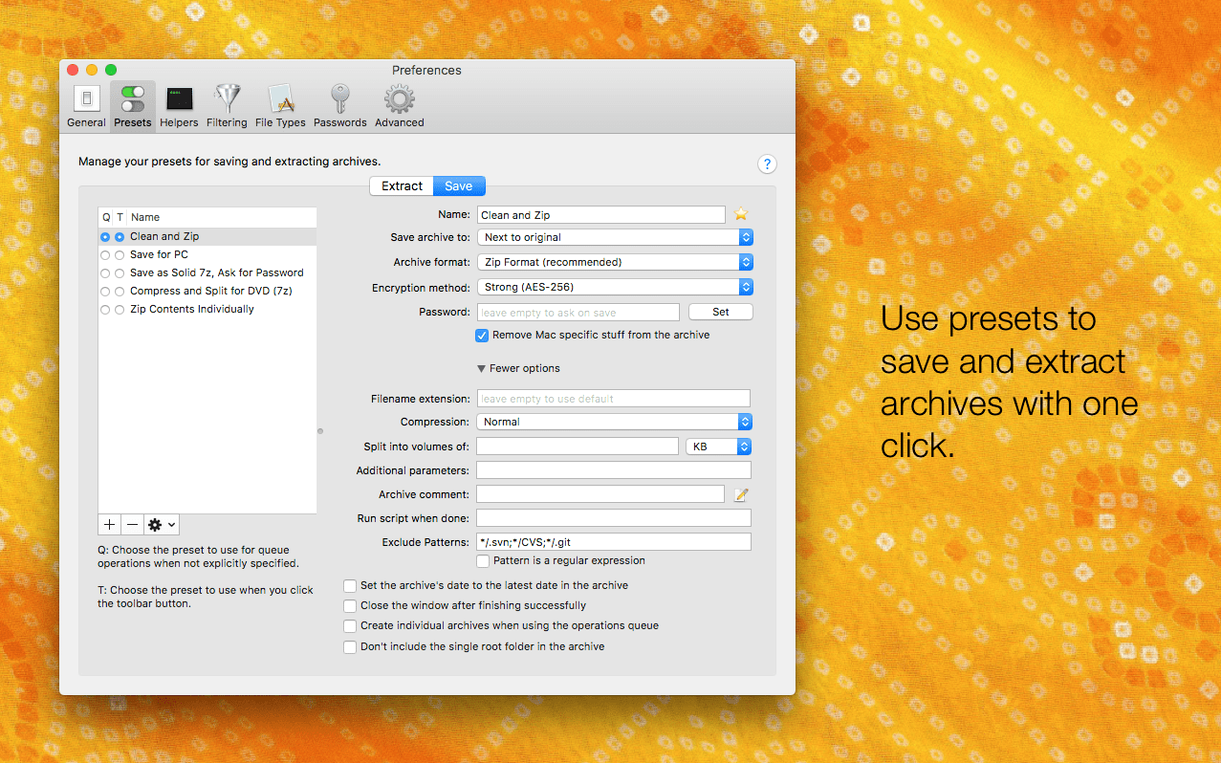
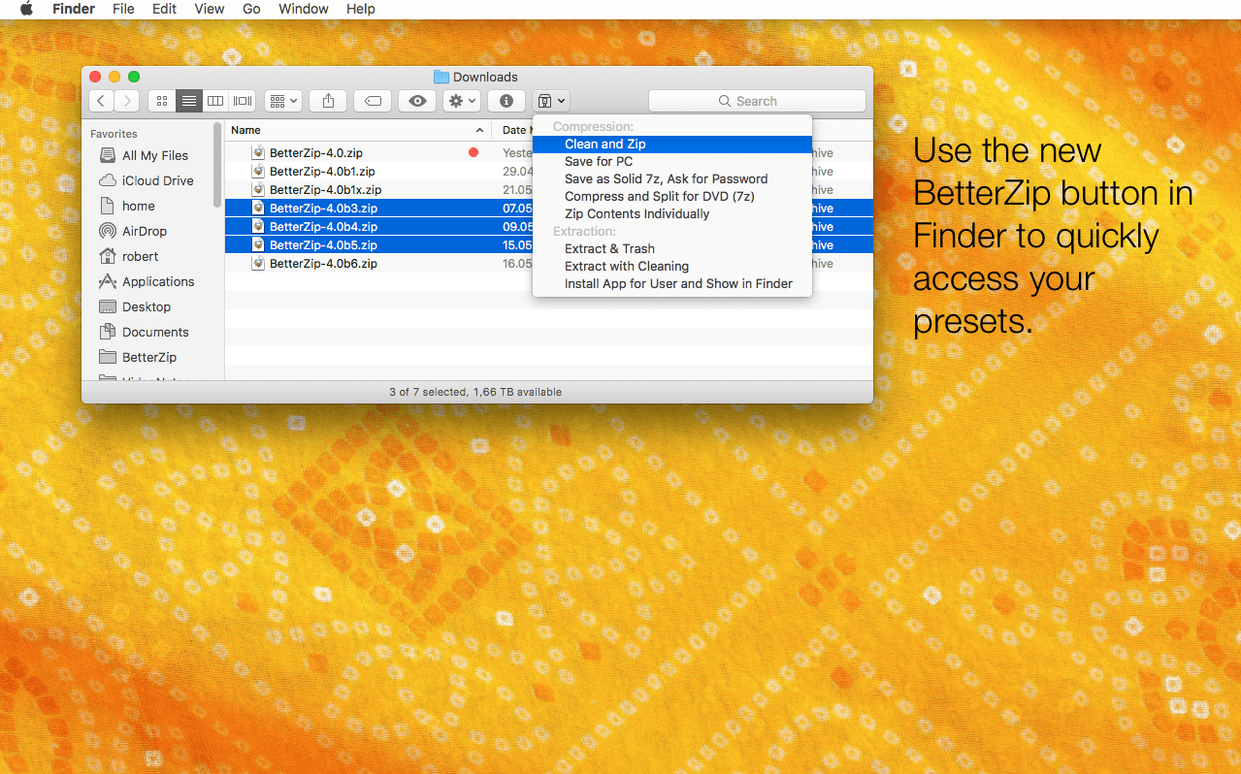
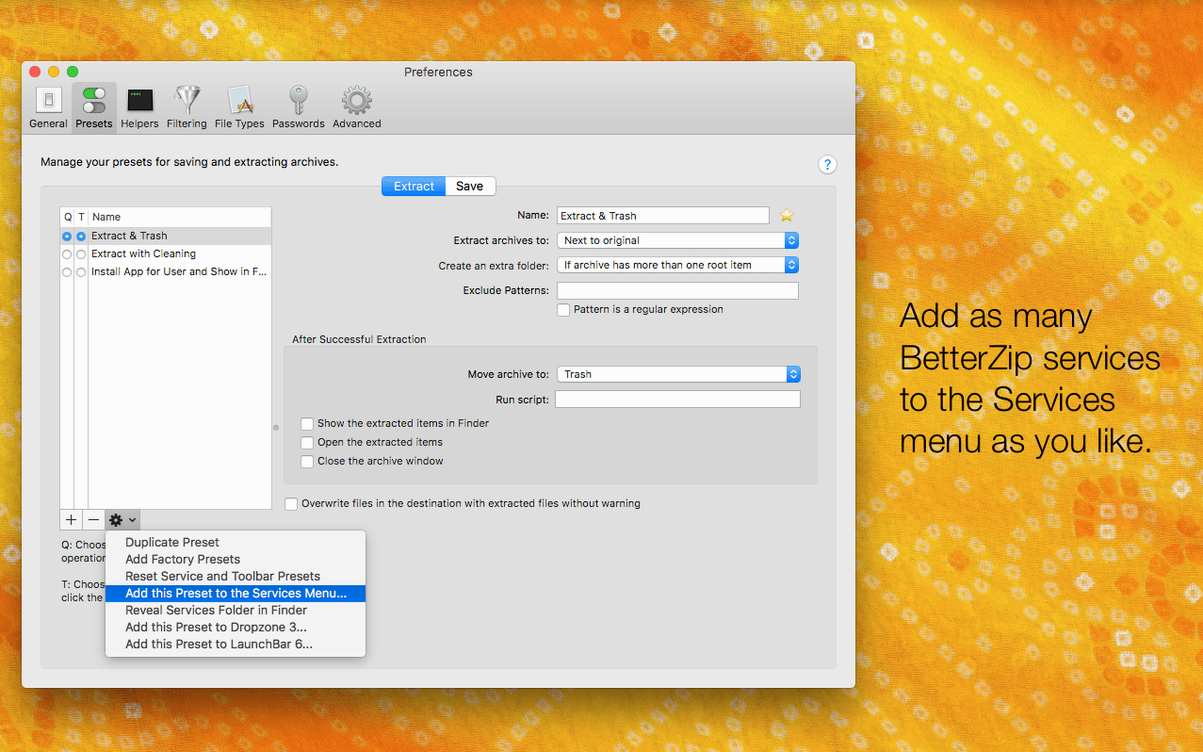
BetterZip is a macOS archive manager that lets you compress, extract and edit archive contents without repacking everything from scratch.
Check compatibility: Ventura or newer
BetterZip 6 requires macOS 13.5 Ventura at minimum and runs natively on both Intel and Apple Silicon Macs. If your machine is still on Monterey or earlier, the current version will not install.
Extract and edit: more than 30 formats
It opens and manages 7z archives on Mac alongside ZIP, TAR, RAR and over two dozen other formats. You can rename or move files and folders inside an archive directly, which saves a full extraction cycle.
Protect content: encryption and passwords
A designer’s afternoon: one archive, three deliveries
Say you are preparing a branding pack for a client. Inside a single 7z archive sit the logo suite, the colour palette document and a folder of product photography. The client asks for the photographs early, the social-media manager needs only the logos, and legal wants the palette document as a password-protected ZIP. Without BetterZip, this means three full extractions and three re-archivings. With it, you drag the photo folder straight out of the archive, select the logo files and hit Extract Selected, then delete the now-redundant items from the 7z in one motion. The palette document gets pulled aside, encrypted with AES-256 via the New Archive dialogue, and sent off. The original 7z stays intact for archiving. A task that could swallow half an hour takes five minutes, most of it spent writing the emails.
Quick Look inside archives: preview without extracting
BetterZip leans on Quick Look in a quiet but practical way: tap the spacebar on any file inside an archive and you see a full preview without extracting a byte. For a designer flipping through a dozen image assets inside a compressed client delivery, that alone justifies the download.
The Finder extension places archive actions in the right-click menu, which means you can create a password-protected ZIP from a folder on the Desktop without opening the main window. The operations queue accepts drag-and-drop from Path Finder or ForkLift just as easily as from the Finder, so fans of alternative file managers are not forced back to the default shell.
AppleScript integration opens a door most people never walk through, and that is a pity. A simple script can watch a folder and auto-extract every 7z or RAR that lands in it, then trash the original. For a production machine that receives asset packs from multiple collaborators, this is the kind of quiet automation that removes friction without anyone noticing.
On the security side, version 6.0.6 adds an option to skip restoring macOS metadata during extraction. That sounds technical, but it matters when you unpack archives that came from a Windows or Linux colleague: no stray ._ dot-files littering your clean project folders, nothing for Git to complain about.
One-click queue: chain tasks with no extra dialogue
- The operations queue is one-click. Select files, press the queue button in the toolbar, and extraction or compression runs without further dialogue boxes. Good when you are chaining several archive tasks and do not want to babysit progress bars.
- Archive comments are editable. Open a ZIP or RAR, click the info pane, and type a note. Months later, when you wonder what that archive actually contained, the comment is still there. BetterZip reads and writes these without disturbing the file contents.
- Password generation is tucked into the save dialogue. When you create an encrypted archive, look for the key icon next to the password field; it produces a strong random string and offers to copy it to the clipboard.
- Language switching is independent of macOS. The new option in version 6.0.6 lets you run BetterZip in English while your system runs in Japanese, or the reverse. Useful in a bilingual studio where one machine serves two people with different preferences.
- Drag from the archive list. You can drag files from a 7z or ZIP directly into an email compose window or a Slack message; BetterZip extracts that single file to a temp location and hands it over, then cleans up afterwards.
Gatekeeper block: run the installer script from Terminal
Gatekeeper blocks the installer. After mounting the disk image, macOS may refuse to run the installation script. Open Terminal, drag the script onto the window, press Return, and type your admin password when prompted. The script then copies the app into Applications without further complaint. This is standard behaviour for software distributed outside the App Store and not a sign of anything amiss.
The Finder extension does not appear. If the right-click menu shows no BetterZip items after installation, open System Settings, go to Extensions > Finder Extensions, and enable it there. A restart of the Finder — hold Option, right-click the Finder dock icon, choose Relaunch — often completes the fix.
A 7z archive fails to open. The helper tool updated in version 6.0.6 handles most cases, but some 7z files use exotic compression methods. If BetterZip shows an error, try extracting with the queue rather than the main window; occasionally the queue’s separate process succeeds where the interactive mode stalls.
Encrypted archives forget their passwords. BetterZip does not store passwords between sessions by design. If you encrypt frequently, consider a password manager with a clipboard-clearing timer, or note the password in the archive comment of a companion unencrypted file.
Quick Look shows nothing. This usually means the format’s Quick Look generator is not installed. BetterZip includes its own, but if a particular file type stays blank, check that the archive itself is not damaged: a quick Test from the File menu will confirm integrity before you blame the preview.
For anyone searching for a capable archive tool, a betterzip download from a trusted source brings these features together. Users of older versions, such as betterzip 5 or betterzip 5.4, will find the version 6 interface familiar but refined, especially around the queue and the metadata controls. Some look for a betterzip mac crack to bypass installation hurdles, and the Gatekeeper steps above let you set up that build to run just as smoothly. The app, in short, is as straightforward as betterzip mac promises: a clean, capable archive manager that does not overreach.
AES-256 encryption is built in, and the app can generate strong passwords when you create archives. A Finder extension adds right-click access to common tasks.






Correspondence 0
Take a chair or join the table to send a letter.
No correspondence on this note yet. Letters are read before they appear.