 LeCoqRoti
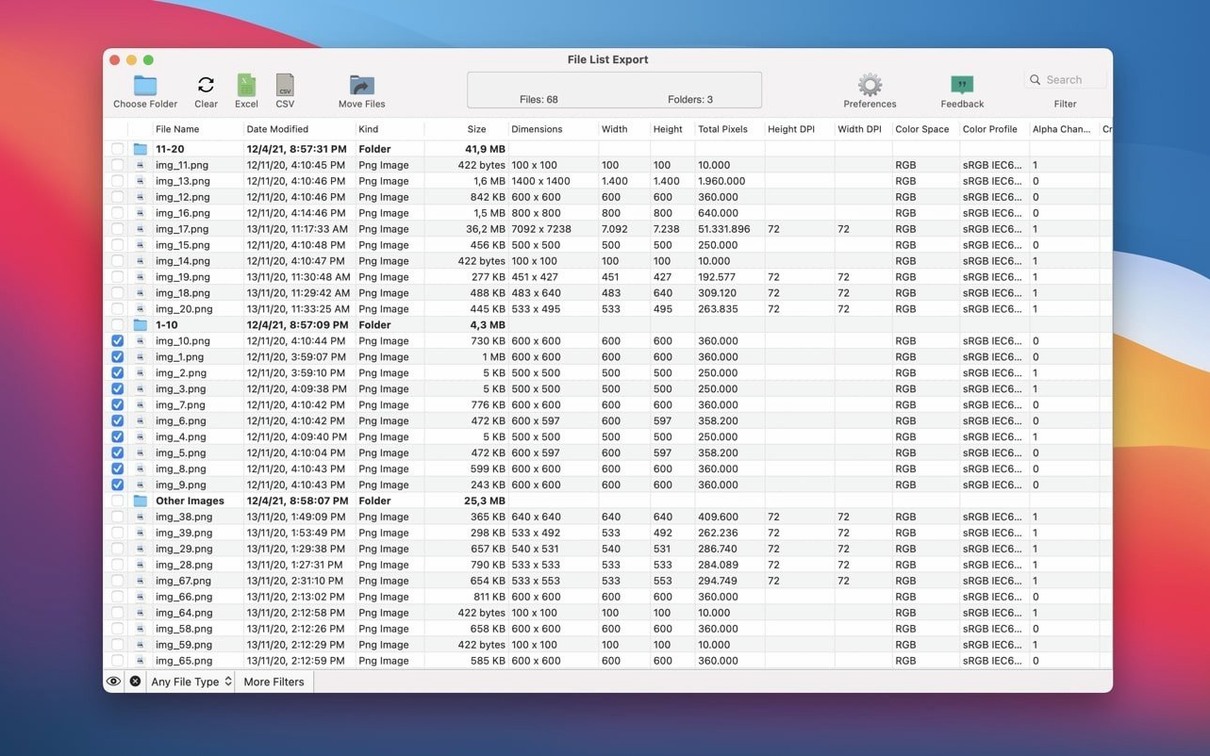
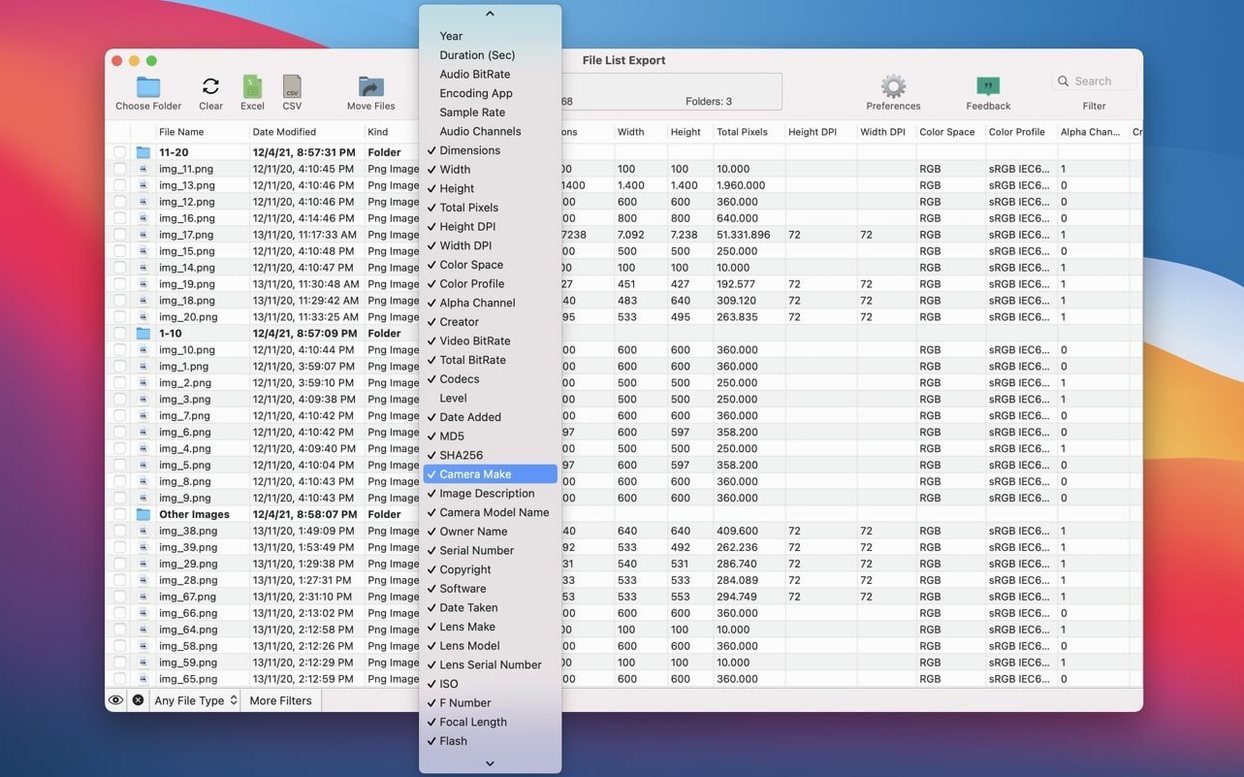
The MD5 and SHA256 column options are where a list stops being a simple index and becomes a verification tool. Someone checking the integrity of an archive six months from now will care about those hashes far more than the file name. File List Export offers them alongside more obvious fields — modification date, kind, size, path, tags, comments and version — giving you granular control over what gets recorded.
Metadata depth: beyond the basics
For image and video files, the app pulls technical attributes that Finder never shows. You can include pixel width and height, total pixels, DPI, colour space, colour profile, alpha channel and creator information. Video files add bitrate, total data rate and codec details to the list. A photographer sorting a shoot or an editor cataloguing mixed-media assets can export all of this into a single structured file without opening each item individually.
Refining output: filters and preview
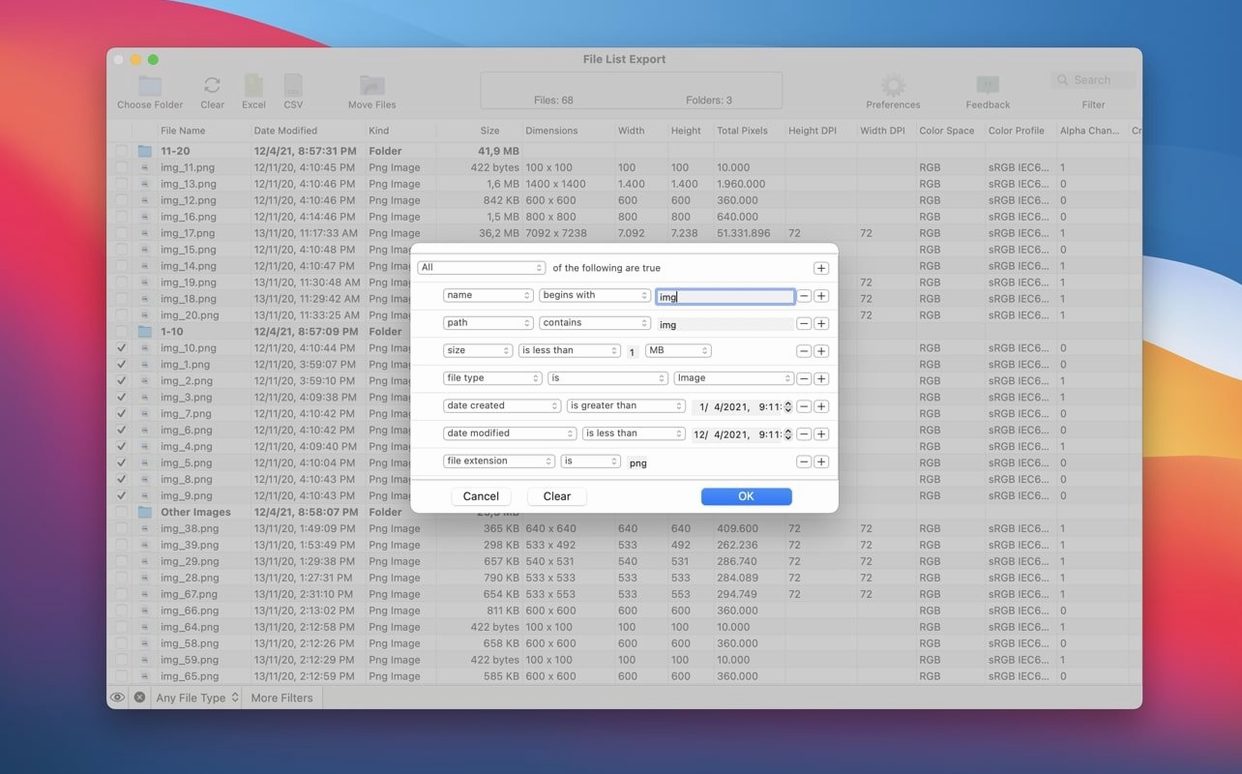
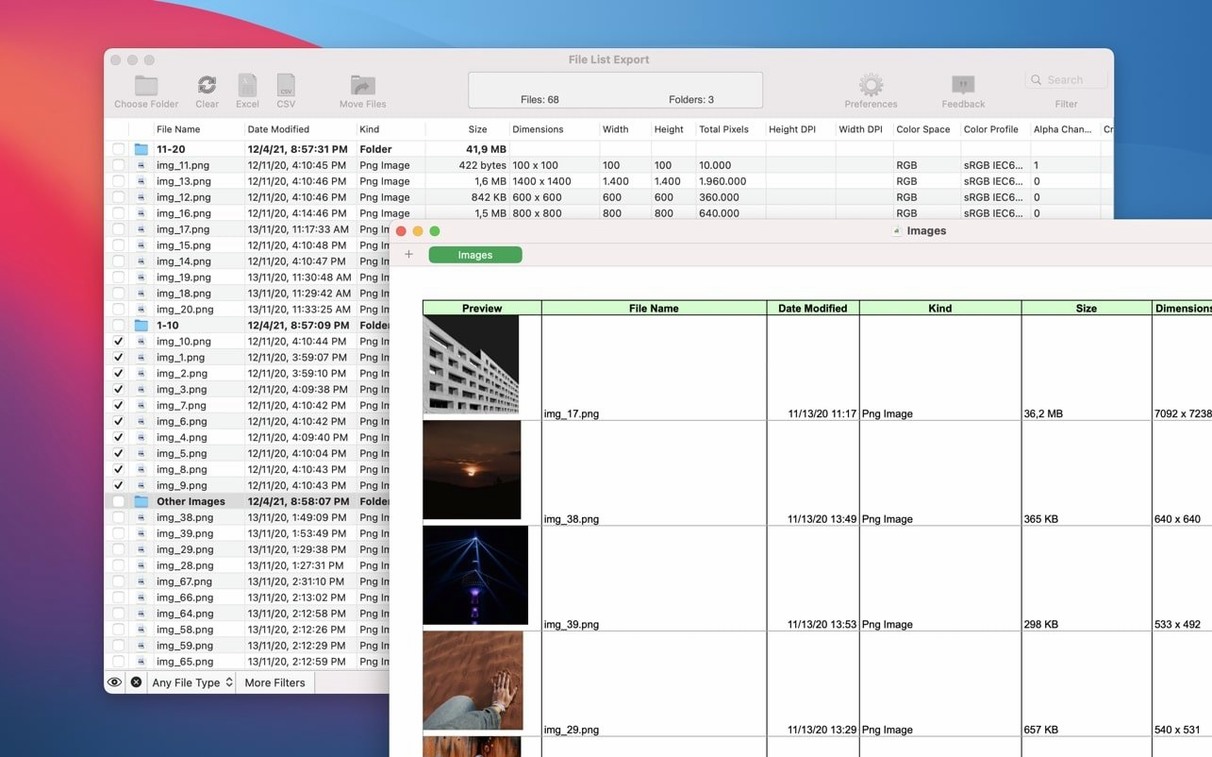
The list is never a blind dump. Instant search and filter tools let you isolate a specific file type or narrow records before export. A new image dimension filter in version 3.1 makes it possible to select files by pixel width and height range — useful when you need to separate thumbnails from production-resolution work. Once the list is shaped, the built-in preview panel lets you edit and reorder columns before committing to Excel, CSV, PDF, HTML, JSON or Markdown. In short: you define the content, then you define the container.
No pre-indexing: it reads your folders directly
One question that comes up often is whether the app needs to index everything ahead of time. It does not — point it at a folder and it reads the file system directly, which means even large photo libraries or video repositories appear without a lengthy scanning phase. Another common concern is about write access: File List Export never modifies, moves or renames your files. It reads attributes and outputs a list, so there is no risk to the original media. People also ask about export limits. The app handles whatever the macOS file system can serve; we have seen lists running into tens of thousands of entries exported to Excel without issue, though CSV tends to be lighter for very large sets.
Subfolder toggle off: no recursive list appears
The most frequent early error is selecting a root folder without realising the subfolder toggle is off. The app respects that switch absolutely — if you want a recursive list, turn on “include files from all subfolders” before exporting, otherwise you get only the top level. Another misstep is ignoring the column editor. A fresh install shows a sensible default set of fields, but many users export immediately and later wish they had added creation date or pixel dimensions. Spending two minutes in the preview panel to choose columns saves re-exporting later. A subtler mistake involves the hash columns: md5 and sha256 are computationally expensive. Adding them to a list of several thousand large video files will slow the export noticeably, which is expected behaviour, not a fault of the tool.
CSV bridge: export for Numbers or Excel
File List Export works well as a bridge between the Finder and other applications. A common pattern is to generate a CSV file list export for Mac and open it in Numbers or Excel for further sorting, filtering or client delivery. The JSON and Markdown options make the app useful for developers and writers who need structured file inventories in documentation or build scripts. The map URL field, derived from Exif GPS data, can be pasted directly into a browser, which is helpful when location scouting or assembling a shoot report. Since the app records standard macOS metadata — tags, comments, version — it also complements Spotlight-based organisation: you can export a tagged subset, review the list, and know exactly what is archived without returning to the Finder. The optional download file list export for mac workflow, where you save a list as HTML and share it with a remote team, turns a local folder into a lightweight, browsable catalogue that needs no special viewer.








Correspondence 0
Take a chair or join the table to send a letter.
No correspondence on this note yet. Letters are read before they appear.