 LeCoqRoti
Project managers, archivists, small-studio owners and in-house developers often reach for FileMaker Pro when a spreadsheet no longer fits but a fully coded application feels like overkill. It is a low-code environment for building custom apps that handle customer records, content libraries, asset tracking and similar structured work, with the finished tools running on desktop, mobile and the web.
- What can it actually build? CRM dashboards, project trackers, Kanban boards, inventory logs and media catalogues are common starting points. Ready-made add-ons for charts, calendars and activity graphs speed up assembly.
- Where does the data live? Apps share data in real time on a local network, on a company server or through Claris Cloud.
- Can it open older work? Yes: custom apps created in earlier versions of FileMaker Pro open and run in the current release.
- What changed recently? Version 21 introduced AI-assisted tools, which we outline in the notes below.
Workflow: building a simple content library from scratch
Imagine a design studio that needs to catalogue hundreds of reference images, each tagged by project, client, colour palette and licence status. A spreadsheet would work for a week, then collapse under inconsistent tagging and the sheer number of thumbnails. Here is how that task unfolds inside FileMaker Pro, using only what ships with the application.
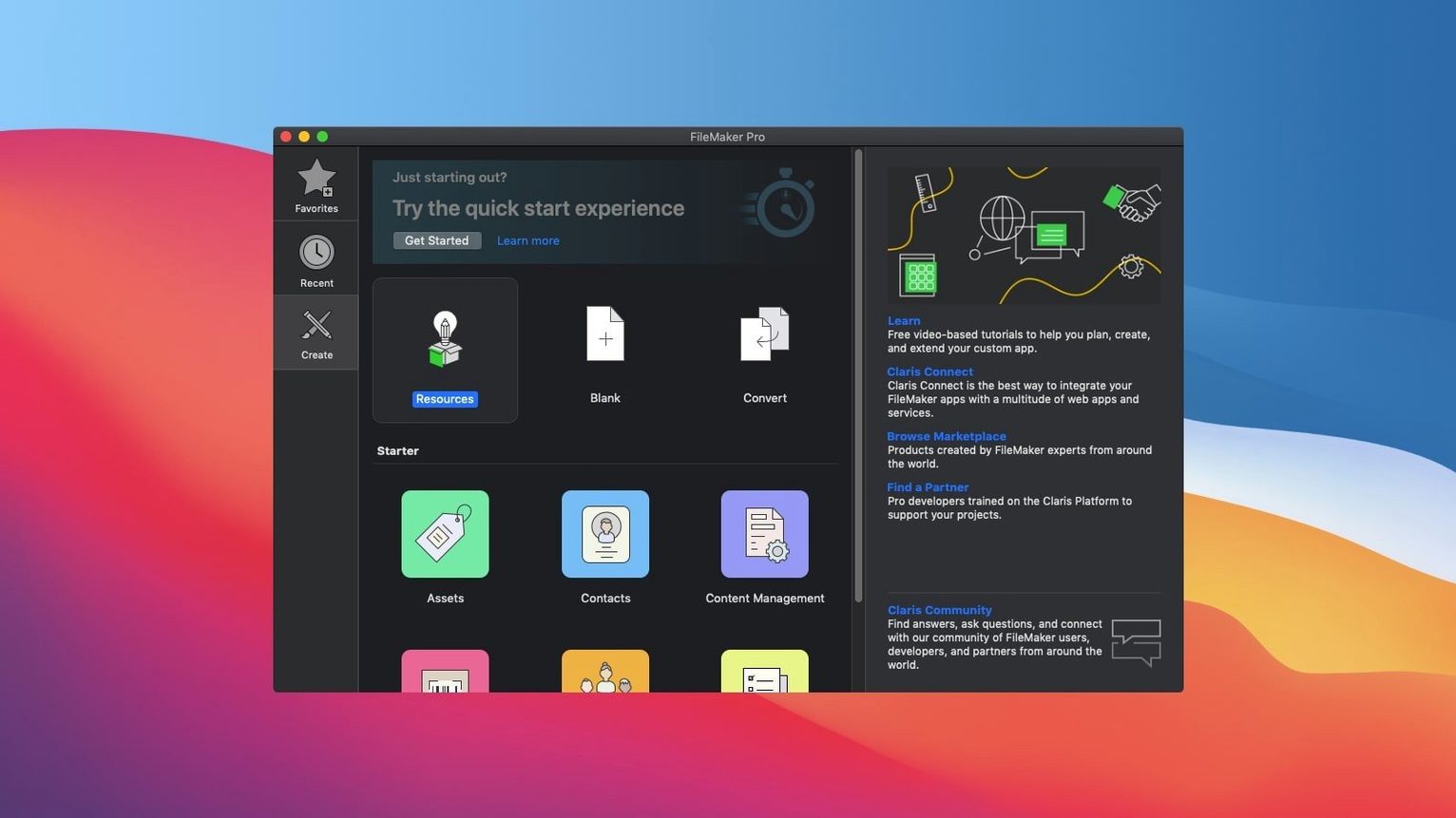
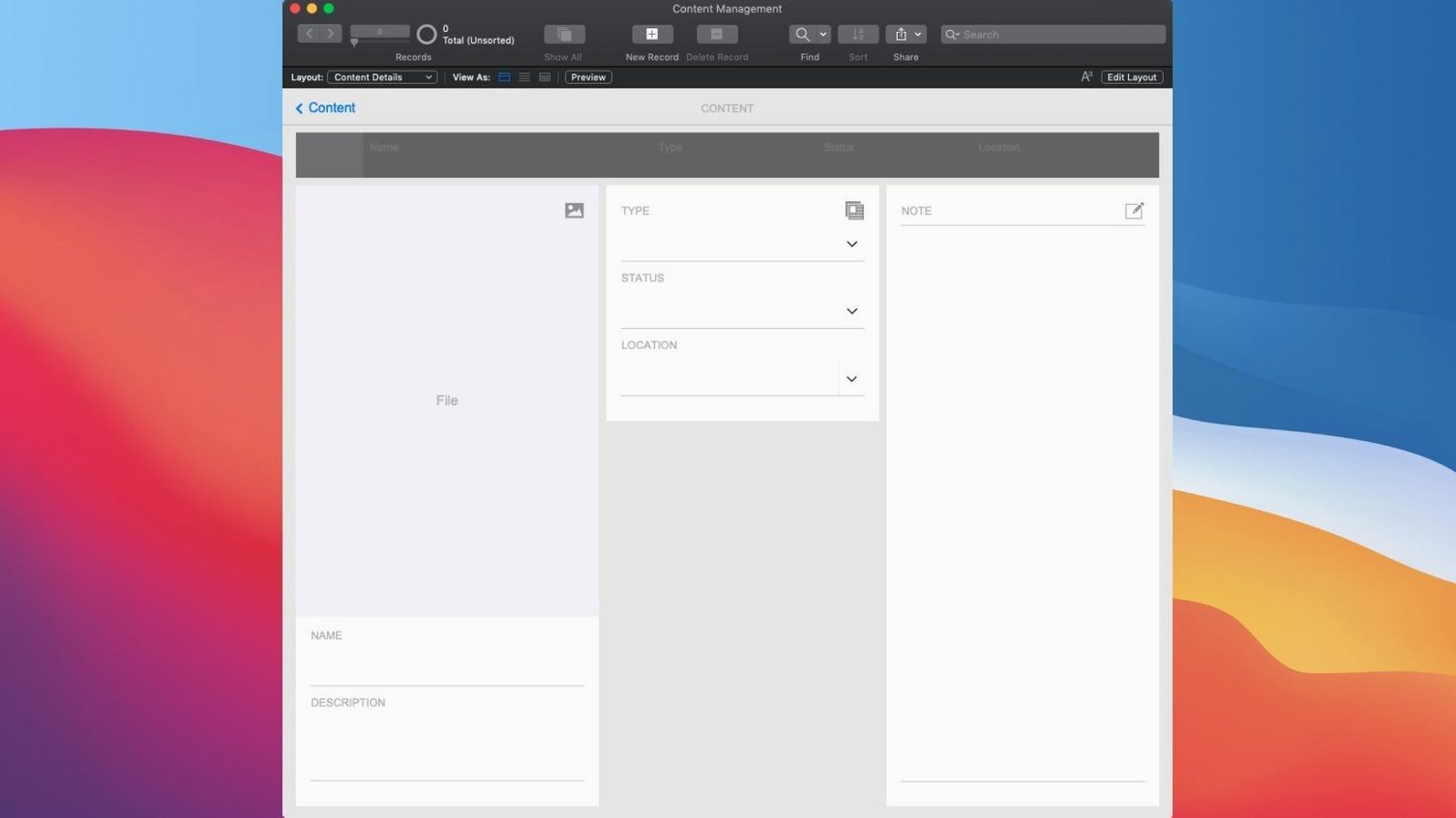
Open a new file from the Starter Solutions and choose the Content Management template. The first screen presents a pre-built layout with a browse portal on the left and a detail view on the right — not yet beautiful, but structurally sound. Switch to Layout mode and drag the portal wider; add a container field for a high-resolution preview. The field inspector lets you set the image to scale proportionally, which avoids cropping in the thumbnail grid.
Next, define the fields that matter. In the Manage Database dialogue, add a text field for Colour_Palette, a date field for Licence_Expiry, and a calculation field that flags expired licences with a red dot. The calculation reads simply: If ( Licence_Expiry < Get ( CurrentDate ) ; "⚠️" ; "" ). Place that calculation field next to the image preview so it is visible at a glance.
With the structure in place, import a batch of images. FileMaker Pro reads EXIF data on import, pulling creation dates and camera metadata automatically. Map the source columns to your custom fields once, save the import script, and re-run it whenever new assets arrive. The import took under twenty seconds for a hundred high-resolution files on a modest machine; the resulting records appeared instantly in the portal.
Finally, build a quick find layout. Drag the Colour_Palette field into the header and set it as a global search field. Add a script trigger that runs Perform Find on field exit. Now a designer can type "warm grey" and see every reference image tagged with that palette, without ever opening a menu. The whole process — from blank template to working catalogue — took roughly forty minutes.
AI features: configured once, they stay out of your way
Version 21.0.1 introduced a group of AI features that sit quietly in the background until you choose to use them. Configure AI Account lets the application connect to a machine-learning service of your choice; once configured, the connection persists across sessions and scripts. This is not a chatbot bolted onto the interface — it is a plumbing change that makes AI a callable resource from within any custom app.
The more visible side of that plumbing is Perform Semantic Find. A traditional find matches keywords against field contents; a semantic find understands intent. Type "projects that ran over budget last quarter" and FileMaker Pro interprets it against your schema, returning records a literal search would miss. In a busy project-tracking app, this saves the minute or two it takes to construct a multi-criteria find request, repeated across dozens of daily queries.
Two companion features handle embeddings. Insert Embedding generates a vector representation of a single record's content — text, numbers, dates — and stores it in a field. Insert Embedding in Found Set does the same across an entire found set in one operation. For a content library with thousands of entries, batch-embedding an evening's work and then running similarity searches the next morning becomes a scriptable routine rather than a manual chore. The final addition, Set AI Call Logging, is strictly practical: it logs every request and response so developers can debug prompts and monitor usage without leaving the FileMaker environment.
File sharing limits: pairing Pro with Server for larger teams
Does it replace a proper database server? Not exactly. FileMaker Pro can host small shared apps on a local network, but teams beyond five or six users typically pair it with FileMaker Server for performance and remote access. The Pro desktop client remains the place where you build and refine the app itself; the server handles the heavy lifting of concurrent connections and scheduled scripts.
How steep is the learning curve? Someone comfortable with spreadsheet formulas can build a useful single-table app in an afternoon. Relationships, scripts and custom functions take longer, but the template library and add-ons — Kanban boards, chart widgets, calendar views — cover many common needs without writing a single script. The drag-and-drop layout tools behave like a page-layout application from the early 2000s, which is either reassuring or frustrating depending on your expectations.
Can I use it offline? Yes. A local file on your Mac runs entirely offline. Shared files cached for offline use sync changes the next time you connect. Field workers logging inspections or photographers tagging shoots in remote locations rely on this pattern daily.
What about file format compatibility? Apps created years ago in older versions open in the current release without conversion dramas. The file format has remained backward-compatible across many versions, and Claris provides a free trial of FileMaker Pro for occasional access to legacy files — though the version discussed here is a full working build.
Apple Silicon speed: cold launch under three seconds
On Apple Silicon, the application launches cold in under three seconds and opens a local file with twelve thousand records almost instantly. Scrolling through a portal with related data feels smooth; sort operations on indexed fields complete before the click registers. On Intel machines running macOS 10.14 or later, the same operations take slightly longer but remain well within comfortable limits for a database client.
Memory usage is modest by current standards. A session with three open files, each containing large container fields and active scripts, hovers around 400 to 600 MB of RAM. Processor load spikes briefly during complex finds and scripted imports, then drops back to idle. The application has not beachballed once during a week of daily use across design-studio tasks — metadata imports, layout edits, relationship graph adjustments — which puts it ahead of many creative tools in the same weight class.
Stability follows a similar pattern. The auto-save mechanism writes changes continuously, and a manual save completes faster than the eye can track. Crashes are rare enough to be memorable; in months of regular use, the only interruption came from a misbehaving plug-in, not from the host application. For people who grew wary of database software that demands constant vigilance — saving before every script run, restarting after every import — FileMaker Pro feels unusually unobtrusive.
What distinguishes the experience is the absence of friction between building and using. You edit a layout, switch to Browse mode, and the change is live. You write a script, test it, and ship it without compiling or deploying. That immediacy, combined with the quiet efficiency of the engine underneath, defines the daily rhythm of working with the tool. Searches for a filemaker pro 16 download mac or a FileMaker Mac torrent often surface older builds, and the current version rewards anyone who needs a stable, self-contained app-building environment that does not demand a room full of servers.
In short: the platform suits people who want a finished application without writing every line of it themselves.







Correspondence 0
Take a chair or join the table to send a letter.
No correspondence on this note yet. Letters are read before they appear.