 LeCoqRoti
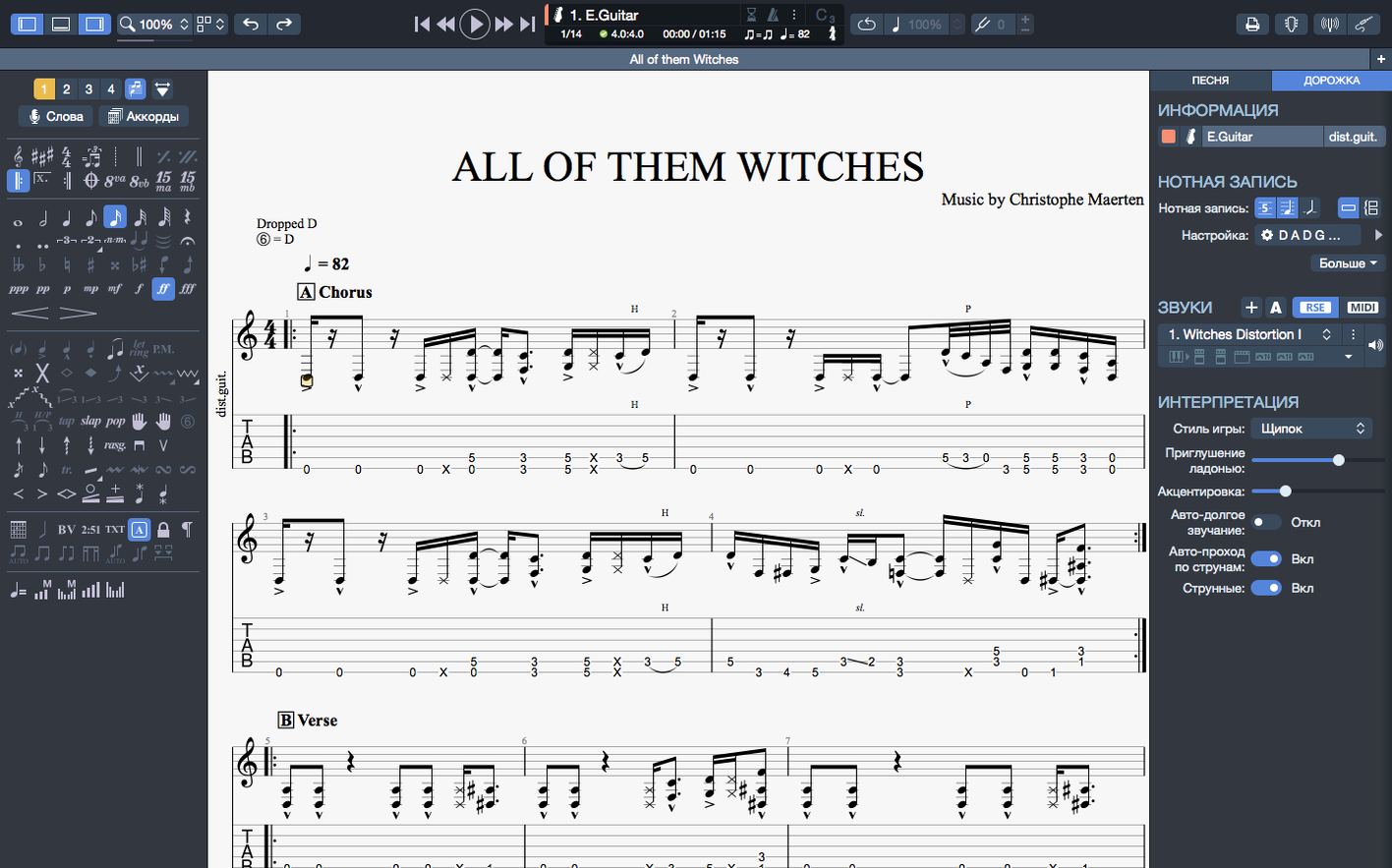
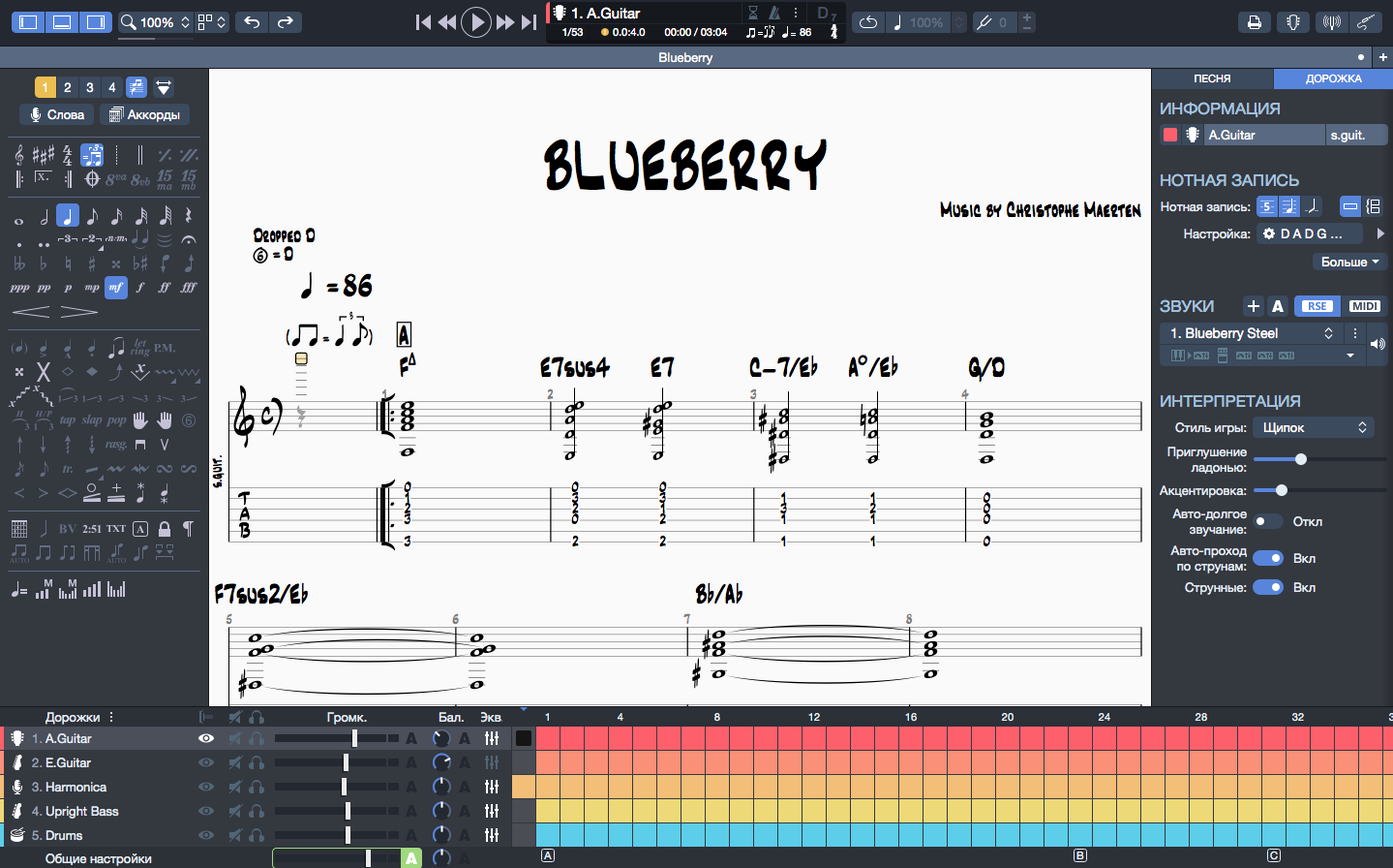
Guitar Pro is the Mac notation editor from Arobas Music for creating, editing, and playing guitar, bass, and Hawaiian guitar tablatures and sheet music.
Write: edit scores and tablatures with precision
The editing workspace is built around the instrument: chord names and fingerings transpose together when you change key, so a progression stays coherent. A built-in MIDI editor lets you refine note velocities and durations directly.
Listen: build backing tracks as you compose
You can assemble backing parts for drums or piano inside the same score, turning a sketch into a full arrangement. Playback continuity on macOS was recently improved when plugging or unplugging audio devices.
Share: export clean notation to SVG
Scores can be exported to SVG for further refinement in a vector application, or for dropping into a layout at any resolution. The interface contrast and colour palette were adjusted for better reading comfort during long editing sessions.
How Guitar Pro sits alongside other notation editors
Mac users who work with tablature tend to encounter three names: Guitar Pro, MuseScore, and Sibelius. Each occupies a distinct niche, and the choice usually reflects the kind of work being done rather than any absolute superiority.
MuseScore is free and open-source, and its notation engine handles classical scores with a formality Guitar Pro does not attempt. The trade-off comes with guitar-specific workflow: bending a string in MuseScore requires multiple steps and a detour through the inspector panel, where Guitar Pro handles it with a single keystroke. MuseScore also lacks a dedicated chord builder that transposes fingerings alongside chord names, which matters if you write for guitarists who read both.
Sibelius sits at the opposite end: a professional engraving environment built for publishers and orchestrators. Its output is beautiful, but the interface assumes you are preparing a conductor's score, not a practice sheet for a band rehearsal. Building a drum backing track in Sibelius is a formal exercise in staff setup; in Guitar Pro it is a few clicks. For a guitarist composing a song with bass, drums, and two guitar parts, Sibelius adds friction that the music does not reward.
Between these poles, Guitar Pro occupies the middle ground: less austere than Sibelius, more instrument-aware than MuseScore. It does not aim to engrave a symphony, and it does not try to be a DAW. It serves someone who thinks in frets and strings, wants to hear the arrangement as it develops, and needs to hand a readable chart to a bandmate the same afternoon.
Setup payoff: tweak contrast and colours early
The application rewards a short investment in setup before you begin a serious score. A few adjustments made on day one will save friction across dozens of later sessions.
Spend ten minutes with the interface contrast and colour settings. The default palette was already rebalanced for reading comfort in version 8, but the light text on dark staff lines that suits one display may feel harsh on another. Switching to a slightly warmer background can reduce eye strain during long editing sessions without affecting export output.
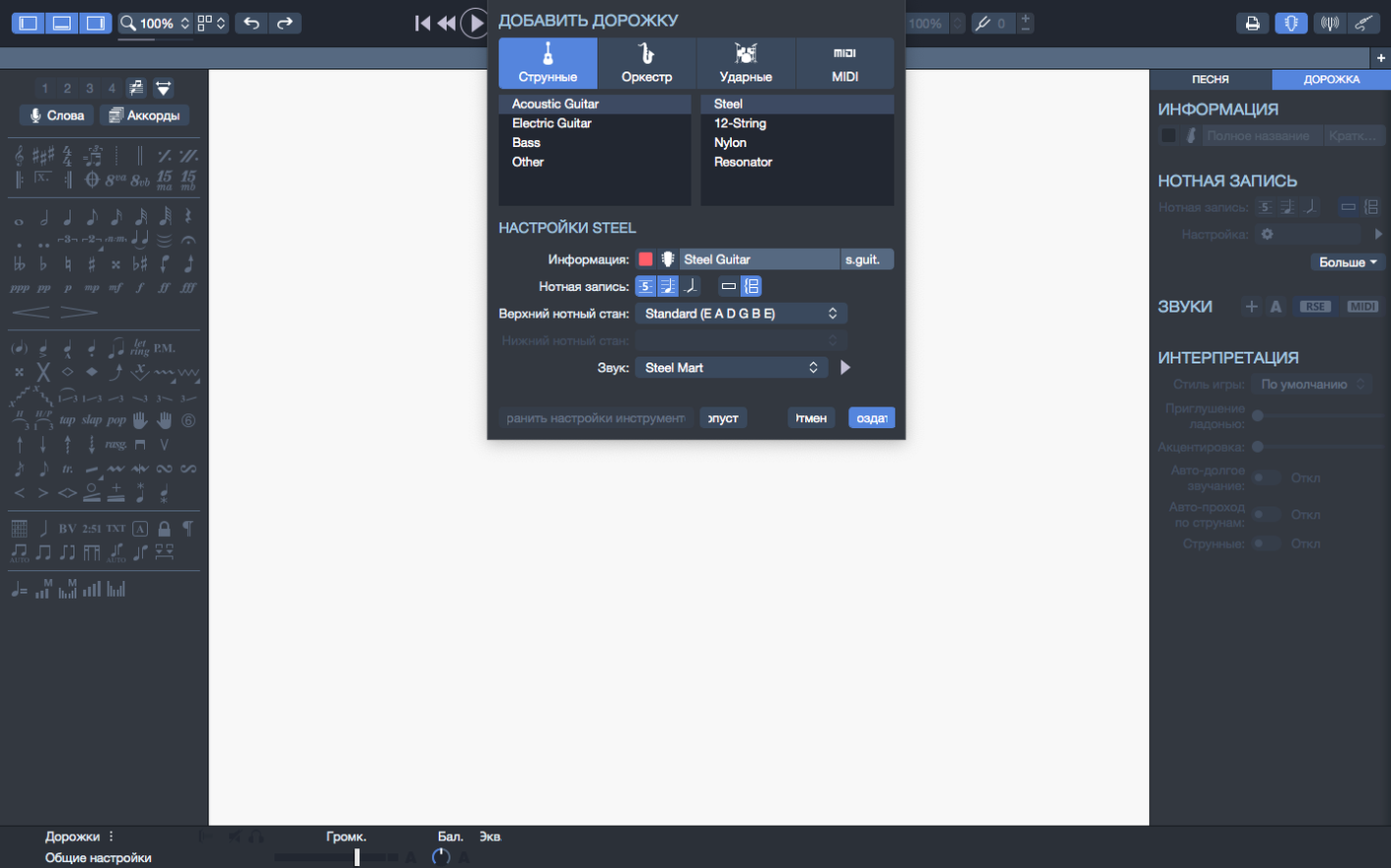
Set your default instrument template. Guitar Pro opens with a standard six-string guitar, but if you regularly write for seven-string, drop-tuned, or bass, saving a template with your tuning and string count removes a repetitive step. The same applies to the metronome: adjust the default click sound and volume once, and every new score inherits it.
Pin the scores you consult frequently. The recent files section on the homepage allows pinning, which means your reference chart for a student, a band setlist master, or a practice exercise can stay anchored while other files cycle through. This small feature eliminates the hunt for a file you opened three times last week.
Export a test SVG early. Even a four-bar fragment exported to your vector editor of choice will confirm how line weights and font sizes translate into your existing layout workflow, before you commit hours to a full score.
Lesson builders: teachers can export exercises with transparent backgrounds
Guitar teachers tend to integrate the application deeply. A teacher preparing weekly material for students can build exercises with the metronome embedded, export them to PNG with a transparent background for inclusion in lesson notes, and adjust the playback tempo per student without altering the score. The chord builder, combined with automatic transposition, means a progression written in E can be shifted to A for a student who struggles with barre chords in a single operation.
Songwriters working across instruments benefit from the backing track assembly. A single file can hold guitar, bass, drums, and a piano sketch, all playing back together. This is not a substitute for a proper DAW recording, but it provides an arrangement skeleton that a collaborator can hear immediately. The MIDI editor allows velocity adjustments that make the playback feel less mechanical, which helps when demoing an idea to someone who does not read tablature.
Transcribers and cover artists form a third group. For someone who works through a recording bar by bar, the ability to loop a section during playback and adjust note durations in the MIDI editor without switching applications keeps the focus on the transcription itself. The recent improvement to arpeggio playback at the start of a score removes a nagging inaccuracy that previously required a workaround.
Snags and their solutions
A few friction points surface regularly, and most have straightforward resolutions.
Playback stuttering after connecting an audio interface. Version 8.1.5 improved device handoff on macOS, but if glitches persist, opening Audio MIDI Setup and confirming the sample rate matches between the interface and the application's audio settings often resolves it. Mismatched rates cause more dropouts than CPU load does.
Stem directions refusing to change. The recent fix addressed specific cases, but if you encounter a stubborn note, check whether it belongs to a voice other than the one currently selected. Guitar Pro assigns stems per voice, and a note on voice two will ignore stem commands aimed at voice one.
Chord diagrams vanishing after transposition. This happens when a chord contains a fingering that does not exist in the target key's default diagram set. The chord builder can regenerate the voicing manually; selecting the chord and opening the builder will suggest alternatives that fit the new key.
SVG export producing unexpectedly heavy files. Scores with many lyric lines or extensive chord diagrams above each bar can generate SVGs that are slow to open in some vector editors. Flattening lyrics to a single text block before export, or exporting sections rather than the full score, keeps file sizes manageable.
A scenario: the transcriber at work
Consider a bassist transcribing a live recording for a band's archive. The track is a forty-minute set with tempo shifts and a bass solo that moves between standard notation and rhythmic slaps where tablature alone would miss the articulation.
She imports a reference MP3 and loops the first four bars. The metronome is set to match the tempo she taps out from the recording, and she enters the bass line in tablature with the MIDI editor open in a side panel to fine-tune note lengths as she goes. When the solo arrives, she switches to standard notation for the melodic phrases, then back to tablature for the percussive sections, using the chord builder to notate the double stops that underpin the groove.
Halfway through, she realises the original was played on a five-string bass tuned down a half-step. Changing the instrument tuning in the track settings shifts all existing notes to the correct strings; nothing needs re-entering. She exports the finished transcription as an SVG for the band's booklet and a PNG with a transparent background for a social media post that evening. The whole process lives inside one application, from first listen to final export.







Correspondence 0
Take a chair or join the table to send a letter.
No correspondence on this note yet. Letters are read before they appear.