 LeCoqRoti
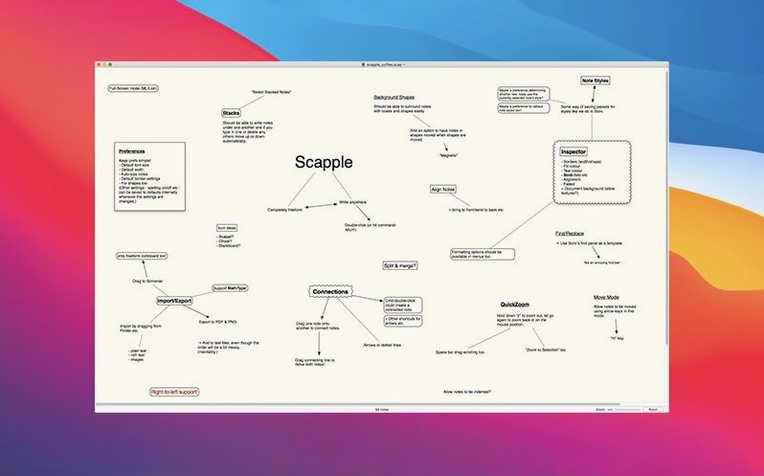
Create a note: double-click anywhere
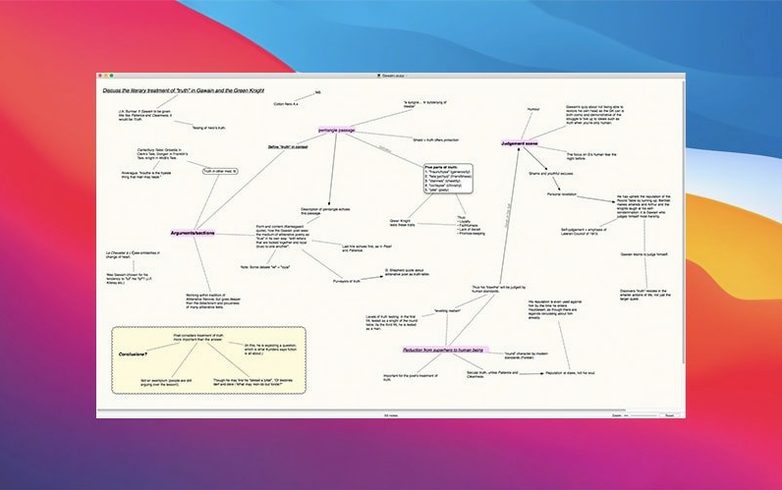
There is no blinking cursor and no fixed margin. A double-click on the infinite canvas drops a new note exactly where your attention lands, so the spatial arrangement belongs to the thought, not the tool.
Connect ideas: lines and arrows
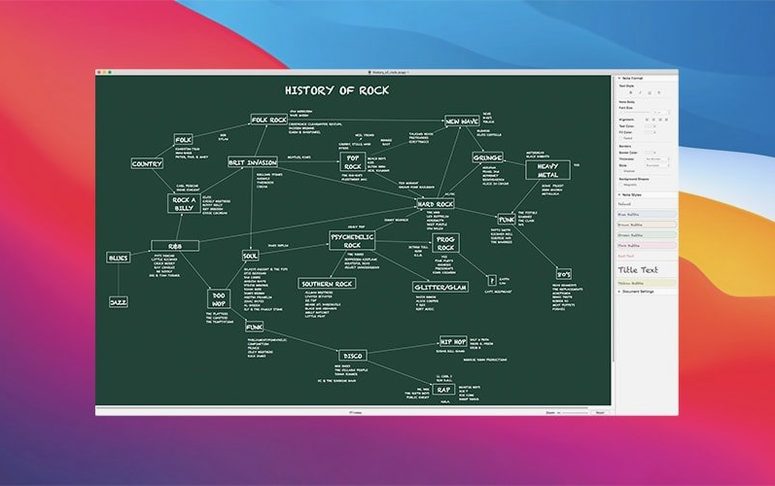
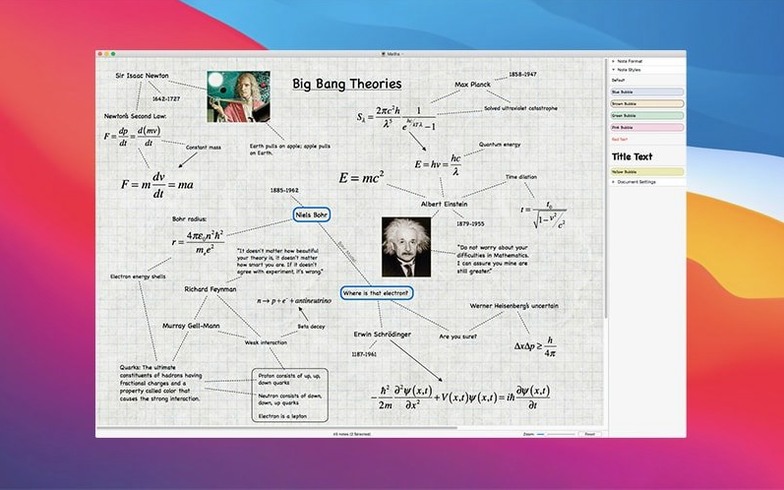
Dragging from one note to another draws a line or directional arrow. Connections stay live when you move notes, and the latest update keeps arrowheads intact even when you add a note to an existing link.
Run it on your Mac: a quiet system footprint
Scapple runs natively on Apple Silicon and Intel Macs with macOS 11 or later. The current release smooths out zooming, steadies Full Screen on Intel machines, and fixes a crash that could occur when loading locked files.
Daily performance: light and unobtrusive
Launching Scapple feels closer to opening a text file than an application. The canvas appears without a splash screen or project manager, and on an Apple Silicon Mac it settles into memory at well under 100 MB even with several boards open. Idle CPU draw is negligible; the app asks for attention only when you place a note or drag a connection, and then it gives it back immediately.
What I notice after a full day with a large board — perhaps a hundred notes and sixty-odd connections — is that scrolling stays fluid and zooming no longer hitches halfway through a pinch gesture. Version 1.5.4 specifically improved zoom smoothness, and it shows. Real-time text editing inside notes remains responsive even when several note bodies are expanded at once, though I tend to keep most notes collapsed and double-click to edit, which feels faster and quieter.
Stability has been the quiet story of recent releases. The sporadic crash when clicking notes has been addressed. Full Screen mode once misbehaved on Intel Macs running older versions of macOS; that is now settled, and board sizing on macOS 11 and 12 no longer leaves trim around the edges. If you work with locked boards — useful for reference material you want to see but not accidentally alter — the crash that sometimes occurred while loading them has been fixed. These are unglamorous corrections, but they accumulate into an app that does not interrupt your train of thought.
Recent changes: what version 1.5.4 tidied up
Beyond the stability patches, three everyday improvements stand out. Copying styles between boards by drag and drop now works as intended: drag a note from a board with your preferred font and colour scheme onto another, and the destination note adopts the style without a dialogue or extra step. For writers who maintain separate boards for character sketches and plot outlines, this small change removes a repetitive formatting chore.
Note-splitting behaviour was refined. If you hit Return inside a note expecting a clean break into a second note, the result is now more predictable. Connection line interaction on non-Retina displays — a detail many users on older external monitors will recognise — has been improved, so selecting a line no longer requires surgical precision. Undo and redo for connection commands have been tightened, meaning you can experiment with linking and unlinking ideas without fearing that a mistaken drag will leave behind phantom connectors.
Messy pre-writing: the blank page where outlines begin
Writers who already use a structured tool like Scrivener tend to reach for Scapple when the outline hasn't formed yet. It suits the early, messy stage where a blank page and a handful of disconnected observations need to find their natural clusters. The lack of enforced hierarchy means a character's backstory can sit next to a reminder about pacing, and the spatial proximity itself becomes meaningful.
Researchers and students who take notes across multiple sources often appreciate that notes live exactly where they were placed. A board for a dissertation chapter might arrange primary texts on the left, secondary commentary on the right, and emergent questions across the bottom, with arrows tracing influence and contradiction. Because the canvas has no fixed bounds, the board grows outward as the argument deepens — nothing needs to be reorganised because a column ran out of room.
Anyone who sketches mind maps on paper but misses the ability to edit, recolour, or rearrange them later will find the same freedom here with less friction. The installation itself is straightforward: mount the disk image, run the Gatekeeper-friendly opener, press Enter in the Terminal window to bypass Gatekeeper, drag the app into the Applications folder, and open it when the process finishes. In short, Scapple earns its place on the Mac of anyone who thinks better when ideas can spread out across a virtual sheet of paper.





Correspondence 0
Take a chair or join the table to send a letter.
No correspondence on this note yet. Letters are read before they appear.