 LeCoqRoti
Most writing apps are built for the page. That is fine for a letter, a memo, or a quick post. The trouble begins when a project grows beyond a single document: a dissertation, a script, a manuscript with years of research behind it. The flat file model starts to feel like a filing cabinet tipped onto the floor.
Drafting structure: folders and a research space between your editor and notes
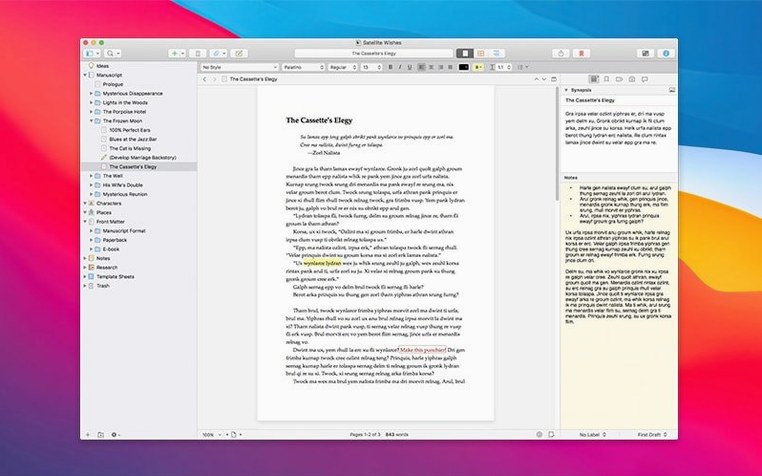
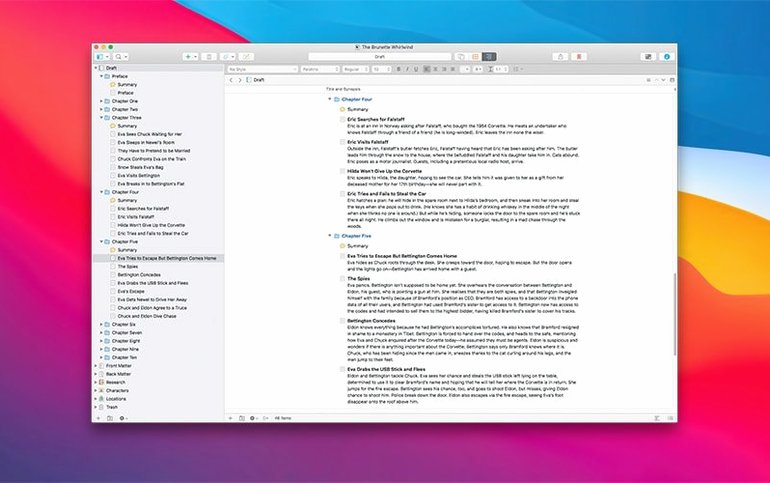
Scrivener does not replace your text editor or your notes app. It sits between them, offering a structure that a plain word processor cannot. A project holds folders for grouping material and a dedicated Research folder for supporting files. You can keep PDFs, images, and web archives alongside the chapters they inform, without leaving the workspace. The word processor itself is competent and distraction-free, but the real difference is the binder on the left: a tree of documents you can rearrange as easily as thoughts on an index card. Snapshots let you freeze a draft, or even a single paragraph, before a heavy revision — a safety net that requires no duplicate files.
Interface: a quiet English workspace
The interface is English through and through, from the menus to the tutorial project that ships with the app. Automatic saving runs in the background, so you never return to a blank document after a crash. Version 3.5.2 is a bug-fix release, keeping the experience steady rather than adding new features. It runs on Intel and Apple Silicon Macs, back to macOS 10.13, which means it fits into older and newer setups alike. In a creative workflow that already includes a markdown editor, a reference manager, and a final layout tool, Scrivener occupies the long middle: the drafting desk where structure and prose grow together.
A typical session: three hours with a chapter draft
You open the project at half past nine. The binder shows a dozen folders, one per chapter, and the Research folder tucked at the bottom. You click on Chapter 4 and the editor fills with yesterday's three-thousand words. You are not in the mood to compose, so you spend the first twenty minutes reorganising: you split a long scene into two documents by selecting the break point and pressing Cmd-K. The new document appears as a child of Chapter 4, and you name it "The letter arrives".
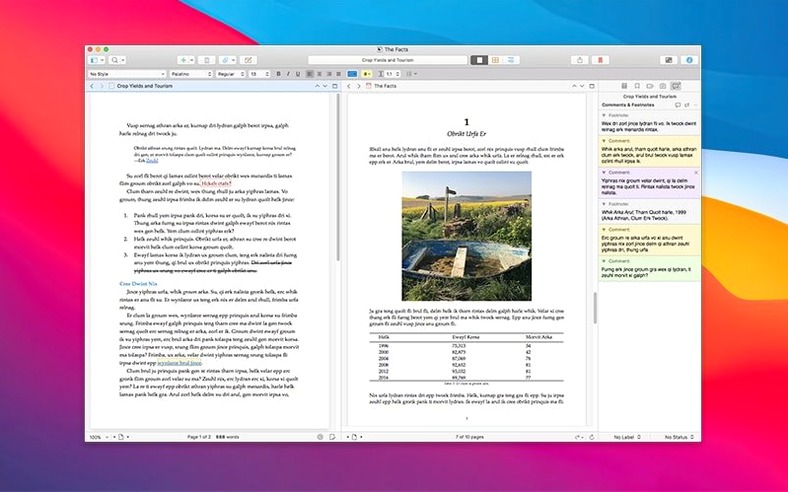
Next you turn to a PDF in the Research folder. It is a scanned nineteenth-century map you found in an archive. You keep it open in the split editor — text on top, map below — while you revise the geography of a journey scene. A detail in the margin catches your eye: a footpath you had not noticed. You type a quick annotation in the inspector's notes panel, then carry on.
By eleven the chapter feels unwieldy, so you take a snapshot. The command is Cmd-5. You give it the title "Before cutting the inn scene". Then you delete four paragraphs: the scene drags, you have known this for a week. You will not lose it — the snapshot holds it, diffable against the current text, recoverable with a click.
Before lunch you compile a proof copy. You pick the "Paperback" format from the compile panel, set it to output only Chapter 4, and send a PDF to the desktop. You will mark it up on paper, away from the screen. The whole session felt less like writing and more like inhabiting a room where every drawer was already labelled.
Import flow: pulling plain-text notes into the binder as your drafting hub
Scrivener works best when it is the centre of a drafting process, not an island. Many writers use a plain text editor for quick notes and then import the files into the Research folder or the binder directly: File > Import > Files brings in markdown, RTF, Word documents, and web archives without fuss. The app preserves formatting well enough that you can move a chapter from Scrivener into a layout tool like Affinity Publisher or Vellum later, using the Compile command as the bridge.
Integration with macOS is quiet but practical. Spotlight finds text inside Scrivener projects, which means a detail you half-remember — a character's name, a quotation — can be retrieved from the system-wide search bar without opening the app. The share sheet is supported, so you can send a draft to Mail or Messages for a quick reader reaction. Dictation on Apple Silicon Macs works inside the editor, and the text engine supports the system's standard keyboard shortcuts, substitutions, and text replacements. If you use a reference manager like Bookends or Zotero, you can drag citations into the inspector's notes panel or store the exported PDFs in the Research folder. The workflow is not automated, but it is flexible: Scrivener does not insist on being the only tool you use.
Writers who look for a scrivener macos setup that plays well with others often pair it with a full-screen markdown previewer for reviewing clean text, and a backup script that copies the project folder to an external drive or a cloud-synced directory. Scrivener's project format is a package — a folder that macOS treats as a file — so simple file-copy backups are safe, and versioned backups work if you avoid syncing the live project over services that do not lock files properly.
Day-one writing: ignoring the toolbar to start with just the binder
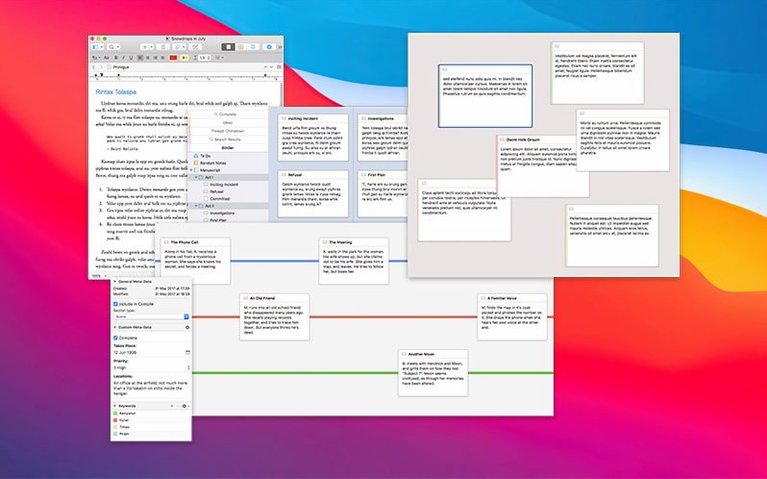
People want to know whether the learning curve is as steep as the feature list suggests. The honest answer is that you can write on day one with nothing more than the binder and a single document. The toolbar, the inspector, the corkboard, the compile panel: these can wait. The tutorial project walks you through them gradually, and you discover them as you need them, not all at once.
Another common question concerns stability. The 3.5.2 update is a bug-fix release, and it addresses small but persistent annoyances that crept into earlier versions of the 3.x line — things like cursor placement after a snapshot restore, or a rare crash when opening projects created on an older build. The app auto-saves after a pause in typing, a setting you can adjust in preferences, so lost work is not a serious concern.
Some ask about moving a project between Macs. The package format travels well on a USB drive, but cloud syncing requires caution: Dropbox is the officially supported method because it handles package files correctly. iCloud Drive and Google Drive can corrupt a project if they modify the internal file structure during sync. Keeping your working copy local and using a backup script to push a zipped copy to the cloud is a safer pattern.
Finally, people wonder what happens if they search for a scrivener torrent or a scrivener mac torrent and end up with an installer that does not match the current bug-fix release. The version landscape for Scrivener 3 has been stable for a while; the 3.5.2 release from December 2025 is the one that contains the accumulated fixes for the 3.x series. Older builds lack those corrections, so when working with a scrivener mac crack or a scrivener 3 torrent, it is worth verifying that the build is 3.5.2 or newer to enjoy the refinements the bug-fix release introduced—those small touches tend to reveal themselves exactly when a deadline is tight and the prose is flowing.
Friction removal: a compile dialog that no longer hesitates
Because 3.5.2 is a bug-fix release, the changes are not about new buttons or panels. They are about friction disappearing. A writer who updates from 3.4 or an early 3.5 build may notice that the compile dialogue no longer hesitates when switching between formats, that the snapshot comparison view draws more cleanly on Apple Silicon, and that a project opened from an external drive mounts faster. These are not things you celebrate over coffee, but they accumulate over a working month. The session described earlier — splitting a scene, reviewing a PDF in split view, taking a snapshot, compiling a proof — is smoother in 3.5.2 than it was a version ago. The developer's release notes list no new features, only fixes, and that is exactly what a mature writing tool needs when the feature set is already deep enough to sustain a novel, a thesis, or a long-running research project without ever feeling thin.





Correspondence 0
Take a chair or join the table to send a letter.
No correspondence on this note yet. Letters are read before they appear.