 LeCoqRoti
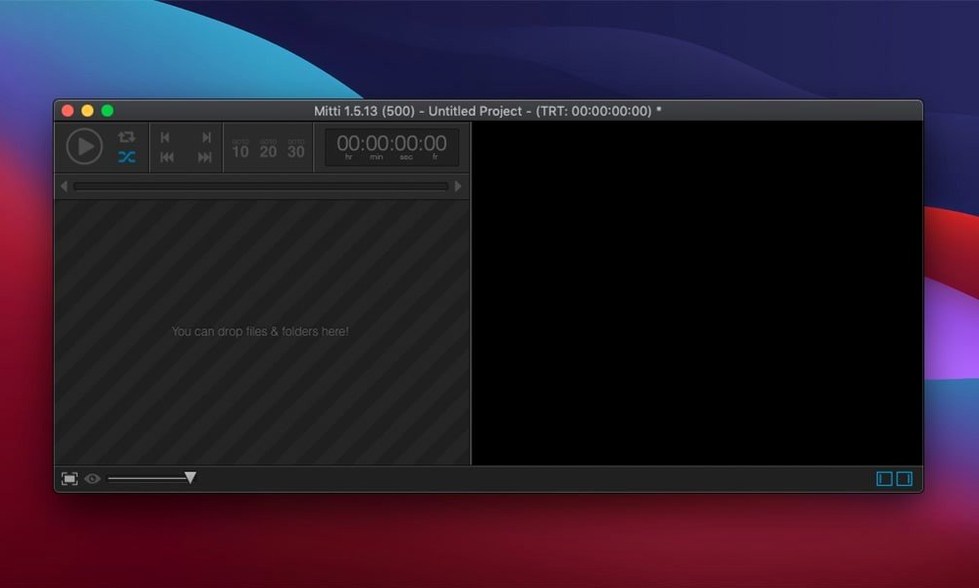
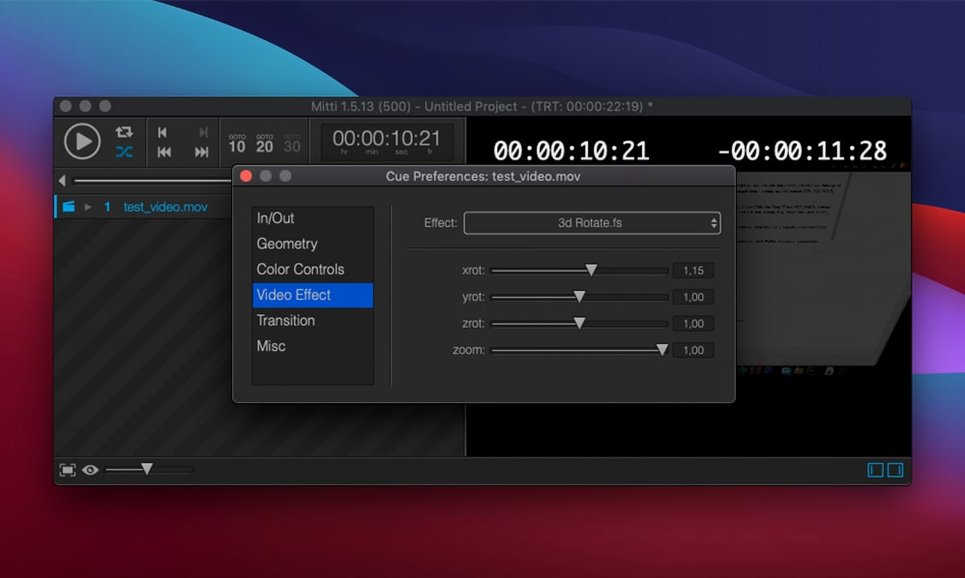
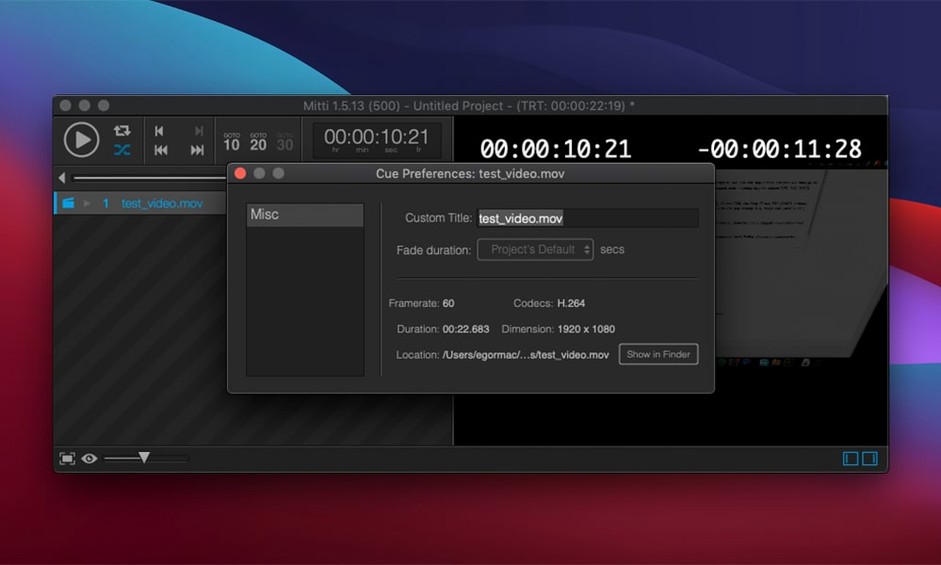
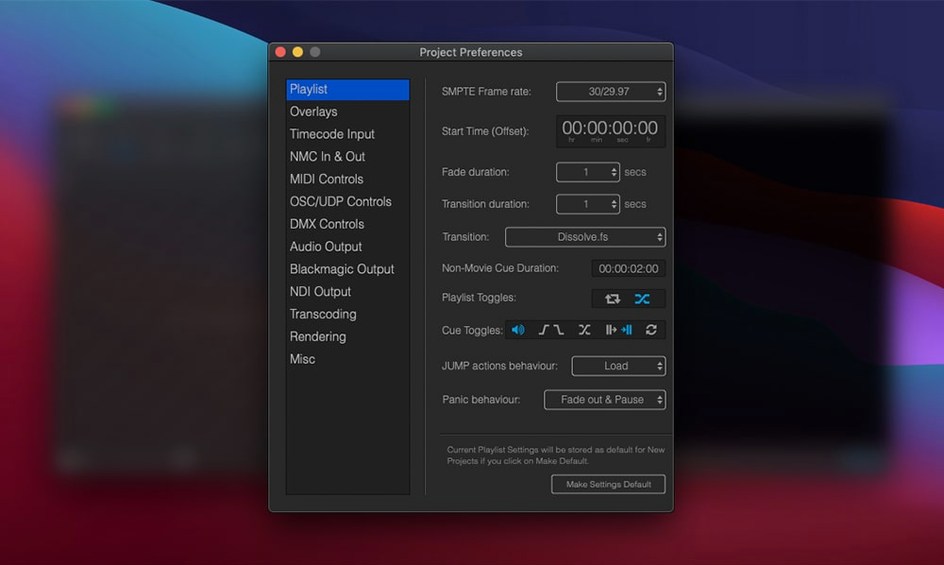
Stage technicians, festival video operators, and exhibition designers often need a playback tool that responds instantly to a go command. Mitti is built for that precise environment. It treats every clip and still image as a cue: load a folder of ProRes files, arrange them in order, and trigger each one with a single keystroke during a performance.
Mixed timelines: video and stills from a single interface
- Running a mixed timeline of video and still-image cues from one clean interface
- Shows that require synchronized playback across multiple Macs on the same network
- Exporting a self-contained playlist with all media to hand off to another operator
- Projects where legacy codecs need automatic transcoding to modern formats on import
Network sync: NMC protocol instead of SMPTE timecode
- Requires macOS 10.15 or later and runs natively on both Intel and Apple Silicon
- The interface language is English only
- Network synchronization uses the internal NMC protocol, not industry-standard timecode
Comparisons: where Mitti sits among live‑playback tools
Three names come up repeatedly when video operators compare cue‑based playback software for the Mac. The first is QLab, a long‑established favourite in theatre sound and projection design. QLab’s cue list is deeper in audio routing and show‑control scripting, but it is also heavier to learn and its video engine has historically lagged behind its audio counterpart. Mitti, by contrast, feels lighter on its feet: the interface stays out of the way during a show, and the built‑in ISF effects engine gives it a visual immediacy that QLab requires external tools to match.
The second comparison is with PlaybackPro, a durable workhorse in corporate AV and broadcast. PlaybackPro is simpler still, but development has been quiet for some time and its feature set now shows its age. Mitti supports modern workflows that PlaybackPro does not address at all: NDI and Syphon sources, Blackmagic camera input, colour management, and automatic transcoding of legacy codecs on import.
A third reference point is Millumin, which targets a similar audience of live‑event designers. Millumin leans more toward projection mapping and multi‑screen blending; Mitti stays closer to the classic cue‑stack model. A stage manager who needs to fire a sequence of precisely timed film clips with crossfades and looped stills will find Mitti’s mental model immediately legible, while Millumin’s timeline‑and‑canvas approach asks for a different kind of spatial thinking.
A festival tech operator’s afternoon
Consider a short‑film festival running across two screening rooms that share a green room. The video tech in the main hall loads a folder of ProRes masters onto a Mac Studio running Mitti and arranges them as a single ordered cue list. Each filmmaker has supplied a slightly different audio mix, so the operator sets per‑cue audio routing: the stereo mix goes to the house PA, while a separate mono channel feeds an induction loop transmitter. A second Mac in the smaller room runs an identical playlist, kept in sync via NMC over a local switch. Between screenings, a sponsor’s still‑image loop plays with a 2‑second fade‑in and a 3‑second fade‑out, set once in the cue inspector and left to run until the house lights dim. Ten minutes before the afternoon block, a last‑minute DCP replacement arrives as an odd‑format MPEG‑2 file. Mitti transcodes it automatically on import to a ProRes 422 file, and the cue is inserted into the running order without a trip through Compressor or Media Encoder. The whole setup fits on the internal drive of each Mac; the operator exports a self‑contained playlist at the end of the day and hands it to the festival archivist on a USB‑C drive.
Pre‑install questions: hardware and license details
Does Mitti handle still images as smoothly as video?
Yes. Stills are treated as cues with the same control set as video files: individual fade durations, loop settings, and in/out points. You can drop a folder of JPEGs or PNGs into the cue list and each image becomes a discrete playback event that responds to the same go‑button logic as a ProRes clip.
Portable playlists: export one package and run on another Mac
Mitti can export a playlist — the cue list plus all media files — as a self‑contained package. Copy that package to another machine, open it, and the show is ready to run. The destination Mac needs its own working installation of Mitti, but no manual relinking of files is required.
Is network sync reliable without a dedicated timecode generator?
The internal NMC protocol is designed for local Ethernet conditions and keeps multiple instances of Mitti frame‑accurate on the same subnet. It is not a replacement for LTC or MTC in a broadcast truck that already runs a house clock, but for a theatre or exhibition setup where all playback machines sit on the same switch, it works without additional hardware. Operators who need external timecode chase will need to look at dedicated sync solutions outside Mitti’s scope.
Can the interface be trusted during a live performance?
The cue‑list design stays visually calm under pressure. The currently playing cue is highlighted, the next cue is clearly marked, and the go button can be mapped to a keyboard key or a MIDI controller. There is no timeline scrubbing to knock out of place by accident, which is a deliberate choice that appeals to people who run shows where every press counts.








Correspondence 0
Take a chair or join the table to send a letter.
No correspondence on this note yet. Letters are read before they appear.