 LeCoqRoti
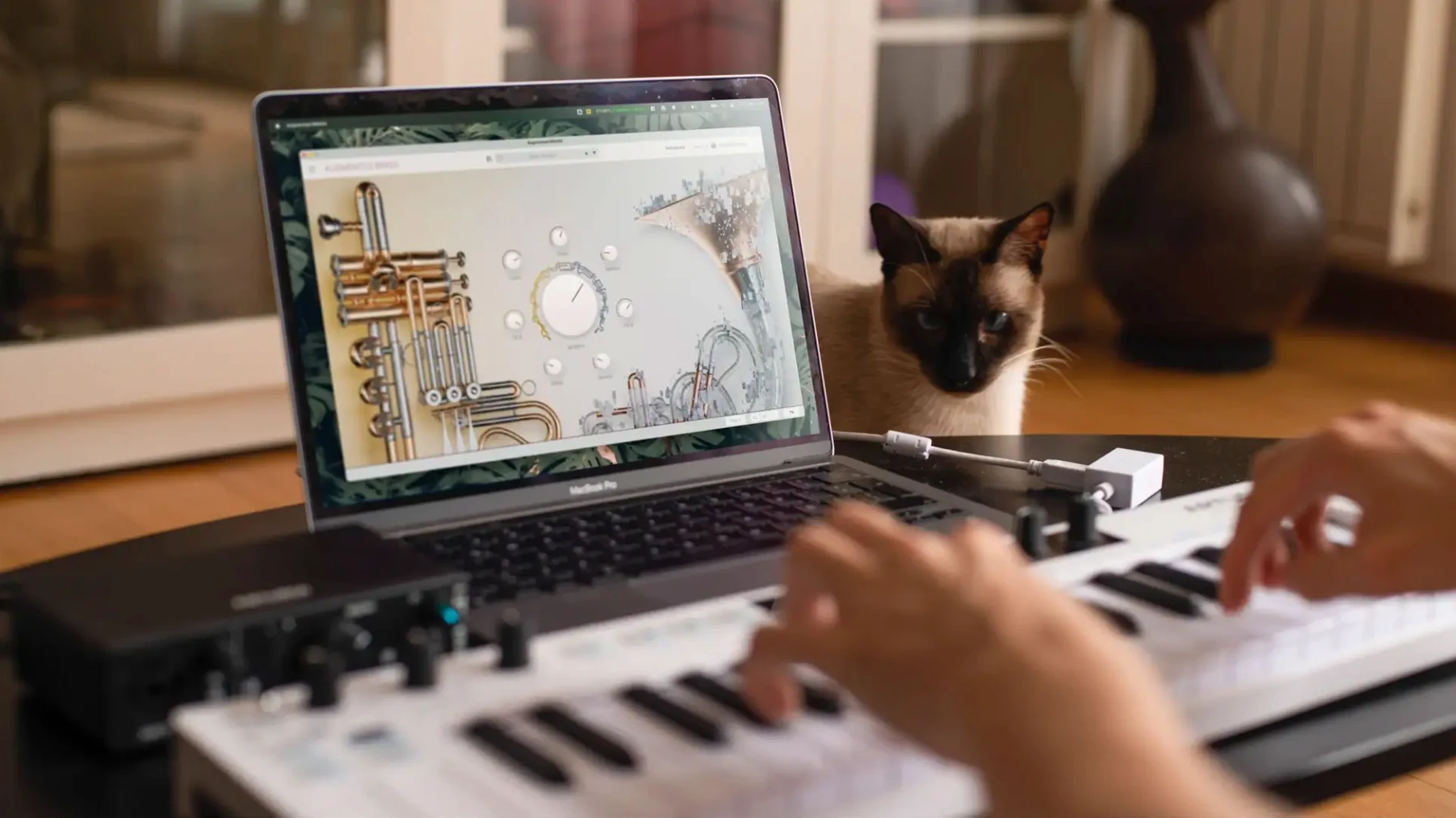
A clean, static brass sample has its place, but it rarely moves a track forward on its own. Arturia Augmented BRASS was built for the moment a mix needs texture that evolves — something that can shift from a breathy flügelhorn whisper into a metallic, synthesised drone without a single edit.
Morph and macros: blending acoustic samples into synthetic territory
- Morph knob: the central control. It slides between the acoustic sample layer and the synthesised engines, yielding timbres that feel neither purely real nor purely electronic.
- Four macro controls: Time, Colour, Motion, and Reverb sit at the top of the interface, letting you warp envelope shape, timbre, modulation rate, and space in real time.
- Layer crossfades: two sample layers and two synth layers can be balanced independently, so a muted trumpet attack can dissolve into a wavetable pad.
Movement: built in, not added later
Modulation arrives pre-wired but not prescriptive. An LFO with seven waveforms, a step sequencer, and a function generator can each target the morph position, filter cutoff, or amplitude. The result is brass that breathes, flutters, or pulses in time with the host without drawing a single automation lane. The inclusion of pressure, breath controller, and MPE support means the expressiveness isn't locked to a keyboard velocity curve alone.
Pitfalls: where new users lose the plot
The morph knob is deceptively simple, and that is where early missteps happen. A common habit is to park it at 50 % and leave it there, which flattens the instrument into a static hybrid that neither breathes nor bites. The preset was designed with movement in mind — the morph wants to travel. Another trap is treating the four macro controls as set‑and‑forget sliders rather than performance gestures. Assigning Time to a mod wheel and riding it during a phrase will reveal phrasing that a static envelope never delivers. Beginners also overlook the layer balance pane entirely, loading a preset and playing full chords across both synth engines simultaneously, which often produces a dense, phase‑heavy result that fights a mix instead of cutting through it. The fix is simple: reduce one of the two synth layers by a few dB and listen again.
Small conveniences tucked in plain sight
- Right‑click reset: any knob or slider returns to its saved value with a right‑click — far quicker than hunting for a default preset when a macro has drifted too far.
- MIDI learn persistence: once a control is mapped to an external fader or knob, the assignment sticks across sessions. There is no need to rebuild a live performance layout each time the plug‑in loads.
- Preset star ratings: clicking a star next to a preset name marks it as a favourite, and the browser can filter to show only those. After an afternoon of auditioning, the starred list becomes a personal palette.
- Undo history: the interface keeps a short undo queue, so an accidental drag on the Morph slot or a mistimed LFO rate change can be reversed without reloading the preset.
Alongside a DAW and the macOS ecosystem
The plug‑in feels at home inside Logic Pro, Ableton Live, and Bitwig Studio, passing its four macros as automatable parameters that a DAW can record in real time. On Apple Silicon machines the standalone application launches quickly enough to serve as a live patch bay; routing its output into a session via BlackHole or Loopback turns the instrument into a sound‑design scratchpad that feeds directly into a recording track. The NKS integration means patch browsing and macro assignments appear on Komplete Kontrol keyboards without manual mapping, and the instrument responds to AUv3 host transport when loaded inside a host like Gig Performer or Camelot Pro. One quiet advantage of the Mac build is native support for the Touch Bar on older MacBook Pro models, where the four macro sliders appear as touch strips — a small gesture surface that makes morph‑riding feel more physical than a mouse drag.


Correspondence 0
Take a chair or join the table to send a letter.
No correspondence on this note yet. Letters are read before they appear.