 LeCoqRoti
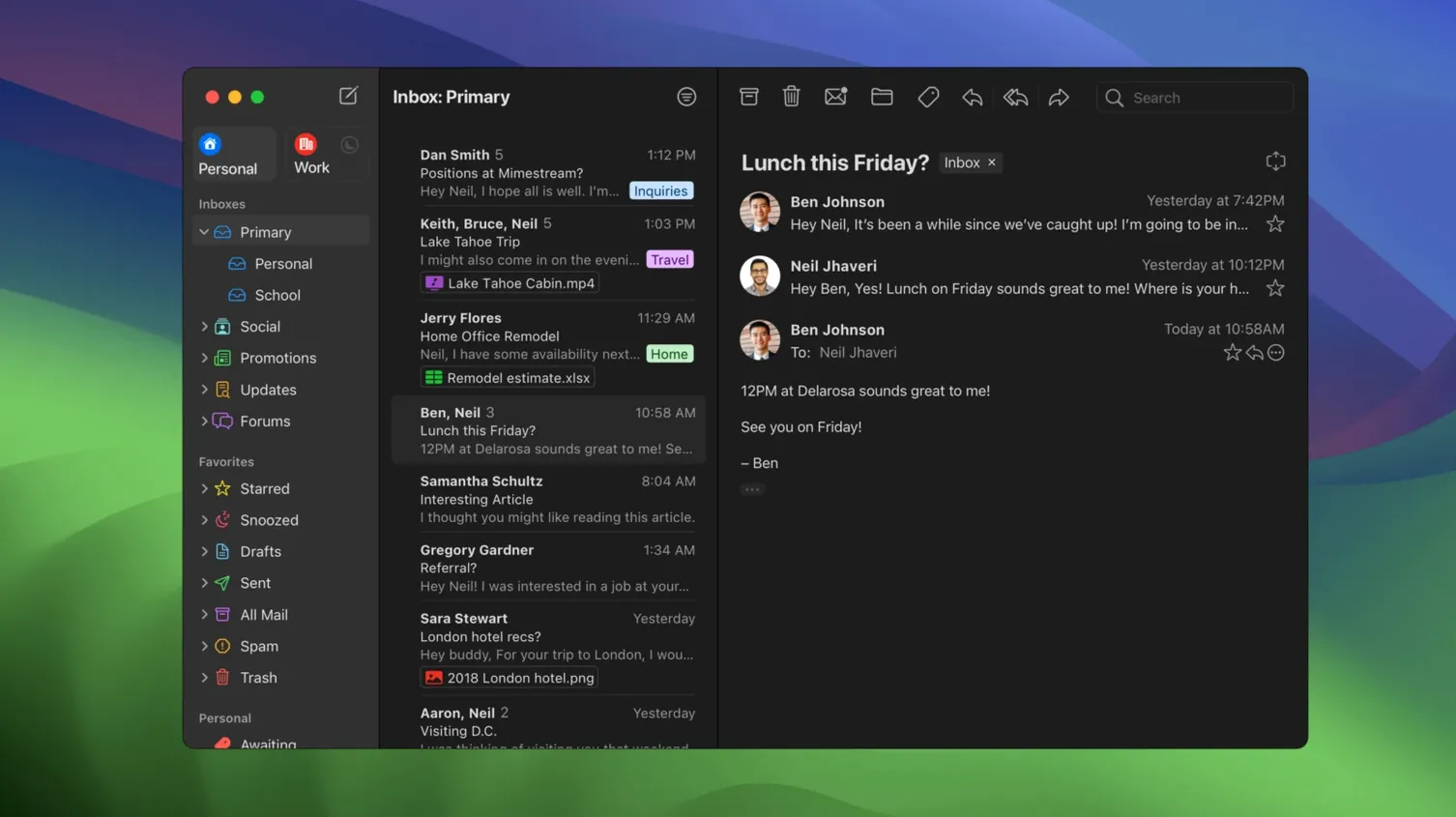
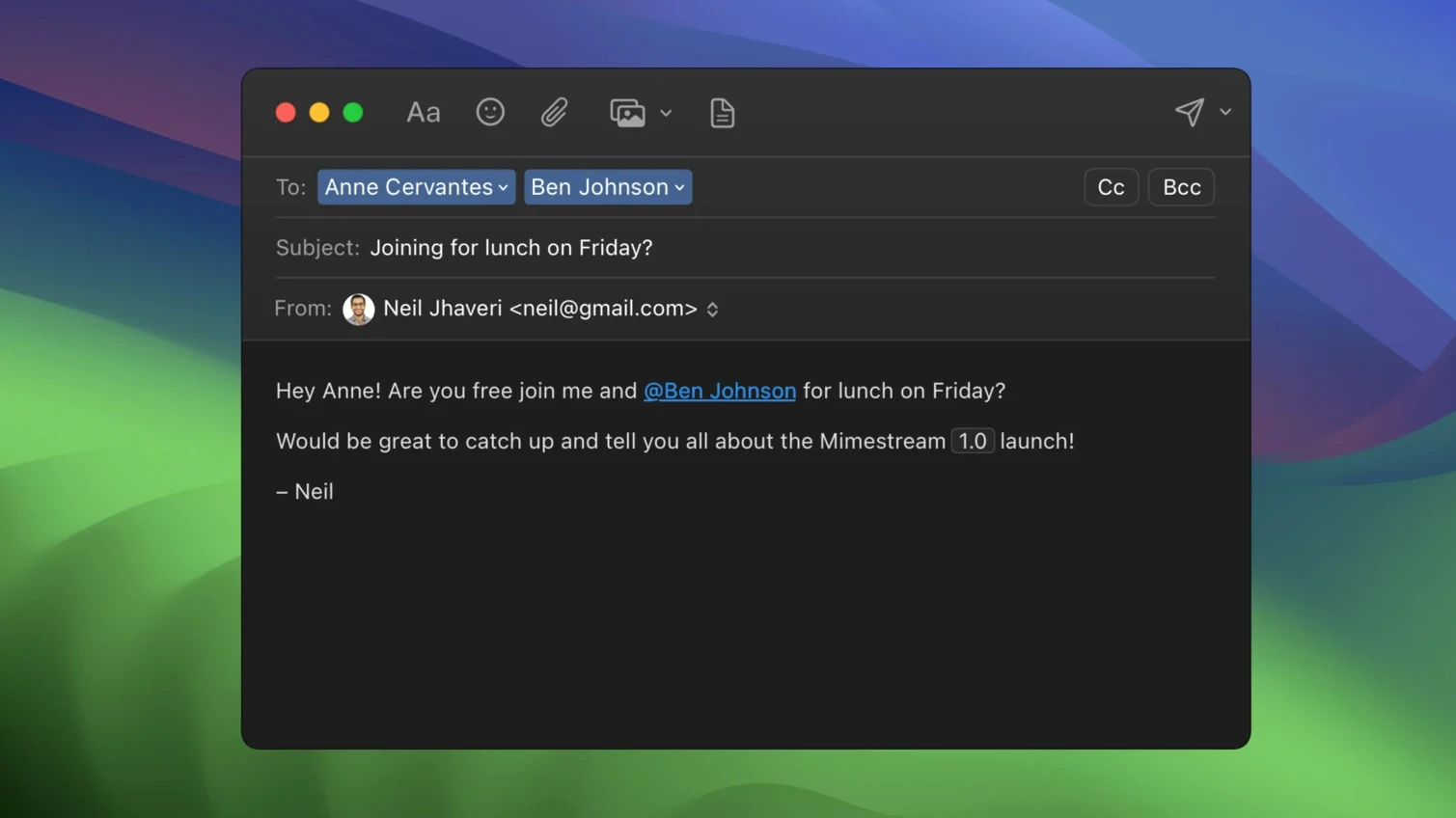
A native macOS email client for Gmail, narrowed to a single service in order to do more with it. Mimestream extends what Google’s web interface offers into a desktop app that feels built for the platform, not ported from it.
Tools for the detail-minded
- Gmail search syntax, fully respected: every operator you type in the browser works here too, and search remains functional offline because the local database indexes the full mailbox.
- Automatic alias and signature sync: any sending alias configured in Gmail appears without extra setup; signatures follow the same rule, pulled directly from the account.
- Tracking-pixel defence: the client silently blocks tracking pixels from more than fifty known tracking services, removing a common leak without user intervention.
- Complete offline access: mail, labels, searches and drafts are available without a connection, with a local store that syncs when you’re back online.
Architecture: native on both platforms
Mimestream runs natively on Apple Silicon and Intel Macs, requiring macOS 12 Monterey or later. The interface carries a light, quiet design that keeps the focus on the message list and reading pane—no web-wrapper sluggishness, no browser tabs competing for attention. Because it only supports Google accounts, the feature set is deep rather than broad: server-side filters, labels and categorisation all behave exactly as they do in Gmail, but with keyboard shortcuts and text rendering that belong to the Mac.
Keyboard shortcuts: switch to your muscle memory
Out of the box, Mimestream makes sensible choices, but a few adjustments tighten the experience considerably. Head to Preferences before the first serious session.
Keyboard shortcut set: the default is Gmail-style, which makes sense for most. If you come from years of Apple Mail, switch to the Apple Mail preset under General. The change is immediate and spares you from retraining muscle memory on dozens of shortcuts.
Notification actions: version 1.10 introduced configurable notification buttons. Open Notifications preferences and set the two action slots to the operations you actually perform on incoming mail—archive and mark as read, for instance, rather than the defaults. On macOS 26 and later, Private Push notifications are enabled automatically, which means notification content stays on-device; no extra toggle needed.
Conversation threading: Gmail’s web interface threads aggressively, sometimes too aggressively for mailing lists or support chains. Under Reading, you can disable threading globally or toggle it per-search with a single keystroke. The per-search toggle is worth memorising.
Tracker blocking: it is on by default, covering more than fifty services. No reason to turn it off, but do note the counter that appears at the top of a message when trackers were stripped—it is a small education in how many senders embed them.
Local cache: let it populate before judging speed
Early use shapes long-term efficiency. A few patterns repay the small effort of adopting them immediately.
Let the local cache build: Mimestream downloads recent messages on first launch, but older mail populates only as you scroll or search. On day one, run a few broad searches—common contacts, project labels, date ranges—to pull that data into the local store. After that, offline search becomes genuinely useful rather than a promise.
Label management, not folder migration: the app mirrors Gmail’s label model exactly. Labels appear in the sidebar with the same hierarchy and colours you set in Gmail. Resist the reflex to organise into folders; apply multiple labels to a single message and use the sidebar filter click to narrow views. The "All Mail" profile, added in version 1.10, is the safety net when a message seems to have vanished from every other view.
Address-book trust for unknown senders: the optional feature that resolves names for unknown senders pulls from your contacts and past conversations. Enable it early—under Composing—so that by the end of the first week, the sender column in your inbox carries real names rather than raw addresses for most correspondents.
Traffic control via swipe: macOS trackpad gestures for archive and sort are active by default. Swipe right to archive, left to snooze or label. Spend ten minutes customising the left-swipe action in Preferences; most people settle on "label and archive" as the single most efficient gesture for inbox triage.
Quick label toggle: tap L to jump to any label
Several features sit just below the surface, undocumented in the main interface but immediately productive once found.
- Quick label toggle: tap
Lwith a message selected to bring up the label search box. Type a fragment of the label name, press Return, and the message is filed without touching the mouse. - Calendar replies: Gmail calendar invitations render inline with one-click RSVP buttons—no browser tab, no calendar app launch. The integration is a direct benefit of using the Gmail API rather than IMAP.
- Profile switching via shortcut: if you manage multiple Gmail accounts,
Command-1throughCommand-9jump between the first nine profiles. The "All" profile, toggled separately, shows a unified inbox. - Draft sync in real time: a draft started on the Mac appears in the Gmail web drafts folder within seconds, and vice versa. No save step, no conflict copy. This is the sort of polish that comes from the API-level integration and is easy to take for granted until you need it.
Gmail handling: each app takes a different path
The email-client landscape on macOS is thinner than it once was, but a few alternatives still draw comparison. Each handles the Gmail question differently.
Mimestream versus Apple Mail: Apple Mail supports any IMAP account and offers deep system integration—Handoff, Markup, share sheets. With Gmail, however, it treats labels as folders, duplicates archived messages across "All Mail" and the label folder, and cannot use Gmail’s server-side search operators. Mimestream gives up broad account support in exchange for a clean Gmail-native model: labels work correctly, search syntax is identical to the web, and the interface never needs a "take online" button. For a user who lives inside Google Workspace and wants a mimestream free workflow without the browser, the trade-off is clear; for someone with three IMAP accounts from different providers, Apple Mail remains the practical default.
Mimestream versus Kiwi for Gmail: Kiwi wraps the Gmail web interface in a standalone window with a few desktop additions. The advantage is feature parity: anything Gmail’s web client can do, Kiwi can do, because it is the web client. The disadvantage is the same. Performance depends on the browser engine, offline access is limited, and trackers are not blocked at the application level. Mimestream feels like a Mac app; Kiwi feels like a tab you promoted to its own window. Anyone considering a mimestream download mac path is likely weighing exactly that distinction.
Mimestream versus Spark: Spark is a collaborative email client with team features, shared drafts and a "smart inbox" that categorises mail algorithmically. It supports Gmail alongside other services and pushes a particular workflow philosophy—delegation, snoozing, gatekeeping. Mimestream is quieter and more solitary. It does not reorder your inbox by importance; it shows the inbox Gmail already shaped. For a single user who wants Gmail’s own logic rendered in native controls, Mimestream aligns more closely with the service it connects to, while Spark adds a management layer on top.
In short: the right choice depends on whether you value depth with one service or breadth across many, and whether you want the platform to interpret your inbox or simply present it.




Correspondence 0
Take a chair or join the table to send a letter.
No correspondence on this note yet. Letters are read before they appear.