 LeCoqRoti

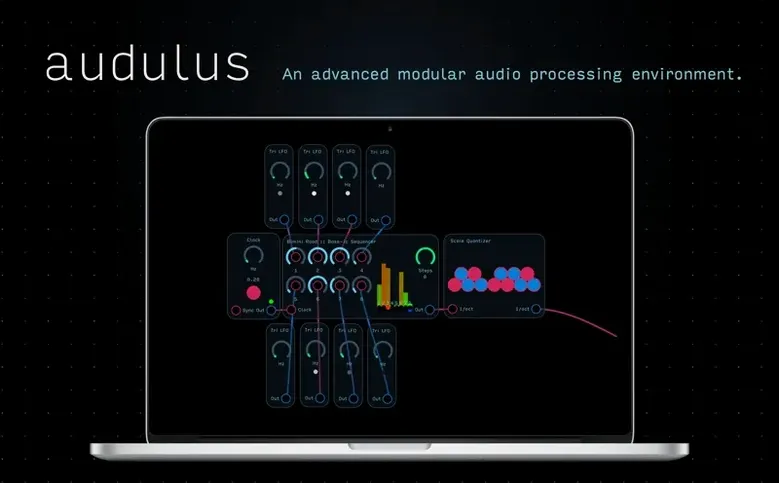
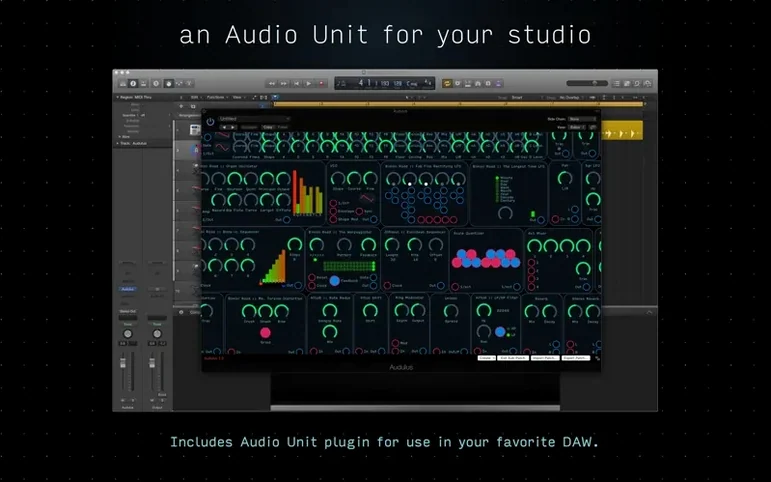
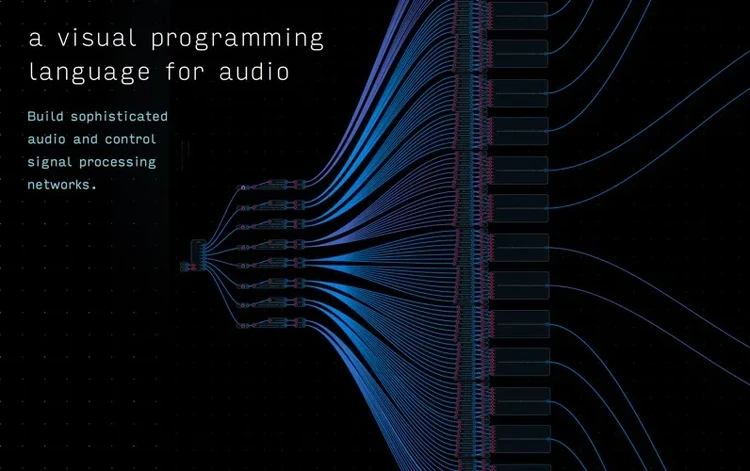
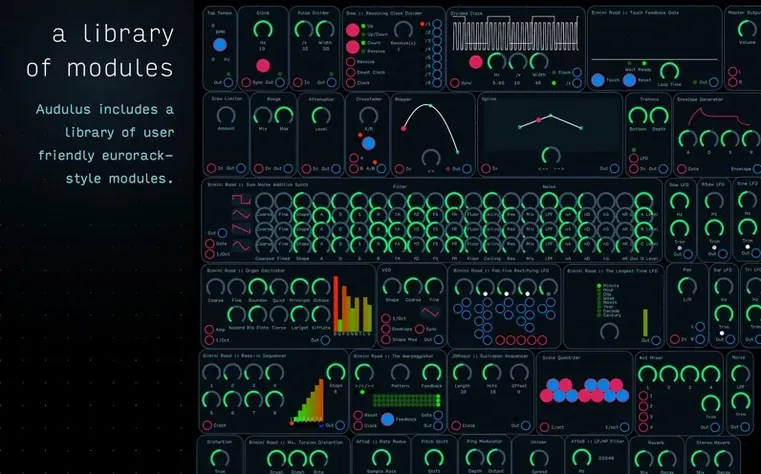
You are in your studio, sketching a new patch. You drop an oscillator into the canvas, wire it to a filter, add an envelope — every connection is visible, every parameter adjustable. Audulus 3 is a modular audio environment for macOS that lets you design new sounds and build synthesizers from the ground up. Its interface is clean and uncluttered, making the logic of your signal chain easy to follow.
What you get: a modular playground for sound
The environment is designed for low-latency audio processing, which matters whether you are experimenting with a single oscillator or assembling a complex polyphonic instrument. Audulus 3 is described as easy to learn, so you can start patching quickly even if modular synthesis is new to you. The current version is 3.5.1, available in English and built as a 64-bit Intel application.
Runs on macOS 10.14 with Intel, not Apple Silicon
Audulus 3 requires macOS 10.14 or later and runs on 64-bit Intel processors. Apple Silicon Macs are not listed as supported in this version — check compatibility before downloading.
A working session: from blank canvas to sound
Settle into a typical session: you open Audulus 3 to a fresh canvas, its pale grid ready for modules. The first step is always the source — a simple oscillator module dragged from the library panel. You click it onto the grid, then reach for a filter module, placing it to the right. The connection is made by clicking the oscillator's output port and dragging a wire to the filter's input. A thin line appears, representing the signal path, and you can already see the logic of your patch taking shape.
Next comes the envelope. You select an ADSR module from the list and wire its output to the filter's cutoff control. A quick double-click on the envelope opens its curve editor, where you adjust the attack to be snappy — maybe 10 milliseconds — and the release to linger for a second. The filter opens and closes as the envelope modulates it, a classic movement that turns a static tone into something alive.
To hear what you have built, you add an output module. Audulus 3 routes your signal to your Mac's audio interface with minimal latency. You play a note using your MIDI keyboard, or simply trigger the built-in test tone from the module's context menu. The sound emerges cleanly, and you begin tweaking. Perhaps the filter resonance is too sharp, so you reduce it by dragging the slider in the filter module. The change is immediate — no recompiling, no restarting the patch.
Once the basic sound satisfies, you add a low-frequency oscillator to modulate the filter cutoff slowly, creating a rhythmic pulse. You set the LFO to a rate of 0.2 Hz, and the filter sweeps up and down every five seconds. The patch is now a living instrument, all its connections visible on the grid. You can step away and return later to find exactly where you left off — each wire and parameter exactly as you arranged it.
CPU meter climbs? Reduce buffer size to fix audio dropouts
Most issues with Audulus 3 stem from a few predictable places. One frequent snag is audio dropouts when the patch grows complex. If your CPU meter in the module headers starts climbing, try reducing the buffer size in your audio interface settings — or conversely, increase it if you hear crackles. The sweet spot depends on your Mac's processor speed and the number of modules in use.
Another common moment: you wire two modules together but hear no sound. Check that the output of one module actually connects to the input of another — wires can snap to the wrong port if you click too hastily. Right-click the wire and choose 'Disconnect', then drag a fresh connection with care. Also confirm that every module that produces sound has its volume or gain parameter turned up; the default for some modules is silent.
Beginners also run into confusion with MIDI routing. You attach a MIDI input module to an oscillator, but nothing triggers. The solution is often a missing 'Note In' module — Audulus 3 expects you to route MIDI note events explicitly through a dedicated module. Place one between your MIDI input and the oscillator, and wire the note output to the oscillator's pitch control. A small patch note here saves ten minutes of head-scratching later.
Build one connection at a time to avoid module chaos
The most common beginner mistake is trying to build everything at once. A new user drops ten modules on the canvas before connecting any, then cannot recall which output should feed which input. The remedy is modular thinking: add one module, wire it, test it, then add the next. Each step confirms that the signal flows before complexity mounts.
Another error is neglecting to name modules. Audulus 3 lets you label each module by double-clicking its title bar, yet many patches remain filled with 'Oscillator 1', 'Oscillator 2' and 'Filter 1' — cryptic when you return a day later. A brief name such as 'Bass OSC' or 'Noise Filter' saves you from tracing wires to rediscover your own design.
A third misstep is overusing modulation. Beginners often connect every envelope to every parameter, producing a chaotic sound that is hard to control. Modular synthesis rewards restraint: modulate one or two parameters at a time, listen, then add more. Audulus 3 makes it tempting to wire everything together because the interface is so permissive, but the best patches are built with intention.
Visual layout suits film-score sound designers and drone crafters
This environment suits several kinds of Mac users particularly well. Sound designers who need to craft unusual timbres — think film-score textures, radio-static bursts, or evolving drone beds — will find Audulus 3's visual layout a natural fit. Every modulation path is inspectable, so you can understand exactly why a sound moves the way it does, and replicate it later.
Live performers also benefit. Because patches run with low latency and can be saved and recalled instantly, you can prepare a set of instruments and switch between them during a performance. The interface stays legible on stage: large module blocks, clear wire colours, and no hidden menus for critical parameters. A performer can tweak a filter cutoff mid-set without losing the beat.
Electronic musicians exploring generative or algorithmic composition will appreciate the ability to chain random modules, sequencers and logic gates into self-playing systems. Audulus 3 does not judge your patch — it simply routes audio and control signals as instructed, making it a patient partner for experimental work.
For the curious beginner who wants to learn synthesis fundamentals, the clean interface removes the intimidation factor. Every building block is visible, every connection traceable. You learn by doing, and when something breaks, you see exactly where the signal stopped — an education in itself.






Correspondence 0
Take a chair or join the table to send a letter.
No correspondence on this note yet. Letters are read before they appear.