 LeCoqRoti
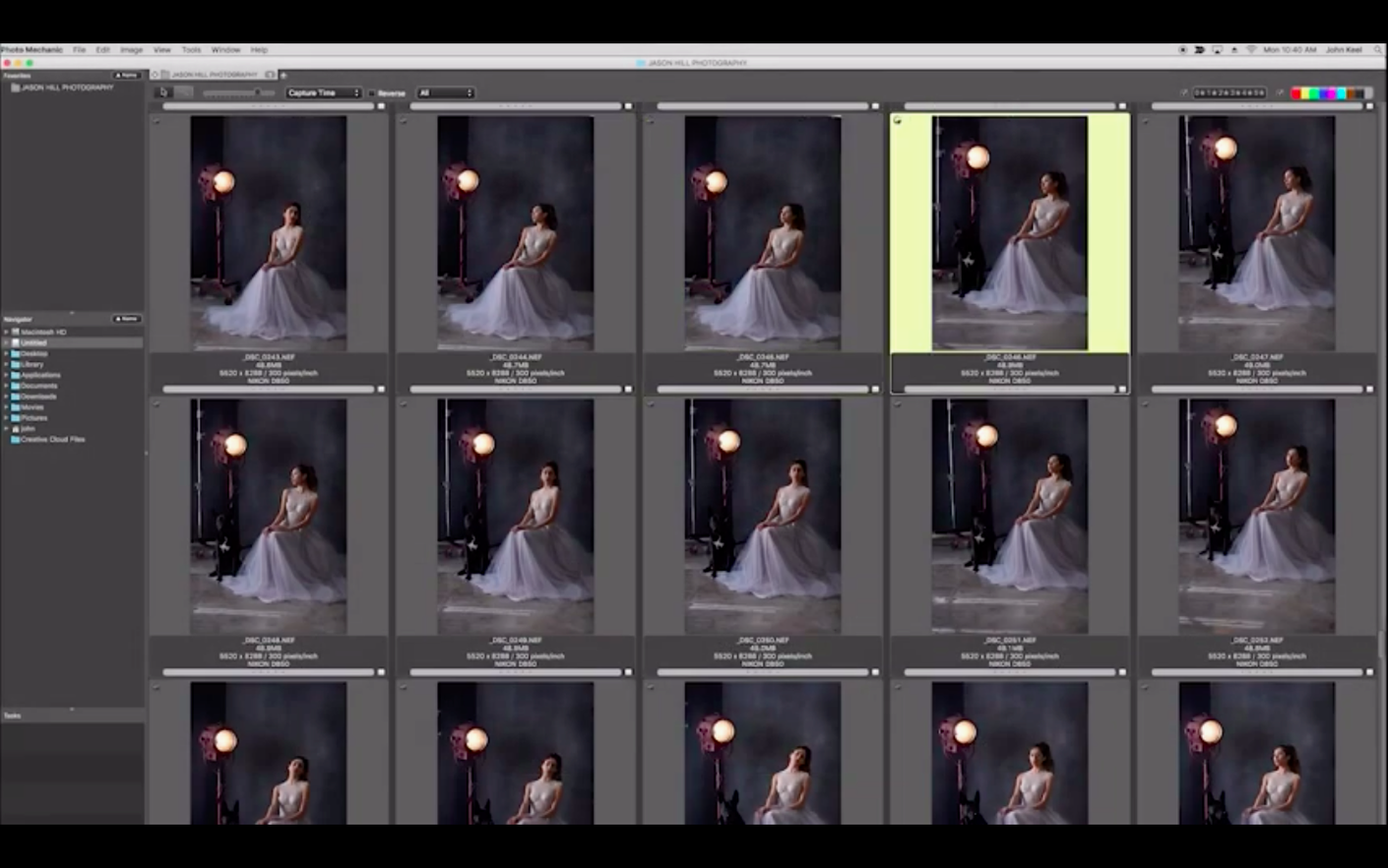
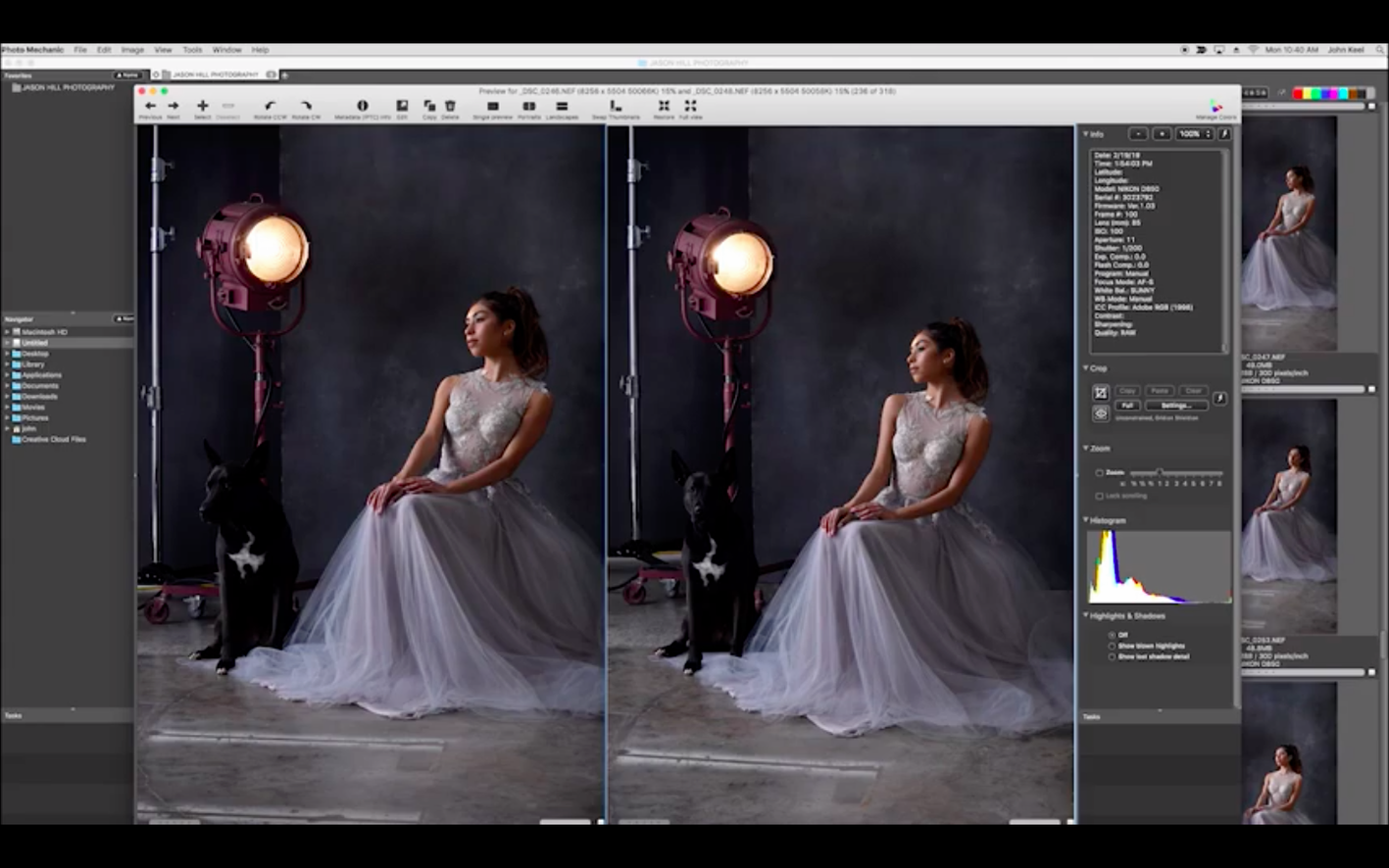
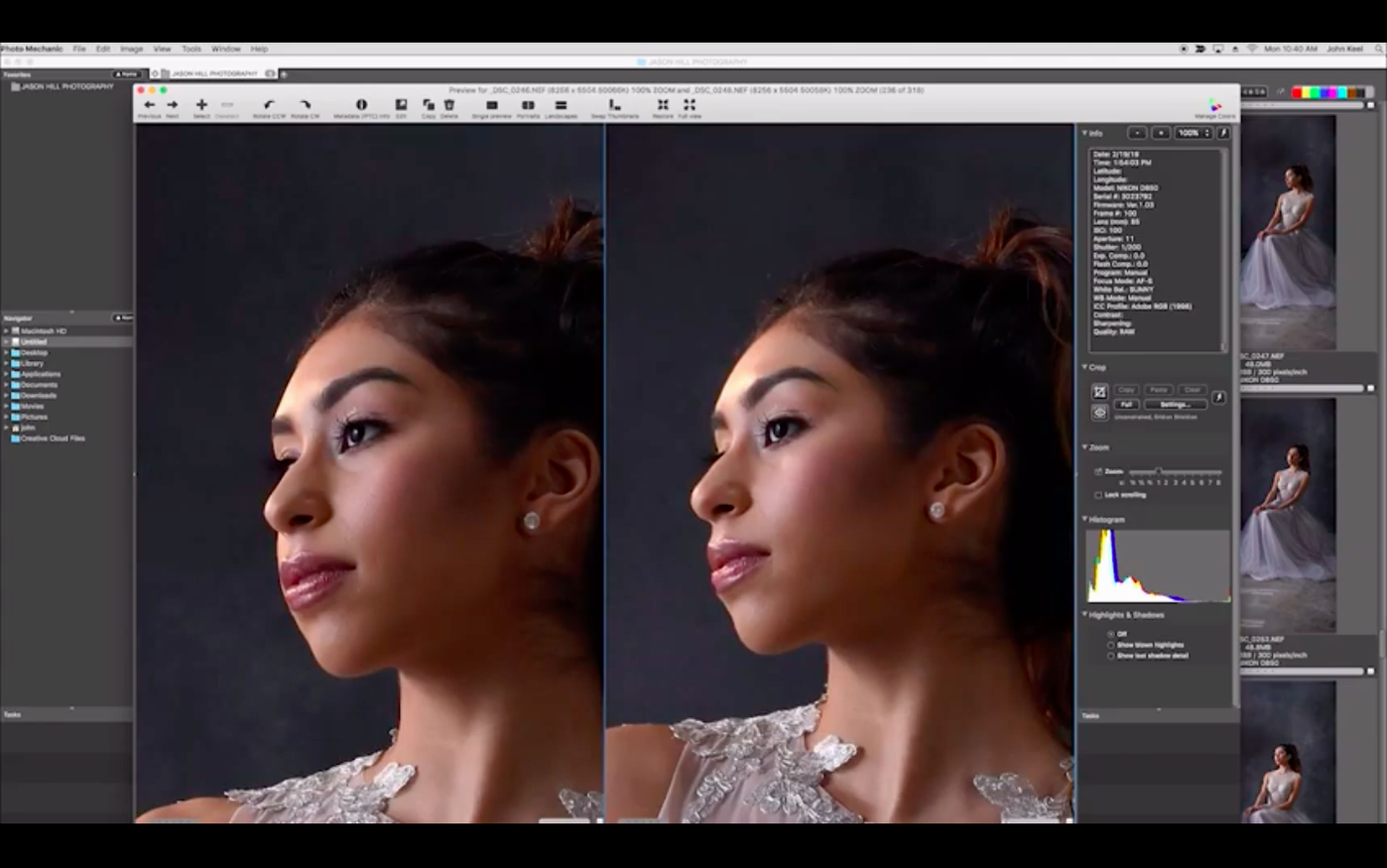
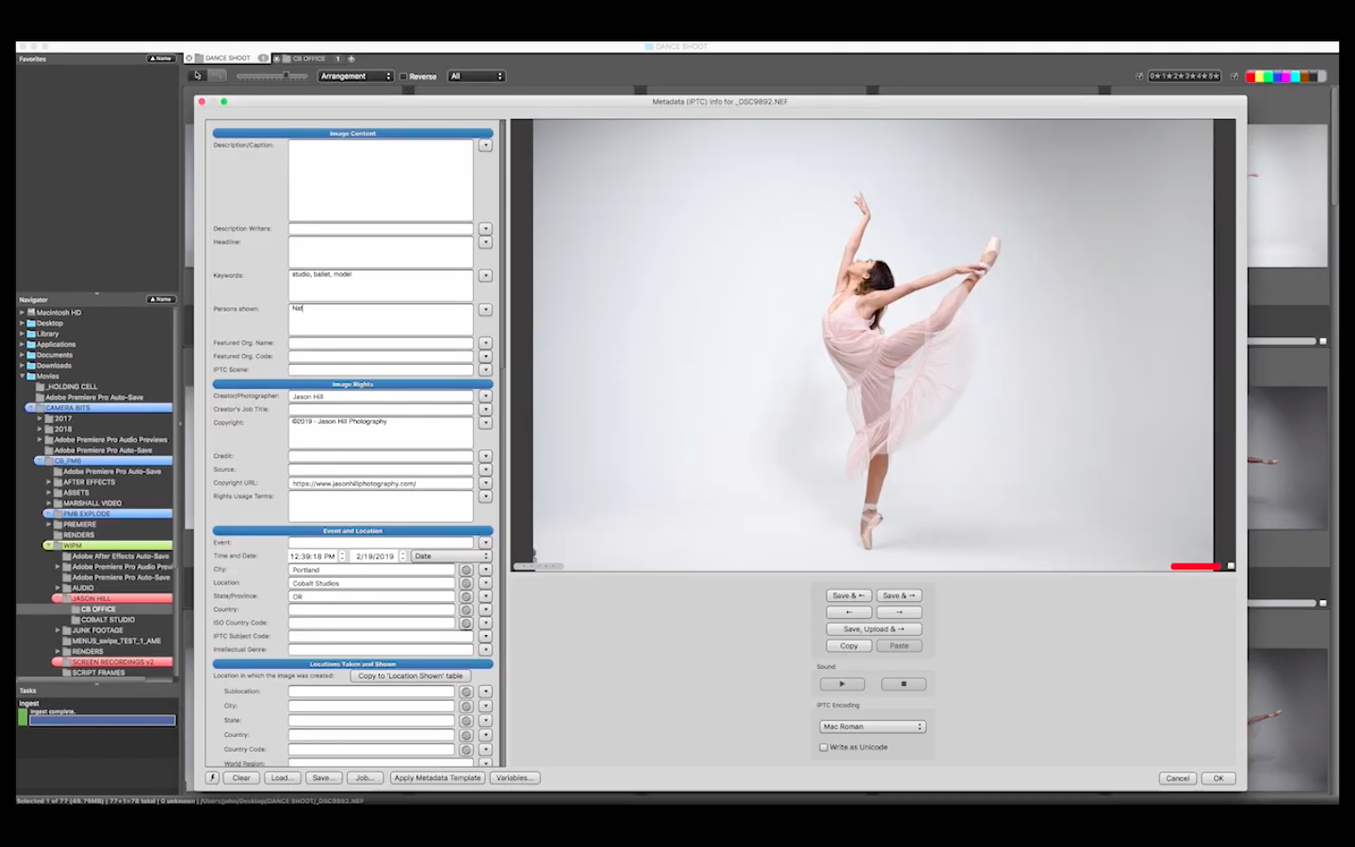
Photo Mechanic runs natively on Apple Silicon and requires macOS 13 or later, so it feels immediately responsive on a modern Mac. It is built for photographers and anyone who manages large collections of images, treating the file browser as the main workspace rather than an afterthought. For a newcomer, the sheer number of panels and shortcuts can seem like a lot, but a handful of actions reveal why the application has endured. These are the first things worth trying.
- Side-by-side comparison: select two or more frames and press Enter for a full-screen view. The split layout makes culling from a burst sequence quick; you can lock a keeper on one side while scanning the rest.
- Batch rename with variables: select a folder of images, open the Rename dialog, and use tokens like
{datesort}or{frame4}to build a naming string. The preview updates as you type, so there are no surprises. - Metadata editing with the IPTC Stationery Pad: apply a caption, copyright, and location to a whole shoot in one pass. You can also read technical camera data such as lens, focus mode, and white balance directly in the Info panel.
- GPS coordinate import: load a GPS log file and the app matches timestamps to photos, embedding location data without manual pin-dropping.
- Save for web: the Export dialog lets you resize, sharpen, and convert a batch to sRGB JPEGs with a single saved preset—useful when a client needs a quick proof gallery.
In short: start with culling and renaming, then explore the metadata and export tools. Each step is designed to handle thousands of files without the lag that heavier cataloguing software can introduce.
Questions before installing: answered briefly
Most photographers ask the same three things before giving Photo Mechanic a place in their workflow. The first is whether it replaces a cataloguing application like Lightroom. It does not; it complements one. Photo Mechanic does not build a database of edits or previews in the same way. It reads the folder structure you already have, which is why it opens a card full of raw files so quickly. You can still rate, tag, and add metadata before importing into a catalogue, and many working photographers prefer exactly that order.
The second question concerns performance on older hardware. The current build runs natively on Apple Silicon, and the difference is most visible when scrolling through a folder of several thousand raw files. Thumbnails render on demand, and the contact sheet remains fluid. On Intel Macs the app still works, but the native build is the one worth installing on an M-series machine.
A third common question is about safety and file handling. Photo Mechanic never writes into your raw image data unless you explicitly apply metadata changes. Ratings and tags are stored in XMP sidecar files or embedded according to your preferences, so originals remain untouched. For anyone searching for a photo mechanic for mac free download, the application itself is a paid product; the installer available on this page is the full build, and the activation step is not required after copying it to Applications.
Spacebar as loupe: instant zoom in the contact sheet
Some of the most useful behaviour in Photo Mechanic is not advertised with buttons. These are the details that become muscle memory after a few shoots.
- The spacebar is a loupe, not just a preview. In the contact sheet, holding the spacebar shows a 100% view centred on the cursor. Release it and you are back to the grid. This single gesture changes the speed of culling.
- Arrow keys respect your sort order. If you sort by capture time, the right arrow moves through chapters of a day rather than alphabetical filenames. Sort order is the hidden ruler of the whole interface.
- Colour labels and star ratings can be typed one-handed. With a selection active, press 1–5 for stars and 6–9 for colour classes. No dialog appears, no confirmation interrupts you.
- Cmd+Click on a thumbnail in the contact sheet toggles a larger preview that follows the mouse without opening a new window. It is easy to miss but invaluable when comparing similar frames.
- The IPTC Stationery Pad remembers fields you leave blank. If you apply a caption without filling in the title field, existing titles remain untouched. This is deliberate, and it saves many accidental overwrites.
Version notes: what recent builds changed in daily use
The 2025.1.8239 release is current, and its improvements are mostly felt rather than seen. The Apple Silicon-native build is the most significant change for everyday work: scrolling, rendering, and batch operations no longer pass through Rosetta, which matters when a folder holds fifty thousand frames from a season of assignments. Camera Bits has also refined the incremental update process, with detailed notes in the Readme file and forum announcements for each build.
In practice, the latest versions have made the export pipeline steadier. Presets for web output, FTP uploads, and email resizing behave more predictably when reused across sessions. The side-by-side comparison view gains a little more stability on wide displays, particularly when mixing raw and JPEG previews of the same image. None of these are headline features, but they accumulate into a quieter, less interruptive working rhythm.
Common beginner mistakes: avoid the first-week frustrations
The most frequent error is expecting a catalogue. New users open Photo Mechanic, look for an import button, and start dragging files into a library that does not exist. The correct mental model is simpler: the app shows you what is already on your drive. Navigate to a folder, start reviewing, and let the folder be the project.
A second mistake involves the IPTC Stationery Pad and blank fields. Applying a template with an empty caption field clears captions from every selected image. The solution is to tick the checkbox next to a field only when you intend to write into it. Unticked fields are ignored; blank values in ticked fields write nothing. Once understood, the difference saves hours of repair work.
A third habit worth avoiding is renaming files before backing up. Batch rename is fast and satisfying, but a poorly constructed naming string can overwrite files with identical names. Use the preview column in the Rename dialog and keep the original filename token available in the string. If you are experimenting with variables, test on a copy of a small folder first.
Finally, some newcomers look for a Photo Mechanic 6 full crack for Mac or a Photo Mechanic Mac torrent out of curiosity, wanting to explore the complete toolset before committing. The build on this page installs as a complete working copy; there is no need to patch or replace anything afterward. Launch it, point it at a folder of images, and the tools described above are all present.








Correspondence 0
Take a chair or join the table to send a letter.
No correspondence on this note yet. Letters are read before they appear.