 LeCoqRoti
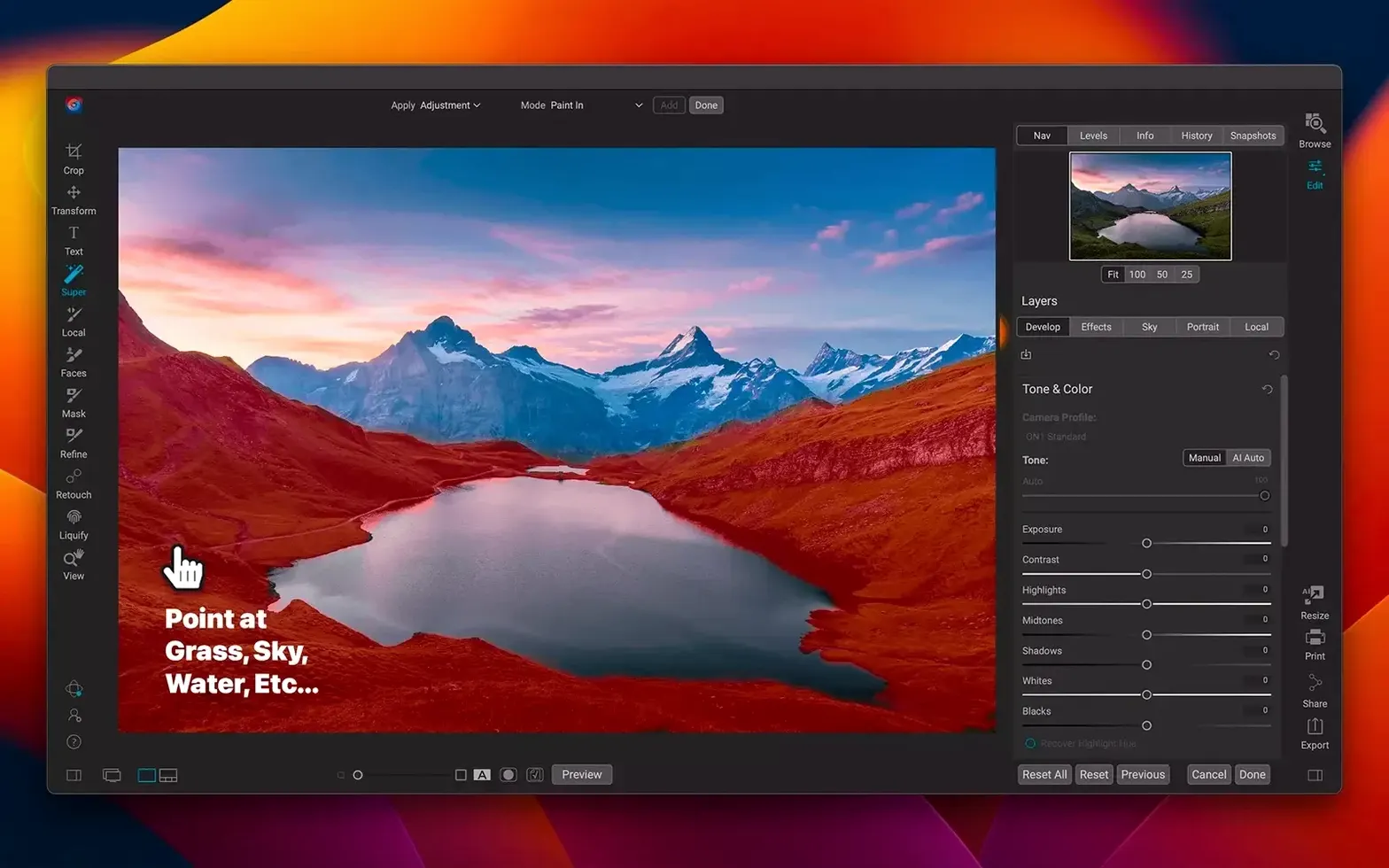
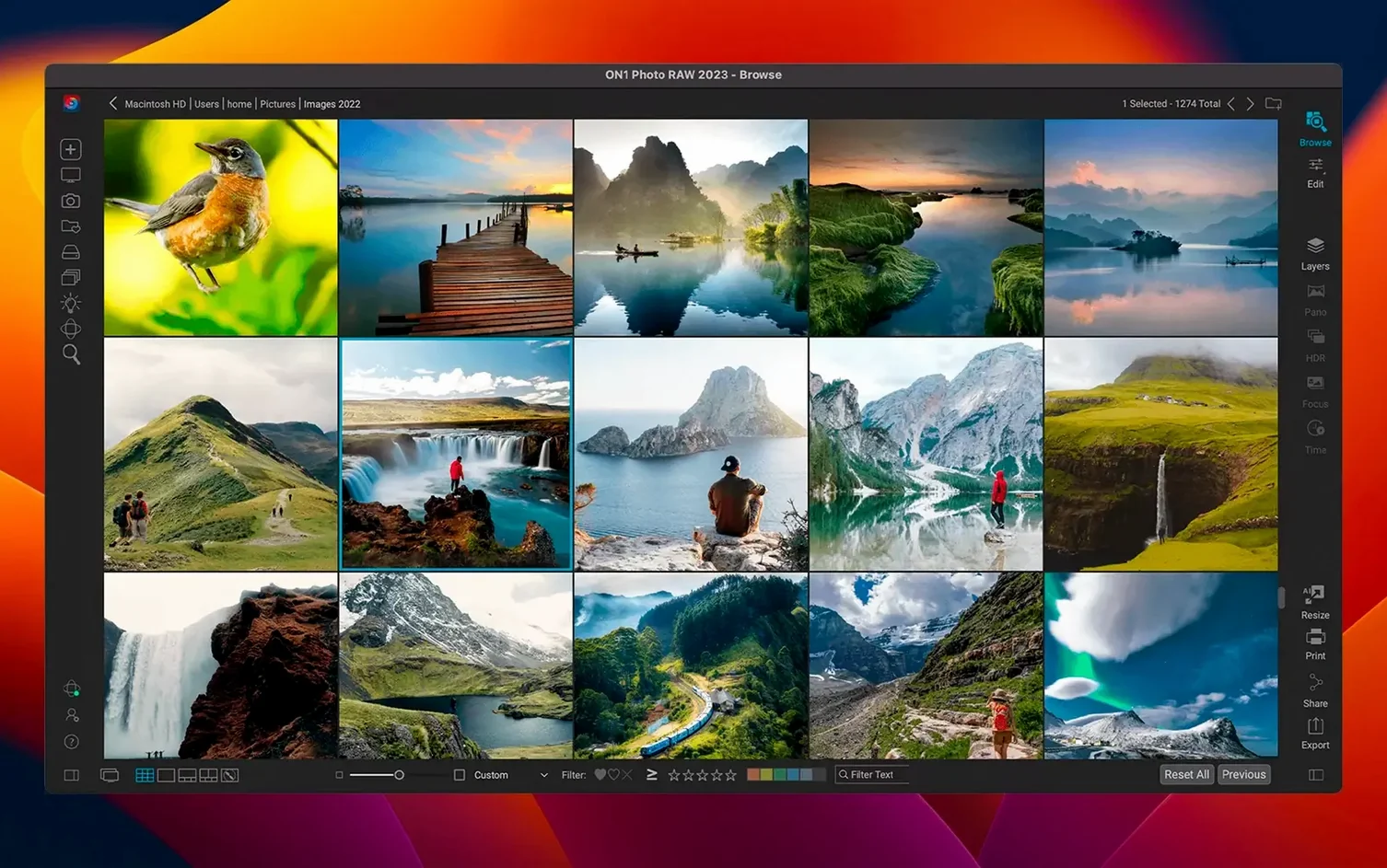
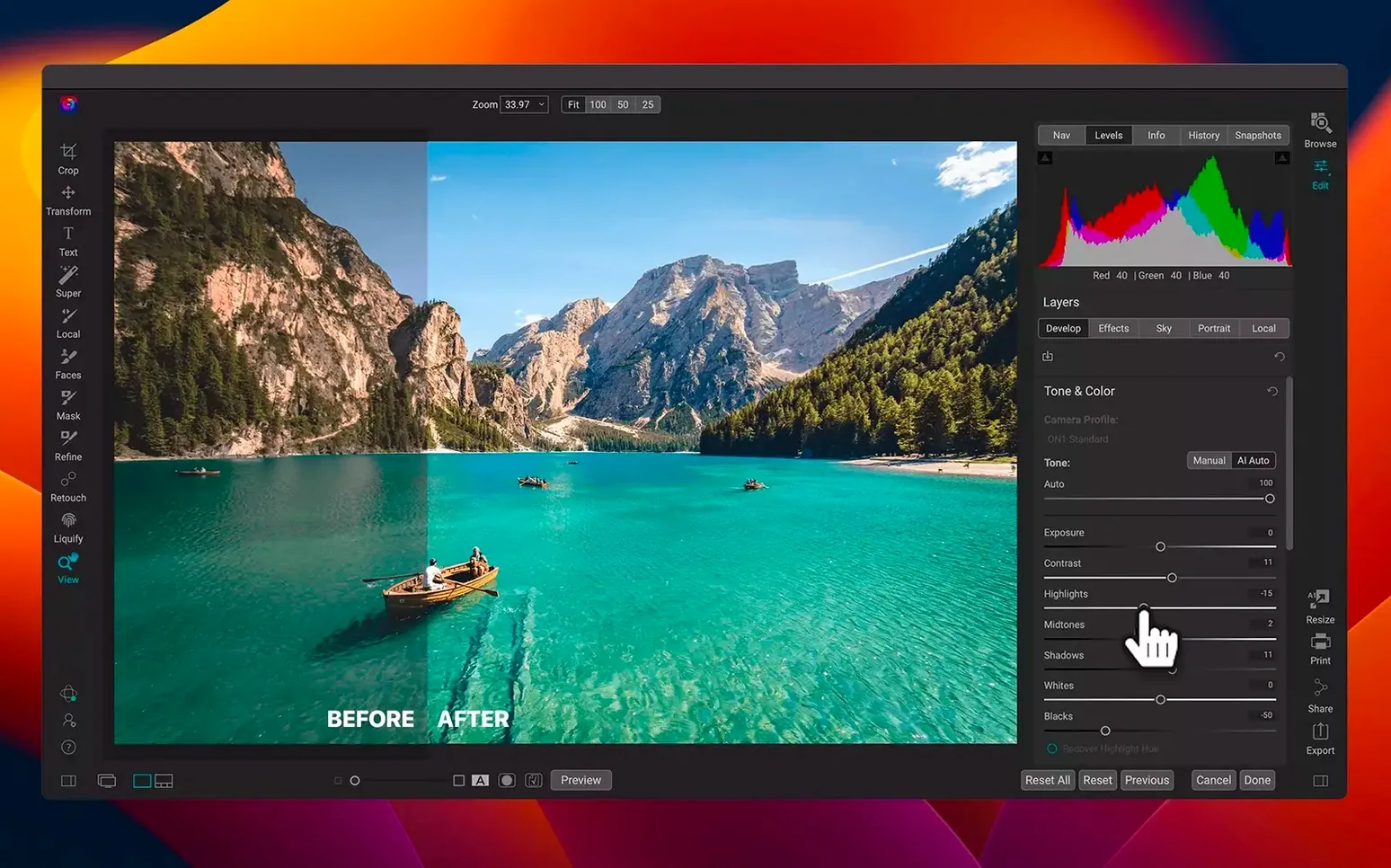
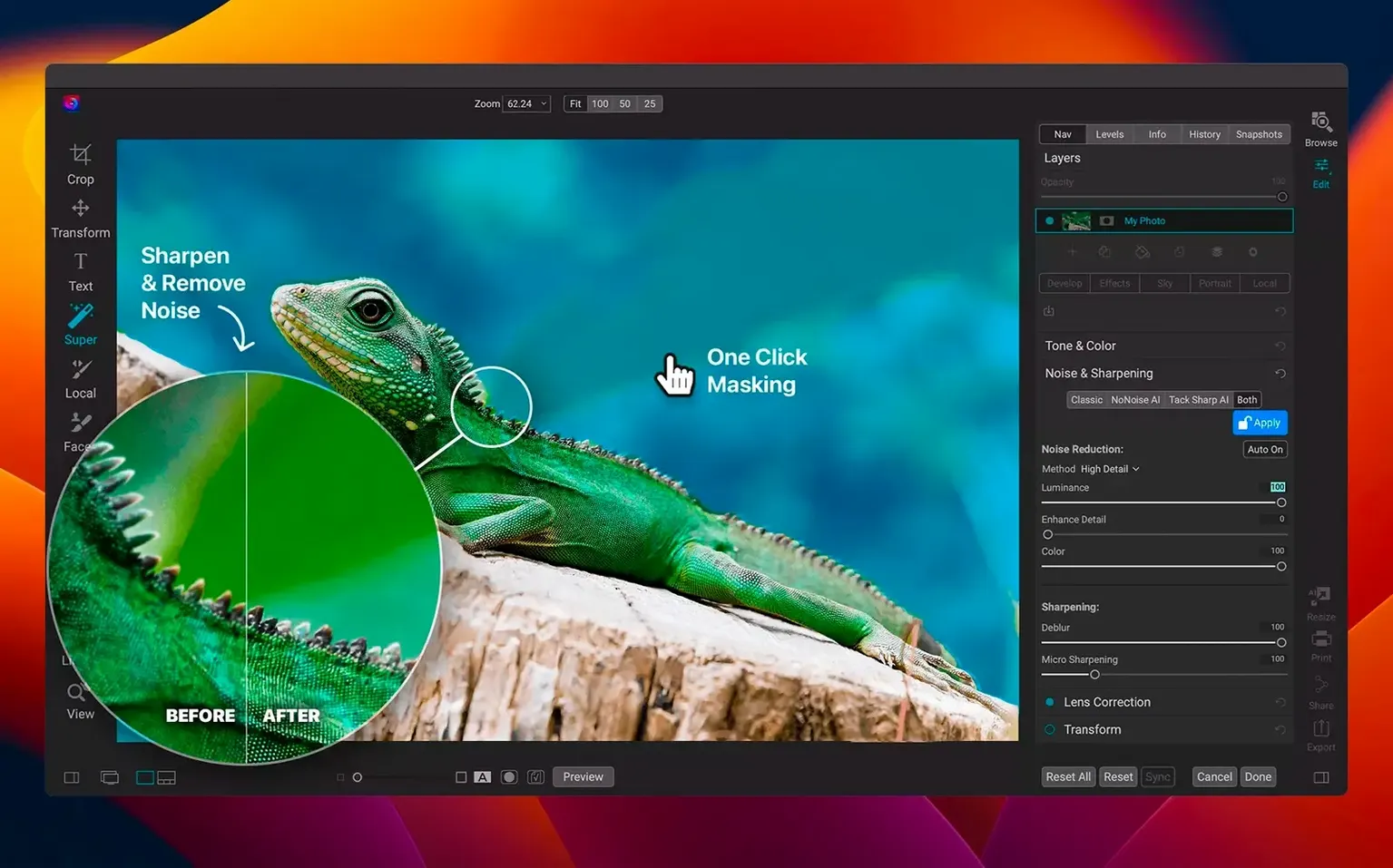
Brilliance AI is a good place to start, but only if you consider the larger frame it sits within. ON1 Photo RAW arrives as a single application that declines to separate the library from the darkroom: browsing, culling and layered editing share the same window. For a Mac user who already owns a raw developer and a catalogue, the question is not whether it replaces them, but which part of the chain it can simplify.
The layered editor is the clearest signal. It means local adjustments, text overlays and composite work happen without sending a flattened TIFF to another app. The effects module sits alongside, closer in spirit to a plug-in suite that never left the host. For portrait retouching, film grain or glow, the controls are direct sliders, not buried presets.
Next to a workflow built from two or three separate tools, the appeal is in the friction it removes. A shoot comes in, gets organised with star ratings and keywords, then moves straight into corrections — no watched folders, no export dialogue between stages. The 2026.5 update tightens this with faster filter rendering and fresh lens profiles, which matter most at the wide end.
Workflow: from raw file to a print-ready portrait
A single portrait can pass through four distinct stages without leaving the application. The process begins in Browse, where the memory card is ingested with a basic copyright template applied. A quick pass with flags and colour labels separates the keepers: green for promising frames, red for focus misses. Double-clicking a green-tagged raw file opens it in Develop, and the real work starts.
White balance comes first — the eyedropper on a neutral area of the background sets the temperature, then a slight shift toward magenta warms the skin. The lens profile loaded by the 2026.5.2 update corrects barrel distortion on the 85 mm prime automatically. Shadow recovery lifts the hair detail without touching the highlights, and a gentle vignette darkens the edges before the subject is even touched.
The file then moves to the layered editor. A stamped visible layer becomes the retouching base: the healing brush removes a stray strand of hair, the clone stamp evens out a patch of background texture. A curves adjustment layer, masked to the eyes with a soft brush, brightens the irises without affecting the catchlights. Above that, a colour balance layer warms the midtones by a fraction.
For the finish, the effects module adds a subtle film grain — visible only at full resolution — and a glow layer set to screen mode at low opacity, confined to the highlights with the built-in luminosity mask. The print-ready file is exported as a 16-bit TIFF in ProPhoto RGB, sized for A3 at 300 ppi. No intermediate files were saved, no external editor was opened.
The entire sequence from import to export took under eight minutes. A workflow that once required a raw converter, a pixel editor and a plug-in host now occupies a single tab bar.
Comparison: where it sits among Mac raw editors
Placed beside Adobe Lightroom Classic, the difference is architectural. Lightroom keeps the catalogue separate from the develop module, and the library is mandatory — images cannot be edited until they are imported. ON1 Photo RAW allows direct editing of a raw file from the Finder, no catalogue required. For a photographer who works across multiple machines and prefers a folder-based structure, that alone changes the morning routine.
Capture One Pro shares the session-based approach but leans harder into tethered shooting and colour grading precision. Its colour editor is deeper, its default profiles for Phase One and high-end DSLRs are finely tuned. ON1 Photo RAW counters with the effects module and the layered editor, neither of which has a direct equivalent inside Capture One. Where Capture One expects you to round-trip a pixel edit, ON1 simply opens a layer stack.
Compared to RawTherapee, which is open-source and deeply technical, ON1 Photo RAW trades parameter-level control for speed and visual feedback. RawTherapee offers deconvolution sharpening and wavelet decomposition at a level no commercial app matches, but its interface demands study. ON1 Photo RAW presents most adjustments as sliders with immediate previews, and the AI-powered masking — available in the 2026.5 generation — handles sky replacement and subject isolation in a few clicks rather than a manual luma-range mask.
Hour-one deadline: from 600 frames to client selects
Consider a magazine photographer returning from a morning shoot with 600 frames of a chef in a tight kitchen. The art director needs twelve selects, lightly graded, within the hour. The card is inserted, Browse loads the thumbnails as the raw data renders in the background, and culling happens at full speed with the arrow keys. Star ratings are assigned during the first pass; a second pass narrows the selection to thirty frames with a quick crop applied to check composition.
From there, a preset — custom-built for the publication's house style, with a slight desaturation in the blues and a lifted black point — is applied to all twelve selects simultaneously via the batch tool. One frame needs a local exposure adjustment on a hand holding a knife: the quick mask brush paints the area, and the exposure slider brings the highlight detail back. No round-trip, no sidecar file to manage.
The selects are exported as high-resolution JPEGs in sRGB, resized to the magazine's column width, and uploaded through the built-in export dialogue that writes directly to a client folder on the desktop. The photographer meets the deadline with twelve minutes to spare. The combination of browsing, batch presets and local adjustments inside one window is what made the time difference — not the speed of any single tool, but the absence of handovers between them.
Same-day delivery: a hub between raw developer and pixel editor
The photographer who already owns a raw developer and a pixel editor may still find a place for ON1 Photo RAW as the central hub. Event shooters, particularly those delivering same-day galleries, gain from the catalogue-free browsing and the batch export engine. Wedding photographers with a signature preset and a need for fast culling can run an entire Saturday's work without opening a second application.
Portrait and fashion retouchers will use the layered editor as their primary workspace: frequency separation, dodge and burn, and colour grading all happen on a single stack that remains fully editable. The effects module serves the photographer who wants a film look or a glow without building actions or buying a plug-in suite. Landscape photographers with large raw libraries appreciate the folder-based browsing and the new lens profiles that correct wide-angle distortion at the point of development, not later.
Users who work with Lightroom or Capture One for tethered capture may keep ON1 Photo RAW as their finishing tool — not as a replacement, but as the layer-capable editor that sits downstream of the raw conversion. The application does not ask for exclusivity. It fits into an existing toolset as cleanly as it stands alone.
In short: it earns its place beside existing Mac tools by shrinking the distance between selection and finish, not by asking for loyalty.




Correspondence 0
Take a chair or join the table to send a letter.
No correspondence on this note yet. Letters are read before they appear.