 LeCoqRoti

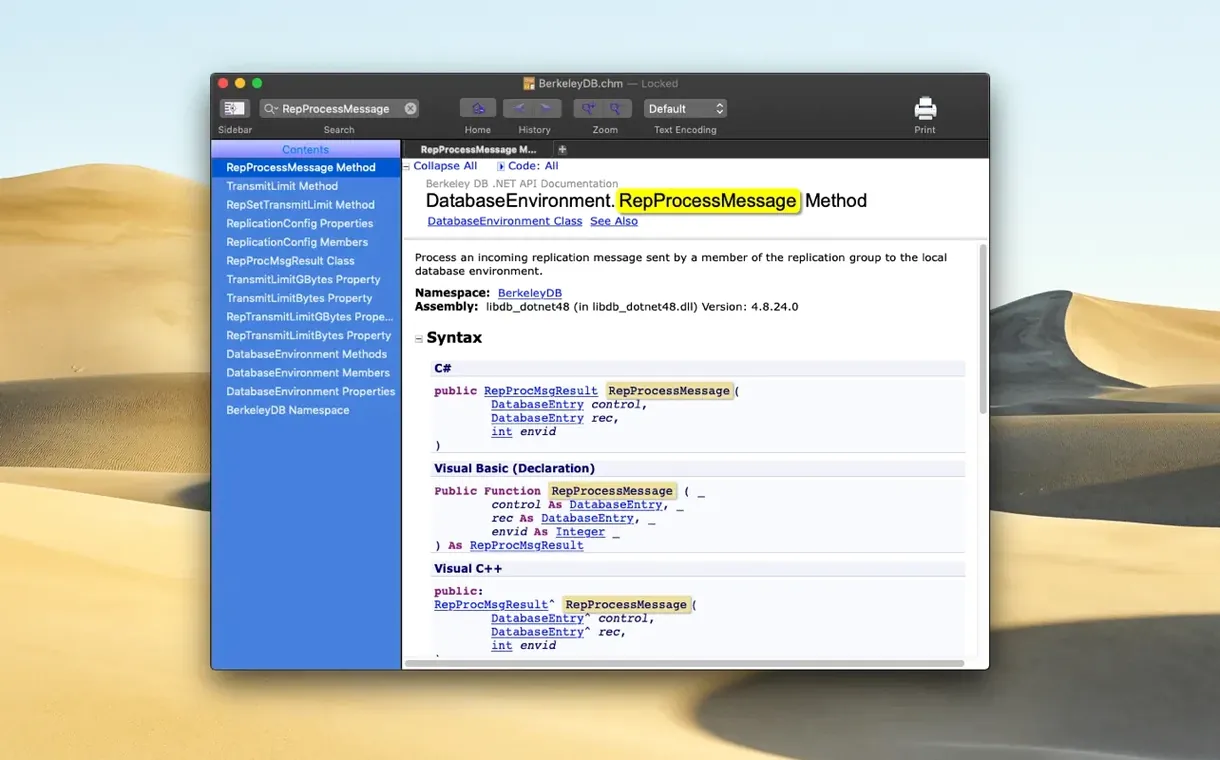
CHM files remain a common format for help documentation, yet finding a straightforward reader on Mac can be frustrating. CHM Viewer Star addresses this directly: it opens CHM files without fuss and provides the essential tools for navigating them.
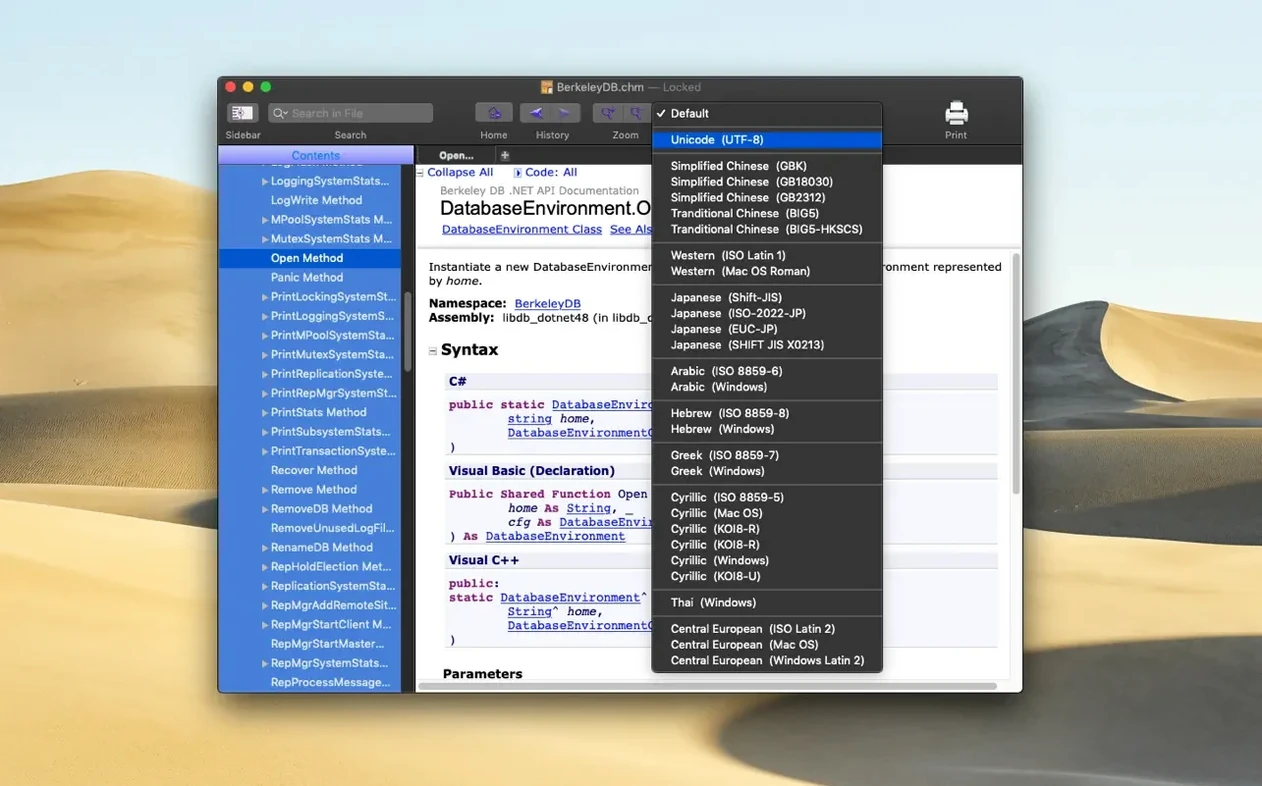
Text encoding — lets you display files in the correct character set, especially useful for multilingual documents.
Text zoom — makes small print readable without leaving the app.
Back and forward navigation — moves through pages you have already visited, like a browser.
Command+F text search — finds words on the current page quickly.
Bookmarks — save your place in long documents for later reference.
Beyond the built-in controls, CHM Viewer Star interacts neatly with the wider macOS environment. Because it respects the system file picker and drag-and-drop, you can open a CHM file from Finder, from a download manager, or even from an archive tool like The Unarchiver. The app registers itself for the .chm extension on install, so double-clicking a help file in any folder is enough.
If you keep your documentation in a project folder, simply drag the CHM file onto the CHM Viewer Star icon in the Dock or the Applications folder — the app opens directly to the topic. The same goes for email attachments: drag from your mail client into the reader’s window.
Default zoom and encoding adjusted first
Out of the box, CHM Viewer Star uses a default zoom level and encoding that may not match your file. Before diving into a long manual, adjust these two:
- Text encoding — open the View menu and try a few options if the characters appear garbled. For Japanese, Korean or Central European CHM files, this step alone makes the content legible.
- Text zoom — set it to a comfortable percentage early on. The app remembers this setting across sessions, so you only need to do it once.
If you frequently revisit the same manual, add a bookmark on the table of contents page. That way, you return to exactly where you left off, even if you close the file between sessions. The bookmarks persist as long as the CHM file remains in the same location on your drive.
Technical users skip Windows VM with this viewer
Anyone who works with technical documentation will benefit most. Developers, system administrators and writers often encounter CHM files from older Windows software, open-source projects or bundled SDKs. CHM Viewer Star spares them the trouble of keeping a Windows VM or Wine setup just for reading help files.
Students and researchers who download software with localised help — especially from Chinese or Russian sources — will appreciate the encoding flexibility. The app handles documents that other readers simply show as empty or scrambled.
Historical note: enthusiasts who collect old software or reference libraries will find CHM Viewer Star indispensable. The CHM format was widely used in the 2000s, and many knowledge bases remain in this form. A dedicated reader like this one makes those archives usable again on a modern Mac, whether Intel or Apple Silicon.
In short: if you have ever needed to open a CHM file and felt stuck, this app removes the obstacle with minimal friction.
Available in English and Chinese (Simplified), it runs on macOS 10.7 and later, supporting both Intel and Apple Silicon Macs.







Correspondence 0
Take a chair or join the table to send a letter.
No correspondence on this note yet. Letters are read before they appear.