 LeCoqRoti
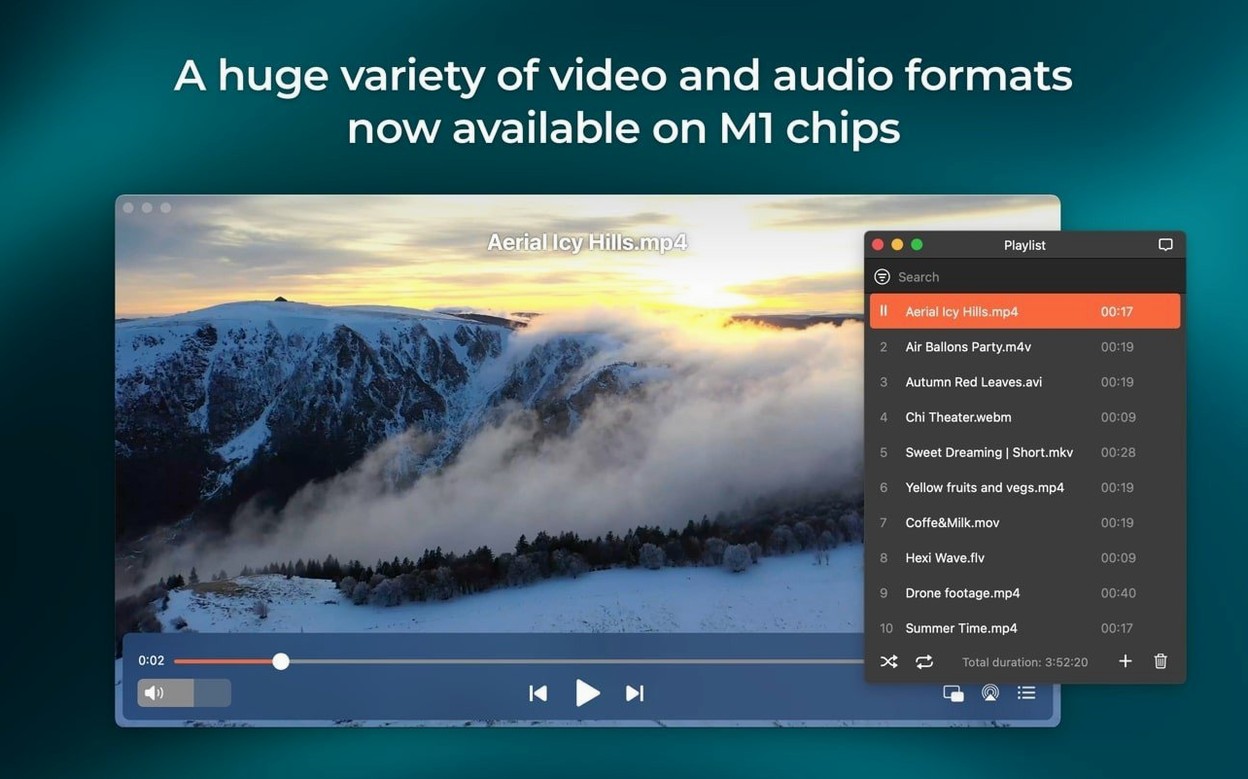
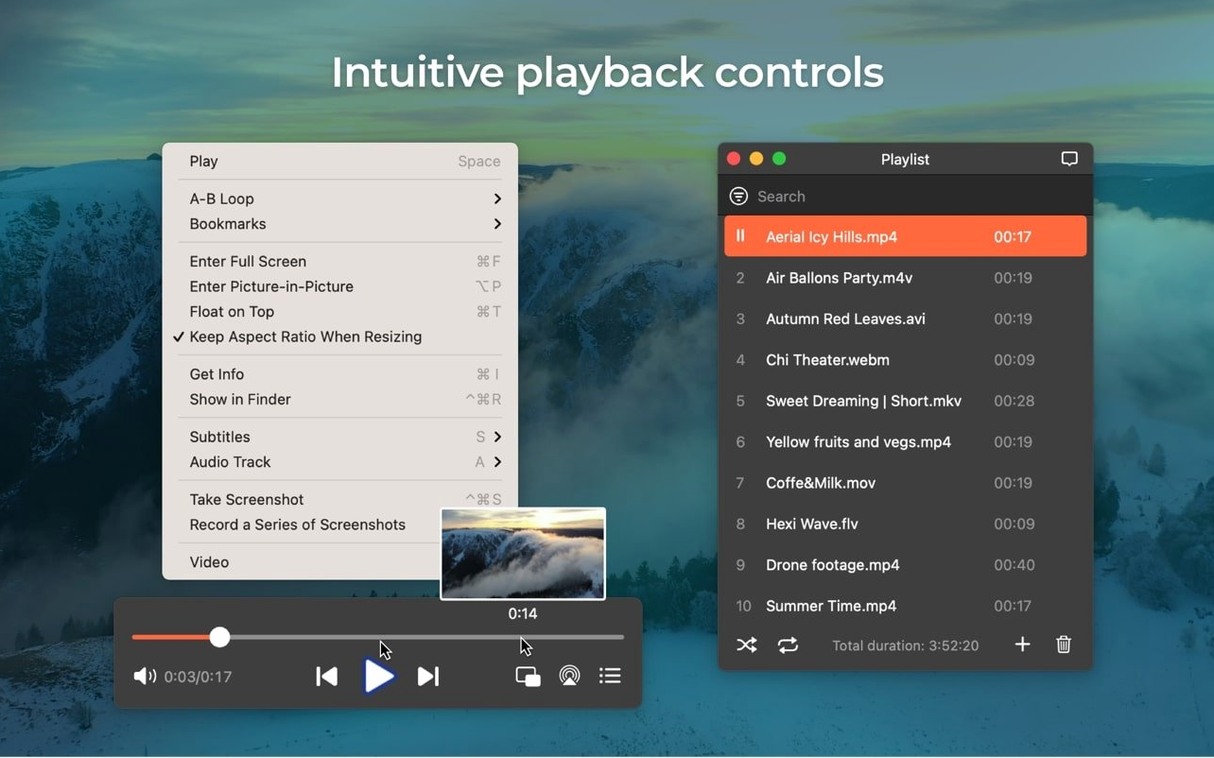
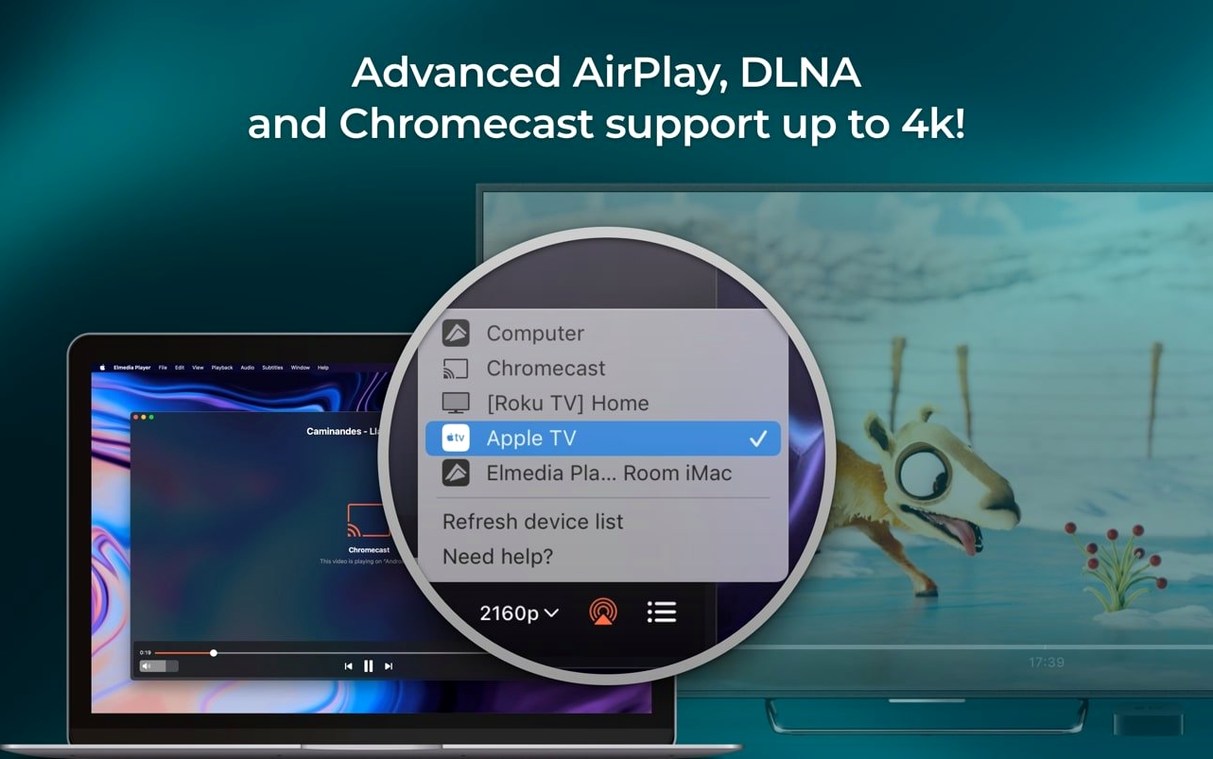
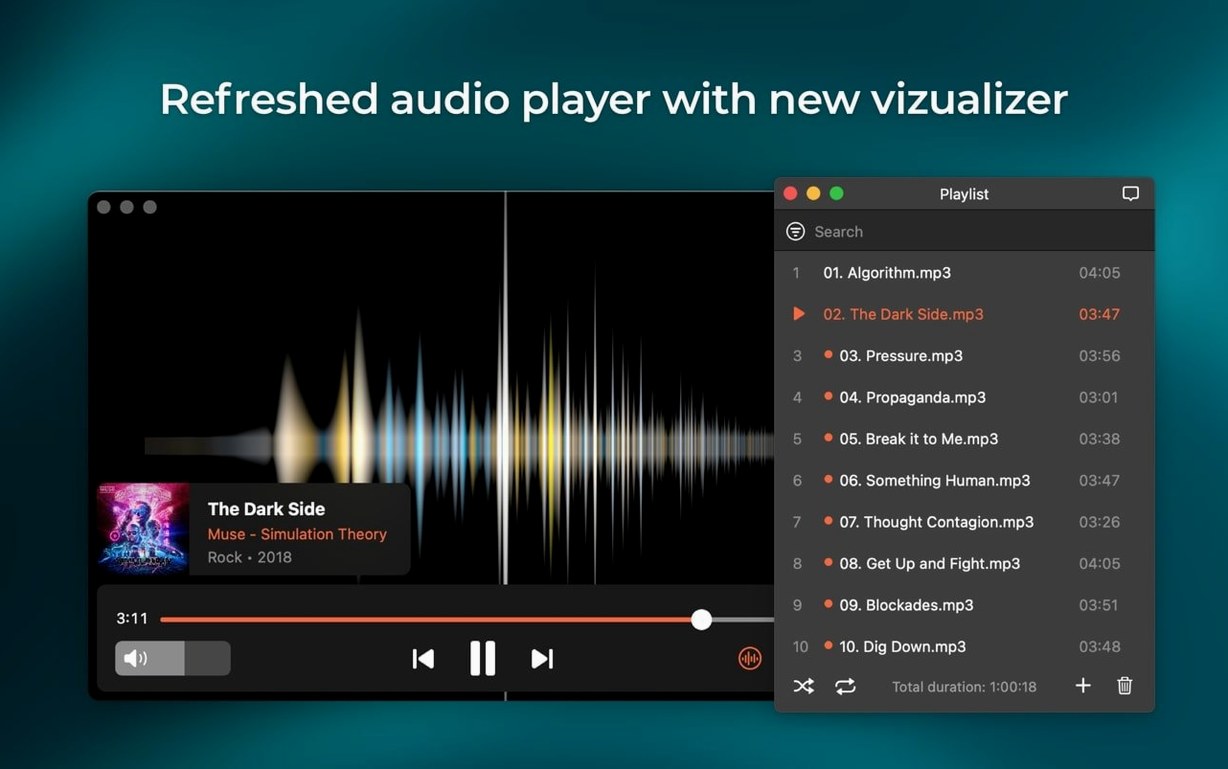
A video editor I work with keeps a single film loaded for weeks, stepping through frames and switching audio outputs between her nearfield monitors and a separate headphone amp. She does not open it in a timeline tool. She uses Elmedia Player Pro because its audio device menu sits in the player window, not buried in a system preference pane.
That direct routing works for any connected output: headphones, speakers, or an AV receiver reached over HDMI. For DVD rips with AC-3 or DTS tracks, the player can pass the encoded bitstream through to a decoder when the hardware path supports S/PDIF or HDMI — no intermediate mixdown. The same attention to signal shows in the channel options. A multi-speaker arrangement can use two, four, or eight discrete channels, set from the audio inspector.
Playback itself leans on hardware-accelerated decoding, which keeps HD and high-bitrate files smooth without pushing the CPU fan. Screenshots are a small but precise tool: a single frame can be saved as TIFF, PNG, or GIF, with the format chosen from the save dialogue. The player also handles online video streams directly and can download a video or its audio track for offline reference; in a studio context, that is useful for pulling a reference clip or a temporary voiceover track without opening a browser.
A recent addition is M4B audiobook support, which fits a quiet afternoon of review listening. The 8.24 update also tightened streaming stability to external devices and stopped the Mac from sleeping mid-stream — small corrections that keep a long session running without interruption.
Neighbour, not library: stays out of the way
Elmedia Player Pro does not try to be a library manager or an editor, and that restraint makes it a better neighbour. It opens a file, plays it, and stays out of the way. Files can be dragged from a Finder window or from a media organiser like Eagle, and the player remembers the last playback position for most formats — a small convenience that means a reference video picked up three days ago resumes exactly where you left it.
On the macOS side, the player respects Spaces and full‑screen assignment. A video can run full‑screen on a second display while the primary screen holds a design document, with audio routed to the display that carries the picture. The built‑in screenshot tool places a frame on the clipboard or saves it to a folder that Hazel or a custom Automator action can watch, which suits a studio where stills flow into a shared review board. Because the player handles online video internally, a link pasted from a messaging app or a project tracker opens without handing off to Safari; the playback window stays inside the application, not lost among browser tabs.
Frame-steppers and playlist builders: three groups who lean on it
Three groups stand out. The first is anyone who works with reference material: motion designers comparing frame timing, sound editors checking sync against picture, colourists pulling stills for a look book. The ability to step through a file frame by frame and save a clean PNG without a player interface overlay is the feature they return to.
The second group is users with multi‑output audio setups. If a desk holds both powered monitors and a DAC feeding headphones, switching between them from a dropdown inside the player window saves a trip to Audio MIDI Setup. The passthrough for AC‑3 and DTS matters to anyone monitoring a DVD archive through an external decoder — a niche, but a real one in post‑production houses that keep older surround mixes as disc images.
The third is the person who downloads the occasional online video or audio track for offline use. A music producer pulling a temporary vocal reference from a streaming link, or a translator extracting an interview clip for transcription, can do it without installing a separate download manager. The RTMP stream support covers some live and archived sources that browser‑based tools miss, though its usefulness depends entirely on the source server.
Comparison: three alternatives on macOS
IINA is the closest in spirit: a modern, open‑source player built on mpv. It handles a similar format range and also offers hardware decoding. Where it differs is in audio routing and stream download. IINA relies on the system audio device; you cannot switch output hardware from inside the player. It has no built‑in downloader for online video, and its screenshot output is PNG only, with no TIFF option. IINA’s interface is flatter and more minimal, which some prefer; Elmedia Player Pro exposes more controls without needing a preferences trip — the audio device selector, channel layout, and stream download panel are all reachable from the main window.
VLC plays almost anything and costs nothing, but its macOS interface has always felt ported rather than native. Audio device switching is possible but requires opening the advanced preferences or using a menu buried under Audio > Audio Device. VLC can download streams via its network stream capture, yet the process is less direct: you open a network location, enable streaming output, and configure a destination. Elmedia Player Pro reduces that to a single panel with format selection. VLC’s strength is its codec coverage; Elmedia Player Pro’s strength is that common tasks stay closer to the surface.
Movist Pro shares the emphasis on a clean Mac interface and high‑quality playback. It supports HDR tone mapping and has a refined full‑screen controller. However, its audio routing is simpler — no per‑window device selection, no AC‑3/DTS passthrough toggle. Movist Pro also lacks an online video downloader. For pure local playback of high‑bitrate files with HDR, Movist Pro is excellent; for a mixed workflow of local files, streams, and multi‑output audio, Elmedia Player Pro covers more ground from a single window.
A workflow: pulling a reference clip for a sound design session
Imagine a sound designer who receives a link to a short film with a temporary mix. She needs the audio track offline, a few still frames for spotting notes, and the ability to switch between headphones and monitors while layering effects in her DAW.
She copies the link, opens Elmedia Player Pro, and pastes it into the built‑in browser. The film loads inside the player. She opens the download panel, selects audio extraction, and saves the AAC track to a project folder — no transcoding, no extra application. While the film plays, she pauses on three key moments and saves each frame as a TIFF. The screenshots land in a folder that her notes app watches; they appear in her session document within seconds.
She keeps the video open on a secondary display, routed to her headphone amp via the player’s audio device menu. When she wants to check the low end on her monitors, she switches the output from the same dropdown — the DAW continues using the system default, unaffected. The player prevents the Mac from sleeping during playback, so a long spotting session does not interrupt the screen or the audio interface. By the time she opens her DAW, the reference audio is in place, the stills are annotated, and the player is running quietly in the background, ready for the next review pass.








Correspondence 0
Take a chair or join the table to send a letter.
No correspondence on this note yet. Letters are read before they appear.